
Overview of the Software
Table of Contents
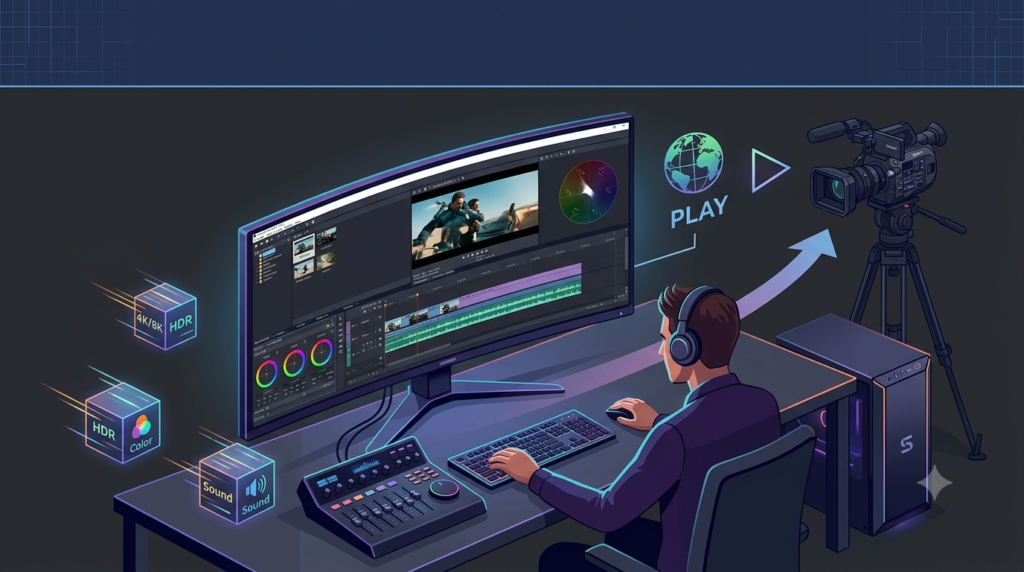
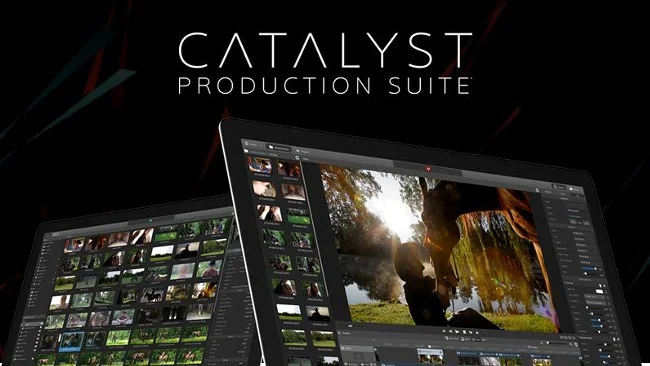
The Sony Catalyst Production Suite v2026.1 is a professional-grade, non-linear editing (NLE) and color correction software suite designed specifically for cinematographers, broadcast engineers, and high-volume content creators. Unlike consumer-level editors, this suite prioritizes RAW workflow efficiency, GPU-accelerated rendering, and Sony camera ecosystem integration.
This latest iteration combines Catalyst Prepare (for media management, logging, and transcoding) and Catalyst Edit (for timeline editing and color grading). The v2026.1 release focuses on stabilizing high-bitrate codecs from Sony VENICE, FX9, and Alpha series cameras, ensuring a seamless post-production pipeline from ingest to final export.
As a professional video editing software solution, it competes directly with DaVinci Resolve and Adobe Premiere Pro but distinguishes itself through native Sony RAW (X-OCN) decoding and advanced noise reduction algorithms.
Key Features of Sony Catalyst Production Suite v2026.1
-
Native RAW Processing: Directly edit Sony RAW, X-OCN, and MPEG-4 SStP without transcoding.
-
LUT Management: Apply, bake, or export 3D LUTs in real-time with scopes (waveform, vectorscope, histogram).
-
Image Stabilization: Advanced gyro-based stabilization using metadata from Sony cameras (a7S III, FX6, FX9).
-
HDR Workflow: Full support for HLG (Hybrid Log Gamma), PQ (Perceptual Quantizer), and SDR down-conversion.
-
Multi-Camera Editing: Sync up to 16 camera angles using timecode or audio waveform analysis.
-
Subclip & Logging: Intelligent tagging, face detection metadata search, and shot marker systems.
-
GPU Acceleration: Optimized for NVIDIA CUDA and AMD OpenCL for real-time 4K/8K playback.
What’s New in Version v2026.1
The v2026.1 update introduces the following enhancements:
-
Improved X-OCN Decoding Speed: Up to 30% faster playback on Apple M2/M3 and Intel 13th/14th gen systems.
-
Auto Lens Correction Database: Added profiles for Sigma, Tamron, and Sony G-Master lenses (2024-2026 models).
-
Proxy Workflow Automation: One-click proxy generation with camera-to-cloud folder monitoring.
-
Accessibility Compliance: Screen reader support and keyboard shortcut customization for visual accessibility.
-
ACES 2.0 Integration: Academy Color Encoding System support for color-managed pipelines.
System Requirements for Catalyst Production Suite v2026.1
Minimum Requirements
| Component | Specification |
|---|---|
| OS | Windows 10 64-bit (22H2) or macOS 13 (Ventura) |
| CPU | Intel Core i7 (8th gen) or AMD Ryzen 7 3700X |
| RAM | 16 GB (DDR4-3200) |
| GPU | NVIDIA GTX 1660 (4GB VRAM) or AMD Radeon RX 5600 |
| Storage | 500 GB SSD (NVMe recommended) |
| Display | 1920×1080, 10-bit color depth |
Recommended Specifications
| Component | Specification |
|---|---|
| OS | Windows 11 Pro or macOS 14 (Sonoma) |
| CPU | Intel Core i9 (13th gen) / AMD Ryzen 9 7950X / Apple M2 Pro/Max |
| RAM | 32 GB (64 GB for 8K workflows) |
| GPU | NVIDIA RTX 4080 (12GB+) or AMD Radeon RX 7900 XT |
| Storage | 1 TB NVMe + 2 TB SSD cache drive |
| Display | 4K UHD, 10-bit or 12-bit HDR reference monitor |
Installation Guide for Sony Catalyst Production Suite v2026.1
Legal Notice: This guide assumes you hold a valid software license purchased directly from Sony Creative Software or an authorized reseller. Unauthorized activation methods violate copyright laws and software agreements.
Step-by-Step Installation (Windows)
-
Download the official installer from your Sony account dashboard.
-
Disable antivirus temporarily (some heuristics may flag large codec packs).
-
Run
Catalyst_Production_Suite_v2026.1_Win.exeas Administrator. -
Accept the End-User License Agreement (EULA).
-
Choose installation type:
-
Complete (recommended for most users) – 6.2 GB
-
Custom – select individual components (Prepare, Edit, or both)
-
-
Enter your product key (25-character alphanumeric).
-
Wait for codec registry and OpenCL driver installation.
-
Reboot your system to finalize GPU context registration.
macOS Installation
-
Mount the
.dmgfile and drag the suite to/Applications. -
Launch from Applications folder – the license activation wizard will appear.
-
Sign in with your Sony Creative Software ID (requires internet once every 30 days for validation).
Troubleshooting Tip: If GPU acceleration is unavailable, update your graphics drivers directly from NVIDIA/AMD/Apple, not Windows Update.
How to Use the Sony Catalyst Production Suite (Workflow Guide)
Ingest & Organize (Catalyst Prepare)
-
Import media via drag-and-drop or hot folder.
-
Apply metadata tags – camera, lens, scene, take, and custom flags.
-
Create subclips for long takes (e.g., interviews, concerts).
-
Transcode to editing codec – ProRes (macOS) or DNxHD (Windows) for offline editing.
Edit Timeline (Catalyst Edit)
-
Create a new project – set resolution (up to 8K DCI), framerate (23.976, 25, 50, 60), and color space.
-
Drag subclips to timeline – use “Snap to Playhead” and “Ripple Delete” for efficient trimming.
-
Apply transitions – cross dissolve, dip to black, or custom keyframed wipes.
-
Use keyframe animation for position, scale, rotation, and opacity.
Color Grading & Export
-
Open Color Panel (F6) – access Lift/Gamma/Gain wheels and curves.
-
Apply a technical LUT – e.g., S-Log3 to Rec.709.
-
Adjust secondary color via HSL qualifiers (limit to skin tones or sky).
-
Render queue – choose H.264 (YouTube), ProRes (Master), or IMF (broadcast).
Best Use Cases for Sony Catalyst Production Suite v2026.1
-
Documentary Filmmaking: Long-form media management with advanced logging and search.
-
Corporate Video Production: Quick turnaround for interviews + B-roll using multi-cam sync.
-
Sony Camera Owners: Seamless RAW workflow without using external transcoding tools.
-
Broadcast News: Real-time LUT application for live-to-tape recordings.
-
Visual Effects Pre-Comps: Export graded plates with baked-in metadata for After Effects.
Advantages and Limitations
Advantages
| Area | Benefit |
|---|---|
| RAW Performance | Unmatched decoding speed for Sony X-OCN and ProRes RAW. |
| Stabilization | Gyro-based warp stabilizer beats most optical flow algorithms. |
| No Subscription | Perpetual license model (unlike Premiere Pro or Final Cut Pro). |
| Color Science | Inherited from Sony’s professional cinema line (VENICE color engine). |
Limitations
| Area | Constraint |
|---|---|
| Third-Party Plugins | No support for OFX or Audio Units (AU). |
| Motion Graphics | No built-in title animator or lower-thirds generator. |
| Audio Tools | Basic volume/fade only – no multiband compression or noise reduction. |
| Platform | No Linux version. |
Alternatives to Sony Catalyst Production Suite
| Software | Primary Strength | Platform | Pricing Model | Best For |
|---|---|---|---|---|
| DaVinci Resolve Studio | Fusion VFX + Fairlight audio | Win/Mac/Linux | One-time $295 | Colorists & indie filmmakers |
| Adobe Premiere Pro | After Effects & Audition integration | Win/Mac | Subscription $22.99/mo | Post-production agencies |
| Final Cut Pro | M-series optimization | macOS | One-time $299 | Mac-based solo editors |
| Grass Valley EDIUS | Multiple codecs in real-time (no rendering) | Win | One-time $499 | Broadcast news editors |
Recommendation: Stick with Catalyst Suite if you shoot 90% Sony RAW. Switch to DaVinci Resolve if you need Fusion compositions or Fairlight audio.
Frequently Asked Questions (FAQ)
1. Is Sony Catalyst Production Suite v2026.1 compatible with Final Cut Pro libraries?
No, but you can export XML timelines from Catalyst Edit and import them into FCP using third-party conversion tools (e.g., XtoCC).
2. Does it support 8K RAW from the Sony A1 II or A7R VI?
Yes, v2026.1 adds native decoding for 8K (8640×4860) X-OCN and compressed RAW from Alpha series cameras released up to Q1 2026.
3. Can I use my own LUTs from Lightroom or Capture One?
Absolutely. Catalyst accepts .cube and .3dl LUT files (17x17x17 to 65x65x65 grid sizes). Drag them into the LUT folder or import via the Color panel.
4. How does the gyro stabilization work without a tripod?
The software reads gyroscopic metadata embedded by Sony cameras (IMU data). It calculates roll, pitch, and yaw adjustments, then applies a warp transform – highly effective for handheld gimbal footage.
5. Is there a free trial available?
Yes, Sony offers a 30-day fully functional trial from their official website. No credit card required. The trial exports watermarked files for the first 14 days only.
6. What is the difference between Catalyst Prepare and Catalyst Edit?
-
Prepare: Media management, logging, proxy creation, RAW development.
-
Edit: Timeline editing, transitions, color grading, rendering.
The suite includes both.
7. Will this work on an Intel Iris Xe integrated GPU?
Only for 1080p editing. For 4K or 6K RAW, a discrete GPU (NVIDIA RTX or AMD Radeon) with 6+ GB VRAM is mandatory.
8. Does it support external reference monitors (via DeckLink)?
Yes, Blackmagic DeckLink and AJA I/O cards are supported for broadcast-quality monitoring (10-bit 4:2:2 output).
Final Thoughts
The Sony Catalyst Production Suite v2026.1 is not a general-purpose video editor. It is a specialized tool for professional Sony shooters who demand speed, color accuracy, and reliability in RAW workflows. While it lacks advanced audio tools or motion graphics capabilities, its core competencies – media management, non-destructive RAW grading, and camera metadata integration – are best-in-class.
For solo creators shooting on Sony Alpha or FX series cameras, this suite eliminates the frustration of proxy workflows and LUT mismatches. For post-production houses, the v2026.1 update reduces render times significantly, especially when using ACES 2.0 pipelines.
Our Paid Service
“We do not sell or provide any software. We only offer professional support services. If any software on your system is not working properly, or you are facing installation errors, crashes, or any other technical issue — just contact us. We will help you fix the problem quickly and remotely via AnyDesk. No software will be provided from our side — only expert troubleshooting and support.”