
Overview of the Software
Table of Contents
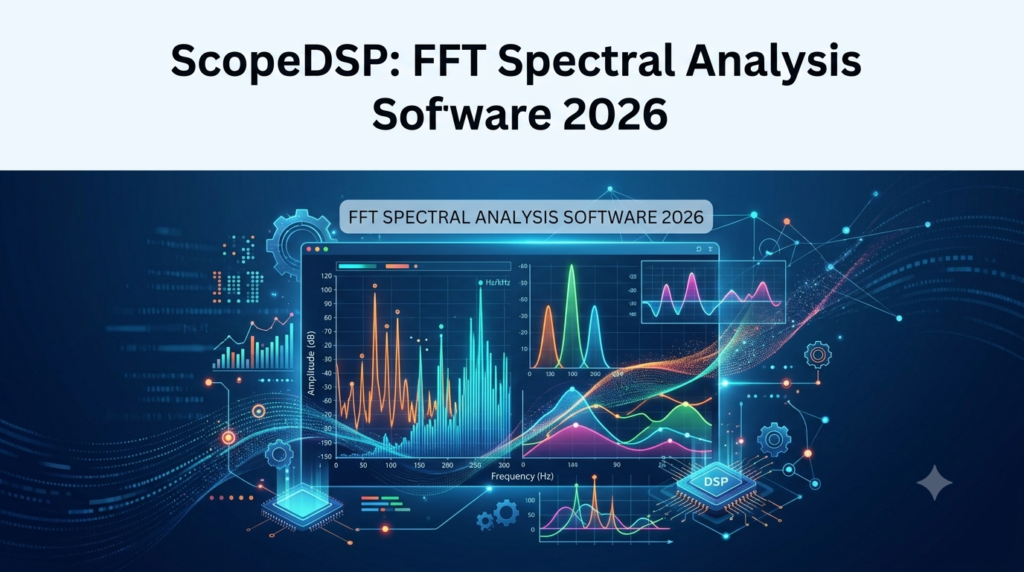
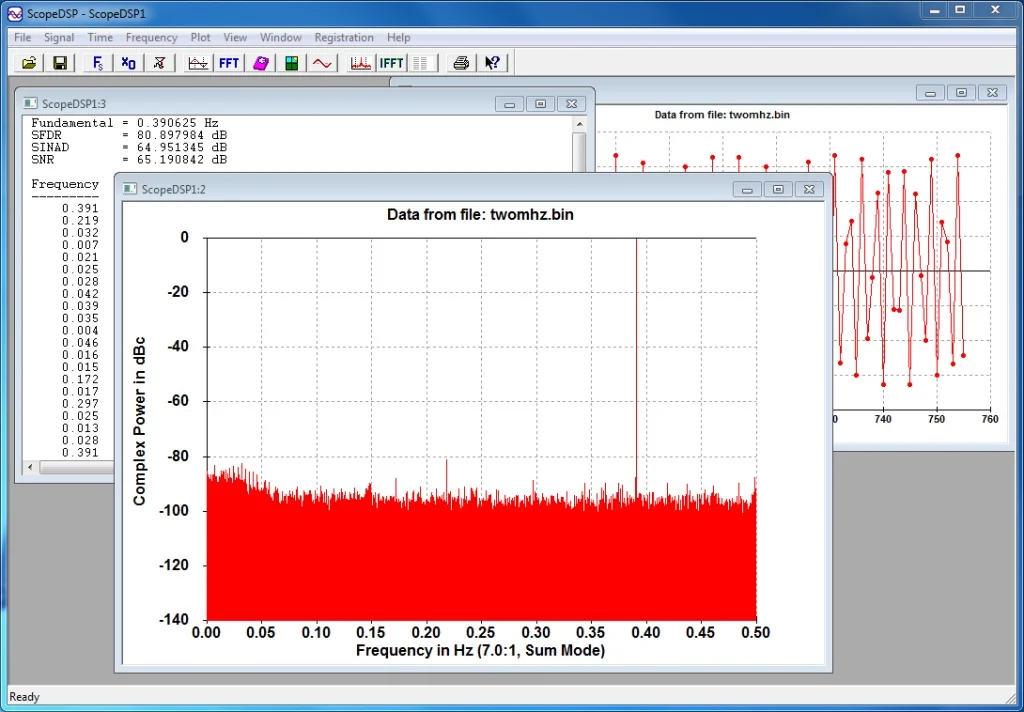
ScopeDSP 2026 is a professional-grade, real-time FFT spectral analysis software designed for audio engineers, vibration analysts, and embedded systems developers. Unlike generic oscilloscope tools, ScopeDSP specializes in transforming raw time-domain signals into high-resolution frequency-domain data using Fast Fourier Transform (FFT) algorithms.
The platform provides a multi-channel interface that simulates high-end hardware analyzers without requiring proprietary DSP cards. It supports live data acquisition from USB oscilloscopes, sound cards, and ADCs, making it a cost-effective solution for laboratory testing, acoustic measurements, and electronic diagnostics. The 2026 version introduces GPU-accelerated processing, reducing FFT calculation latency by up to 60% compared to the previous release.
Key Features of ScopeDSP 2026
High-Resolution FFT Engine
-
Configurable FFT sizes from 256 to 2 million points.
-
Selectable windowing functions (Hanning, Hamming, Blackman-Harris, Flat-top, Kaiser).
-
Real-time peak detection and harmonic distortion (THD) analysis.
Multi-Channel Data Acquisition
-
Simultaneous visualization of up to 16 analog input channels.
-
Support for triggered, free-run, and continuous capture modes.
-
External clock synchronization for multi-device setups.
Advanced Visualization Suite
-
3D Waterfall plots for frequency drift over time.
-
Persistence spectrum mode for intermittent noise detection.
-
Octave analysis (1/1, 1/3, 1/12) compliant with IEC 61260 standards.
Data Export & Automation
-
Export spectra as CSV, MAT (MATLAB), or TDMS (LabVIEW).
-
Python scripting interface for automated test sequences.
-
REST API for integration with test stands and manufacturing QC systems.
What’s New in the Latest Version (2026 Release)
The 2026 update focuses on performance and interoperability. Key enhancements include:
-
GPU Offloading: NVIDIA CUDA support for real-time FFT on large datasets.
-
Zero-Phase Filtering: Pre-processing tools to remove phase distortion before analysis.
-
Modulation Analysis: Dedicated sidebands for AM/FM demodulation in vibration analysis.
-
Hardware Wizard: One-click configuration for over 50 popular USB scopes (PicoTech, Analog Discovery, Hantek).
System Requirements for ScopeDSP 2026
| Component | Minimum | Recommended |
|---|---|---|
| OS | Windows 10 (64-bit) / macOS 13 | Windows 11 / macOS 14+ |
| CPU | Intel i5 (4 cores) | Intel i7 / AMD Ryzen 7 (8 cores) |
| RAM | 8 GB | 16 GB or more |
| GPU | DirectX 11 compatible | NVIDIA GTX 3060+ (for CUDA) |
| Storage | 500 MB for installation | 1 GB SSD |
| Connectivity | USB 2.0 | USB 3.0 or Ethernet for remote DAQ |
Installation Guide
Step-by-Step Setup
-
Download the verified installer from the official ScopeDSP portal (no third-party mirrors).
-
Verify the digital signature (Right-click → Properties → Digital Signatures) to ensure software integrity.
-
Run the installer as administrator. Accept the EULA, which explicitly prohibits reverse engineering.
-
Select components – Choose between “Full” (GUI + SDK) or “Runtime” (headless analysis).
-
Driver installation – During setup, connect your USB acquisition device when prompted.
-
License activation – Enter your node-locked or floating license key. (Note: ScopeDSP does not support unauthorized license bypass or keygens; use only legally purchased licenses.)
How to Use the Software for FFT Analysis
Basic Workflow for Beginners
-
Launch ScopeDSP and select File → New Project.
-
Configure input: Click Hardware Setup → Choose your ADC/oscilloscope.
-
Set FFT parameters: Navigate to Transform → FFT Config. Choose:
-
Size: 8192 points for general audio.
-
Window: Hanning for continuous signals; Uniform for transients.
-
-
Run capture: Press the red Record button. The software displays the time-domain (upper pane) and frequency-domain (lower pane) simultaneously.
-
Mark peaks: Right-click on the spectrum to enable Auto Peak Track. The software labels frequencies and amplitudes.
Advanced Measurement (Vibration Analysis)
-
Go to Analysis → Order Tracking to monitor rotating machinery.
-
Set RPM reference via tachometer input.
-
Export order cuts as a .CSV for bearing fault diagnosis.
Best Use Cases for ScopeDSP
-
Audio Device Testing: Measure frequency response and SNR of DACs/amplifiers.
-
Mechanical Vibration: Identify resonance frequencies in CNC spindles or HVAC systems.
-
Power Electronics: Analyze switching noise and harmonics in inverters (up to 1 MHz).
-
Acoustics: Room mode analysis and loudspeaker crossover verification.
-
Education: Teach DSP concepts without expensive lab hardware.
Advantages and Limitations
Advantages
-
Cost-effective: Replaces $5,000+ hardware analyzers.
-
High dynamic range: 24-bit input support provides >110 dB SNR.
-
Batch processing: Automate FFT on 10,000+ recorded files via CLI.
-
Open SDK: Write custom plugins in C++ or Python.
Limitations
-
Latency: Real-time mode introduces 8–12 ms delay (non-deterministic for closed-loop control).
-
Platform lock: No native Linux version (runs via Wine, but unsupported).
-
Learning curve: Advanced features like cepstrum analysis require DSP knowledge.
Alternatives to ScopeDSP 2026
| Software | Best For | FFT Limit | Price Model |
|---|---|---|---|
| SonicVisualize | Bioacoustics | 1M points | Subscription |
| SpectraLabs Pro | RF analysis | Unlimited | Perpetual license |
| OpenVibro | Structural dynamics | 512k points | Free (GPL v3) |
| AudioAnalyzer Suite | Consumer audio | 65k points | One-time purchase |
Comparison: ScopeDSP offers the best balance for multi-channel USB hardware, while OpenVibro is superior for budget-limited open-source needs but lacks GPU acceleration.
Frequently Asked Questions (FAQ)
Q1: Can ScopeDSP perform real-time FFT on a live microphone signal?
Yes. Select your sound card as the input source, set the FFT overlap to 50–75%, and enable Continuous Refresh. Latency is typically under 15 ms on modern hardware.
Q2: Does the software work with generic USB oscilloscopes like Hantek or Owon?
ScopeDSP 2026 includes a universal driver layer. Supported devices are listed in the Hardware Wizard, but you can manually add any USBTMC-compatible scope using the Custom VID/PID tool.
Q3: What is the maximum FFT resolution?
With 2 million points (2,097,152), the frequency bin width = sample rate / 2,097,152. For a 48 kHz signal, resolution is 0.0229 Hz, suitable for Doppler or precision tone measurements.
Q4: Is there a free trial or educational license?
Yes. The developer offers a 30-day fully functional trial (no watermark) and free one-year licenses for accredited universities via the Academic Portal. Commercial use requires a paid license.
Q5: How do I export data to Python for further processing?
Use File → Export → Python HDF5 or the built-in scopedsp.export_spectrum() function via the Python bridge. The export includes frequency bins, magnitude (linear/dB), and phase.
Q6: Why does my spectrum show “negative frequency” components?
For real-valued signals, the FFT produces a mirrored spectrum. Right-click the graph and enable Single-Sided Spectrum (default for amplitude measurements). The two-sided view is for complex IQ data analysis.
Q7: Can I use this for EMI/EMC pre-compliance testing?
It can perform quasi-peak detection if you use the CISPR weighting filter (available in the 2026 Pro edition), but it lacks calibrated pre-amps for near-field probes. Use it for relative measurements, not formal certification.
Final Thoughts on ScopeDSP 2026
ScopeDSP 2026 successfully bridges the gap between theoretical DSP textbooks and practical hardware testing. By offloading FFT calculations to the GPU and supporting a wide array of affordable data acquisition devices, it empowers engineers to perform laboratory-grade spectral analysis from their laptops. While the lack of native Linux support is a drawback for some, the combination of real-time performance, an open SDK, and compliance with major export standards (MAT, TDMS) makes it a top contender for anyone needing high-resolution FFT software. For legal, productive frequency analysis—without resorting to unauthorized activation methods—ScopeDSP represents a trustworthy, professional-grade investment.
Our Paid Service
“We do not sell or provide any software. We only offer professional support services. If any software on your system is not working properly, or you are facing installation errors, crashes, or any other technical issue — just contact us. We will help you fix the problem quickly and remotely via AnyDesk. No software will be provided from our side — only expert troubleshooting and support.”