
Overview of SOFiSTiK Bridge + Infrastructure Modeler 2026
Table of Contents
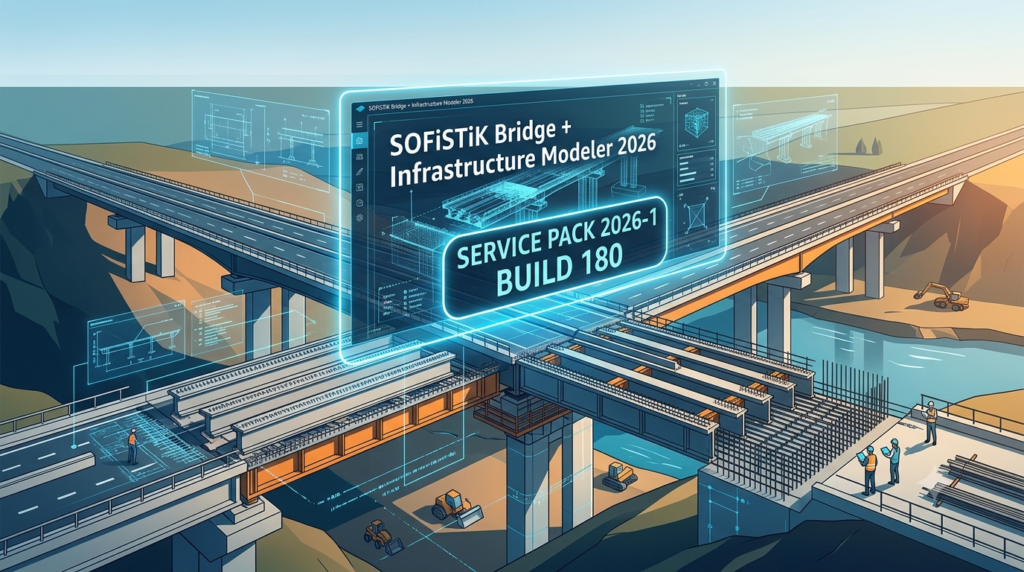
SOFiSTiK Bridge + Infrastructure Modeler 2026 Service Pack 2026-1 Build 180 represents a significant advancement in structural engineering software for bridge design and infrastructure projects. This powerful BIM-compatible analysis tool enables civil engineers to create, analyze, and optimize complex bridge structures within a unified parametric modeling environment.
Developed by SOFiSTiK AG, this finite element analysis software integrates seamlessly with leading BIM platforms, particularly Autodesk Revit, providing an efficient workflow for bridge design automation. The 2026 version introduces enhanced capabilities for prestressed concrete bridge design, steel bridge analysis, and comprehensive load combination management.
The Service Pack 2026-1 Build 180 update delivers critical performance improvements and stability enhancements that streamline the structural analysis and design process for infrastructure professionals worldwide.
Key Features of SOFiSTiK Bridge + Infrastructure Modeler 2026
Parametric Bridge Modeling Environment
The software provides sophisticated parametric modeling capabilities that allow engineers to generate complex bridge geometries through intuitive parameter controls. Users can define bridge alignments, cross-sections, and superstructure configurations with precision.
Integrated Finite Element Analysis Engine
The FEM analysis module supports linear and nonlinear structural analysis, enabling engineers to evaluate bridge performance under various loading conditions. The solver handles static, dynamic, and seismic analyses with exceptional accuracy.
BIM Workflow Integration
SOFiSTiK Bridge Modeler offers seamless BIM integration with Autodesk Revit and other CAD platforms. This interoperability ensures that bridge information modeling data flows smoothly between design and analysis phases.
Advanced Load Combination Management
The software includes comprehensive tools for load combination generation according to international design codes. Engineers can easily define and manage traffic load combinations, environmental loads, and construction stage loads.
Prestressed Concrete Design Module
Dedicated tools for prestressed concrete bridge design enable detailed tendon layout, prestress loss calculation, and serviceability verification. The module supports both pre-tensioned and post-tensioned systems.
Steel Bridge Design and Optimization
The steel bridge design component provides capabilities for member sizing, connection design, and stability verification according to Eurocode and AASHTO standards.
Automated Report Generation
Professional structural analysis reports can be generated automatically, including detailed calculations, design verifications, and graphical representations of results.
Construction Stage Analysis
The construction stage analysis feature allows engineers to simulate the bridge construction sequence, evaluating stresses and deformations at each phase of erection.
What’s New in SOFiSTiK Bridge Modeler 2026 Service Pack 2026-1 Build 180
Enhanced Performance and Stability
Service Pack 2026-1 Build 180 delivers significant performance optimizations for large bridge models. Users can expect faster model processing, quicker analysis times, and improved responsiveness during complex operations.
Improved User Interface
The update refines the user interface with streamlined workflows and more intuitive navigation. The enhanced graphical interface makes it easier for both novice and experienced users to access advanced features.
Updated Design Code Libraries
The design code databases have been updated to reflect the latest revisions in international standards, including Eurocode, AASHTO, and national annex requirements.
Enhanced Compatibility
This service pack improves software compatibility with the latest versions of Autodesk Revit and other integrated platforms, ensuring smooth data exchange.
Bug Fixes and Reliability Improvements
Numerous bug fixes address issues reported by users, enhancing overall reliability and stability of the bridge design software.
System Requirements for SOFiSTiK Bridge + Infrastructure Modeler 2026
Minimum Hardware Specifications
-
Processor: Intel Core i5 or AMD equivalent, 2.5 GHz or higher
-
RAM: 16 GB minimum (32 GB recommended)
-
Graphics: Dedicated GPU with 4 GB VRAM, DirectX 11 compatible
-
Storage: 20 GB available hard disk space (SSD recommended)
-
Display: 1920 x 1080 resolution or higher
Software Requirements
-
Operating System: Windows 10 (64-bit) or Windows 11 (64-bit)
-
CAD Integration: Autodesk Revit 2024, 2025, or 2026
-
Additional Software: .NET Framework 4.8 or higher
Installation Guide for SOFiSTiK Bridge Modeler 2026 Service Pack 2026-1
Pre-Installation Preparation
-
Verify system requirements are met
-
Create a system restore point
-
Close all active applications, especially Revit and other CAD programs
-
Ensure sufficient disk space is available (recommend 30 GB free)
Step-by-Step Installation Process
Downloading the Software
Visit the official SOFiSTiK website to download the authentic software package. Always obtain the software from authorized distributors to ensure you receive the genuine product.
Running the Installer
-
Right-click the installer file and select “Run as Administrator”
-
Accept the license agreement after reviewing it carefully
-
Select the installation directory or accept the default path
License Activation
-
Enter your valid license information
-
For network licenses, configure the license server settings
-
Verify license activation before proceeding
Integrating with CAD Platforms
-
Choose which CAD platform integrations to install (Revit, AutoCAD, etc.)
-
Specify integration options for seamless BIM workflow
Finalizing Installation
-
Click Install and wait for the installation to complete
-
Restart your computer when prompted
-
Launch the software and verify that Service Pack 2026-1 Build 180 is correctly installed
How to Use SOFiSTiK Bridge + Infrastructure Modeler 2026
Getting Started with Bridge Modeling
Creating a New Project
Begin by defining your bridge project parameters, including alignment, span configuration, and design standards. The project wizard guides you through initial setup.
Defining Bridge Geometry
Parametric modeling tools allow you to specify:
-
Bridge alignment (horizontal and vertical curves)
-
Cross-section properties (girder types, deck thickness)
-
Support conditions (bearings, abutments, piers)
Assigning Material Properties
Define material properties for concrete, steel, and reinforcement according to design code requirements. The material library includes pre-defined materials for quick selection.
Performing Structural Analysis
Load Definition
Apply various load types including:
-
Dead loads (self-weight, superimposed dead loads)
-
Live loads (traffic loads according to design codes)
-
Environmental loads (wind, temperature, seismic)
-
Construction loads (formwork, equipment)
Load Combination Generation
The load combination generator automatically creates design load combinations according to selected codes. Users can also define custom combinations for specific analysis requirements.
Running Analysis
Execute finite element analysis with options for:
-
Linear static analysis
-
Dynamic analysis (modal, response spectrum)
-
Nonlinear analysis (material and geometric nonlinearities)
Results Interpretation
Review analysis results through:
-
Deformed shapes and mode shapes
-
Stress distribution diagrams
-
Reaction forces and member forces
-
Design verification reports
Design Optimization
Member Sizing
Optimize structural member sizes based on analysis results. The software provides recommendations for efficient section selection.
Reinforcement Design
The reinforcement design module suggests concrete reinforcement requirements based on computed internal forces.
Tendon Layout for Prestressed Concrete
Design and optimize prestressing tendon layouts using specialized tools. Verify prestress losses and serviceability conditions.
Reporting and Documentation
Generate comprehensive project documentation including:
-
Calculation reports with design assumptions and results
-
Graphical outputs with annotated views
-
Design verification summaries
Best Use Cases for SOFiSTiK Bridge Modeler 2026
Highway Bridge Design
Engineers can efficiently design highway bridges of various configurations, including box girders, composite bridges, and cable-stayed structures. The software handles complex traffic loading patterns and multiple design codes.
Railway Bridge Engineering
Specialized features support railway bridge design, including dynamic loading considerations, track alignment requirements, and safety factors for rail infrastructure.
Pedestrian Bridge Development
The software enables design of pedestrian bridges with aesthetic considerations while maintaining structural integrity and compliance with accessibility standards.
Infrastructure Rehabilitation Projects
Engineers use the software for bridge rehabilitation analysis, evaluating existing structures and proposing strengthening solutions.
Construction Engineering Applications
Construction engineers benefit from the construction stage analysis feature for temporary works design, formwork evaluation, and erection sequence planning.
Precast Concrete Bridge Design
The system efficiently handles precast concrete bridge designs, including segmental bridge construction and precast girder systems.
Advantages and Limitations of SOFiSTiK Bridge Modeler 2026
Advantages
Comprehensive BIM Integration
The BIM workflow integration streamlines the design process, reducing data transfer errors and improving collaboration between design teams.
High-Performance Analysis Engine
The FEM solver efficiently handles large-scale bridge models with thousands of degrees of freedom, enabling rapid analysis cycles.
User-Friendly Parametric Modeling
Parametric modeling capabilities enable rapid design iterations and easy modifications to bridge geometry.
Extensive Design Code Support
Compliance with international design codes (Eurocode, AASHTO, British Standards) makes the software suitable for global projects.
Professional Reporting Tools
Automated reporting saves significant time in project documentation and ensures consistent quality.
Continuous Development
SOFiSTiK actively develops and updates the software, with regular service packs and version releases.
Limitations
Steep Learning Curve
New users may find the learning curve challenging due to the software’s comprehensive capabilities.
Hardware Requirements
The software demands powerful hardware, especially for large bridge models and complex analyses.
Cost Considerations
The software licensing costs may be significant for smaller firms or individual practitioners.
CAD Platform Dependency
Full functionality requires integration with supported CAD platforms, which may necessitate additional software investments.
Alternatives to SOFiSTiK Bridge + Infrastructure Modeler
Midas Civil
Midas Civil is a leading bridge engineering software offering integrated modeling, analysis, and design capabilities. It is particularly strong in moving load analysis and dynamic response evaluation.
CSI Bridge
CSI Bridge, developed by Computers and Structures, Inc., provides comprehensive bridge analysis and design with robust seismic analysis capabilities. It offers integrated bridge modeler with parametric features.
LUSAS Bridge
LUSAS Bridge offers powerful finite element analysis for bridge engineering. The software excels in nonlinear analysis and bridge construction simulation.
Bentley OpenBridge Modeler
Bentley OpenBridge Modeler provides BIM-based bridge design with strong integration with Bentley’s infrastructure suite. It supports concrete bridge design and steel bridge modeling.
AutoCAD Civil 3D with Bridge Modules
For firms already using AutoCAD Civil 3D, the integrated bridge modules offer a cost-effective solution for basic bridge modeling and design.
Comparison Table
| Feature | SOFiSTiK Bridge | Midas Civil | CSI Bridge | OpenBridge |
|---|---|---|---|---|
| BIM Integration | Excellent | Good | Limited | Excellent |
| Prestressed Concrete Design | Excellent | Excellent | Good | Good |
| Steel Bridge Design | Good | Good | Excellent | Excellent |
| Dynamic Analysis | Good | Excellent | Excellent | Good |
| Learning Curve | Moderate | Steep | Moderate | Moderate |
Frequently Asked Questions About SOFiSTiK Bridge Modeler 2026
1. What is SOFiSTiK Bridge + Infrastructure Modeler 2026 used for?
SOFiSTiK Bridge + Infrastructure Modeler 2026 is a professional structural engineering software designed for bridge design and analysis. It enables engineers to create parametric bridge models, perform finite element analysis, and generate design documentation for various bridge types and infrastructure projects.
2. Is SOFiSTiK Bridge Modeler 2026 compatible with Autodesk Revit?
Yes, SOFiSTiK Bridge Modeler provides seamless integration with Autodesk Revit. The software supports Revit 2024, 2025, and 2026 versions, enabling efficient BIM workflows and data exchange between platforms.
3. What design codes does SOFiSTiK Bridge Modeler 2026 support?
SOFiSTiK Bridge Modeler 2026 supports international design codes including Eurocode, AASHTO, British Standards, and various national annexes. The Service Pack 2026-1 update includes updated code libraries.
4. Can I use SOFiSTiK Bridge Modeler for railway bridge design?
Yes, the software includes specialized features for railway bridge engineering, including dynamic loading considerations, track interaction analysis, and railway-specific design requirements.
5. How does the construction stage analysis work?
The construction stage analysis feature allows engineers to simulate the bridge construction sequence. Users define each construction stage with specific loads, supports, and structural configurations. The software evaluates stresses, deformations, and stability at each stage, ensuring safe construction procedures.
6. What are the benefits of using the parametric modeling capabilities?
Parametric modeling in SOFiSTiK Bridge Modeler enables rapid design iteration and optimization. Engineers can adjust bridge parameters (span lengths, cross-sections, alignments) and the model updates automatically, facilitating efficient design exploration and optimization.
7. How do I troubleshoot installation issues with Service Pack 2026-1?
For installation issues with Service Pack 2026-1 Build 180, verify that system requirements are met, close all conflicting applications, ensure sufficient disk space, and run the installer with administrator privileges. If problems persist, contact SOFiSTiK technical support.
8. What types of bridges can be designed with this software?
SOFiSTiK Bridge Modeler supports various bridge types including highway bridges, railway bridges, pedestrian bridges, cable-stayed bridges, box girder bridges, composite bridges, and precast concrete bridges.
Final Thoughts on SOFiSTiK Bridge + Infrastructure Modeler 2026
SOFiSTiK Bridge + Infrastructure Modeler 2026 Service Pack 2026-1 Build 180 stands as a premier solution for bridge engineering professionals seeking comprehensive analysis and design capabilities. The software’s BIM integration, parametric modeling features, and advanced finite element analysis engine make it an invaluable tool for infrastructure projects worldwide.
The 2026 update demonstrates SOFiSTiK’s commitment to innovation and user satisfaction, with performance improvements, enhanced code compliance, and workflow optimizations that directly benefit practicing engineers.
For civil engineering firms, government agencies, and infrastructure developers, investing in this structural analysis software represents a strategic decision that enhances project efficiency, design quality, and regulatory compliance. The comprehensive modeling capabilities and professional reporting features ensure that bridge projects meet the highest standards of engineering excellence.
While the software requires significant initial investment and training, the long-term benefits in productivity, accuracy, and design optimization justify the commitment for organizations involved in serious bridge engineering work.
Engineers considering this platform should evaluate their specific project requirements against the software’s capabilities, considering factors such as bridge types commonly designed, design codes used, and integration with existing CAD workflows.
Overall, SOFiSTiK Bridge + Infrastructure Modeler 2026 Service Pack 2026-1 Build 180 represents a mature, reliable, and powerful tool that continues to set the standard for bridge design automation and structural analysis in the infrastructure sector.