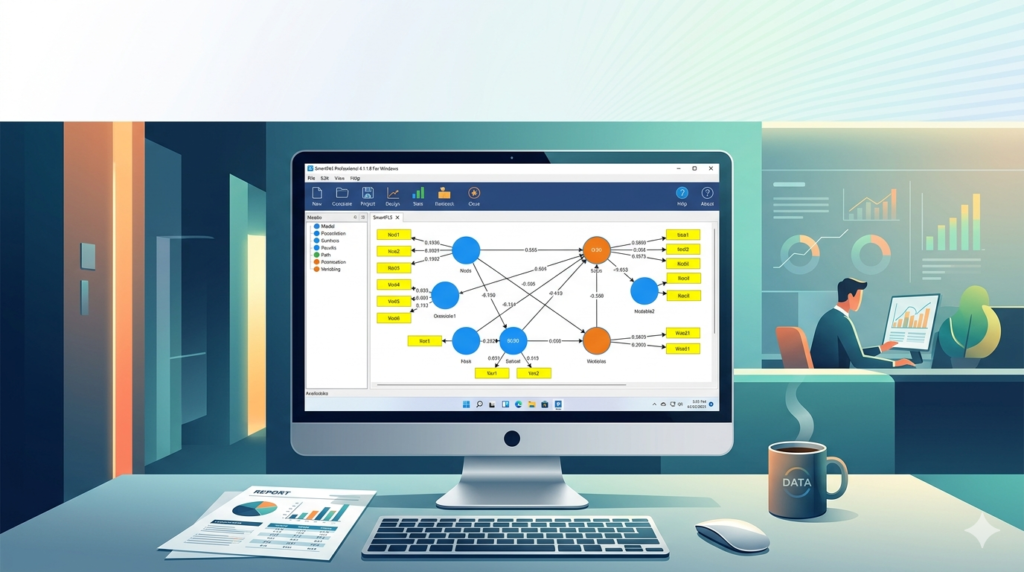


Download the SmartPLS Professional 4.1.1.8 for Windows (Advanced Structural Equation Modeling) from this link…

Overview of the Software
Table of Contents
SmartPLS is a graphical software tool specifically designed for the application of the partial least squares structural equation modeling (PLS-SEM) method. Unlike covariance-based SEM tools, SmartPLS focuses on prediction-oriented variance-based analysis, making it ideal for theory development and predictive research.
Version 4.1.1.8 represents a significant evolution, introducing a modernized user interface, greater computational capacity, and advanced algorithm reporting. The software is widely adopted in disciplines such as marketing, strategic management, information systems, and organizational behavior.
The primary purpose remains the estimation of complex cause-effect relationship models with latent variables. Researchers value the software’s ability to handle small sample sizes, non-normally distributed data, and formative measurement models efficiently.
Key Features
The software incorporates several core functionalities that distinguish it from traditional statistical packages:
-
PLS-SEM Algorithm: Estimates path coefficients, loadings, and weights using iterative ordinary least squares.
-
Advanced Bootstrapping: Supports up to 10,000 bootstrap samples with bias-corrected and accelerated (BCa) confidence intervals for robust significance testing.
-
Model Assessment Tools: Automatic calculation of composite reliability (rho_A, rho_C), average variance extracted (AVE), R-squared, adjusted R-squared, and Q-squared predictive relevance.
-
Henseler’s HTMT Criterion: Tests discriminant validity with rigorous thresholds.
-
Importance-Performance Map Analysis (IPMA): Extends standard PLS-SEM results by considering both importance (total effects) and performance (latent variable scores).
-
Permutation-Based Tests: Compares group-specific differences without distributional assumptions.
-
Endogeneity Assessment: Includes Gaussian copula approach to test and correct for endogeneity concerns.
-
Graphical Model Editor: Drag-and-drop interface for constructing path diagrams with intuitive canvas navigation.
What’s New in SmartPLS Professional 4.1.1.8
This version introduces targeted improvements over previous 4.x builds:
-
Nonlinear PLS-SEM: Supports quadratic effects, interaction terms, and even general nonlinear relationships beyond simple moderation.
-
Higher-Order Constructs: Automated handling of repeated indicators, two-stage, and hybrid approaches for hierarchical component models.
-
Predictive Model Selection: Incorporates PLSpredict with new decision rules for identifying models with high predictive power.
-
Improved Data Preprocessing: Integrated handling of missing values (mean imputation, EM algorithm, casewise deletion) and outlier detection routines.
-
Export Enhancements: Direct export of path diagrams to publication-ready vector graphics (SVG, PDF, EMF).
-
Performance Optimization: Reduced computation time for bootstrapping on multi-core Windows systems.
System Requirements for SmartPLS Professional 4.1.1.8 on Windows
To ensure stable performance, verify that your system meets these specifications:
| Component | Minimum Requirement | Recommended Requirement |
|---|---|---|
| Operating System | Windows 10 (64-bit) | Windows 11 (64-bit) or Windows Server 2022 |
| Processor | 2.0 GHz dual-core | 3.0 GHz quad-core or higher |
| RAM | 8 GB | 16 GB or more (for large models) |
| Storage | 2 GB free space | SSD with 4 GB free space |
| Display | 1366 × 768 resolution | 1920 × 1080 or higher |
| Java Runtime | Java 17 (bundled with installer) | — |
Note: The application does not support Windows 7, 8, or 32-bit architectures. ARM-based Windows devices may experience performance limitations.
Installation Guide
Follow these steps to install SmartPLS Professional 4.1.1.8 correctly:
-
Download the installer from the official SmartPLS GmbH website (ensure you have a valid professional license key).
-
Verify system compatibility before running the executable.
-
Right-click the installer and select Run as administrator to avoid permission issues.
-
Accept the license agreement – note that this is proprietary commercial software; no unauthorized activation methods are permitted.
-
Choose installation path (default:
C:\Program Files\SmartPLS4). -
Select components – include desktop shortcuts and file associations for
.splsmproject files. -
Complete installation and restart your computer if prompted.
-
Launch the application and enter your licensed email and product key under Help > Activate License.
How to Use the Software
A standard PLS-SEM workflow in SmartPLS Professional 4.1.1.8 follows this sequence:
Step 1: Create or Import a Project
-
New project: Define a project name and storage location.
-
Import data: Supported formats include CSV, Excel (.xlsx), SPSS (.sav), and TXT (tab-delimited).
Step 2: Build the Path Model
-
Drag indicator blocks from the left panel onto the canvas.
-
Draw arrows between constructs to specify structural paths.
-
Assign indicators as either reflective (arrows outward) or formative (arrows inward).
Step 3: Define Algorithm Settings
-
Weighting scheme: PLS (default), factorial, or path weighting.
-
Maximum iterations: 300 (default, sufficient for convergence).
-
Stop criterion: 10−710−7 for relative change.
Step 4: Run Calculations
-
Click Calculate → PLS Algorithm.
-
Review quality criteria: R², path coefficients, effect sizes (f²), redundancy.
Step 5: Perform Bootstrapping
-
Set subsamples (recommended: 5,000 for publication).
-
Select complete bootstrapping or specific coefficients.
-
Interpret two-tailed p-values and confidence intervals.
Step 6: Visualize and Export
-
Use built-in formatting tools to style path diagrams.
-
Export tables to Excel or generate complete HTML reports.
Best Use Cases for SmartPLS Professional 4.1.1.8
Different research scenarios benefit maximally from this PLS-SEM implementation:
| Use Case | Why SmartPLS Is Preferred |
|---|---|
| Exploratory research | Predicts rather than confirms; handles complex models without overidentification. |
| Small sample sizes | Works reliably with n < 100 in many business research contexts. |
| Formative measurement | Native support for formative indicator specifications and weight significance. |
| Prediction-focused studies | Built-in PLSpredict and RMSEx indicators. |
| Longitudinal data | Handles multigroup analysis across time points. |
| Marketing ROI models | Combines latent variables with observed performance metrics. |
Advantages and Limitations
Advantages
-
User-friendly interface reduces the learning curve for researchers new to SEM.
-
Comprehensive output includes all relevant quality metrics in one report.
-
Fast computation even for models with 100+ indicators.
-
Regular updates from SmartPLS GmbH ensure bug fixes and new methods.
-
Active user community with extensive tutorials and academic publications.
Limitations
-
No covariance-based SEM (you cannot fit models via ML or GLS).
-
Limited multilevel modeling (random intercepts supported, random slopes require workarounds).
-
Premium pricing for professional edition may be restrictive for individual researchers.
-
No native Mac version (requires Windows virtualization or dual boot).
-
Large bootstraps (>10,000 samples) may consume significant memory.
Alternatives to SmartPLS Professional 4.1.1.8
Depending on your analytical needs, consider these legitimate software alternatives:
| Software | Best For | Key Difference |
|---|---|---|
| R with plspm or semPLS | Open-source flexibility | Free but requires programming knowledge. |
| SPSS Amos | Covariance-based SEM | Simpler interface but fewer predictive tools. |
| ADANCO | Formative measurement | Modern but less widely cited. |
| Mplus | Mixed models and categorical data | Steeper learning curve, higher cost. |
| WarpPLS | Nonlinear SEM | Specialized and less generalizable. |
Frequently Asked Questions
1. Is SmartPLS Professional 4.1.1.8 compatible with Windows 11?
Yes, it is fully compatible with Windows 11 (64-bit). Performance is optimized on recent builds.
2. Can I use SmartPLS for free?
SmartPLS offers a free Student Edition limited to 100 cases and 25 constructs. The Professional edition requires a paid license from SmartPLS GmbH.
3. What file formats can I import?
You can import Excel (.xlsx, .xls), CSV, SPSS (.sav), Stata (.dta), and plain text files.
4. Does SmartPLS 4.1.1.8 handle missing data automatically?
Yes. You can configure missing value handling globally or per variable, with options including listwise deletion, mean imputation, and the EM algorithm.
5. How do I interpret HTMT values in SmartPLS?
HTMT values below 0.85 (strict) or 0.90 (lenient) confirm discriminant validity. SmartPLS automatically flags excessive values.
6. Can I export my path diagram to a Word document?
Yes. Use Export as Image (PNG) for Word or Export as Vector Graphic (EMF) for high-resolution printing.
7. What is the difference between SmartPLS Professional and SmartPLS Pro?
The naming is identical. “Professional” and “Pro” refer to the same commercial edition, distinct from the Student and Academic editions.
8. Does the software require an internet connection?
Only for license validation during startup. Offline mode is available through a machine-bound license file requested from support.
Final Thoughts
SmartPLS Professional 4.1.1.8 for Windows remains the industry standard for variance-based structural equation modeling. It successfully balances analytical depth with usability, making complex PLS-SEM methods accessible to graduate students and seasoned researchers alike.
Version 4.1.1.8 brings meaningful improvements in nonlinear modeling, prediction criteria, and computational speed. While the professional edition requires a paid license, the return on investment for frequent modellers is substantial through time saved and publication-ready outputs.
For researchers conducting predictive analytics, formative measurement models, or working with limited sample sizes, this version represents a best-in-class solution. Always download from the official SmartPLS website to ensure security, compliance, and access to technical support.
Our Paid Service
Looking for full-version software without limitations? You’re in the right place. Instead of wasting time on unreliable or outdated sources, unlock a powerful bundle of 10k+ premium tools covering marketing, SEO, broadcasting, automation, and business productivity — all in one place at an affordable price. This collection is specially curated for freelancers, agencies, and business owners who want fast, real results with professional tools.
Direct contact: Telegram ID :
Join Us For Update Telegram Group :
Join Us For Updated WhatsApp group:
You Can test through AnyDesk before Buying,
And When You Are Satisfied, Then Buy It.
Unlimited PCs/Users.
Join today and upgrade your workflow with premium tools.