
Overview of DVBMosaic
Table of Contents
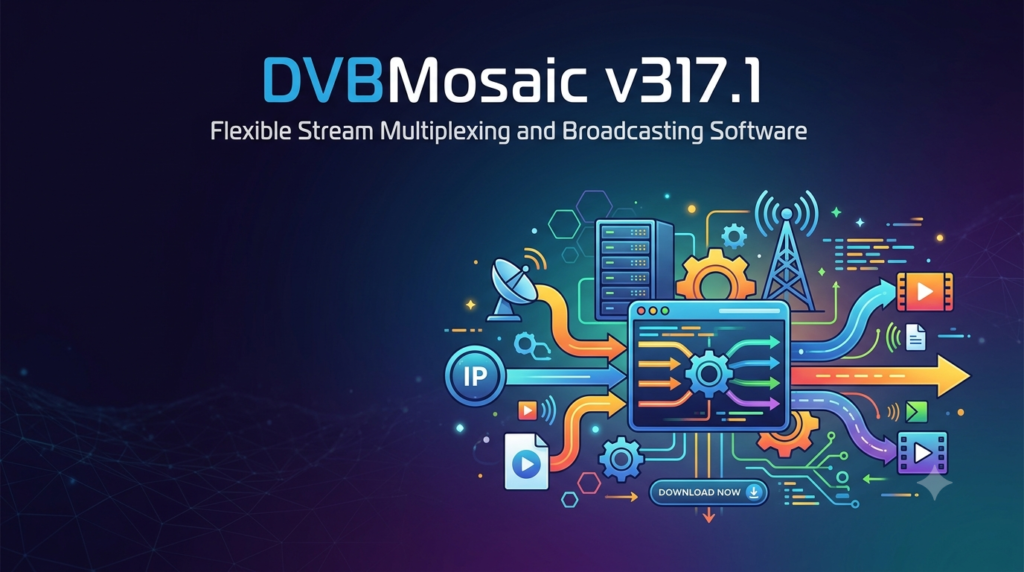
DVBMosaic v317.1 is a professional-grade, software-based solution for stream multiplexing, re-multiplexing, and IP broadcasting. Designed for broadcast engineers, system integrators, and advanced hobbyists, this tool allows users to ingest Transport Streams (TS) via DVB cards, IP inputs, or ASI sources, process them, and output them to multiple destinations.
Unlike hardware-centric alternatives, DVBMosaic provides a flexible software architecture that transforms a standard Windows server into a powerful broadcasting gateway. The v317.1 release continues to refine stability for 24/7 operation, making it a reliable choice for head-end systems and digital signage networks.
Key Features of DVBMosaic v317.1
Advanced Stream Multiplexing
The core function of DVBMosaic is its ability to combine multiple input streams into a single, unified output. It supports real-time PID remapping, service filtering, and SI/PSI table regeneration.
Multiple Input/Output Options
-
Inputs: DVB-S2/S2X, DVB-T2, DVB-C, ASI, UDP/RTP, HTTP, and local TS files.
-
Outputs: UDP/RTP (unicast/multicast), HTTP Live Streaming (HLS), Raw TS, and Virtual Network interfaces.
Real-time Stream Processing
The software includes powerful filtering capabilities. You can add, remove, or modify Program Specific Information (PSI) tables, correct PCR jitter, and apply output bitrate throttling to match network constraints.
Scheduler for Automated Broadcasting
V317.1 includes an integrated scheduler. This allows users to automate playlist-based broadcasting from stored MPTS (Multiple Program Transport Stream) files, turning a PC into an automated TV channel source.
What’s New in DVBMosaic v317.1
The latest version focuses on backend reliability and modern protocol support:
-
Improved IP Input Handling: Better resilience against packet loss on noisy UDP networks.
-
Enhanced HLS Output: Support for fragmented MP4 (fMP4) segments, improving compatibility with modern streaming players.
-
Updated DVB Drivers: Broader compatibility with recent TBS and Digital Devices PCIe cards.
-
Memory Optimization: Reduced RAM usage during long-duration (7+ day) multiplexing operations.
System Requirements
Before installing DVBMosaic v317.1, ensure your hardware meets these specifications:
Minimum Requirements:
-
OS: Windows 10 Pro / Windows Server 2019 or newer
-
CPU: Intel Core i3 or equivalent (2.5 GHz)
-
RAM: 4 GB
-
Storage: 500 MB for software + additional space for recording/playback
-
Network: 1 Gbps Ethernet adapter
Recommended Requirements for Professional Use:
-
CPU: Intel Core i7/Xeon or AMD Ryzen 7 (3.0 GHz+)
-
RAM: 8 GB or more
-
Storage: SSD for OS, HDD array for stream buffering
-
Tuner Hardware: Supported DVB-S2/T2/C PCIe card (e.g., TBS 6904, Digital Devices DuoFlex)
Installation Guide for DVBMosaic v317.1
Step-by-Step Installation
-
Download the Installer: Obtain the official setup file from the developer’s portal.
-
Run as Administrator: Right-click the installer and select “Run as Administrator” to ensure proper driver registration.
-
Accept License Terms: Read and accept the End-User License Agreement (EULA).
-
Select Components: Choose which modules to install (Core Engine, Web Interface, or Scheduler).
-
Driver Installation: If using a DVB tuner, allow the installer to install the required BDA drivers.
-
Complete Setup: Finish the wizard and reboot your system.
First Launch Configuration
-
Open the DVBMosaic Control Panel.
-
Navigate to Settings > Input Sources to scan for your DVB hardware.
-
Configure your Output Streams under the “Broadcast” tab.
How to Use DVBMosaic for Stream Multiplexing
Creating a Multiplex (MUX)
-
Open the Muxer tool from the main dashboard.
-
Add sources (e.g., two DVB-T channels and one UDP stream).
-
Drag services from the source list into the destination MUX.
-
Click Start Muxing.
Setting Up an IP Broadcast
-
Go to Output Configuration.
-
Select UDP Output.
-
Enter the destination IP (e.g.,
239.1.1.1:1234for multicast). -
Define the output bitrate (matching your network capacity).
-
Enable Null Packet Filtering to save bandwidth.
Best Use Cases for DVBMosaic
-
Hotel IPTV Headends: Convert satellite or terrestrial channels into a UDP multicast stream for distribution over hotel LANs.
-
Digital Signage: Schedule and broadcast internal corporate TV channels across multiple display locations.
-
Test Stream Generation: Generate constant-bitrate MPTS streams for testing modulators and IRDs.
-
RF to IP Gateway: Use a DVB-S2 card to receive satellite video and re-broadcast it instantly as an IP stream for local network viewing.
Advantages and Limitations
Advantages
-
Hardware Agnostic: Works with most standard BDA-compliant DVB tuners.
-
Low Latency: Sub-200ms latency for IP-to-IP workflows.
-
Cost-Effective: Significantly cheaper than dedicated hardware multiplexers.
Limitations
-
Windows Dependency: No native Linux version (though it runs on Windows VMs).
-
Learning Curve: Advanced features like PID filtering require MPEG-TS knowledge.
-
No GPU Encoding: Video re-encoding is limited; this is a muxer, not a transcoder.
Alternatives to DVBMosaic
| Software | Primary Function | Best For | Platform |
|---|---|---|---|
| TS-Doctor | TS Analysis & Repair | Fixing corrupted recordings | Windows |
| StreamXpert | TS Analysis | Real-time stream monitoring | Windows |
| Tvheadend | TV Server & Streaming | Linux-based home broadcasting | Linux/Unix |
| VLC | Basic TS Streaming | Simple, non-multiplexed streaming | Cross-platform |
For professional multi-channel multiplexing where you need to combine 8+ services into one output, DVBMosaic remains superior to free tools like VLC.
Frequently Asked Questions (FAQ)
Q1: Is DVBMosaic v317.1 compatible with DVB-S2X tuners?
Yes, v317.1 includes extended drivers for DVB-S2X and multi-stream (T2-MI) inputs, provided your hardware supports it.
Q2: Can I use DVBMosaic to restream Netflix or YouTube?
No. DVBMosaic works exclusively with MPEG-TS streams. It does not decrypt DRM-protected content from commercial streaming platforms.
Q3: Does this software support 4K UHD broadcasting?
Yes, DVBMosaic can multiplex 4K HEVC services. However, it does not downscale or transcode them; it passes the original stream as-is.
Q4: What is the difference between “Multiplex” and “Re-multiplex”?
-
Multiplex: Combining separate audio, video, and data PIDs into one TS.
-
Re-multiplexing: Combining multiple existing program streams (e.g., Channel 1 + Channel 2) into a single MPTS output.
Q5: How do I obtain a license for DVBMosaic?
Licenses are purchased directly from the developer’s official website. The software requires a valid license key after a 30-day trial period.
Q6: Can I run DVBMosaic on Windows Server Core?
No. The software requires the full desktop experience (GUI) because it relies on DirectShow filters and BDA driver architecture.
Final Thoughts
DVBMosaic v317.1 remains a cornerstone tool for flexible stream multiplexing and IP-based broadcasting. While it does not replace a full-blown transcoder, its strength lies in robust, low-latency aggregation of MPEG-TS sources.
For engineers needing to build a cost-effective headend or automate digital signage playlists, DVBMosaic offers enterprise-grade functionality without the hardware lock-in. Always ensure you are using officially licensed software to guarantee stability and compliance with broadcasting regulations.
Our Paid Service
“We do not sell or provide any software. We only offer professional support services. If any software on your system is not working properly, or you are facing installation errors, crashes, or any other technical issue — just contact us. We will help you fix the problem quickly and remotely via AnyDesk. No software will be provided from our side — only expert troubleshooting and support.”