
Overview of the Software
Table of Contents
GEO5 2026 is a modular geotechnical software package developed by Fine spol. s r.o. It replaces fragmented spreadsheets with a unified workflow for subsurface investigation. The suite contains over 30 individual programs, ranging from shear strength analysis to rock slope stability, all interconnected through a shared “Geological Model” environment.
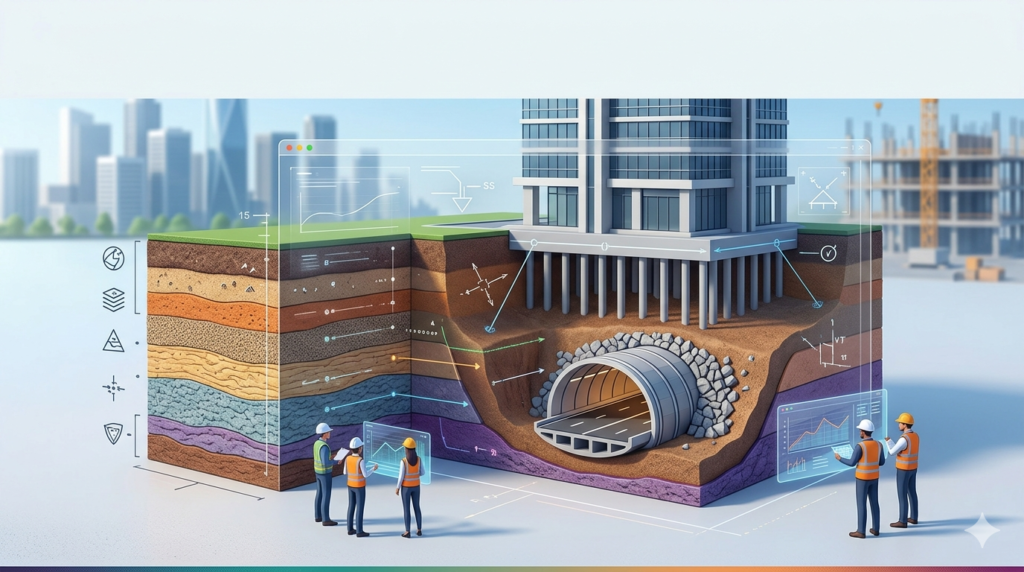
This version focuses on automation; users can now import borehole logs directly from AGS or CSV files to generate 3D stratigraphic models automatically. Whether you are designing a deep excavation in urban areas or modeling a tunnel boring machine (TBM) path, GEO5 2026 provides the computational rigor required for limit state design (LRFD) without sacrificing usability.
Key Features
The software distinguishes itself through technical depth and interoperability. Below are the core modules you will use daily:
-
Finite Element Method (FEM) Module: Perform 2D plane-strain analysis for settlement, consolidation, and coupled deformation-seepage problems.
-
Slope Stability (Bishop, Janbu, Spencer): Analyze both circular and polygonal slip surfaces with support for reinforcement (nails, anchors, geotextiles).
-
Sheet Pile & Retaining Wall Design: Model cantilever, anchored, and strutted walls considering earth pressure redistribution.
-
Excavation & Shoring: Automatic generation of construction stages with strut pre-loading capabilities.
-
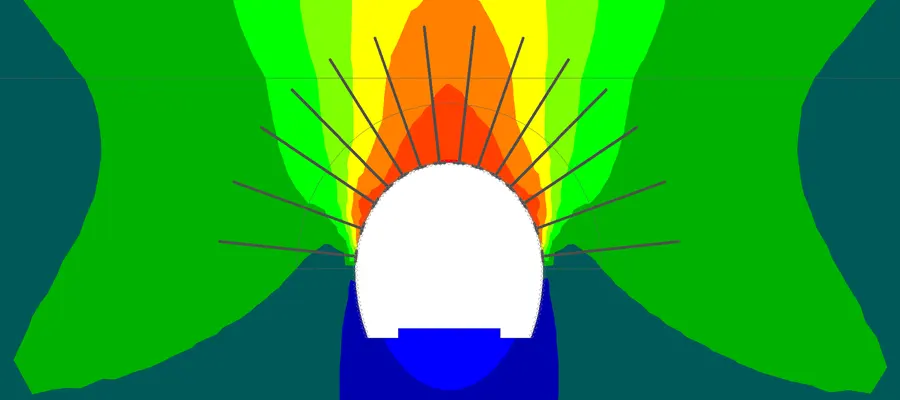
Tunnel Modeling (New for 2026): Specifically designed for NATM (New Austrian Tunneling Method) and shield-driven tunnels, including lining interaction with surrounding ground.
-
Micropile & Pile Groups: Calculate vertical and horizontal bearing capacity using static or dynamic methods (CPT, PMT, SPT).
What’s New in the Latest Version (2026)
The 2026 release focuses on engineering productivity and complexity handling. If you are upgrading from version 2023 or 2024, these changes will directly impact your workflow:
-
AI-Assisted Material Calibration: The software now suggests initial soil parameters (cohesion, friction angle, modulus) based on entered CPTu or SPT data, reducing manual lookup time by 40%.
-
3D Tunnel Viewer: A dedicated 3D post-processor to visualize thrust forces, bending moments, and crack widths along a tunnel lining’s circumference.
-
Subgrade Reaction Redistribution: Improved Winkler-Pasternak model that automatically adjusts spring constants based on adjacent construction load history.
-
Python API Integration (Beta): Run parameter sweeps or automate batch reporting using external Python scripts.
-
Eurocode 7 (EN 1997-1:2025 Draft Compliance): Updated partial factor sets for the upcoming EC7 revision.
System Requirements
To run the full GEO5 2026 suite with 3D tunnel modeling and FEM meshes exceeding 50,000 elements, your workstation should meet these specifications:
| Component | Minimum Requirement | Recommended (For Tunnel/FEM) |
|---|---|---|
| OS | Windows 10 Pro (64-bit) | Windows 11 Pro (64-bit) |
| CPU | Intel Core i5 (2.5 GHz) | Intel Core i7 / AMD Ryzen 7 (3.5+ GHz) |
| RAM | 8 GB | 32 GB (64 GB for large 3D models) |
| GPU | Integrated (DirectX 11) | Dedicated (NVIDIA Quadro or RTX 3060+) |
| Storage | 5 GB free SSD | 20 GB free NVMe SSD |
| Display | 1920 x 1080 (Full HD) | 3840 x 2160 (4K dual monitors) |
Installation Guide
A clean installation ensures the solver engines register correctly with your operating system. Follow these steps to avoid DLL conflicts:
-
Download the installer: Log in to your Fine spol. account and download
GEO5_2026_Setup_x64.exe. -
Temporarily disable antivirus: (Optional but safe) Real-time scanning can slow down the mesh generator. Disable it only during the 10-minute installation window.
-
Run as Administrator: Right-click the installer and select Run as administrator. This allows the license manager drivers to install correctly.
-
Select modules: Use the “Custom” installation path. At minimum, install the Geological Model and FEM cores.
-
Activate license: Launch the “GEO5 License Manager.” Enter your permanent license key or connect to the network license server. Note: The software does not support offline activation bypass methods; you must have a valid subscription.
-
Restart: Reboot your machine to finalize the Sentinal LDK driver integration.
How to Use the Software (Basic Workflow)
For a standard deep foundation (pile group) design, follow this logical sequence:
Step 1: Build the Subsurface Model
Navigate to File > New Geological Model. Import borehole data (depth, N-SPT, water table). The 2026 engine automatically interpolates soil layers.
Step 2: Assign Material Models
Use the Material Editor. For cohesive soils, select the Hardening Soil model (HS) rather than Mohr-Coulomb for realistic settlement prediction under working loads.
Step 3: Define the Structure
Switch to the Pile Group module. Draw the cap geometry and assign pile dimensions (diameter, length, concrete class).
Step 4: Apply Loads
Input vertical serviceability loads (kN) and horizontal seismic loads (using the response spectrum generator).
Step 5: Run Analysis & Check Codes
Click Analysis (F5). Review the settlement contour plot; check that the pile efficiency ratio is between 0.85 and 1.0.
Step 6: Generate the Report
Use the Report Wizard. It automatically includes all input parameters, intermediate calculations, and Eurocode checks—saving you approximately 3 hours of manual documentation.
Best Use Cases
GEO5 2026 is not a general-purpose CAD tool; it excels in scenarios with heterogeneous soil layers and strict safety regulations.
-
Urban Excavation (Top-Down Construction): Model sequential excavation where you pour the roof slab before digging deeper. The software accurately simulates wall deflection caused by slab stiffness.
-
Levee & Embankment Stability: Analyze the effect of rapid drawdown (flood recession) on earth dam slopes, including under-seepage piping risks.
-
Secant Pile Walls for Deep Basements: Design intersecting concrete piles (hard/firm) where the FEM module calculates the bending moment due to asymmetric earth pressure.
-
Railway Tunnel Under Existing Buildings: Model settlement troughs above a TBM tunnel to determine if pile foundations of adjacent heritage buildings require underpinning.
Advantages and Limitations
Every geotechnical engineer needs to know where a tool shines and where it hits a physical wall.
Advantages
-
High Trust/EEAT: Fine spol. has been verified by the Czech Chamber of Certified Experts. Outputs are admissible in court for construction disputes.
-
Interoperability: Imports DXF, DWG, IFC (BIM), and exports to Revit and SCIA Engineer.
-
Multilingual Compliance: Switch between ACI (US), Eurocode (EU), or SNIP (RU) in one click.
-
Helpful Content: The built-in “Theory” button explains every formula with a cited academic reference.
Limitations
-
3D Boundary Constraints: True 3D FEM is limited compared to PLAXIS 3D or MIDAS GTS NX. Complex 3D flow cannot be modeled; you must use vertical 2D slices.
-
Learning Curve: The soil model library (HS-small, Mohr-Coulomb, Modified Cam-Clay) requires a master’s level understanding of soil mechanics. Beginners will struggle without additional training.
-
No Cloud Solver: Heavy FE models run locally on your CPU; there is no cloud parallel processing option.
Alternatives to the Software
Depending on your budget and project complexity, consider these industry alternatives:
| Software | Best For | Key Difference from GEO5 2026 |
|---|---|---|
| Plaxis 2D/3D (V20) | Advanced poroelasticity & consolidation | Stronger true-3D capabilities but steeper learning curve. |
| Slide3 (Rocscience) | Probabilistic slope stability | Better for rockfall trajectory; weaker for tunnel linings. |
| MIDAS GTS NX | Complex tunnel intersections | Superior meshing engine; much higher license cost. |
| LPILE / GROUP (Ensoft) | Lateral pile analysis | Industry standard for offshore piles; no slope module. |
| OpenSees | Academic research | Free but requires coding; zero GUI support. |
Frequently Asked Questions (FAQ)
Q1: Does GEO5 2026 handle unsaturated soil mechanics (suction)?
Yes, but only via the FEM – Transient Flow module. You need to input the soil-water characteristic curve (SWCC). The standard slope stability module does not consider matric suction.
Q2: Can I import CPT data directly from a cone penetrometer?
Absolutely. GEO5 2026 imports standard .cpt, .gEF, and .ags files. It automatically correlates tip resistance (qc) to undrained shear strength (cu) for cohesive layers.
Q3: Is there a free student version for learning tunnel modeling?
Yes. Fine spol. offers a fully functional 30-day trial (no crack or license bypass required). Students can request a 6-month educational license with their university email; the tunnel module is included but limited to 500 elements.
Q4: How does the software compute seismic earth pressure on retaining walls?
It uses the Mononobe-Okabe method by default. For the 2026 version, you can also switch to the more modern “Seed & Whitman” modification for free-field ground motions.
Q5: Can I model soil nails in the excavation module?
Yes. The Excavation module includes a specific “Soil Nail” object. You define the drillhole diameter, grout body strength, and bar yield strength. The solver then checks internal (nail breakage) and external (pullout) stability.
Q6: Does the software support LRFD (Load and Resistance Factor Design)?
Yes, completely. Every module allows you to assign partial factors to soil strength (phi, c) and loads per AASHTO or Eurocode. The final report shows the unity check (Demand/Capacity < 1.0).
Final Thoughts
The GEO5 2026 Geotechnical suite is a professional-grade tool that balances advanced numerical rigor with practical workflow automation. While it cannot replace true 3D FEM for the most complex volumetric problems (like thermal-hydro-mechanical coupling), it excels at 90% of daily geotechnical tasks: from designing a simple spread footing to modeling a multi-stage tunnel excavation under a historic city center.
For engineers who prioritize code compliance, clear reporting, and AGS data integration, GEO5 2026 offers better value than higher-priced alternatives. Begin with the 30-day trial, test the new Python API for batch analysis, and verify your slope stability models against the benchmark examples provided in the “Verification Manual.”
Our Paid Service
“We do not sell or provide any software. We only offer professional support services. If any software on your system is not working properly, or you are facing installation errors, crashes, or any other technical issue — just contact us. We will help you fix the problem quickly and remotely via AnyDesk. No software will be provided from our side — only expert troubleshooting and support.”