
Overview of Simple Shop Ultimate
Table of Contents
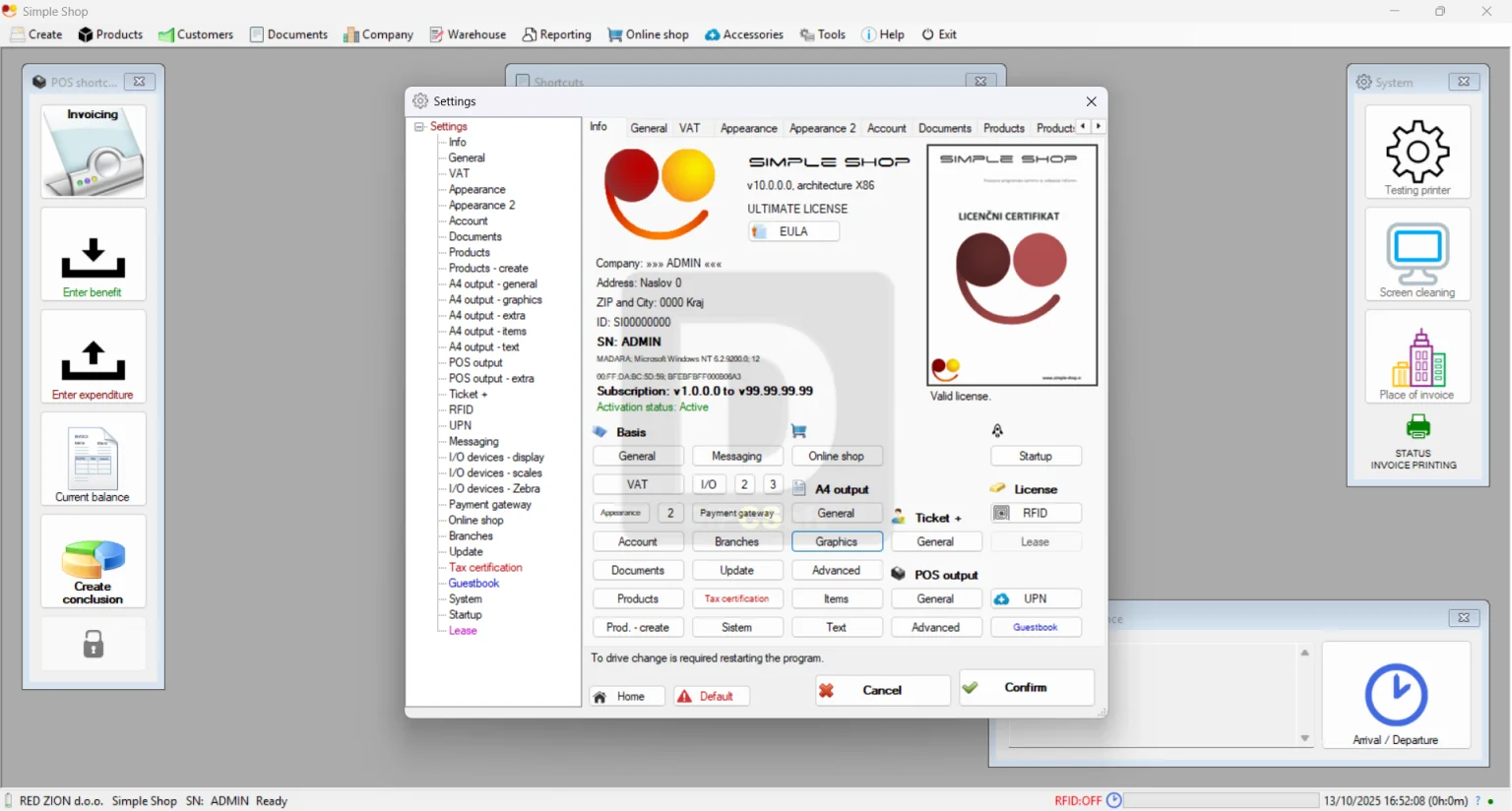
Simple Shop Ultimate is a specialized POS-based application that functions as a centralized business management tool . Its design consolidates various operational aspects into one platform, allowing business owners to oversee financials, inventory, customers, and employees from a single interface. The software features a console-like layout that organizes its functions through a logical sequence of tabs. This intuitive design aims to simplify the process of setting up databases for products and staff, managing day-to-day sales, and generating insightful reports .
The application is designed for business owners seeking a competent and accessible manager for their operations. It helps keep multiple business aspects—such as product details, customer information, employee records, and financial data—ordered and easily accessible .
Key Features
Simple Shop Ultimate 10.0.0.000 is equipped with a range of features to support core business functions.
Product and Inventory Management
The software enables you to add an unlimited number of products and customize them extensively. You can specify key details like price, VAT rates, stock levels, and product type . This allows for precise tracking of inventory value and movement, which is essential for controlling costs and maintaining profit margins .
Customer and Employee Management
-
Customer Database: You can build a detailed customer database, specifying attributes such as VAT exemption status, whether they are suppliers, and their current status. These entries are color-coded for easy identification and management .
-
Employee Administration: The software allows you to create multiple employee accounts with password protection. You can organize staff into groups, assign tasks, and issue travel orders, providing granular control over roles and security .
Data Visualization and Reporting
Understanding your business performance is made easier through graphical data representation. Simple Shop enables you to generate various charts, including pie and bar graphs . You can quickly visualize key metrics such as:
-
Which employees generate the most invoices.
-
Which products are top sellers.
-
Who your most valuable customers are .
Integrated Utility Tools
A notable aspect of Simple Shop Ultimate is its collection of built-in utility tools designed to streamline daily tasks. This feature-rich suite eliminates the need for multiple third-party applications . The tools include:
-
Barcode generator and label printer
-
VAT calculator and credit card validator
-
Data encryptor and password generator
-
Diagram designer
Data Export and Portability
For further analysis or record-keeping, you can export data from the system. Information can be saved in various common formats, including CSV, XML, and HTML files. Graphs can also be saved as high-resolution image files like PNG, JPG, GIF, TIF, BMP, and EMF . This flexibility ensures data portability and easy documentation.
What’s New in Simple Shop Ultimate 10.0.0.000
While specific release notes for version 10.0.0.000 are not available, major version updates in POS software often introduce improvements to stability, performance, and security. Users can expect enhancements to the user interface, expanded integration capabilities with other business tools, and refinements to reporting and analytics features. For a detailed changelog, it is recommended to check the developer’s official website or the software’s documentation.
System Requirements
Before installing Simple Shop Ultimate 10.0.0.000, ensure your system meets the necessary requirements.
Operating Systems (Windows):
-
Windows Server 2025, 2022, 2019, 2016, 2012, 2008, 2003
-
Windows 11
-
Windows 10 (32-bit and 64-bit)
-
Windows 8 / 8.1 (32-bit and 64-bit)
-
Windows 7 (32-bit and 64-bit)
-
Windows Vista (32-bit and 64-bit)
-
Windows XP (32-bit and 64-bit)
File Size: The installation file is approximately 304 MB .
For the most accurate and up-to-date system requirements, it is always best to consult the official product page.
Installation Guide
Installing Simple Shop Ultimate typically follows a standard Windows application process.
-
Download the Installer: Obtain the setup file (e.g.,
SShop.exe) from the official source or a trusted software repository . -
Run the Installer: Double-click the downloaded file to start the installation process.
-
Follow the Wizard: The installation wizard will guide you through the process. This usually involves accepting the license agreement, selecting an installation directory, and choosing optional components.
-
Launch the Application: Once the installation is complete, you can launch Simple Shop from your Start Menu or desktop shortcut. You will then be prompted to configure your initial business and user settings.
How to Use the Software
Getting started with Simple Shop Ultimate involves a logical sequence of setup and daily operations.
Setting Up Your Business
-
Add Products: Begin by populating your product database. Enter details for each item, including name, price, stock, VAT, and other relevant attributes .
-
Create Employee Accounts: Set up user accounts for your staff, assigning passwords and defining their roles and permissions .
-
Build Customer Database: Add your customers, noting their contact information, tax status, and supplier status for clear management .
Daily Operations
-
Process Sales: Use the POS interface to conduct transactions, add items to the cart, apply discounts, and generate invoices for customers.
-
Manage Inventory: Update stock levels as sales occur or when new stock arrives. The software helps you keep track of quantities.
-
Utilize Tools: Leverage the integrated tools for tasks like generating barcodes for new products or using the VAT calculator for financial accuracy .
Analyzing Performance
-
Generate Reports: Navigate to the reporting section to view sales data, employee performance, and product trends.
-
Visualize Data: Use the graphical reporting features to view pie and bar charts that offer a quick snapshot of your business health .
-
Export Data: For deeper analysis or external reporting, export your data to CSV or XML files .
Best Use Cases
Simple Shop Ultimate is a versatile tool suitable for various retail and small business environments.
Retail Stores
Ideal for managing inventory, processing sales, and tracking customer data in a brick-and-mortar setting.
Service-Based Businesses
Can be used for managing appointments, tracking service-based products, and handling employee scheduling and travel orders.
Small to Medium Businesses (SMBs)
The all-in-one nature of the software is particularly valuable for SMBs that need to manage sales, employees, and finances without investing in separate, expensive systems.
Advantages and Limitations
Advantages
-
All-in-One Solution: Combines POS, inventory management, employee tracking, and reporting in one package, streamlining operations .
-
Integrated Utility Tools: The built-in tools (barcode generator, VAT calculator, etc.) reduce the need for additional software .
-
Comprehensive Reporting: Offers both graphical and detailed data export options, aiding in informed decision-making .
-
Good System Compatibility: Supports a wide range of Windows operating systems, including older versions .
Limitations
-
Windows-Only: The software is limited to Windows operating systems, which is a constraint for businesses that use macOS or Linux.
-
Potential Learning Curve: As a feature-rich application, new users may need time to learn its full capabilities.
-
Age of Some Information: Some third-party reviews reference older versions, and the latest features of version 10.0.0.000 may not be fully documented in those reviews .
Alternatives to Simple Shop Ultimate
While Simple Shop is a comprehensive tool, other POS and business management platforms are available. The best choice depends on your specific business size, industry, and budget.
KORONA POS
This is a cloud-based POS system known for its award-winning customer support and transparent pricing. It offers features like advanced inventory management and robust analytics, making it a strong contender for retail and quick-service restaurants. KORONA POS also allows merchants to choose their own credit card processor, potentially saving on fees .
Clover
Clover is a popular POS system ideal for small to medium businesses and service-based companies. It offers a robust amount of integrated hardware options and expandable functionality through additional apps. However, some users note limited customization for specific business needs and potential unexpected fees .
Other POS Systems
The market includes many other options like Square, Toast, and Lightspeed, each with its own strengths catering to different industries and business models.
When choosing a POS system, consider factors like cloud-based vs. on-premise, pricing structure, hardware compatibility, and the specific features that are most critical for your business.
Frequently Asked Questions
What is Simple Shop Ultimate used for?
Simple Shop Ultimate is a POS-based software solution used for managing business operations, including product and inventory management, employee administration, customer database management, and financial reporting .
Is Simple Shop Ultimate compatible with Windows 11?
Yes, according to available system requirements, Simple Shop Ultimate is compatible with Windows 11 .
Does Simple Shop Ultimate support barcode generation?
Yes, the software includes an integrated barcode generator tool as part of its suite of utilities .
Can I generate sales reports with Simple Shop Ultimate?
Yes, the software allows you to generate various reports, including sales trends, employee productivity, and popular products, and view them as graphs or export them as data files .
What file formats can I export data to from Simple Shop Ultimate?
You can export data to CSV, XML, and HTML files, and save graphs as EMF, PNG, GIF, JPG, TIF, and BMP image files .
Final Thoughts
Simple Shop Ultimate 10.0.0.000 is a robust and versatile POS solution designed for businesses that require a comprehensive tool to manage sales, inventory, and staff. Its strength lies in its all-in-one approach, integrating a wide array of essential business functions and utility tools into a single application. For business owners running Windows-based systems who want a centralized hub for their operations, Simple Shop Ultimate is a capable and valuable option. However, it is always advisable to compare it with other POS alternatives to ensure it perfectly aligns with your specific business requirements and workflows.
Our Paid Service
“We do not sell or provide any software. We only offer professional support services. If any software on your system is not working properly, or you are facing installation errors, crashes, or any other technical issue — just contact us. We will help you fix the problem quickly and remotely via AnyDesk. No software will be provided from our side — only expert troubleshooting and support.”