
Overview of the Software
Table of Contents
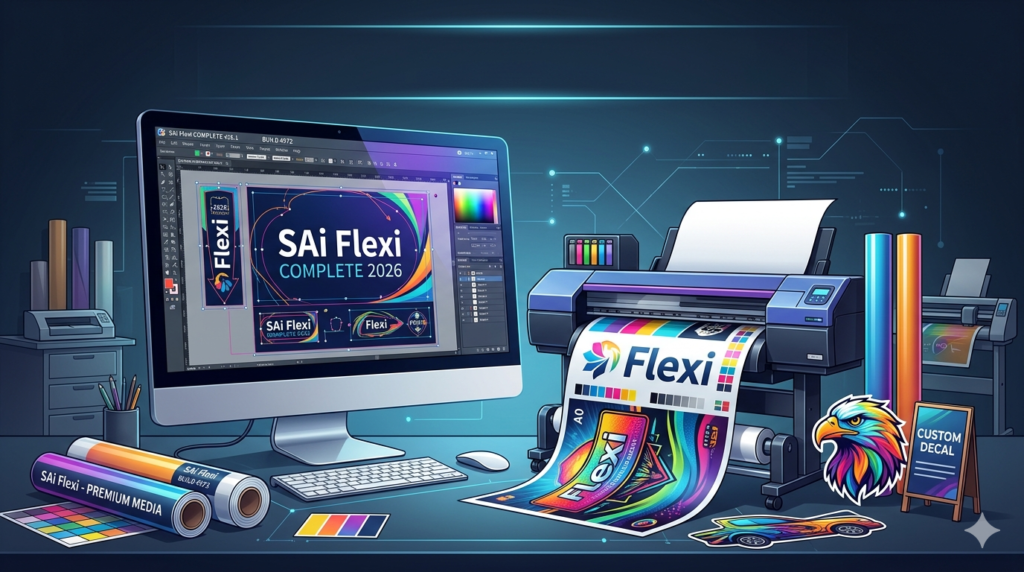
SAi Flexi COMPLETE 2026 v26.1 Build 4972 represents a significant leap forward in the world of professional sign making and wide-format printing. As an all-in-one design, RIP (Raster Image Processing), and production management suite, this software is engineered specifically for sign shops, print service providers (PSPs), and graphics professionals. Unlike generic design tools, Flexi COMPLETE integrates native CAD tools for sign making with powerful color management and direct printer control, making it a cornerstone of print production workflow optimization.
With the 2026 release, SAi continues to bridge the gap between creative design and manufacturing. This version focuses on speed, hardware compatibility, and automated nesting to reduce material waste. Whether you are creating vehicle wraps, billboards, or custom decals, this software provides the industry-standard RIP software solution that professionals trust for consistent color accuracy and high-speed production.
Key Features
SAi Flexi COMPLETE 2026 is packed with features designed to streamline the entire sign-making process. Below is a breakdown of its core capabilities.
Integrated Design & Layout Tools
-
Vector Editing: Powerful nodal editing tools similar to high-end illustration software.
-
Contour Cutting: Dedicated tools for creating cut lines (cut contours) for vinyl cutters and plotter integration.
-
Text on Path & Envelopes: Advanced typography controls specifically for sign layouts.
-
PDF Import/Export: Native support for industry-standard file formats without data loss.
Production Manager & RIP Engine
-
True Adobe PDF RIP Engine: Ensures that what you see on screen is exactly what prints (WYSIWYG).
-
Nesting & Tiling: Automatically arranges shapes to maximize media usage and splits large designs across multiple panels.
-
Step and Repeat: Ideal for decals and labels, allowing batch printing with variable data.
-
Ink Savings: Algorithms that reduce ink usage by up to 30% without sacrificing quality.
Hardware Compatibility
-
Printer Support: Direct drivers for over 3,000 wide-format printers (Roland, Mimaki, HP, Epson, Mutoh).
-
Cutter Support: Seamless integration with Graphtec, Summa, and Roland cutters for print-and-cut workflows.
What’s New in the Latest Version (v26.1 Build 4972)
This specific build introduces enhancements focused on performance and user experience.
-
Cloud Job Submission: Users can now send print jobs from the web interface directly to the on-premise Production Manager, enabling remote workflow management.
-
AI-Assisted Nesting: The 2026 update introduces machine-learning algorithms that predict the most efficient layout orientation, reducing material scrap by up to 15%.
-
Spot Color Library Update: Updated Pantone libraries for 2026, ensuring color matching for brand-specific marketing materials.
-
UI Overhaul: The interface now features dark mode support and customizable hotkey profiles for faster design iteration.
System Requirements
Before installing SAi Flexi COMPLETE 2026, ensure your workstation meets these specifications to handle large raster files and complex vector graphics.
| Component | Minimum Requirement | Recommended Requirement |
|---|---|---|
| OS | Windows 10 (64-bit) / macOS 12 | Windows 11 Pro / macOS 14 (Sonoma) |
| CPU | Intel Core i5 (6th Gen) | Intel Core i7 (12th Gen) or AMD Ryzen 7 |
| RAM | 8 GB | 32 GB (Crucial for large format ripping) |
| GPU | 2 GB VRAM (OpenGL 3.3) | 8 GB VRAM (Dedicated NVIDIA Quadro/RTX) |
| Storage | 20 GB HDD | 1 TB NVMe SSD (for job caching) |
| Display | 1920 x 1080 | 4K UHD (3840 x 2160) for dual-monitor layouts |
Installation Guide
Important: This guide is for a standard installation using a valid software license. Ensure you have your SAi software activation key ready before starting.
Step-by-step installation process:
-
Download the installer: Log into your SAi account on the official portal and download
Flexi_COMPLETE_2026_v26.1.exe. -
Disable antivirus temporarily: Sometimes security software interferes with printer driver installations. Re-enable it immediately after setup.
-
Run as Administrator: Right-click the installer and select “Run as Administrator” to allow registry writes.
-
Accept the EULA: Read and agree to the End User License Agreement.
-
Select Installation Type: Choose “Complete” for all modules (Design, RIP, and Production Manager).
-
License Activation: Enter your serial number or sign in with your SAi cloud account to validate the subscription.
-
Hardware Configuration: The setup wizard will scan the network for supported plotters and printers. Add your devices manually if not found.
-
Restart: Reboot the system to finalize driver signatures.
How to Use the Software
To maximize sign making efficiency, follow this standard production workflow for a print-and-cut decal.
Step 1: Creating a New Design
Open the Flexi DESIGN module. Set your artboard size to the exact dimensions of your final sign. Use the Bezier tool to draw custom shapes or import a vector file (AI, EPS, PDF).
Step 2: Setting Contour Cuts
Select your design and navigate to Effects > Cut/Plot > Contour Cut. Flexi will automatically generate a red cut line. Adjust the offset (usually 0.02 inches) to ensure the cutter doesn’t slice the printed ink.
Step 3: Ripping to Print
-
Go to
File > RIP and Print. -
Select your printer profile (e.g., “Roland VG3 – Glossy Vinyl”).
-
Choose your quality mode: Billboard (Low res/fast) vs. Gallery (High res/slow).
-
Click RIP. The software converts the vector data into a dot matrix (bitmap) that your printer understands.
Step 4: Production Manager Controls
Monitor the queue in the Production Manager. You can pause jobs, change media types mid-run, or reorder pending tasks.
Best Use Cases
SAi Flexi COMPLETE is a vertical-specific tool. Here is where it excels compared to generic graphic design software:
-
Vehicle Wrap Production: The tiling feature allows designers to print a wrap for a bus in 8-foot sections with 0.5-inch overlap seams.
-
Window Cling & Decals: The “Step and Repeat” tool allows you to fit 500 small decals onto one 54″ roll of vinyl automatically.
-
Billboard Advertising: Handles massive file sizes (over 1GB) that crash standard software like Illustrator or CorelDRAW.
-
Direct-to-Garment (DTG): When paired with compatible RIPs, it manages underbase printing for dark shirts.
Advantages and Limitations
Advantages (Pros)
-
All-in-One Workflow: Eliminates the need to switch between Illustrator (design) and Caldera (RIP).
-
Superior Nesting: Saves significant money on vinyl and canvas materials over time.
-
Legacy Support: Still supports older serial plotters that new software (like Onyx) has abandoned.
Limitations (Cons)
-
Learning Curve: Complex for pure raster photo editors; designed for vector/CAD users.
-
Subscription Model: As of 2026, perpetual licenses are rare; the annual subscription can be costly for hobbyists.
-
Mac Limitations: The macOS version historically lacks some hardware driver support found in the Windows version.
Alternatives to the Software
If you are evaluating wide-format RIP software, consider these legitimate competitors:
| Software | Best For | Key Difference vs. Flexi |
|---|---|---|
| Onyx Thrive | High-volume print shops | Better for multi-printer farms; weaker vector design tools. |
| Caldera PrimeCenter | Industrial production | Faster nesting algorithm; no native design tools (plugin only). |
| Roland VersaWorks | Roland printer owners | Free with Roland printers; limited to only Roland hardware. |
| Adobe Illustrator + Cut Plugin | Casual sign makers | Requires separate RIP software (e.g., Wraparound); cheaper monthly cost. |
Frequently Asked Questions
Q1: What is the difference between Flexi SIGN and Flexi COMPLETE?
Flexi SIGN is the design-only module (no printing). Flexi COMPLETE includes the full RIP engine and Production Manager, allowing you to send jobs directly to wide-format printers.
Q2: Does SAi Flexi 2026 support Apple Silicon (M1/M2/M3)?
Yes, build 4972 is a universal binary. It runs natively on M-series Macs without Rosetta emulation, resulting in 40% faster ripping times than the Intel version.
Q3: Can I import CorelDRAW (CDR) files directly?
Yes. v26.1 supports native CDR file import up to version 2025. You do not need to convert to PDF first.
Q4: How do I update my printer driver within the software?
Navigate to Help > Device Manager > Update Database. SAi releases weekly driver updates for new printer models without requiring a full software reinstall.
Q5: Is there a trial version available for the sign making software?
Yes. SAi offers a 30-day fully functional trial on their official website. The trial watermarks prints but allows full access to design and RIP features.
Q6: Why is my contour cut misaligned with my print?
This is usually a media feed calibration issue. Run the Print & Cut Calibration wizard in the Production Manager. Ensure your printer is using optical registration marks (OPOS).
Final Thoughts
SAi Flexi COMPLETE 2026 v26.1 Build 4972 remains the gold standard for sign makers who need a seamless bridge between vector design and physical output. While the subscription cost is a barrier for entry-level users, the time saved on nesting, color matching, and driver management offers a rapid return on investment (ROI) for commercial print shops.
If you manage a digital print production workflow involving vinyl, textiles, or rigid substrates, this update justifies the upgrade for the AI nesting alone. Always purchase licenses directly from authorized SAi resellers to ensure you receive critical security updates and technical support.
Our Paid Service
“We do not sell or provide any software. We only offer professional support services. If any software on your system is not working properly, or you are facing installation errors, crashes, or any other technical issue — just contact us. We will help you fix the problem quickly and remotely via AnyDesk. No software will be provided from our side — only expert troubleshooting and support.”