

Overview of RevitWorks DOOR FACTORY Premium
Table of Contents
DOOR FACTORY Premium is not merely a library of pre-made doors; it is a dynamic generation tool . The core philosophy of the software is speed and consistency. Traditionally, creating a custom double sliding door or a complex bi-fold assembly in Revit requires managing nested families, reference planes, and complex constraints. DOOR FACTORY removes this friction.
The Premium version builds upon the free “Preview” version by unlocking advanced configurations, including Sliding doors, Pocket doors, Bi-fold doors, Garage doors, Stacking doors, and Interconnecting hotel room doors . It serves both novice users needing standard hinged doors and advanced users requiring custom trim profiles and accessibility diagrams.
By utilizing consistently shared parameters, the tool ensures that all doors—whether a standard hinged unit or a complex curtain wall panel—can be scheduled together logically .
Key Features of the Premium Version
The RevitWorks DOOR FACTORY Premium 27.0.00 release focuses on high-end customization and BIM precision. Below is a breakdown of the core functionalities:
-
Extensive Door Action Library
Create specific configurations beyond standard swings, including Bi-fold (14 configurations), Surface/Pocket/Contained Sliding (15 configurations), Garage, Hatches, and Stacking doors . -
Parametric Wall Alignment
Doors feature built-in alignment parameters for positioning within walls. You can snap the jamb or panel to the center, exterior face, or interior face, including specific positive or negative offsets . -
Custom Component Builder
Users can import and manage their own panels, handles, trim profiles, timber sills, sliding door pelmets, decorative moldings, and over-panels to create unlimited permutations . -
Accessibility Compliance (ADA)
Premium allows the addition of accessibility clearance diagrams directly into the family, ensuring compliance with building codes for walkways and maneuvering space . -
3D Visualization Controls
Open and close doors in 3D viewports to suit walkthroughs, renders, or clash detection scenarios. -
International Graphic Standards
The elevation swing indicator is adjustable to point to the hinge or the handle, adhering to varying international graphic standards . -
Consistent Scheduling
Utilizes consistently named shared parameters, allowing curtain panel doors to be scheduled alongside standard doors without custom workarounds .
What’s New in Version 27.0.00
Released on April 23, 2026, version 27.0.00 is specifically certified for Autodesk Revit 2027 . While RevitWorks maintains a stable core feature set, this update focuses on compatibility and performance:
-
Revit 2027 Interoperability: Full support for Revit 2027’s new database structure and graphical engine.
-
Installation Optimization: The custom installer has been updated to ensure smoother deployment of the 297 MB package .
-
Parameter Stability: Enhanced handling of “Real Pivot Plan Swing” and “Symbolic Offset Hinge Length” parameters for pivot and hinge doors.
-
UI Refinements: Locking logic has been improved on the Action and Jamb tabs; once set, these settings lock in to prevent accidental changes during design .
System Requirements
Before installing RevitWorks DOOR FACTORY Premium 27.0.00, ensure your system meets the following requirements:
-
Host Software: Autodesk Revit 2027 (compatible with both Revit and Revit LT).
-
Operating System: Windows 10 64-bit or Windows 11 (64-bit).
-
Disk Space: Approximately 300 MB of free space for the installation files and library components.
-
Permissions: Administrator rights required for the custom installer .
-
Hardware: Compatible with any hardware officially supported by Autodesk Revit 2027 (recommended 16GB+ RAM and a 4GB+ DirectX 11 capable GPU).
Installation Guide
Follow these steps to install DOOR FACTORY Premium successfully:
-
Download: Obtain the installer from the Autodesk App Store or the official DiPCSoft distributor portal. The file size is approximately 297 MB .
-
Close Revit: Ensure all Autodesk Revit 2027 instances are closed before proceeding.
-
Run Installer: Launch the custom installer as Administrator.
-
Select Version: If you have multiple Revit versions installed, select Revit 2027 as the target host.
-
License Activation: Upon first launch in Revit, input the license key provided upon purchase of the Premium tier (the Preview version runs free but with limited actions) .
-
Library Load: The first generation might take a moment as the tool indexes standard trim and panel profiles.
How to Use the Software
Using DOOR FACTORY follows a logical left-to-right tabbed workflow. The software locks settings as you progress to maintain data integrity .
1. Action Tab (Configuration)
The user selects the action of the door. This defines how the door operates:
-
Swing: Standard hinged doors (Curved/Straight plan swings).
-
Sliding: Surface, pocket, or contained sliding actions (Set “Plan % Open” parameter for symbolic representation).
-
Bi-Fold: Select number of panels and stack direction.
-
Pivot: Set the pivot offset (the real dimension from the panel to the pivot point) .
2. Jamb & Wall Alignment
Define the structural opening. This is where you use the Wall Alignment feature to set the jamb position relative to the wall core or faces .
3. Panel & Handle
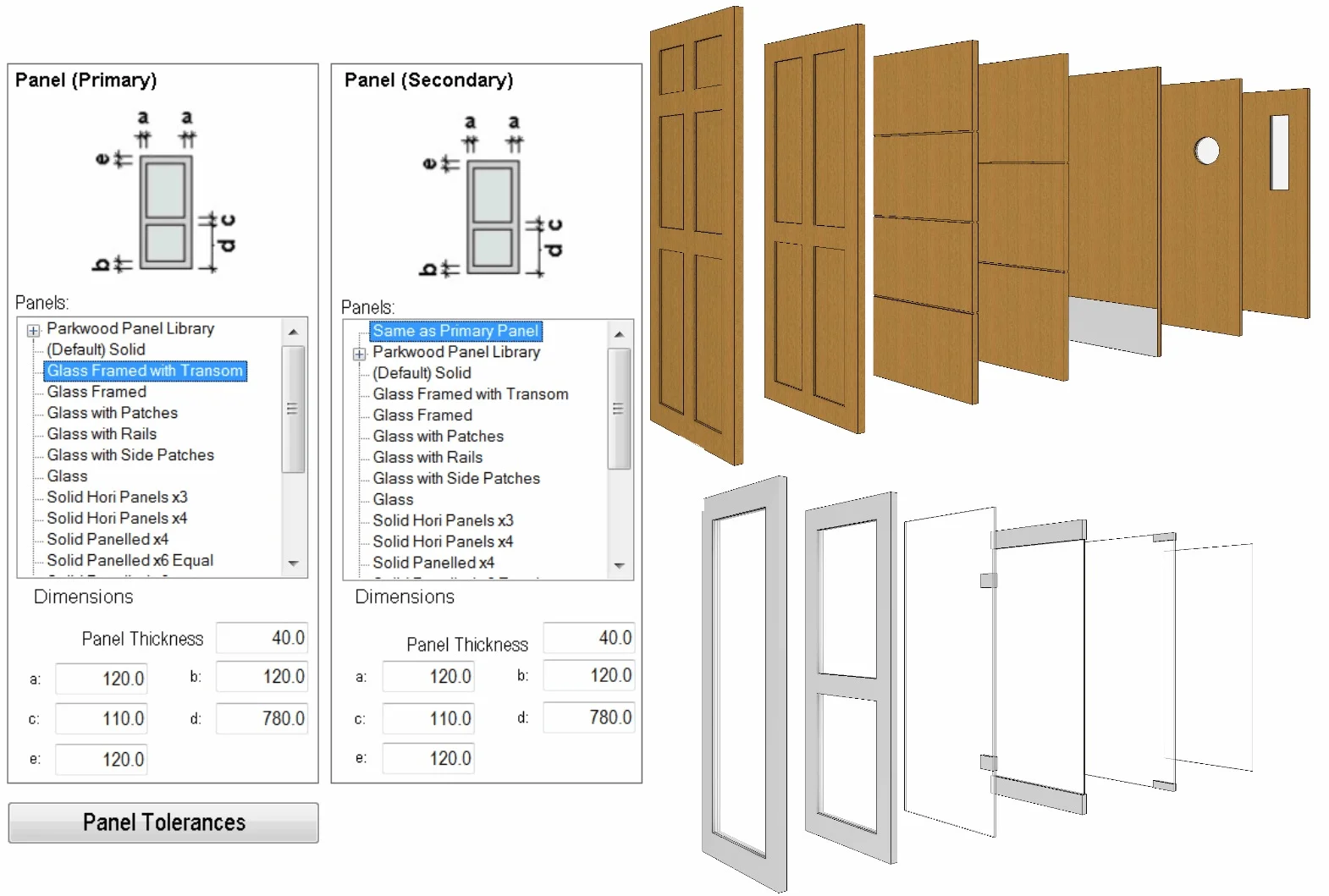
Choose the panel style (e.g., flat, 6-panel, glazed) and the hardware. Premium users can enable “User Components” to load custom sills or decorative pelmets .
4. Create/Name & Place
Assign a logical type name. RevitWorks ensures consistent naming parameters so that all generated doors sort correctly in your project browser. Click “Create” to load the family into the project.
5. Instance Adjustments (Post-Placement)
After placing the door in a wall:
-
Adjust Swing Angle or Fold Angle for plan representation.
-
Toggle Show/Hide Arrows for sliding doors via the Visibility/Graphics menu under “Doors” > Subcategory “Arrow” .
Best Use Cases
1. High-Rise Hospitality (Interconnecting Doors)
Premium is uniquely valuable for designing interconnecting hotel rooms. It can create pairs of doors that swing into adjacent rooms while maintaining sound isolation and fire-rating parameters .
2. Residential Accessibility
Design homes compliant with ADA standards by using the built-in clearance diagrams. You can ensure a wheelchair has proper turning radius next to a door before the foundation is even poured.
3. Curtain Wall Entrances
Unlike native Revit families that struggle with curtain wall embedding, DOOR FACTORY seamlessly generates doors that function as Curtain Panel Doors, inheriting the mullion constraints of the curtain grid .
Advantages and Limitations
Advantages (Pros)
-
Speed: Reduces door creation time from hours to seconds.
-
Consistency: Enforces office standards through reusable components.
-
Scheduling excellence: Eliminates “inconsistent parameters” errors in door schedules.
-
Complex Geometry: Handles complex geometry like laybacks for bi-folds easily .
Limitations (Cons)
-
Learning Curve: The “Action” locking mechanism can be confusing for absolute beginners who skip tabs (settings lock once you move past the Jamb tab) .
-
Revit-Specific: Not a standalone tool; requires a full Revit 2027 license.
-
Installation: Uses a custom installer rather than the standard Autodesk “One-Click” store install .
Alternatives to RevitWorks DOOR FACTORY
| Feature | RevitWorks DOOR FACTORY Premium | Native Revit Families | BIMobject / Other Generic Libraries |
|---|---|---|---|
| Generation Speed | Instant (Parametric) | Slow (Manual modeling) | Medium (Download only) |
| Custom Profiles | Unlimited (User import) | Limited (Nested families) | Pre-set only |
| Curtain Wall Support | High (Native integration) | Low (Requires workarounds) | Very Low |
| Scheduling | Unified Shared Parameters | Inconsistent | Depends on author |
| Bi-fold/Sliding Config | 14+ Configurations | Difficult to constrain | Limited |
Frequently Asked Questions
Is RevitWorks DOOR FACTORY Premium compatible with Revit 2027?
Yes, version 27.0.00 is explicitly designed for, and tested with, Autodesk Revit 2027 .
What is the difference between the Preview and Premium version?
The Preview version is free and supports standard single/double hinge doors. The Premium version adds Sliding, Pocket, Bi-fold, Garage, Stacking, and Interconnecting doors, plus accessibility diagrams and custom trim profiles .
Can I use my own door hardware (handles) in the tool?
Absolutely. The “User” tab allows you to load your own handle families and panel profiles, integrating your specific product library into the workflow .
Does this software support “Pocket Doors” (hidden in wall)?
Yes. Under the sliding door actions, the Premium version includes specific configurations for Pocket doors, where the door slides into a cavity within the wall .
Why do I see straight swings instead of curved swings in plan?
The Plan Swing type parameter can be set to “Straight” (often representing existing doors in renovations) or “Curved” (representing new doors). This is adjustable in the Type Properties .
The arrows for my sliding door are not showing up. Why?
Arrow visibility for sliding doors is controlled not by a parameter but globally via the Revit Visibility/Graphics menu. Navigate to VV > Doors > check the subcategory Arrow .
Final Thoughts
RevitWorks DOOR FACTORY Premium 27.0.00 for Revit 2027 is an indispensable tool for any BIM firm that takes documentation seriously. While native Revit handles simple doors adequately, the premium version excels in the “long tail” of architectural work—sliding mechanisms, hotel interconnections, and accessibility planning.
The investment is justified by the time saved on scheduling and the consistency enforced across large projects. For professionals looking to move beyond “box doors” to true digital prototypes, this tool represents the current standard in the Revit ecosystem.
Our Paid Service
“We do not sell or provide any software. We only offer professional support services. If any software on your system is not working properly, or you are facing installation errors, crashes, or any other technical issue — just contact us. We will help you fix the problem quickly and remotely via AnyDesk. No software will be provided from our side — only expert troubleshooting and support.”