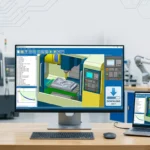


Overview of the Software
Table of Contents
PLS-CADD (Power Line Systems – Computer Aided Design and Drafting) is the globally recognized industry-standard software for designing, analyzing, and drafting overhead electric power lines. Developed by Power Line Systems and now part of Bentley Systems, this comprehensive overhead line design solution is trusted by over 1,600 organizations across 125 countries.
What sets PLS-CADD apart is its sophisticated 3D engineering model that integrates every facet of line design into a single, unified application. This model is not merely a visual CAD drawing—it understands the complex engineering relationships between terrain, structures, conductors, and environmental loads. When an engineer adjusts a structure’s position, PLS-CADD automatically regenerates new profiles and updates all affected structure and wire positions in real-time across every view.
For transmission engineers, distribution planners, and structural designers, PLS-CADD delivers a seamless workflow from survey data import and terrain modeling through to detailed engineering analysis and construction-ready plan and profile sheets. The software’s ability to handle everything from short distribution lines to multi-hundred-mile transmission corridors makes it an indispensable tool for modern power infrastructure projects.
Key Features
Three-Dimensional Engineering Model
At the core of PLS-CADD lies a sophisticated three-dimensional engineering model that includes terrain data, structures (towers and poles), and all wires (conductors, shield wires, and jumpers). Users can view this model through multiple lenses: profile views, plan views, 3-D perspectives, staking lists, and plan & profile sheets.
The intelligence of this model is demonstrated when modifications occur—drag a structure off the current alignment, and PLS-CADD generates new profiles while updating all affected components instantly. This dynamic approach eliminates time-consuming drafting and allows engineers to focus on design optimization rather than manual redrawing.
Terrain Modeling and Survey Data Integration
PLS-CADD adapts to diverse survey technologies, including total station instruments, airborne LiDAR, and photogrammetry. It accepts survey data in both plan and profile coordinate systems and features a customizable data import routine that reads a wide range of survey data formats.
To enhance visualization, engineers can superimpose planimetric maps and aerial photographs. When sufficient data is available, PLS-CADD generates contour lines, color renderings, and draped aerial photographs for comprehensive terrain analysis.
Engineering Standards and Calculations
The software’s engineering functions are highly flexible and configurable to meet specific organizational standards. Engineers begin by defining combinations of wind, ice, temperature, and safety factors, then specify which combinations apply to loading trees, insulator swing checks, clearance verification, and wire tension analysis.
Key engineering capabilities include:
-
Structure strength and insulator swing checks – With a single click on any structure, PLS-CADD identifies potential strength or insulator swing issues
-
Sag-tension reports – Click on any span to generate detailed sag-tension analysis
-
Clearance calculations – Verify clearances from wires to ground or between phases under varying weather conditions
-
Loading trees and stringing charts – Access construction-ready data instantly
-
Thermal rating calculations – Industry-standard IEEE Std. 738 and Cigre Brochure 207 thermal ratings
A standout feature is PLS-CADD’s ability to model ACSR conductor compression effects at high temperatures. While most sag-tension programs ignore this phenomenon and underestimate sags, PLS-CADD provides analysis both with and without compression effects so engineers can assess severity accurately.
Structure Spotting and Optimization
PLS-CADD supports both manual and automatic structure spotting. Manual spotting allows engineers to add, delete, or move structures using the mouse. The Optimum Spotting module takes this further by automatically identifying the lowest-cost design subject to user-defined constraints—often achieving designs up to 10% more cost-effective than human-generated layouts.
This optimization engine evaluates thousands of potential tower placements, considering terrain, design criteria (voltage, safety clearances, environmental conditions), and structure capabilities to produce efficient, resilient, and cost-effective line designs.
Advanced Sag-Tension and Multi-Span Analysis
Built-in sag-tension routines enable engineers to display lines in 3-D for any weather condition, complete with insulator swings and wire blowout. While standard sag-tension calculations use ruling span approximations, PLS-CADD can integrate with the SAPS multi-span finite element sag-tension program when complex scenarios require more sophisticated modeling.
Collaboration and Data Format Compatibility
As a Bentley Systems product, PLS-CADD integrates with complementary tools including:
-
TOWER – For automatic tower body and leg extension selection
-
PLS-POLE – For multipole structure modeling
-
SAPS – For advanced finite element sag-tension analysis
What’s New in PLS-CADD v20
While much of PLS-CADD’s core functionality has been refined over its 40-year history, version 20 represents a significant evolution in the software’s capabilities. The latest release brings:
-
Enhanced terrain modeling – Improved workflows for incorporating LiDAR, aerial imagery, and survey data
-
Performance optimizations – Faster calculations and more responsive 3-D rendering
-
Updated engineering standards – Latest revisions of IEEE, CIGRE, and international standards for conductor ratings and clearances
-
Streamlined workflows – Tighter integration with the full Bentley infrastructure software suite, including PLS-TOWER and PLS-POLE
-
Advanced optimization algorithms – Enhanced structure spotting capabilities for even more cost-effective designs
As a mature and industry-proven software, PLS-CADD’s updates focus on performance, precision, and workflow efficiency rather than dramatic feature overhauls. The software’s 40-year legacy and adoption by 1,600+ organizations reflect its stability and reliability for critical infrastructure projects.
System Requirements
While PLS-CADD v20 runs under Microsoft Windows and features an easy-to-use graphical user interface, specific system requirements depend on the scale and complexity of your projects.
For small to medium projects:
| Component | Minimum Specification |
|---|---|
| Operating System | 64-bit Windows 7 SP1, Windows 8, Windows 10 |
| Processor | Intel Pentium 4 or AMD Athlon dual-core, 3.0 GHz or higher (SSE2 support required) |
| Memory | 4 GB RAM |
| Storage | 6 GB available disk space |
| Display | 1024×768 resolution, true color |
For large transmission projects with extensive terrain data:
| Component | Recommended Specification |
|---|---|
| Processor | Intel Core i7/i9 or AMD Ryzen 7/9 with high single-thread performance |
| Memory | 16 GB RAM or more |
| Storage | SSD (SATA 3 or PCI-E NVMe) for system drive |
| Display | 1920×1080 (Full HD) or higher, true color, dual displays recommended |
| Graphics | Dedicated GPU with 4-8 GB VRAM |
Note: PLS-CADD is distributed through authorized Bentley Systems partners. Licenses include access to technical support, updates, and training resources.
Installation Guide
PLS-CADD v20 installation follows a standard Windows software deployment process. As a professional engineering tool, the software requires a valid license from Power Line Systems or an authorized Bentley Systems distributor.
Pre-Installation Checklist
-
Verify system compatibility – Ensure your workstation meets the recommended specifications for your project scale
-
Check Windows version – PLS-CADD supports 64-bit Windows 7 SP1, Windows 8, Windows 10, and Windows 11
-
Back up existing projects – If upgrading from an earlier version, confirm your project files are securely stored
-
Obtain license credentials – Ensure you have a valid license key or network license configuration
Installation Steps
-
Download the installer – Obtain the PLS-CADD v20 installation package from your authorized distributor
-
Run the installer – Execute the setup file and follow the on-screen prompts
-
Accept the license agreement – Review and accept the End User License Agreement
-
Choose installation directory – Select the destination folder (default is recommended)
-
Complete installation – The installer will copy files and register the application
-
License activation – Enter your license credentials or configure network license server settings
-
Verify installation – Launch PLS-CADD and confirm that all modules are accessible
Troubleshooting
If installation issues occur:
-
Windows compatibility – Run the installer in Windows compatibility mode if using Windows 10/11 with older system requirements
-
Administrator privileges – Ensure installation is performed with administrator rights
-
Anti-virus interference – Temporarily disable anti-virus software during installation
-
License issues – Contact your authorized PLS-CADD distributor for license support
How to Use the Software
The PLS-CADD workflow is designed as a logical progression from project initialization through to final construction documentation. Understanding this workflow is essential for efficient use of the software.
Project Setup and Initialization
Start by creating a project directory and selecting the project type (XYZ or PFL coordinate systems). Set up master files and define preferences including unit systems (imperial or metric), coordinate systems, and directory mappings.
Building the Terrain Model
Import survey data from various sources – total station instruments, airborne LiDAR, or photogrammetry. PLS-CADD’s customizable data import routine can read a wide range of survey formats.
Generate a TIN surface model – Create the digital terrain model from survey points. Attach DXF/SHP files, aerial images, or LiDAR data for realistic terrain representation.
Structure Spotting
Define spotting constraints – Set prohibited or required zones, clearance requirements, and design parameters (voltage, safety factors, environmental conditions).
Import structures – Use the structure library or import from PLS-TOWER or PLS-POLE.
Run Optimum Spotting – The automated optimization engine evaluates thousands of layouts to find the most efficient and cost-effective tower placements.
Conductor Stringing
Add conductors and jumpers – Define conductor types, diameters, weights, and tension properties.
Apply sag-tension rules – Automatic or manual sagging based on weather conditions and ruling span calculations.
Engineering Analysis
Perform calculations – Run sag-tension reports, structure checks, insulator swing analysis, clearance verification, and thermal rating calculations.
Review results – Analyze loading trees, stringing charts, galloping ellipses, and offset clipping results.
Documentation and Delivery
Generate plan and profile sheets – PLS-CADD automatically produces construction-ready drawings from the 3-D model.
Export bills of materials – Automatic quantity takeoff for structures, hardware, conductors, and accessories.
Produce staking reports – Detail each structure location, type, and construction instructions.
The integrated nature of PLS-CADD means changes at any stage automatically propagate through the model, ensuring all documentation remains consistent and accurate.
Best Use Cases
New Transmission Line Design
PLS-CADD is the preferred choice for designing new overhead transmission lines of any voltage level. The software’s Optimum Spotting module is particularly valuable here, as it analyzes terrain data, environmental constraints, and structure costs to identify the most economical tower placements. This capability can reduce total project costs by up to 10% while maintaining safety and regulatory compliance.
Distribution Line Planning
For distribution engineers, PLS-CADD handles everything from simple rural two-mile lines to complex urban distribution networks. The software’s flexibility with structure types and its ability to evaluate multiple design alternatives quickly makes it invaluable for distribution planning.
Storm Recovery and Emergency Restoration
Following severe weather events, engineering teams need to rebuild infrastructure rapidly while maintaining safety. PLS-CADD’s ability to model existing structures, identify appropriate replacements, and generate construction documentation quickly is critical for emergency restoration projects.
Existing Line Assessment and Upgrading
PLS-CADD is equally powerful for evaluating aging infrastructure. Engineers can model existing lines, simulate various loading conditions (wind, ice, temperature), and assess whether structures remain compliant with current standards. This capability is essential for line upgrades, reconductoring projects, and reliability assessments.
International Projects
With the ability to work in both imperial and metric units, and flexibility to adapt to diverse international standards, PLS-CADD is the software of choice for multinational engineering firms working on overseas projects. Its global adoption by over 125 countries validates its adaptability to varying regulatory environments.
Advantages and Limitations
Advantages
Industry-Standard Status – PLS-CADD is the recognized global standard for overhead line design, with widespread acceptance among utilities, consultants, and regulatory bodies.
Integrated Engineering Model – Unlike CAD drafting tools that merely draw lines, PLS-CADD understands the engineering relationships between components. When you modify a structure, all profiles and clearance calculations update automatically.
Cost Optimization – The Optimum Spotting module consistently identifies designs that are both technically sound and economically efficient, frequently outperforming manual designs.
Comprehensive Analysis – From sag-tension calculations and thermal ratings to EMF analysis and lightning protection, PLS-CADD provides the full suite of engineering tools in one application.
Global Standards Compliance – Supports IEEE 738, CIGRE, and international standards for conductor ratings and engineering calculations.
Proven Reliability – With over 40 years of development and adoption by more than 1,600 organizations globally, PLS-CADD has been tested across a vast range of projects and conditions.
Seamless Collaboration – Integration with TOWER, PLS-POLE, and SAPS creates a unified workflow from structure design through to line analysis.
Limitations
Learning Curve – As with any specialized engineering software, new users require training to utilize PLS-CADD’s full capabilities effectively.
Licensing Cost – Professional-grade engineering software with comprehensive capabilities comes with a significant investment. However, the cost is typically justified by project efficiency gains and error reduction.
Specialized Scope – PLS-CADD is focused on overhead line design. For underground cable analysis or substation design, complementary software tools may be required.
Data Format Compatibility – While PLS-CADD supports a wide range of survey data formats, workflows with specific survey equipment may require custom import configurations.
Alternatives to the Software
While PLS-CADD is the industry leader in overhead line design, several alternatives serve specific market niches:
SLCAD (架空送电线路平断面图处理及定位CAD系统)
A domestic Chinese software widely used within China’s power transmission sector for survey data processing and structure placement. While SLCAD is commonly used for domestic projects, most international clients and export projects specify PLS-CADD deliverables.
ETAP Line Editor
Part of the broader ETAP electrical power system analysis platform, this tool offers sag-tension analysis capabilities and integrates with ETAP’s comprehensive power systems modeling environment.
CAD-Based Alternatives
General-purpose CAD platforms with specialized power engineering add-ons may suit smaller projects, but they typically lack PLS-CADD’s integrated engineering model, structure optimization capabilities, and comprehensive analysis tools.
Why PLS-CADD Remains the Standard
The key differentiator for PLS-CADD is its comprehensive, integrated engineering model that understands terrain, structures, wires, and their relationships. This is not just drafting software—it is a full engineering calculation environment that generates construction documentation automatically.
Frequently Asked Questions
What is PLS-CADD software used for?
PLS-CADD is specialized software for designing, analyzing, and drafting overhead electric power lines. It handles everything from terrain modeling and structure placement to sag-tension analysis, clearance verification, and construction documentation generation. The software is used by transmission engineers, distribution planners, and structural designers worldwide.
Is PLS-CADD the industry standard for overhead line design?
Yes. PLS-CADD is widely recognized as the global industry standard for overhead power line design. Over 1,600 organizations in more than 125 countries use PLS-CADD for transmission and distribution line projects. Its adoption extends from major utilities and consulting firms to government agencies and international development organizations.
What is the difference between PLS-CADD and PLS-TOWER?
PLS-CADD is the comprehensive line design software for routing, structure spotting, conductor stringing, and line analysis. PLS-TOWER is a complementary structural analysis tool for designing and rating individual transmission towers. They integrate seamlessly, with PLS-TOWER models being directly importable into PLS-CADD for line design.
Does PLS-CADD work with LiDAR survey data?
Yes. PLS-CADD accepts LiDAR data through its customizable data import routines, allowing engineers to build accurate 3-D terrain models from LiDAR surveys. This capability is essential for projects in challenging terrain where precise topographical data is needed.
Can PLS-CADD be used for line upgrades and existing line assessments?
Absolutely. PLS-CADD is a powerful tool for evaluating existing infrastructure. Engineers can model existing lines, assess their compliance with current standards under various loading conditions, and determine optimal upgrade strategies for reconductoring or structural reinforcement projects.
What are the system requirements for PLS-CADD v20?
PLS-CADD v20 runs on 64-bit Windows 7 SP1 through Windows 11. For large transmission projects, a workstation with an Intel Core i7/i9 or AMD Ryzen 7/9 processor, 16+ GB RAM, SSD storage, and a dedicated GPU is recommended. Smaller distribution projects can run effectively on more modest hardware.
Where can I purchase a PLS-CADD license?
PLS-CADD is available through authorized Bentley Systems partners and distributors worldwide. For example, in Nepal, Forefront Engineering serves as the authorized partner for PLS-CADD and related software. Contact your local Bentley Systems representative for licensing, training, and support options.
How long does it take to learn PLS-CADD?
New users typically require several weeks to achieve proficiency, depending on their background in transmission line engineering. Power Line Systems and Bentley Systems offer comprehensive training resources, including webinars, documentation, and formal training courses. Experienced line designers with CAD familiarity will find PLS-CADD’s interface intuitive, though the optimization and analysis features require dedicated study.
Final Thoughts
PLS-CADD v20 represents the gold standard in overhead power line design software—a position earned through more than 40 years of continuous development and real-world application on projects across the globe. For organizations involved in transmission and distribution engineering, investing in PLS-CADD is not merely a software purchase; it is a commitment to design excellence, cost efficiency, and regulatory compliance.
The software’s integrated 3-D engineering model eliminates the disconnection between design, analysis, and drafting that plagues less sophisticated tools. By understanding the relationships between terrain, structures, and conductors, PLS-CADD enables engineers to make informed decisions with confidence—and to see the consequences of those decisions instantly across all views and reports.
The Optimum Spotting module exemplifies PLS-CADD’s value proposition: it saves significant engineering time while producing designs that are often 10% more cost-effective than manually spotted alternatives. In a world of increasingly complex infrastructure projects and tight budgets, this capability alone delivers compelling return on investment.
While alternatives exist for specific niches or regional requirements, no competing solution offers the combination of comprehensive engineering analysis, international standards compliance, and industry acceptance that PLS-CADD provides. For engineers designing the power lines that connect our world, PLS-CADD remains the essential tool for delivering safe, reliable, and economical infrastructure.
Our Paid Service
“We do not sell or provide any software. We only offer professional support services. If any software on your system is not working properly, or you are facing installation errors, crashes, or any other technical issue — just contact us. We will help you fix the problem quickly and remotely via AnyDesk. No software will be provided from our side — only expert troubleshooting and support.”