
Overview of the Ozeki SDK
Table of Contents
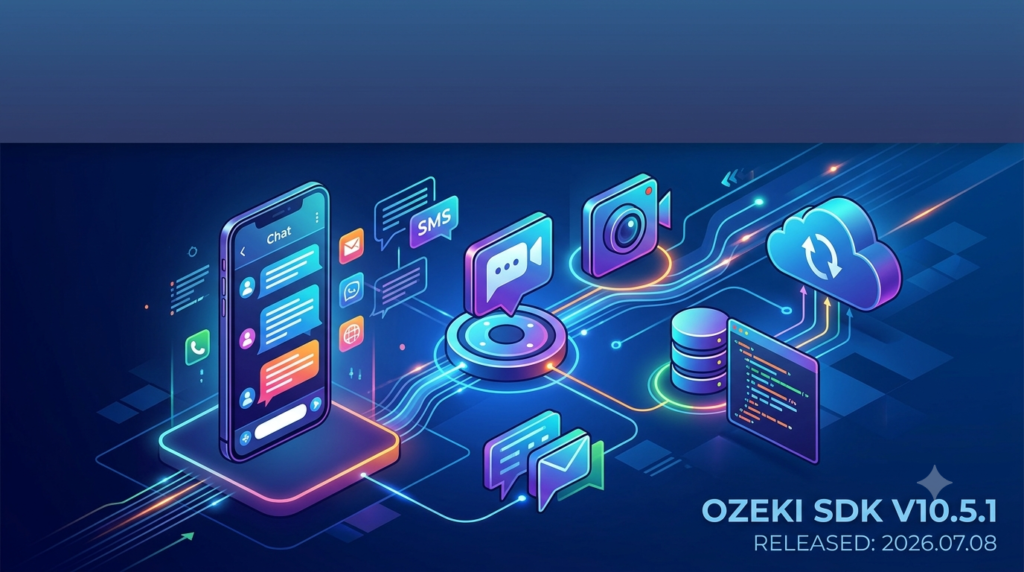
Ozeki SDK v10.5.1 is a powerful software development kit designed for building robust communication applications using SIP (Session Initiation Protocol) and VoIP (Voice over Internet Protocol) technologies. Released on July 8, 2026, this comprehensive development framework enables developers to create feature-rich telephony solutions, video conferencing applications, and real-time communication systems across multiple platforms.
The Ozeki SDK stands out as an enterprise-grade communication development platform that supports .NET developers in creating sophisticated VoIP applications. With its extensive API library, developers can implement voice calling, video streaming, instant messaging, and presence detection functionalities with relative ease. This software development kit provides the essential building blocks for modern communication solutions, making it a preferred choice for businesses and independent developers alike.
What sets the Ozeki SDK apart from other communication development tools is its comprehensive approach to telephony integration. The SDK supports multiple protocols including SIP, RTP (Real-time Transport Protocol), and SRTP (Secure Real-time Transport Protocol), ensuring secure and reliable communication channels. Additionally, the platform offers extensive codec support, including G.711, G.722, and OPUS, enabling high-quality audio transmission across various network conditions.
Key Features of Ozeki SDK
Comprehensive SIP Protocol Implementation
The Ozeki SDK features a complete SIP stack implementation that handles all aspects of session initiation, management, and termination. This includes support for SIP registration, call setup, call transfer, call forwarding, and multi-party conferencing. Developers can leverage these capabilities to build custom telephony applications that integrate seamlessly with existing PBX systems and VoIP service providers.
Advanced Audio and Video Processing
The SDK includes sophisticated audio and video processing capabilities that ensure high-quality communication experiences. Features include noise suppression, echo cancellation, automatic gain control, and jitter buffer management. For video applications, the platform supports H.264 and VP8 codecs, enabling clear video transmission even in bandwidth-constrained environments.
Cross-Platform Compatibility
Ozeki SDK v10.5.1 supports multiple development environments and operating systems. The SDK works seamlessly with .NET Framework, .NET Core, and .NET 5/6/7/8, making it versatile for various development scenarios. Additionally, the platform supports Windows, Linux, and macOS deployments, allowing developers to create applications that run across different operating systems.
Robust Security Features
Security is a paramount concern in communication applications, and Ozeki SDK addresses this with comprehensive security features. The platform supports TLS (Transport Layer Security) for signaling encryption and SRTP for media encryption. Additionally, the SDK includes built-in authentication mechanisms, including digest authentication and certificate-based authentication, ensuring secure communication channels.
Extensive Media Processing Capabilities
The SDK offers powerful media processing capabilities that go beyond basic audio and video handling. Features include:
-
Speech recognition integration for voice-activated applications
-
Text-to-speech conversion for automated responses
-
Media recording and playback for call logging and IVR systems
-
Audio mixing for conference calls
-
Video composition for multi-party video conferencing
Telephony Integration
Ozeki SDK provides seamless integration with traditional telephony systems through various gateway protocols. The platform supports ISDN, PSTN, and GSM gateway integration, enabling developers to build applications that bridge the gap between IP-based communications and traditional telephone networks.
What’s New in Version 10.5.1
The latest version of Ozeki SDK introduces several significant improvements and new features that enhance the development experience and application capabilities.
Enhanced WebRTC Support
Version 10.5.1 includes improved WebRTC support, enabling developers to create browser-based communication applications more effectively. The enhanced integration provides better interoperability with modern web browsers and improved media handling capabilities for web-based communication solutions.
Updated Codec Library
This release features an updated codec library with improved performance and additional codec support. The new OPUS codec implementation provides better audio quality at lower bitrates, making it ideal for mobile and bandwidth-constrained applications.
Improved NAT Traversal
NAT traversal capabilities have been significantly enhanced in this version, with better STUN and TURN server implementations. This improvement ensures more reliable connections across different network configurations, reducing connectivity issues in complex network environments.
Performance Optimizations
The latest version includes numerous performance optimizations that improve overall application efficiency. These optimizations result in lower CPU usage, reduced memory consumption, and faster call setup times, making the SDK more efficient for high-volume communication applications.
Enhanced Debugging Tools
Version 10.5.1 introduces improved debugging and logging capabilities that help developers identify and resolve issues more quickly. The enhanced logging system provides detailed information about SIP signaling, media processing, and network events, facilitating more efficient troubleshooting.
System Requirements
Development Environment Requirements
To effectively use Ozeki SDK v10.5.1 for communication application development, ensure your development environment meets the following specifications:
Operating Systems:
-
Windows 10 or later (64-bit recommended)
-
Windows Server 2016 or later
-
Linux distributions (Ubuntu 18.04+, CentOS 7+)
-
macOS 10.15 or later
Development Tools:
-
Visual Studio 2019 or later
-
.NET Framework 4.6.2 or later
-
.NET Core 3.1 or later
-
.NET 5/6/7/8
Hardware Requirements:
-
Processor: Intel Core i5 or equivalent (or higher for video processing)
-
RAM: 8 GB minimum (16 GB recommended for development)
-
Storage: 2 GB available space
-
Network: Broadband internet connection
Runtime Environment Requirements
For deploying applications built with Ozeki SDK, the following runtime requirements apply:
Server Requirements:
-
Windows Server 2016 or later / Linux server
-
4 CPU cores minimum (8+ recommended for production)
-
8 GB RAM minimum (16+ GB for production deployments)
-
10 GB storage (additional space required for call recording)
Network Requirements:
-
Static IP address recommended
-
Open ports: 5060 (SIP), 10000-20000 (RTP media)
-
Firewall configuration for SIP and media traffic
Installation Guide
Step-by-Step Installation Process
1. Download the SDK
Visit the official Ozeki website to download the latest version of the SDK. Ensure you have a valid license key or request a trial version for evaluation purposes.
2. System Preparation
Before installation, verify your system meets all requirements. Close any running development environments and ensure sufficient disk space is available.
3. Run the Installer
Execute the downloaded installer file with administrator privileges. The installation wizard will guide you through the process:
-
Accept the license agreement
-
Select installation directory (default: C:\Program Files\Ozeki\SDK)
-
Choose additional components (documentation, samples, tools)
-
Configure installation options
4. Environment Configuration
After installation, configure your development environment:
-
Add Ozeki SDK references to your project
-
Set up environment variables if necessary
-
Configure Visual Studio integration
-
Verify installation by running sample projects
5. License Activation
Activate your license using the provided license key. For evaluation purposes, you can obtain a temporary license that provides full functionality for a limited period.
6. Verification
Test the installation by building and running one of the included sample applications. This confirms that all components are properly installed and configured.
Post-Installation Setup
After successful installation, consider the following additional setup steps:
-
Configure logging for development and debugging purposes
-
Set up SIP accounts for testing and development
-
Configure network settings for your development environment
-
Review sample code to understand SDK usage patterns
-
Explore documentation for detailed API references
How to Use the Ozeki SDK
Getting Started with Your First Application
1. Create a New Project
Start by creating a new .NET project in Visual Studio:
dotnet new console -n OzekiSIPApp
cd OzekiSIPApp
2. Add SDK References
Add the Ozeki SDK NuGet package to your project:
dotnet add package Ozeki.SDK
3. Initialize the SDK
Create a basic application structure:
using Ozeki.VoIP;
using Ozeki.Media;

class Program
{
    static void Main()
    {
        var phoneCall = new VoIPClient();
        // Configure and initialize the client
    }
}
Basic Call Implementation
Creating a SIP Client:
var sipClient = new SIPClient();
sipClient.Connect("sip:[email protected]", "password");
Making a Call:
var call = sipClient.CreateCall("sip:[email protected]");
call.CallStateChanged += (sender, args) => {
    Console.WriteLine($"Call state: {args.State}");
};
call.Start();
Receiving Calls:
sipClient.IncomingCall += (sender, args) => {
    var call = args.Call;
    call.CallStateChanged += (s, e) => {
        if (e.State == CallState.Ringing) {
            call.Answer();
        }
    };
};
Advanced Features Implementation
Video Calling:
var videoSender = new VideoSender();
var videoReceiver = new VideoReceiver();
call.AddMediaChannel(videoSender);
call.AddMediaChannel(videoReceiver);
Call Recording:
var recorder = new MediaRecorder();
recorder.StartRecording("call_recording.wav");
call.AddMediaChannel(recorder);
Conference Calls:
var conference = new Conference();
conference.AddParticipant(call1);
conference.AddParticipant(call2);
conference.Start();
Error Handling and Best Practices
Implement robust error handling for production applications:
try {
    call.Start();
} catch (SIPException ex) {
    Console.WriteLine($"SIP Error: {ex.Message}");
} catch (NetworkException ex) {
    Console.WriteLine($"Network Error: {ex.Message}");
} finally {
    // Clean up resources
    call.Dispose();
}
Best Use Cases for Ozeki SDK
Enterprise Communication Solutions
Call Center Software
The SDK enables development of sophisticated call center applications with features including automatic call distribution, interactive voice response (IVR) systems, and real-time monitoring dashboards. Organizations can build custom solutions that integrate with their CRM systems for enhanced customer service.
Unified Communications Platforms
Create comprehensive communication platforms that combine voice, video, instant messaging, and presence features. These solutions can integrate with existing business applications and services, providing a seamless communication experience for employees.
Telehealth and Remote Healthcare
Virtual Consultation Systems
The SDK’s audio and video capabilities make it ideal for building telehealth applications. Features such as secure video consultations, patient data integration, and appointment scheduling can be implemented using the platform’s comprehensive API.
Remote Patient Monitoring
Develop applications that enable healthcare providers to monitor patients remotely through voice and video communication. The SDK’s security features ensure compliance with healthcare privacy regulations.
Education and E-Learning
Virtual Classroom Solutions
Build interactive learning platforms that support real-time audio and video communication between instructors and students. Features such as screen sharing, whiteboard collaboration, and session recording can be implemented using the SDK’s capabilities.
Language Learning Applications
Create language learning tools that incorporate voice and video communication for practice sessions. The SDK’s media processing features support speech recognition and pronunciation feedback functionalities.
IoT and Smart Home Integration
Smart Intercom Systems
Develop intercom applications for smart home and building automation systems. The SDK enables integration with door access systems, security cameras, and other IoT devices.
Home Automation Voice Control
Build voice-controlled home automation systems using the SDK’s speech recognition and text-to-speech capabilities. Users can control various aspects of their smart homes through voice commands.
Advantages and Limitations
Advantages of Ozeki SDK
Comprehensive Feature Set
The SDK provides extensive features covering all aspects of VoIP and SIP communication, reducing the need for additional third-party libraries.
Ease of Use
Despite its powerful capabilities, the SDK maintains a relatively straightforward API, making it accessible to developers with varying levels of experience.
Excellent Documentation
Ozeki provides comprehensive documentation, including API references, code samples, and tutorials, facilitating rapid development and troubleshooting.
Active Support Community
An active developer community and responsive technical support team ensure that developers can get help when needed.
Regular Updates
Frequent updates ensure the SDK remains current with evolving communication standards and technologies.
Scalability
Applications built with Ozeki SDK can scale from small deployments to enterprise-grade systems handling thousands of concurrent calls.
Limitations to Consider
Cost Considerations
The commercial licensing model may be expensive for small projects or startups, though trial versions are available for evaluation.
Learning Curve
While the SDK is relatively easy to use, developers need to understand VoIP protocols and concepts to utilize it effectively.
Platform Limitations
Although cross-platform support exists, some features may have limitations on non-Windows platforms.
Resource Intensive
Advanced features like video processing and conferencing can be resource-intensive, requiring powerful hardware for production deployments.
Mobile Development Support
While the SDK supports Windows and Linux, mobile platform support (iOS/Android) may require additional consideration.
Alternatives to Ozeki SDK
PJSIP
PJSIP is an open-source SIP stack that provides basic SIP and media functionality. It’s lightweight and suitable for embedded systems and mobile applications. However, it lacks the comprehensive feature set and ease of use of Ozeki SDK, especially for complex enterprise applications.
Twilio Programmable Voice
Twilio offers cloud-based communication APIs that simplify VoIP development. While it requires less infrastructure management than Ozeki SDK, it may result in higher operational costs and less control over implementation details.
Asterisk PBX
Asterisk is an open-source PBX platform that provides telephony functionality. It’s well-suited for building phone systems but is less flexible for custom application development compared to Ozeki SDK’s comprehensive API.
Microsoft Teams SDK
For organizations already using Microsoft infrastructure, Teams SDK offers integration with existing Microsoft services. However, it’s less flexible and more restrictive than Ozeki SDK for custom communication applications.
Linphone SDK
Linphone offers an open-source SIP SDK that’s free to use. While it provides basic functionality, it lacks the extensive features, documentation, and support available with Ozeki SDK, making it less suitable for enterprise applications.
Frequently Asked Questions
1. What is Ozeki SDK and what can it be used for?
Ozeki SDK is a comprehensive software development kit for building SIP and VoIP applications. It enables developers to create various communication solutions including voice calling, video conferencing, instant messaging, and telephony integration applications using .NET technologies.
2. Which programming languages and frameworks does Ozeki SDK support?
Ozeki SDK primarily supports .NET development languages including C#, VB.NET, and F#. It works with .NET Framework 4.6.2+, .NET Core 3.1+, and .NET 5/6/7/8. The SDK also provides interoperability with other languages through .NET’s language support.
3. Is Ozeki SDK suitable for mobile application development?
While Ozeki SDK primarily targets desktop and server environments, it can be used for mobile development through Xamarin or .NET MAUI. However, specialized mobile SDKs may offer more optimized solutions for iOS and Android platforms.
4. How does Ozeki SDK handle security in communication applications?
Ozeki SDK implements comprehensive security features including TLS encryption for signaling, SRTP for media encryption, and various authentication mechanisms. These security features ensure protected communication channels and compliance with security standards.
5. Can Ozeki SDK integrate with existing PBX systems?
Yes, Ozeki SDK provides seamless integration with various PBX systems through standard SIP protocols. It can connect with both on-premise and cloud-based PBX solutions from major vendors, including Cisco, Avaya, and open-source PBX systems.
6. What are the licensing options for Ozeki SDK?
Ozeki offers various licensing options including trial licenses for evaluation, developer licenses for individual developers, and enterprise licenses for production deployments. Pricing varies based on the deployment scale and required features.
7. How does Ozeki SDK compare to open-source alternatives?
While Ozeki SDK requires commercial licensing, it offers comprehensive features, extensive documentation, and professional support that open-source alternatives may lack. The choice depends on project requirements, budget, and development resources.
8. What technical support is available for Ozeki SDK?
Ozeki provides various support options including online documentation, community forums, email support, and priority support for enterprise customers. The available support level depends on the licensing agreement.
Final Thoughts
Ozeki SDK v10.5.1 represents a significant milestone in communication application development. Released on July 8, 2026, this comprehensive development kit continues to empower developers worldwide to create innovative and feature-rich communication solutions. The SDK’s robust feature set, cross-platform compatibility, and extensive API library make it an invaluable tool for anyone looking to build professional VoIP, SIP, or unified communication applications.
For developers seeking a reliable and powerful development platform for communication applications, the Ozeki SDK offers an excellent combination of functionality, ease of use, and professional support. The platform’s ability to handle complex communication scenarios while maintaining a developer-friendly API ensures that both newcomers and experienced developers can achieve their project goals efficiently.
As communication technologies continue to evolve, Ozeki SDK’s commitment to regular updates and feature improvements ensures it remains at the forefront of communication application development. Whether you’re building enterprise telephony systems, telehealth applications, or innovative IoT communication solutions, the Ozeki SDK provides the tools and capabilities needed to succeed in today’s connected world.
Our Paid Service
“We do not sell or provide any software. We only offer professional support services. If any software on your system is not working properly, or you are facing installation errors, crashes, or any other technical issue — just contact us. We will help you fix the problem quickly and remotely via AnyDesk. No software will be provided from our side — only expert troubleshooting and support.”