

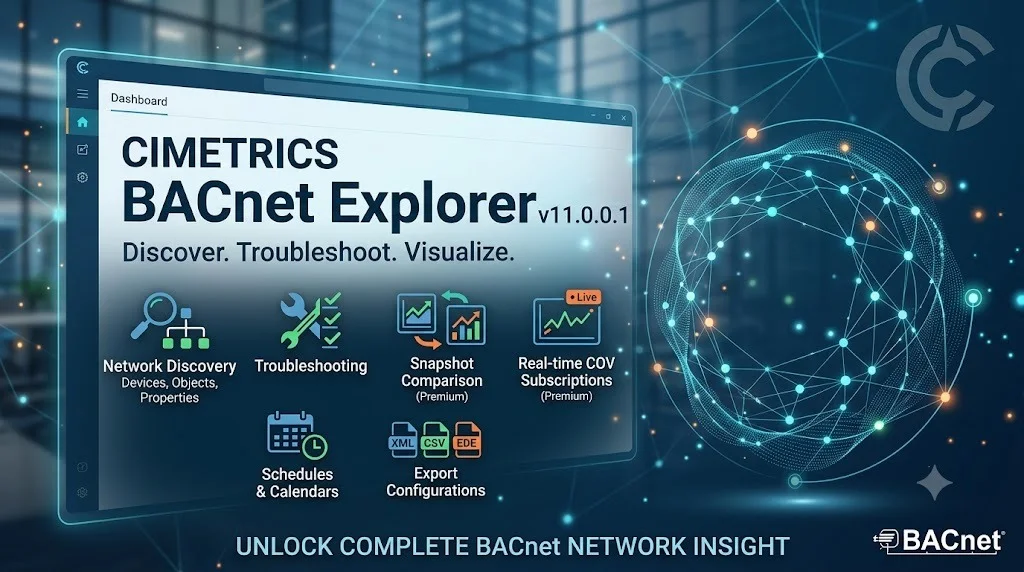
Overview of Cimetrics BACnet Explorer
Table of Contents
Cimetrics BACnet Explorer v11.0.0.1 is a professional-grade network diagnostic and discovery tool designed for building automation professionals. This software serves as a powerful BACnet client that enables system integrators, facility managers, and building engineers to discover, monitor, and interact with BACnet devices across their networks. The tool provides essential functionality for browsing BACnet/IP and BACnet MS/TP networks, reading and writing device properties, and troubleshooting communication issues in building automation systems (BAS) .
BACnet (Building Automation and Control Network) is the internationally standardized communication protocol for building automation systems. Cimetrics BACnet Explorer acts as a comprehensive client that allows users to explore the capabilities of BACnet devices, view and edit their properties, and perform crucial diagnostic functions . The v11.0.0.1 release represents the latest iteration of this essential building automation tool, incorporating enhanced features and improved functionality for modern smart building environments.
Key Features of Cimetrics BACnet Explorer v11.0.0.1
Network Discovery and Device Exploration
The software provides robust automatic discovery capabilities for BACnet devices on your network. By clicking the Discover button, users can scan their local subnet for connected BACnet/IP or BACnet MS/TP devices . The Discovery Tree interface organizes devices by network number, device ID, and device object, making it easy to navigate complex building automation installations .
Object Browsing and Property Management
Cimetrics BACnet Explorer enables detailed inspection of BACnet device objects and their associated properties. Users can expand device views to reveal individual objects, including analog inputs (AI), analog outputs (AO), binary inputs (BI), binary outputs (BO), analog values (AV), and binary values (BV) . The software displays comprehensive object properties, allowing for thorough analysis of device configurations.
Present Value Writing
A key operational feature is the ability to write to the Present Value field of BACnet objects. This capability allows technicians to adjust device settings, test system responses, and perform commissioning tasks. While the tool provides this functionality, it’s recommended to use it judiciously as the BACnet Explorer is primarily a discovery and diagnostic tool rather than a full Building Management System .
File Transfer Capabilities
Version 7 and later introduced file transfer functionality, enabling users to transfer files to and from BACnet devices using BACnet File Access Services. This premium feature supports stream file-access methods, expanding the tool’s utility for device configuration and firmware updates .
What’s New in Cimetrics BACnet Explorer v11.0.0.1
The v11.0.0.1 release continues Cimetrics’ tradition of enhancing building automation diagnostic capabilities. This version incorporates updated BACstac libraries and expanded writable properties, giving users greater control and flexibility when interacting with BACnet devices. The enhanced property writing capabilities allow modifications to many more property types than previous versions, making the software more versatile for system configuration and troubleshooting .
Additional improvements likely include updated protocol compliance, enhanced stability, and improved performance for large-scale network discovery operations. The software maintains compatibility with both BACnet/IP and BACnet MS/TP network configurations, ensuring broad applicability across various building automation installations.
System Requirements for Cimetrics BACnet Explorer v11.0.0.1
Cimetrics BACnet Explorer v11.0.0.1 is designed to operate within typical Windows-based building automation environments. While specific system requirements for this version are not publicly detailed, the software is expected to run on modern Windows operating systems with standard networking capabilities.
Recommended Specifications
-
Windows 10 or Windows 11 operating system
-
Ethernet network interface card
-
Network connectivity to BACnet/IP or BACnet MS/TP networks
-
Administrator privileges for network adapter configuration
-
Sufficient disk space for application installation and log file storage
Installation Guide for Cimetrics BACnet Explorer v11.0.0.1
Preparation Steps
-
Verify System Compatibility: Ensure your Windows computer meets the minimum system requirements and has an active network connection.
-
Network Configuration: Connect the computer to the same network segment as the BACnet devices you wish to explore. For MS/TP networks, ensure you have the appropriate RS-485 adapter and cables .
-
Obtain the Software: Acquire the official Cimetrics BACnet Explorer v11.0.0.1 installation package through authorized channels.
Installation Process
-
Run the installer executable with administrator privileges
-
Follow the on-screen prompts to complete the installation
-
Configure network interface settings as needed
-
Launch the application and verify proper operation
How to Use Cimetrics BACnet Explorer v11.0.0.1
Device Discovery
The core workflow begins with device discovery, which allows you to identify all BACnet devices on your network:
-
Click the Discover button (binocular icon) to open the discovery window
-
Select the appropriate discovery settings checkboxes
-
Click Discover to start the network scan
-
Allow devices to populate before interacting with the device list
-
Devices will appear in the Discovery Tree organized by network number, device, and device object
Exploring Device Properties
Once devices are discovered, you can explore their capabilities in detail:
-
Click the blue plus sign (+) next to a device to view basic device properties
-
Select a device and click the Explore button (or double-click) for full details
-
Expand object trees to view individual BACnet objects
-
Click on specific objects to display their properties in the right-hand window
-
Use the Refresh button to update property values
Writing Present Values
To modify device settings:
-
Select the property in the property listings (typically Present Value)
-
Click the Write button in the upper right corner
-
Enter the appropriate change in the Write Property window
-
Click Write to apply the change
Change of Value (COV) Subscriptions
For monitoring real-time changes:
-
Right-click on an object and select Subscribe
-
The selected object will appear in the Subscriptions window
-
COV automatically updates Present Value and Status Flags when changes occur
-
For analog objects, the COV Increment property suppresses minor fluctuations
Best Use Cases for Cimetrics BACnet Explorer
System Commissioning
Cimetrics BACnet Explorer is essential during building automation system commissioning. Engineers can verify device installation, confirm proper communication, and test system functionality before handover. The tool’s ability to read and write properties facilitates comprehensive testing of all connected BACnet devices .
Troubleshooting Network Issues
For building engineers and system integrators, the software provides critical troubleshooting capabilities. When communication issues arise, the explorer helps identify malfunctioning devices, verify network connectivity, and diagnose protocol-level problems. The diagnostic logs generated by the software are valuable for support and root-cause analysis .
Device Integration
When integrating new BACnet devices into existing systems, engineers can use the explorer to verify compatibility, explore available objects, and understand device capabilities. The tool’s detailed property inspection helps ensure proper configuration before deployment.
Training and Education
The software serves as an excellent teaching tool for training building engineers and technicians in BACnet technology. Its intuitive interface makes it suitable for demonstrating BACnet concepts, understanding device-object relationships, and learning proper diagnostic procedures .
Advantages and Limitations of Cimetrics BACnet Explorer
Advantages
-
Professional-Grade Diagnostics: Comprehensive discovery and exploration capabilities suitable for enterprise building automation
-
BACnet Standard Compliance: Full support for BACnet/IP and BACnet MS/TP communication protocols
-
Integration with Building Management Systems: Compatible with major building automation platforms
-
File Transfer Capabilities: Advanced features for device configuration and firmware updates
-
Robust Discovery: Efficient scanning of local networks for BACnet devices
Limitations
-
Windows-Only: Limited to Windows operating systems, unlike cross-platform alternatives
-
Primarily Diagnostic Tool: Not designed to replace full-featured Building Management Systems
-
Premium Features: Some advanced capabilities may require licensed versions
Alternatives to Cimetrics BACnet Explorer
YABE (Yet Another BACnet Explorer)
YABE is a free, open-source BACnet discovery tool widely used in the building automation community. It supports BACnet/IP and BACnet MS/TP networks, enables device discovery, object browsing, and property reading/writing . The tool is particularly popular for small to medium projects, testing, and educational purposes. YABE runs primarily on Windows and offers a lightweight, easy-to-use interface. Version 2.1.0 is the latest available release .
CAS BACnet Explorer
Chipkin Automation Systems offers CAS BACnet Explorer, a professional discovery tool that provides comprehensive diagnostics and debug capabilities. The software generates detailed log files for support and troubleshooting, including Debuglog.txt and packet captures that are compatible with Wireshark for deep analysis . This makes it particularly valuable for complex network issues requiring protocol-level inspection.
U-BACnet
For mobile diagnostics, U-BACnet is a powerful iOS and iPadOS application that automatically scans local networks for BACnet/IP devices. It allows building engineers and technicians to discover devices, browse objects, and read properties directly from their mobile devices. The app offers a user-friendly interface with in-app purchases for premium features .
BACnet Explorer (Redisant)
Redisant offers a cross-platform BACnet Explorer that can be installed via winget and provides BACnet device discovery and control functionality. This tool includes a built-in BACnet device simulator and supports a variety of useful functions for building automation professionals .
FieldServer BACnet Explorer
SMC Networks provides a hardware-based BACnet Explorer solution that combines discovery software with an RS-485 MS/TP port for direct network connection. Configuration is accomplished via a web-based interface, making it suitable for both BACnet/IP and MS/TP network environments .
Frequently Asked Questions
What is Cimetrics BACnet Explorer used for?
Cimetrics BACnet Explorer is a professional BACnet client software used for discovering, monitoring, and diagnosing BACnet devices on building automation networks. It enables system integrators and facility managers to browse BACnet devices, read and write properties, and troubleshoot communication issues .
Which BACnet networks does Cimetrics BACnet Explorer support?
Cimetrics BACnet Explorer supports both BACnet/IP networks and BACnet MS/TP (Master-Slave Token Passing) networks over RS-485 connections .
Can I write values to BACnet devices using this software?
Yes, the software allows writing to the Present Value field of BACnet objects. However, it’s recommended to use this functionality carefully, as the tool is primarily a discovery and diagnostic application .
Is Cimetrics BACnet Explorer free?
Cimetrics BACnet Explorer is a commercial software product with different licensing tiers. Premium features, such as file transfer capabilities, may require paid licenses .
What are the main differences between Cimetrics BACnet Explorer and YABE?
Cimetrics BACnet Explorer is a professional-grade commercial tool offering advanced features like file transfer and comprehensive diagnostic capabilities. YABE is a free, open-source alternative that provides fundamental discovery and monitoring functions suitable for smaller projects and educational purposes .
How do I find and diagnose network issues with this software?
The explorer provides discovery functionality to locate all devices on your network. For detailed diagnostics, you can examine device properties, check communication status, and generate log files. For complex issues, the software can generate debug logs and packet captures for analysis .
What file formats does Cimetrics BACnet Explorer support?
The software supports BACnet File Access Services for file transfers, working with files accessible through BACnet device file objects. It also generates diagnostic logs in .txt and .pkt formats .
Can I use Cimetrics BACnet Explorer with mobile devices?
Cimetrics BACnet Explorer is designed for Windows-based computers, not mobile devices. For mobile BACnet discovery, consider alternatives like U-BACnet for iOS devices .
Final Thoughts
Cimetrics BACnet Explorer v11.0.0.1 represents a comprehensive solution for building automation professionals requiring robust BACnet network discovery and diagnostic capabilities. The software’s combination of professional-grade features, including device discovery, object browsing, property writing, and file transfer, makes it an essential tool for system integrators, facility managers, and building engineers.
For organizations that regularly manage BACnet networks, the investment in professional software like Cimetrics BACnet Explorer pays dividends through improved troubleshooting efficiency, more reliable system commissioning, and deeper insight into building automation system operations. While alternatives like YABE offer free, open-source options for basic tasks, professional applications provide the advanced capabilities and support necessary for complex building automation environments .
The continued development of BACnet exploration tools reflects the growing importance of smart building technologies and the need for effective diagnostics and integration tools. As building automation systems become more sophisticated, tools like Cimetrics BACnet Explorer v11.0.0.1 will remain essential for maintaining reliable, efficient building operations.