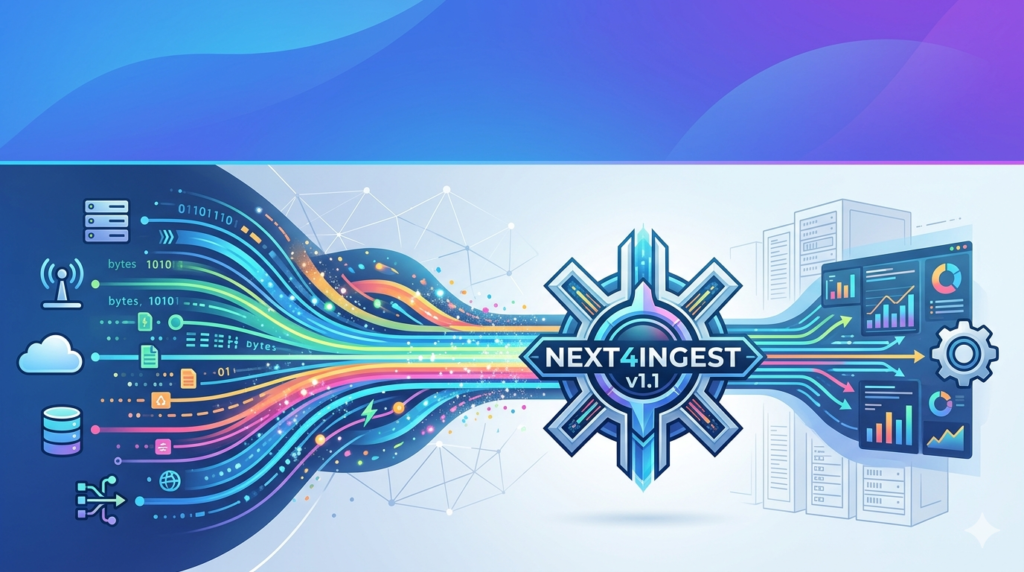


Download the NEXT4INGEST v1.1 (High-Performance Data Ingestion Software for Real-Time Analytics) from this link…

Overview of NEXT4INGEST Software
Table of Contents
NEXT4INGEST is a robust data pipeline tool that focuses on the critical first stage of data management: ingestion. Unlike traditional batch processors, this software emphasizes continuous, real-time intake, ensuring that analytics platforms and data lakes receive fresh information with minimal latency. Version 1.1 builds on a modular architecture that supports structured, semi-structured, and unstructured data formats. The primary goal of NEXT4INGEST is to reduce the complexity of connecting to multiple data sources while maintaining strict data integrity and security protocols.
Key Features
NEXT4INGEST v1.1 offers a comprehensive feature set tailored for enterprise data operations. Below are the core functionalities that distinguish it from conventional ingestion tools:
-
Multi-Source Connector Library: Native support for Amazon S3, Google Cloud Storage, SQL databases (PostgreSQL, MySQL), and real-time message brokers (Apache Kafka, MQTT).
-
Real-Time Data Pipelines: Process streaming data with sub-second latency, ideal for live dashboards and fraud detection systems.
-
Data Quality Management: Automated schema validation, duplicate detection, and data type enforcement to prevent “garbage in, garbage out” scenarios.
-
Scalable Architecture: Horizontal scaling capabilities that allow the software to ingest from megabytes to terabytes per hour without reconfiguration.
-
Security-First Design: TLS 1.3 encryption for data in transit, AES-256 for data at rest, and OAuth 2.0 integration for role-based access control.
What’s New in NEXT4INGEST v1.1
The latest version introduces several enhancements based on user feedback from enterprise deployments:
-
Dynamic Schema Inference: Automatically detects and adapts to changes in source data structures (e.g., new JSON fields in API responses) without manual intervention.
-
Improved Throughput: A rewritten memory manager that reduces CPU overhead by 30% when handling high-velocity message streams.
-
Observability Dashboard: Built-in metrics for ingestion rate, error logs, and end-to-end latency, accessible via a REST API or web UI.
-
Webhook Native Support: Direct ingestion from external systems via configurable HTTP/S endpoints, simplifying integration with third-party SaaS tools.
System Requirements
Before deploying NEXT4INGEST v1.1, ensure your infrastructure meets the following baseline specifications:
| Component | Minimum Requirement | Recommended for Production |
|---|---|---|
| Operating System | Ubuntu 20.04 / Windows Server 2019 | Ubuntu 22.04 LTS or Debian 12 |
| CPU | 2 vCPUs | 8 vCPUs |
| RAM | 4 GB | 16 GB (plus additional for large payloads) |
| Storage | 20 GB SSD (for logs and temp files) | 100 GB NVMe SSD |
| Network | 100 Mbps | 1 Gbps (dedicated) |
| Dependencies | Java Runtime Environment (JRE) 17+ | OpenJDK 17 or Oracle JDK 21 |
Installation Guide
Installing NEXT4INGEST v1.1 requires no proprietary hardware. Follow these steps for a standard Linux deployment:
-
Download the Package
Obtain the official.tar.gzarchive from the authorized distribution portal or your enterprise software repository. -
Extract and Install
bashtar -xzvf next4ingest-v1.1-linux-x64.tar.gz cd next4ingest-v1.1 sudo ./install.sh --prefix=/opt/next4ingest
-
Configure Environment Variables
Set the required paths and memory limits:bashexport N4I_HOME=/opt/next4ingest export N4I_HEAP_SIZE=4g
-
Start the Service
bashsudo systemctl enable next4ingest sudo systemctl start next4ingest
-
Verify Installation
Access the web dashboard athttp://your-server-ip:8080/statusto confirm the ingestion engine is active.
How to Use the Software
NEXT4INGEST v1.1 operates on a pipeline model. Here is a typical workflow for ingesting data from a CSV file in cloud storage to a database:
-
Define a Source Connector: In the web UI, select “Amazon S3” → provide bucket name and access keys → specify file pattern (
*.csv). -
Apply Transformations (Optional): Use the drag-and-drop editor to map columns, convert date formats, or filter rows.
-
Configure a Sink: Choose “PostgreSQL” as the destination → enter connection string and target table name.
-
Set Ingestion Schedule: Select “Continuous” for real-time or “Cron-based” for batch intervals.
-
Monitor Pipeline: Navigate to the “Metrics” tab to view records processed per second and any error counts.
Best Use Cases
NEXT4INGEST v1.1 excels in scenarios requiring reliable, high-volume data movement. The most common applications include:
-
IoT Telemetry Intake: Aggregating sensor data from thousands of edge devices into a time-series database (e.g., InfluxDB) for predictive maintenance.
-
Log Aggregation for Security: Ingesting application and firewall logs into a SIEM (Security Information and Event Management) system like Splunk or Elasticsearch.
-
E-commerce Real-Time Analytics: Streaming clickstream data from a CDN to a data warehouse (e.g., Snowflake) for live inventory and recommendation engines.
-
Financial Transaction Processing: Capturing payment webhooks and normalizing them into a fraud detection model with strict ACID compliance.
Advantages and Limitations
Advantages
-
Low Latency: Proven to sustain over 100,000 events per second on standard cloud instances.
-
Operational Simplicity: Declarative YAML configuration reduces the need for custom code.
-
Data Lineage: Automatic tracking of source-to-destination transformations for audit compliance.
Limitations
-
No Native Machine Learning: Advanced anomaly detection requires integration with external analytics platforms (e.g., TensorFlow or PyTorch).
-
Learning Curve for Complex ETL: While basic pipelines are intuitive, multi-stage joins and aggregations may require referencing the technical manual.
-
Limited GUI for Non-Technical Users: The interface assumes foundational knowledge of database concepts and networking.
Alternatives to NEXT4INGEST
Depending on your specific requirements, the following alternatives may be suitable:
| Software | Best For | Key Difference from NEXT4INGEST |
|---|---|---|
| Apache NiFi | Highly complex data routing with a visual interface | Open-source with a larger community, but higher memory overhead |
| Airbyte | ELT (Extract, Load, Transform) for data warehouses | Stronger focus on API-based sources (Salesforce, HubSpot) |
| Fluentd | Lightweight log and event collection | Simpler deployment but lacks built-in data quality tools |
| Striim | Real-time streaming with in-flight analytics | More expensive, targeted at financial trading firms |
Frequently Asked Questions (FAQ)
Q1: What is the primary function of NEXT4INGEST v1.1?
A: It is a data ingestion engine designed to automate the secure transfer of real-time or batch data from various sources (databases, cloud storage, IoT) to target analytics systems.
Q2: Does NEXT4INGEST support cloud-native environments like Kubernetes?
A: Yes. Version 1.1 includes Helm charts and Docker images for deployment on Amazon EKS, Google GKE, or self-managed Kubernetes clusters.
Q3: How does the software handle duplicate data during ingestion?
A: The data quality module provides configurable deduplication using content-based hashing or timestamp windows to ensure exactly-once processing semantics.
Q4: Can I use NEXT4INGEST for free in a development environment?
A: The software offers a free community edition limited to 10,000 events per day and one pipeline. Production use requires a commercial license.
Q5: What file formats are supported for source data?
A: NEXT4INGEST natively reads CSV, JSON, Avro, Parquet, and XML. Custom deserializers can be added via a plug-in API.
Q6: Is NEXT4INGEST GDPR and HIPAA compliant?
A: The software provides the technical controls (encryption, audit logs, data masking) necessary for compliance, but final certification depends on organizational deployment.
Q7: How do I upgrade from v1.0 to v1.1?
A: Run the built-in migration script: sudo next4ingest upgrade --version=1.1 --backup=true. The process preserves existing pipeline configurations.
Final Thoughts
NEXT4INGEST v1.1 addresses a critical pain point for data engineering teams: moving information quickly, reliably, and securely from origin to analysis. Its balanced emphasis on real-time performance, data quality, and operational security makes it a strong contender for mid-to-large enterprises modernizing their data stack. While it is not a full-featured ETL platform, its specialization in the ingestion layer—combined with a scalable architecture and clean connector model—offers genuine value. Organizations already struggling with brittle shell scripts or overwhelmed message queues will find NEXT4INGEST a practical, production-ready upgrade. For teams evaluating ingestion tools, prioritizing a proof-of-concept with live traffic is the most effective way to benchmark its throughput against your specific data velocity.
Premium Software Support Service
If you need professional help with software installation, setup, or technical configuration, our team is available to assist you.
Contact & Support
For quick assistance and latest updates, connect with us using the links below:
🔹 Direct Telegram Support
https://t.me/PlayoutKing
🔹 Official Telegram Updates Group
https://t.me/yourgroup
Service Policy
- Remote testing available through AnyDesk before confirmation.
• Verify the setup and performance before completing the order.
• Support available for single or multiple systems.
• Step-by-step guidance to ensure smooth installation and working environment.
Our goal is to provide reliable technical assistance so your software runs smoothly without interruptions.