

Download the MultiSport Scoreboard SuiteCG 0.6.189 (Complete Sports Scoring & Display Software) from this link…

Overview of MultiSport Scoreboard SuiteCG
Table of Contents
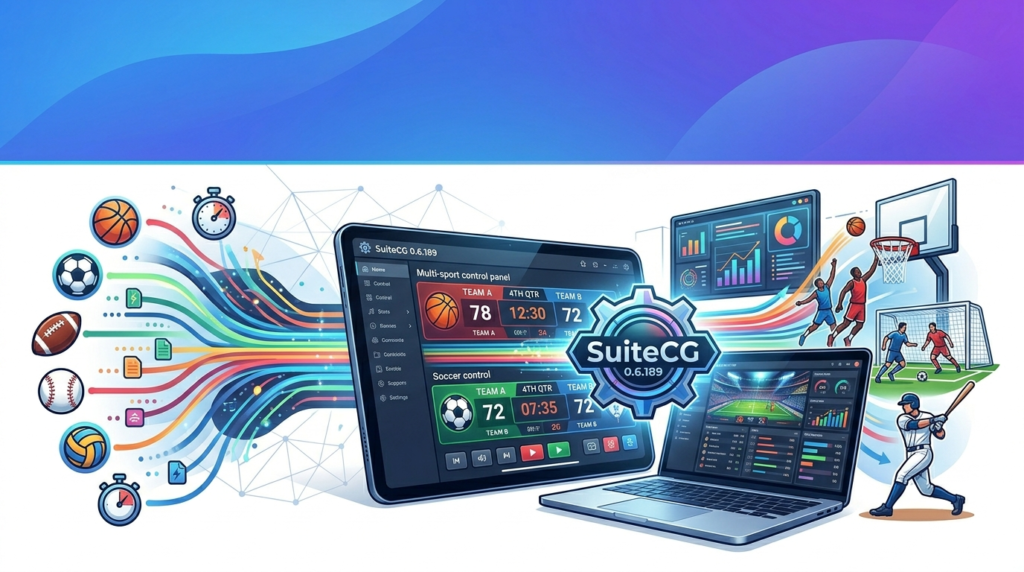
MultiSport Scoreboard SuiteCG is a robust, modular software package engineered to handle scoring, timing, and statistic tracking for a wide variety of sports. Unlike single-sport applications, this suite adapts its interface and rules engine to support basketball, soccer (football), volleyball, handball, hockey, and more.
The core value of the software lies in its unification of two critical functions: live scoreboard graphics and back-end statistical management. Operators can control game flow (periods, timeouts, fouls) while simultaneously pushing dynamic visuals to in-venue screens, online streams, and social media updates.
Screenshot


Key Features
The software distinguishes itself through several high-value technical capabilities:
-
Sport-Specific Customizable Scoreboards
Each sport template includes configurable elements (team colors, logos, period clocks, shot clocks, penalty timers). You can save presets for different leagues or tournament stages. -
Real-Time Data Synchronization
Score changes, fouls, and timeouts update instantly across all connected displays. The software uses low-latency UDP broadcasting, ensuring less than 100ms delay between operator input and public displays. -
Native Streaming Integration
MultiSport Scoreboard SuiteCG generates a clean HTML5 overlay output. This allows direct integration with OBS Studio, vMix, or Wirecast for professional live streams without additional third-party plugins. -
Comprehensive Statistic Tracking
Beyond basic scoring, the suite records player-specific data (field goals, assists, saves, errors) and team-level analytics (possession percentage, shot efficiency). Data exports to CSV/XML are available for post-game analysis. -
Intuitive Operator Interface
The control panel separates critical functions into color-coded zones. A dedicated “panic undo” button allows instant correction of mis-entered scores, reducing live-event errors.
What’s New in Version 0.6.189
Version 0.6.189 introduces several stability and feature enhancements:
-
Improved Basketball Shot Clock Logic – Automatic reset rules for offensive rebounds and violations.
-
Enhanced Scoreboard Skin Editor – New drag-and-drop alignment tools for custom graphic layouts.
-
Lower Latency Mode – Optimized network packet size for remote scoreboard operation over LAN.
-
Bug Fixes – Resolved an issue where volleyball set points would incorrectly reset match statistics.
System Requirements
Before installing, ensure your hardware meets these specifications:
| Component | Minimum | Recommended |
|---|---|---|
| OS | Windows 10 (64-bit) | Windows 11 or Server 2019+ |
| CPU | Intel Core i3 (7th gen) | Intel Core i5 (10th gen) / AMD Ryzen 5 |
| RAM | 4 GB | 8 GB |
| Storage | 500 MB free | 1 GB SSD |
| Graphics | DirectX 11 compatible | Dedicated GPU for streaming overlays |
| Network | 100 Mbps (LAN) | Gigabit Ethernet for multi-display sync |
Installation Guide
Follow these steps for a standard legal installation:
-
Download the official installer from the developer’s authorized distribution channel.
-
Verify integrity – Check the SHA-256 hash if provided.
-
Run as Administrator – Right-click the
.exefile and select “Run as administrator” to ensure proper registry and driver installation. -
Accept License Agreement – Read the EULA (End User License Agreement).
-
Choose Installation Type:
-
Full installation (all sports modules) – Requires ~1.2 GB.
-
Custom installation – Select only sports you need (e.g., basketball + volleyball).
-
-
Configure Firewall – Allow private network access for LAN scoreboard sync.
-
Launch – Complete first-time setup wizard (display output, keyboard shortcuts).
How to Use the Software
Once installed, follow this workflow for a typical basketball game:
-
Create a new event – Select “Basketball” as the sport, then enter team names and logos.
-
Configure periods – Set quarter length, shot clock, and overtime rules.
-
Assign displays – Choose primary output (scoreboard graphic) and operator view.
-
Start the game clock – Use spacebar as a default hotkey.
-
Record scoring – Click the team’s score button; software automatically adds 2 or 3 points based on shot zone (configurable).
-
Manage fouls – Track team fouls per quarter; bonus indicator triggers automatically.
-
End game – Export a PDF box score and archive the match file.
Best Use Cases
MultiSport Scoreboard SuiteCG excels in specific scenarios:
| Use Case | Why It Works |
|---|---|
| High school tournament weekends | One operator can switch between volleyball, basketball, and wrestling mats quickly. |
| Community sports livestreams | Native OBS overlay removes need for expensive hardware scoreboard generators. |
| Multi-court facilities | LAN sync allows one central control room to manage four separate scoreboards. |
| College club sports | Detailed stats tracking supports coach analysis without hiring a dedicated stats crew. |
Advantages and Limitations
Advantages
-
Single software license replaces 5–7 sport-specific apps.
-
Low learning curve – volunteers can operate after 20-minute training.
-
Clean, professional broadcast graphics.
-
No recurring cloud subscription fees (perpetual license option).
Limitations
-
Windows-only (no native macOS or Linux version).
-
Limited mobile remote control – basic stop/start only, no full stats entry.
-
No automatic cloud backup – game data saves locally unless manually synced.
-
Advanced baseball pitch tracking requires separate module.
Legal Alternatives to MultiSport Scoreboard SuiteCG
If this software does not fit your budget or platform needs, consider these legitimate alternatives:
| Software | Best For | Platform | Pricing Model |
|---|---|---|---|
| Scoreboard Pro | Professional TV broadcasts | Windows | $499 one-time |
| SportsPlus Play | Youth leagues | Web + iOS | Freemium ($29/mo) |
| LiveScore App | Simple remote scoring | Android/iOS | Free with ads |
| OBS Scoreboard Plugin | Basic open-source overlays | Windows/Mac/Linux | Free (donationware) |
All listed alternatives are fully licensed and safe to download from their official websites.
Frequently Asked Questions
Q1: Is MultiSport Scoreboard SuiteCG compatible with Linux or Mac?
No, version 0.6.189 is Windows-native. However, you can run it on a Mac using Parallels or VMware Fusion with Windows 11 ARM.
Q2: Can I output the scoreboard to two different screens simultaneously?
Yes. The software supports extended displays. You can show the full scoreboard on one screen and a simplified “score bug” on another.
Q3: Does it work with digital scoreboard hardware (e.g., Daktronics, OES)?
Not directly. This software generates video graphics for screens/projectors. Hardware scoreboard control requires a separate interface module.
Q4: How do I get a free trial?
The developer offers a fully functional 14-day trial. No credit card is required. Download from the official site – no cracks or keygens are legal or safe.
Q5: Can I import team rosters from Excel?
Yes. Use the “Import CSV” function under Team Management. Required columns: Jersey Number, First Name, Last Name, Position.
Q6: Does the software auto-post scores to social media?
Version 0.6.189 includes a webhook feature. Connect it to Zapier or directly to Twitter/X for automatic game-result tweets.
Q7: What is the difference between SuiteCG and the older SuiteCG Lite?
Lite limits you to 3 sports and 1 display output. The full SuiteCG supports unlimited sports and up to 6 independent outputs.
Q8: Is my data safe if the power goes out?
The software auto-saves every 30 seconds to a temp file. On restart, it prompts you to recover the last session.
Final Thoughts
MultiSport Scoreboard SuiteCG 0.6.189 delivers professional-grade versatility for any organization running multi-sport events. Its combination of real-time scoring, broadcast-quality graphics, and detailed statistics tracking eliminates the need for multiple disjointed tools.
While it remains Windows-dependent and lacks native cloud sync, the advantages—especially for schools, community centers, and tournament directors—far outweigh these limitations. For best results, pair the software with a dedicated second monitor for the operator view and a wired network for multi-display reliability.
Premium Software Support Service
If you need professional help with software installation, setup, or technical configuration, our team is available to assist you.
Contact & Support
For quick assistance and latest updates, connect with us using the links below:
🔹 Direct Telegram Support
https://t.me/PlayoutKing
🔹 Official Telegram Updates Group
https://t.me/yourgroup
Service Policy
- Remote testing available through AnyDesk before confirmation.
• Verify the setup and performance before completing the order.
• Support available for single or multiple systems.
• Step-by-step guidance to ensure smooth installation and working environment.
Our goal is to provide reliable technical assistance so your software runs smoothly without interruptions.