

Download the NewBlueFX TitlerLive Broadcast v5.6 (Complete Guide to Live Graphics Software) from this link…

Overview of the Software
Table of Contents
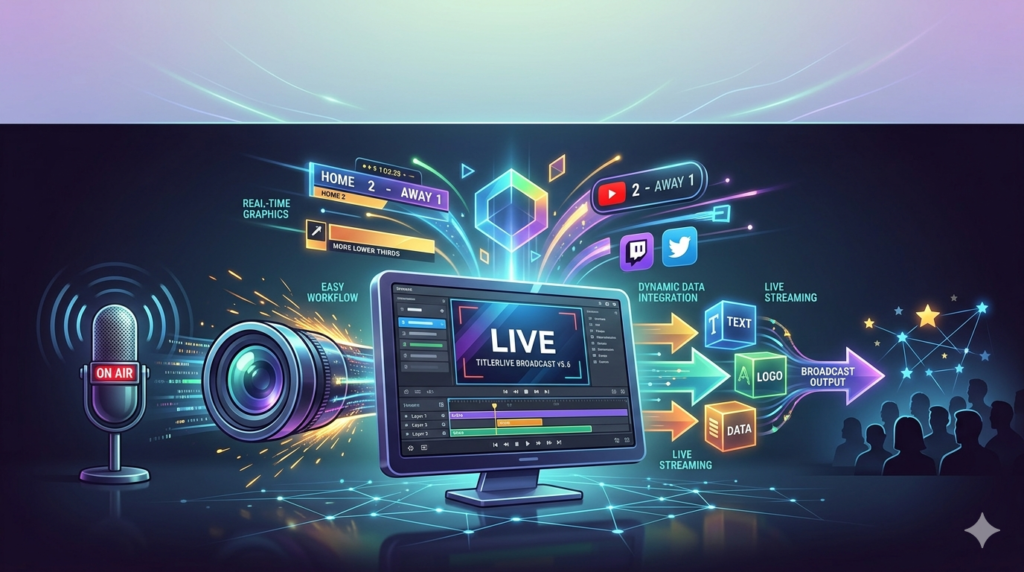
NewBlueFX TitlerLive Broadcast v5.6 is a professional on-air graphics engine designed for live television, sports broadcasting, news production, and streaming events. Unlike static graphic tools, TitlerLive enables real‑time creation and control of lower thirds, scoreboards, tickers, and animated overlays without interrupting the live feed. The software integrates directly with broadcast switchers and video mixers, making it a trusted solution for production studios, houses of worship, and esports streams.
Key Features
-
Real‑time template editing – Modify text, colors, and animations while on air.
-
Data‑driven graphics – Pull live scores, stock prices, or social media feeds via spreadsheets, REST APIs, or databases.
-
NDI and SDI support – Native integration with network and serial digital interfaces for professional workflows.
-
Automation engine – Schedule graphic changes, transitions, and crawls to reduce manual workload.
-
Drag‑and‑drop designer – No programming required; built for producers and directors.
-
Chroma key ready – Use as an overlay or full‑screen graphic source.
What’s New in v5.6
Version 5.6 introduces:
-
Faster render engine for 4K and HDR broadcasts.
-
Improved HTML‑5 widget support for web‑based data visualization.
-
Expanded template library with 150+ motion designs.
-
Lower latency mode for instant graphic triggers.
System Requirements
| Component | Minimum | Recommended |
|---|---|---|
| OS | Windows 10 (64‑bit) / macOS 11 | Windows 11 / macOS 13 |
| CPU | Intel i5 7th gen | Intel i7 10th gen or Apple M1/M2 |
| RAM | 8 GB | 16 GB |
| GPU | 2 GB VRAM, DirectX 11 | 4 GB VRAM, NVIDIA RTX or AMD Radeon Pro |
| Storage | 2 GB SSD | 4 GB NVMe SSD |
Requires a valid license from NewBlueFX.
Installation Guide
-
Download the installer from the official NewBlueFX website or authorized reseller.
-
Close any video editing or broadcast software.
-
Run the installer and accept the license agreement.
-
Enter your legitimate license key (provided after purchase).
-
Choose installation type: TitlerLive Standalone or Plugin for vMix / OBS / TriCaster.
-
Restart your broadcast system.
How to Use the Software
-
Launch TitlerLive as a standalone app or plugin.
-
Select a template from the library (sports, news, corporate).
-
Connect a data source (e.g., Google Sheet with live scores).
-
Customize fonts, colors, and animations using the property panel.
-
Assign keyboard shortcuts for instant graphic triggers.
-
Preview via NDI before sending to program output.
-
Automate transitions using the built‑in scheduler.
Best Use Cases
-
Live sports – real‑time scoreboards, player stats, and penalty clocks.
-
News broadcasts – lower thirds, breaking news tickers, and weather overlays.
-
Esports & gaming streams – team logos, kill feed graphics, and sponsorship bugs.
-
Corporate webcasts – speaker names, live poll results, and countdown timers.
-
House of worship – lyric slides, sermon points, and offering graphics.
Advantages and Limitations
Advantages
-
No need to render graphics in advance.
-
Works with NDI, SDI, and IP video sources.
-
Automation reduces human error during live shows.
-
Supports alpha channel output for keying.
Limitations
-
Steeper learning curve for complex data mapping.
-
Requires a GPU with at least 2GB VRAM for smooth 4K output.
-
No native Linux version.
-
Annual subscription model (no perpetual license in recent versions).
Alternatives to the Software
| Software | Best for | Platform | Pricing model |
|---|---|---|---|
| vMix GT | Integrated titling + switching | Windows | One‑time + optional |
| Burst Livetext | News & sports tickers | Windows | Subscription |
| Character Animator (Adobe) | Animated 2D puppets | Win/Mac | Creative Cloud |
| OBS with Lua scripts | Free, basic overlays | Win/Mac/Linux | Free |
| CasparCG | Broadcast playout | Win | Open source |
Frequently Asked Questions
Q: Can I use TitlerLive without a capture card?
Yes, via NDI over a standard gigabit network.
Q: Does v5.6 work with Blackmagic DeckLink cards?
Yes, full SDI support is included.
Q: Is there a free trial?
NewBlueFX offers a 15‑day fully functional trial from their official website.
Q: Can I import my own After Effects templates?
No, but you can export PNG sequences or use HTML widgets for custom motion designs.
Q: Does TitlerLive support live closed captions?
Yes, via external teleprompter or captioning software with NDI text output.
Q: Is training available?
NewBlueFX provides documentation, video tutorials, and paid training sessions.
Q: How does this compare to built‑in titlers in vMix or OBS?
TitlerLive offers more advanced data linking, automation, and broadcast‑grade animations, while built‑in tools are simpler but more limited.
Final Thoughts
NewBlueFX TitlerLive Broadcast v5.6 is a professional‑grade live graphics engine that excels in data‑driven, fast‑paced production environments. It is not a beginner’s tool but rather a solution for broadcast engineers and directors who need reliability, real‑time control, and integration with SDI/NDI infrastructure. For legitimate users with a valid license, TitlerLive delivers on its promise of “on‑air creativity without compromise.”
Premium Software Support Service
If you need professional help with software installation, setup, or technical configuration, our team is available to assist you.
Contact & Support
For quick assistance and latest updates, connect with us using the links below:
🔹 Direct Telegram Support
https://t.me/PlayoutKing
🔹 Official Telegram Updates Group
https://t.me/yourgroup
Service Policy
- Remote testing available through AnyDesk before confirmation.
• Verify the setup and performance before completing the order.
• Support available for single or multiple systems.
• Step-by-step guidance to ensure smooth installation and working environment.
Our goal is to provide reliable technical assistance so your software runs smoothly without interruptions.