

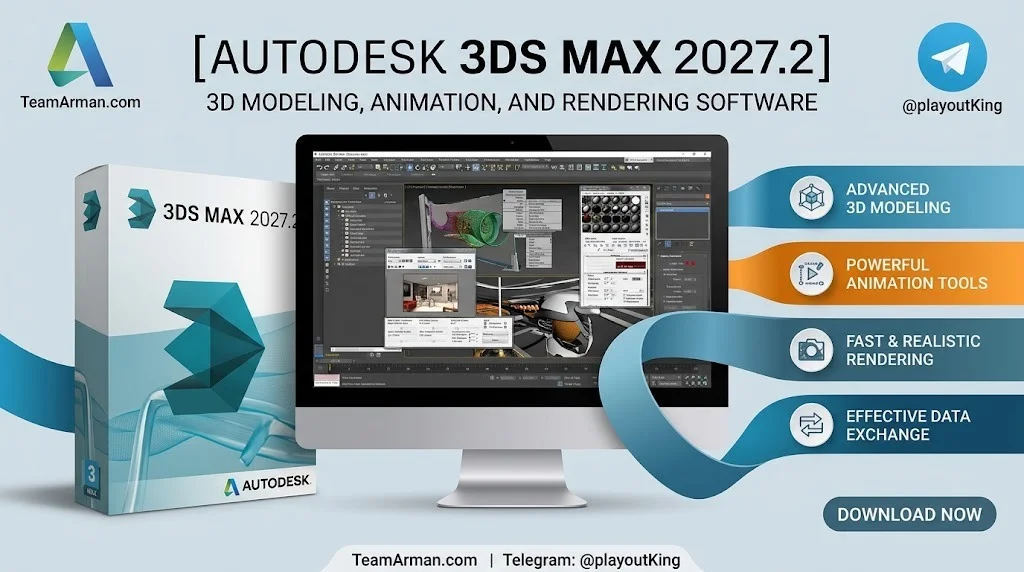
Overview of Autodesk 3ds Max 2027.2
Table of Contents
3ds Max is Autodesk’s Windows-based digital content creation (DCC) application for modeling, animation, layout, and rendering. It sits alongside Maya in Autodesk’s product lineup and integrates deeply with Arnold, OpenUSD, and Substance. Version 2027.2 focuses on bringing real-world capture data into the Max stack through editable Gaussian Splats, alongside a redesigned point-based workflow.
The software remains rental-only, with subscriptions priced at approximately $255 per month or $2,010 per year. It is compatible with Windows 10 (version 1809 or later) and Windows 11.
Key Features of 3ds Max 2027.2
Native Gaussian Splatting (3DGS) Support
The headline feature of 2027.2 is the ability to import, preview, manipulate, relight, and render Gaussian Splatting data directly inside 3ds Max. Supported import formats include PLY, SPZ from Niantic Spatial, and LCC from XGRIDS. Imported splats display in the viewport as point data and can be previewed through ActiveShade, making captured assets usable scene data rather than locked viewer files.
New Points Object Type and Modifiers
A new Points object type represents point data inside Max, including Editable Points, Point Spheres, and Gaussian Splats. Accompanying modifiers include:
-
Turn to Point: converts polygonal meshes into points based on vertices, surface density, or volume.
-
Point Select: selects specific sets of points for basic kitbashing edits.
-
Array modifier: now accepts Points as an input or output type for motion graphics work.
Point Instance Modifier for Render-Time Instancing
The new Point Instance modifier references objects in a scene and uses them as instances placed at points on the modified object. This enables true render-time instancing, allowing a single mesh to represent hundreds, thousands, or even millions of objects while keeping the scene interactive. It works with polygonal meshes and Gaussian Splats, though not with point clouds or particle systems.
Smart Bevel Enhancements
Smart Bevel continues to improve in 2027.2. Processing speed is up to 20 times faster on dense meshes, and memory usage is reduced by a factor of 22. The modifier also produces higher-quality topology and more reliable output, with the ability to adjust results even if filter types are accidentally toggled.
Arnold and USD Integration
3ds Max 2027.2 includes Arnold for 3ds Max (MAXtoA) 5.9.3.0. The 2027 release cycle also brought USD to 0.14.0 and Substance to 3.0.6, along with performance improvements across tools, modifiers, and render workflows.
What’s New in the Latest Version (2027.2)
The 2027.2 update builds on the foundation laid by 3ds Max 2027, which introduced Smart Bevel, Noise Plus, Field Helper, and a cleaner viewport. The specific additions in 2027.2 are:
-
Editable 3DGS workflows: import, edit, relight, and render Gaussian Splats with Arnold.
-
Point-based workflow: new Points object type and point modifiers for data manipulation.
-
Render-time instancing: Point Instance modifier for efficient scene population.
-
USD path diagnostics: improved debugging for USD pipelines.
-
Arnold 7.5.2 support: updated renderer integration.
-
Smart Bevel refinements: faster and more memory-efficient on high-density geometry.
System Requirements for Autodesk 3ds Max 2027.2
The official system requirements for 3ds Max 2027 are as follows:
| Component | Requirement |
|---|---|
| Operating System | Microsoft Windows 11 (64-bit); Windows 10 version 1809 or later also supported |
| CPU | 64-bit Intel or AMD multi-core processor with SSE4.2 instruction set |
| RAM | 4 GB minimum (8 GB or more recommended) |
| Disk Space | 9 GB free for installation |
| Graphics Hardware | Refer to Autodesk’s certified hardware list for recommended GPUs |
| Pointing Device | Three-button mouse |
| Browser | Latest version of Microsoft Edge, Google Chrome, Mozilla Firefox, or Internet Explorer for supplemental content |
Installation Guide for 3ds Max 2027.2
-
Purchase or subscribe to 3ds Max through the official Autodesk website or an authorized reseller.
-
Download the installer from your Autodesk account. The download size is approximately 5.42 GB for the multilingual version.
-
Run the installer and follow the on-screen prompts. Ensure your system meets the minimum requirements.
-
Sign in with your Autodesk credentials to activate the license.
-
Install optional plugins such as Arnold, USD, and Substance if they are not included by default.
-
Launch 3ds Max and configure your workspace. The first launch may take longer as the software initializes.
How to Use Autodesk 3ds Max 2027.2
Importing and Editing Gaussian Splats
-
Go to File > Import and select a supported splat format (PLY, SPZ, or LCC).
-
The splat appears in the viewport as point data.
-
Use the Points object tools and modifiers (Turn to Point, Point Select) to edit the data.
-
Apply materials or use Arnold to relight and render the splat in context.
Using the Points Object and Point Instance Modifier
-
Create a Points object from the Create panel.
-
Apply the Turn to Point modifier to convert a mesh into points.
-
Add the Point Instance modifier and pick a reference object to instance.
-
Adjust density and distribution settings to populate your scene efficiently.
Leveraging Smart Bevel for Modeling
-
Apply the Smart Bevel modifier to a high-density mesh.
-
Adjust filter types and settings to achieve the desired edge treatment.
-
Benefit from the improved speed and memory efficiency, especially on complex geometry.
Best Use Cases for 3ds Max 2027.2
Architectural Visualization
3ds Max has long been a favorite for arch-viz professionals. The ability to import Gaussian Splats means captured real-world environments can be brought directly into scenes for accurate context and lighting.
VFX and Motion Graphics
The Point Instance modifier enables artists to scatter thousands of objects—such as foliage, debris, or particles—without overwhelming scene performance. This is ideal for motion graphics and VFX shots requiring dense detail.
Game Environment Creation
With USD integration and efficient instancing, 3ds Max 2027.2 fits into game pipelines that rely on modular asset creation and rapid iteration. The updated SDK and .NET 10 support also benefit technical artists building custom tools.
Advantages and Limitations of 3ds Max 2027.2
Advantages
-
Industry-standard toolset for modeling, animation, and rendering.
-
Native 3DGS support eliminates the need for external converters.
-
Render-time instancing dramatically improves scene scalability.
-
Deep integration with Arnold, USD, and Substance.
-
Active development with regular feature updates.
Limitations
-
Windows-only: no native macOS or Linux version.
-
Subscription-only pricing can be costly for individuals.
-
Steep learning curve for beginners compared to some alternatives.
-
Hardware demands increase with complex scenes and high-density data.
Alternatives to Autodesk 3ds Max 2027.2
Blender
Blender is a free, open-source 3D suite with a growing feature set, including geometry nodes and Eevee rendering. It runs on Windows, macOS, and Linux. While it lacks some of 3ds Max’s specialized arch-viz tools, it is a strong choice for indie artists and studios on a budget.
Cinema 4D
Maxon’s Cinema 4D is known for its user-friendly interface and robust motion graphics capabilities. It is particularly popular in broadcast design and advertising. However, it does not offer the same depth of architectural modeling tools as 3ds Max.
Maya
Maya, also from Autodesk, is the primary choice for character animation and complex VFX pipelines. It shares many concepts with 3ds Max but has a different toolset emphasis. Many studios use both in tandem.
Frequently Asked Questions About 3ds Max 2027.2
Is 3ds Max 2027.2 a free upgrade for existing subscribers?
Yes. If you have an active subscription to 3ds Max, the 2027.2 update is available at no additional cost through the Autodesk desktop app or your account portal.
What file formats can I import for Gaussian Splats?
3ds Max 2027.2 supports PLY, SPZ (from Niantic Spatial), and LCC (from XGRIDS) for Gaussian Splatting data.
Does the Point Instance modifier work with particle systems?
No. The Point Instance modifier supports polygonal meshes and Point objects, but it does not support point clouds or particle systems.
Can I run 3ds Max 2027.2 on macOS?
No. 3ds Max is a Windows-only application. Mac users typically use Boot Camp or a virtual machine, or choose alternatives like Blender or Cinema 4D.
What is the recommended RAM for 3ds Max 2027.2?
Autodesk recommends 8 GB or more. The minimum requirement is 4 GB, but complex scenes benefit from 16 GB or higher.
How much does a 3ds Max subscription cost?
As of the 2027 release, subscriptions are priced at $255 per month or $2,010 per year.
Is Arnold included with 3ds Max 2027.2?
Yes. Arnold for 3ds Max (MAXtoA) is included, with version 5.9.3.0 in this update.
Final Thoughts
Autodesk 3ds Max 2027.2 is a meaningful update for professionals working with captured reality data and large-scale scene assembly. The introduction of editable Gaussian Splats and the new Points system bridges the gap between photogrammetry and traditional 3D workflows. For architectural visualization, VFX, and motion graphics artists, these tools reduce friction and open new creative possibilities. While the software remains Windows-only and subscription-based, its depth and integration with Autodesk’s ecosystem keep it a top choice for production environments.
Our Paid Service
“We do not sell or provide any software. We only offer professional support services. If any software on your system is not working properly, or you are facing installation errors, crashes, or any other technical issue — just contact us. We will help you fix the problem quickly and remotely via AnyDesk. No software will be provided from our side — only expert troubleshooting and support.”