

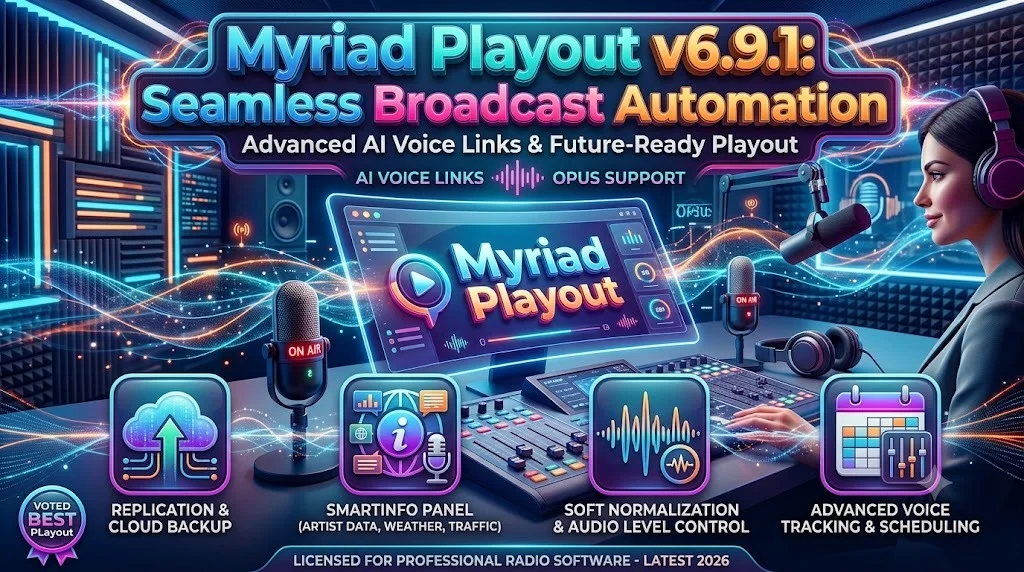
Overview of Myriad Playout
Table of Contents
Myriad Playout v6.9.1 is a professional-grade broadcast automation solution designed for radio stations and audio content providers. This powerful broadcast software streamlines the entire on-air production workflow, enabling seamless scheduling, playback, and management of audio content. As a comprehensive radio automation system, it provides broadcasters with the tools needed to maintain professional on-air consistency while significantly reducing manual intervention. The Myriad Playout platform has become a trusted choice in the broadcasting industry, offering reliability and advanced features that support both live and automated programming environments .
The latest version represents a significant evolution from previous iterations, featuring a modern interface, enhanced audio processing capabilities, and improved integration with external services. This broadcast automation software is built on the SMX Media Engine v6, delivering superior performance and stability for demanding on-air environments. Whether you’re operating a small community station or managing a large broadcast network, Myriad Playout v6.9.1 provides the scalability and functionality required for professional audio broadcasting.
Key Features of Myriad Playout
Advanced Media Management
Myriad Playout v6.9.1 includes a redesigned MediaWall that revolutionizes how audio content is managed and played. The new soft normalization feature calculates and applies custom gain automatically, preserving audio quality by avoiding unnecessary file reprocessing during import. This approach maintains the integrity of your original audio files while ensuring consistent playback levels across your entire library .
The MediaWall now supports streaming media items natively, allowing broadcasters to seamlessly integrate internet streams into their programming schedule. This feature expands the content possibilities for radio stations, enabling real-time integration of web-based audio sources.
Enhanced Import Wizard
Version 6.9 introduces direct integration with the Promo Only Pool service, allowing subscribers to browse, preview, and download new music directly within the Myriad Import Wizard . This integration dramatically reduces the time required to add new content to your library, accelerating the path from discovery to on-air playback. As Liam Burke, Commercial Director at Broadcast Radio, explained, “Stations can find new music, import it, and have it ready for broadcast in minutes, all from within the same system they use every day” .
Smart Scheduling
The scheduling engine has been enhanced with new fields for Show Title and Presenters, enabling more detailed program identification across your schedule. This feature allows stations to maintain consistency in show branding even when using multiple clocks with different titles for the same program. The new multiple Clock Assignment Sets functionality provides greater flexibility for scheduling variations across different date ranges, such as festive periods or special events .
What’s New in Myriad Playout v6.9
Promo Only Pool Integration
The most significant addition in v6.9 is the direct integration with the Promo Only music pool service. This feature represents a major workflow improvement for music stations, eliminating the need to switch between applications when sourcing new content. Users can now preview and download clean music edits directly from within Myriad, complete with automatic metadata population and preparation for broadcast .
Performance and Reliability Enhancements
Version 6.9 includes numerous under-the-hood improvements that enhance system stability and performance. The audio import process has been completely rewritten, supporting a wider range of formats including Flac, WAV files up to 96kHz and 32-bit, with improved reliability for problematic MP3 files .
Modernized User Interface
Myriad v6 features a new modern look with a dark theme as default, though users can revert to a light theme if preferred. The interface improvements extend throughout the platform, with clearer graphics and a more intuitive layout across all windows and ribbons .
System Requirements
Myriad Playout v6.9.1 requires the following minimum system specifications:
| Component | Requirement |
|---|---|
| Operating System | Windows 10 or higher (desktop) / Windows Server 2016 or higher (server) |
| Framework | .NET Framework v4.8 |
| Memory | 8 GB RAM minimum |
| Storage | SSD with sufficient space for MediaWall |
| Audio | Professional broadcast audio interface |
| Network | Stable network connection for automation features |
Installation Guide
Installing Myriad Playout v6.9.1 follows a straightforward process designed for broadcast professionals and IT administrators. The installation package is available through authorized Broadcast Radio distribution channels.
Preparation
Before beginning the installation, ensure your system meets the minimum requirements. Windows Server 2016 users should verify that .NET Framework v4.8 is installed . For existing Myriad v5 installations, note that Myriad v6 products cannot communicate with Myriad v5 products, so a full transition is required for all connected components .
Installation Steps
-
Download the Myriad Playout v6.9.1 installer from the official Broadcast Radio portal
-
Close any existing Myriad applications on the target computer
-
Run the installer with administrator privileges
-
Follow the on-screen installation wizard
-
Enter your Myriad license code when prompted (v6 uses the same license codes as v5)
-
Configure the Media Engine settings for your audio environment
-
Restart the system to complete the installation
Post-Installation Configuration
After installation, configure the Broadcast.Radio API key in Station Settings to enable silence monitoring notifications and now-playing data integration with Broadcast.Radio services . For stations using Myriad Anywhere, ensure you update the Remote Edit Server to v6 and install the updated Tunnel Service .
How to Use Myriad Playout
Configuring Broadcast Automation
Myriad Playout provides comprehensive options for configuring automation workflows. Access Database Settings to configure MediaWall options, including the new soft normalization feature and recycle periods for deleted media . The Station Settings menu provides access to silence monitoring configurations, AutoFade settings, and integration options for external services.
Setting Up Silence Monitoring
The Audio Monitor application enables silence detection and alerting capabilities. For v6.9.1 users:
-
Download and install the Audio Monitor application from the Settings menu
-
Configure the Broadcast.Radio API key in Station Settings
-
Access Silence Monitoring settings to configure alert parameters
-
Set up Notification Groups within Broadcast.Radio for alerts via email or Pushover
Importing Audio Content
Myriad v6.9.1 supports a significantly expanded range of audio formats. The Import Wizard now provides more reliable processing for various file types, with improved normalisation options. For stations subscribed to Promo Only, the direct integration provides a streamlined content acquisition workflow directly within the Import Wizard .
Best Use Cases
Radio Broadcasting
Myriad Playout excels in radio broadcast environments, whether for music-led formats, talk radio, or mixed programming. The combination of scheduling, playout, and live assist features makes it suitable for stations of all sizes.
Automated Playout Systems
The soft normalization and automatic content scheduling features make Myriad ideal for completely automated broadcast operations. Stations can program content for days or weeks in advance and trust the system to manage on-air delivery reliably.
Network Content Distribution
With the replication feature introduced in v6, network operators can synchronise content across multiple sites, maintaining consistent libraries across different locations .
Advantages and Limitations
Advantages
-
Professional-grade stability: Built on the robust SMX Media Engine v6
-
Extensive format support: Compatible with a wide range of audio formats
-
Modern interface: Clean, contemporary UI with dark theme option
-
Extended integrations: Direct connections with Promo Only and Broadcast.Radio services
-
Flexible normalisation: Soft normalisation preserves audio quality while maintaining consistent levels
Limitations
-
Windows-only: Requires Windows operating system
-
Version compatibility: v6 products are incompatible with v5 products
-
Learning curve: Comprehensive feature set requires user training
-
Licensing: Requires active license codes and service subscriptions for some features
Alternatives to Myriad Playout
| Software | Key Features | Platform | Best For |
|---|---|---|---|
| Myriad Playout v6.9.1 | Full automation, Promo Only integration, soft normalisation | Windows | Professional radio broadcasting |
| WideOrbit Automation | Comprehensive traffic and automation integration | Windows | Large broadcast groups |
| ENCO DAD | Advanced playout, 24/7 reliability | Windows | High-reliability operations |
| Rivendell | Open-source, flexible automation | Linux | Budget-conscious operations |
| RadioDJ | Free, user-friendly interface | Windows | Small stations, hobbyists |
Frequently Asked Questions
What is Myriad Playout used for?
Myriad Playout is professional broadcast automation software designed for radio stations to manage audio playback, scheduling, and on-air operations efficiently .
What’s new in Myriad Playout v6.9?
Version 6.9 introduces direct integration with Promo Only music pool service, enabling users to browse, preview, and download new music directly within the Import Wizard, alongside performance improvements and automatic metadata population .
Is Myriad Playout v6.9 compatible with Windows 11?
Yes, Myriad Playout v6.9 runs on Windows 10 and Windows 11 systems. The minimum requirement is Windows 10 or higher .
Can I run Myriad Playout v6 with existing Myriad v5 installations?
No, Myriad v6 products cannot communicate with Myriad v5 products. For example, Myriad Playout v6 can only connect to Myriad OCP v6, not to OCP v5 .
What audio formats does Myriad Playout v6.9 support?
Myriad v6 supports a wide range of formats including WAV, MP3, Flac, and streaming media. For primary storage, Windows PCM WAV format is recommended .
Final Thoughts
Myriad Playout v6.9.1 represents a significant advancement in broadcast automation technology, delivering the stability and performance radio stations require while introducing modern features that streamline workflows. The integration with Promo Only demonstrates the platform’s commitment to reducing friction in the content acquisition process, while the enhanced audio import capabilities and MediaEngine improvements ensure professional-quality output.
For broadcasters seeking a comprehensive, reliable, and feature-rich playout solution, Myriad Playout v6.9.1 provides the tools necessary for professional broadcast operations. Its modern interface, extensive format support, and robust automation capabilities make it a compelling choice for radio stations looking to optimize their on-air production workflows.
Our Paid Service
“We do not sell or provide any software. We only offer professional support services. If any software on your system is not working properly, or you are facing installation errors, crashes, or any other technical issue — just contact us. We will help you fix the problem quickly and remotely via AnyDesk. No software will be provided from our side — only expert troubleshooting and support.”