

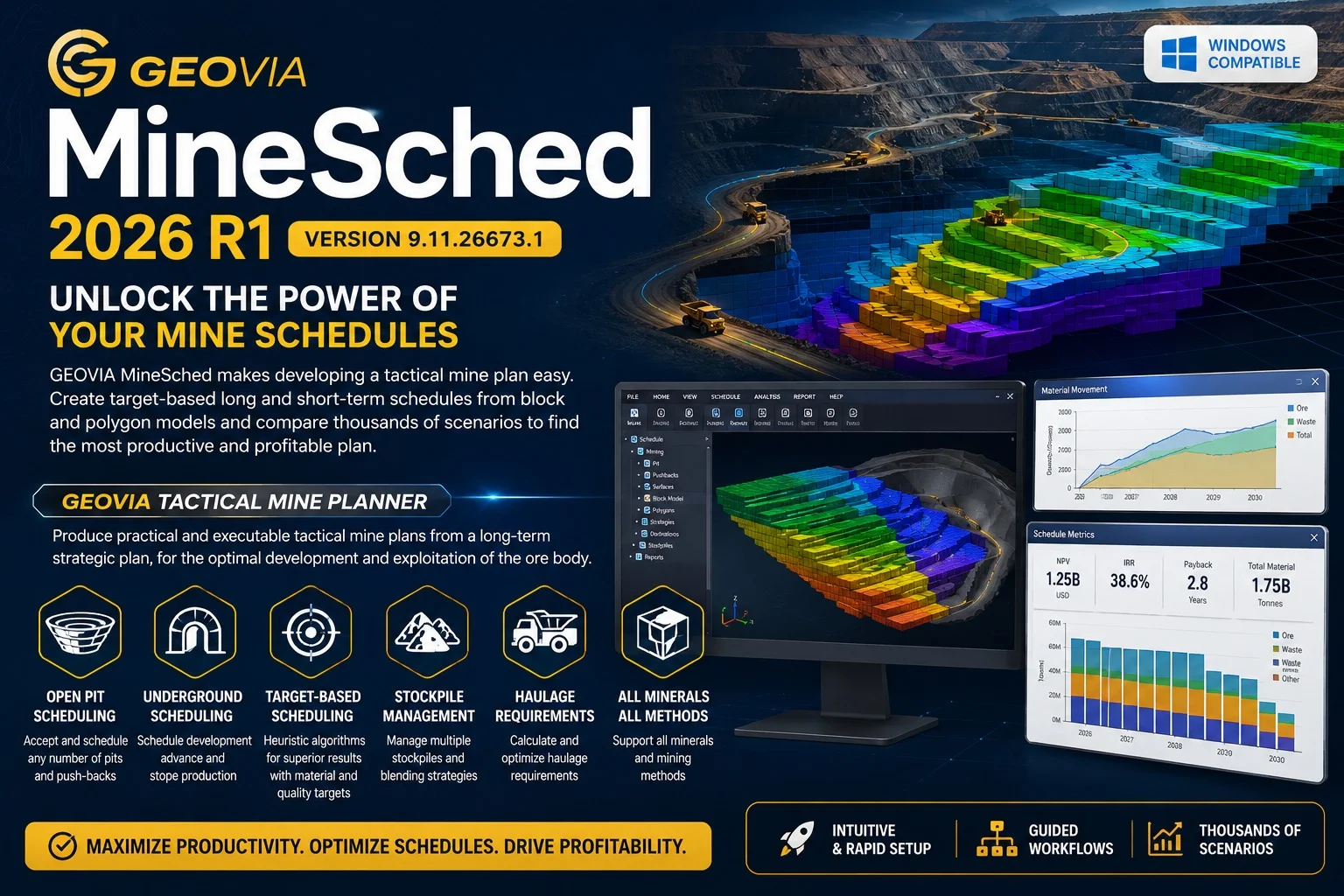
Overview of GEOVIA MineSched 2026 R1
Table of Contents
GEOVIA MineSched is a specialized software solution for short and medium-term mine planning and scheduling. Developed by Dassault Systèmes and integrated within the broader GEOVIA brand, MineSched serves a critical role in translating high-level strategic mine plans into practical, actionable operational schedules.
The software operates at the tactical planning layer, covering horizons that span months, weeks, and days. Its primary function is to help mine planners create production schedules that respect operational realities, including equipment constraints, active bench management, haulage route efficiency, and grade blending requirements at the processing plant . An important distinction is that MineSched does not perform optimization but focuses on scheduling, applying heuristic algorithms to achieve user-defined targets within configured constraints .
GEOVIA MineSched 2026 R1 represents the latest evolution of this tool, building on the platform’s established capabilities to deliver greater flexibility, enhanced integration, and improved performance for mining professionals. As one user noted, a mine planner can configure a reliable base scenario in under one hour, with full auditability at every step .
Key Features of GEOVIA MineSched
1. Pit Sequencing with Operational Safety Controls
GEOVIA MineSched enables tactical pit sequencing that generates extraction sequences while respecting critical operational safety parameters. Planners can control key constraints such as the maximum number of active benches per period, ensuring safe levels of simultaneous bench exposure. The software enforces minimum mining widths to guarantee equipment access and face stability, and offers flexibility in mining direction to support rapid scenario comparison .
2. Target-Based Sequencing for Grade and Ratio Control
The Quality Targets and Ratios module addresses the critical challenge of balancing plant feed consistency with operational targets. Users can define:
-
Blend targets to maintain consistent head grade and maximize plant recovery
-
Constant stripping ratio targets for operational continuity
-
Material proportion targets to control the throughput of high-grade ore
By linking these targets directly to the scheduling engine, the impact of sequencing decisions on plant feed can be evaluated immediately .
3. Integrated Haulage Planning and Fleet Modeling
Short-term schedule reliability depends heavily on accurate haulage assumptions. MineSched integrates haulage planning directly into the scheduling environment, offering:
-
Automatic route definition for optimal haul paths
-
Explicit road and access modeling reflecting actual site infrastructure
-
Fleet aging simulation to adjust equipment utilization over time
-
Seasonal weather integration accounting for adverse conditions
4. Production Priorities for Sequencing All Mining Activities
The Production Priorities workflow extends sequencing control beyond material extraction to include drilling, blasting, loading, and hauling. Precedence rules are automatically generated based on bench elevation, reducing manual configuration effort. Additional priority rules can minimize bottlenecks between activities, ensuring continuity between short-term and long-term planning horizons .
5. Stockpile and Tailings Dam Management
Material flow management is integrated directly into the software. Stockpile capacity rules define maximum constraints with overflow management for practical routing under varying production conditions. Integrated tailings modeling covers tonnages, dynamic capacities, and pulp generation, including fixed or variable recovery factors by material, grade, and commodity .
What’s New in GEOVIA MineSched 2026 R1
The 2026 release brings significant improvements focused on performance, user experience, and workflow efficiency :
Performance Enhancements
-
Improved sequencing engine with greater control over tonnage, grades, mixtures, and operational restrictions
-
Faster processing for complex scheduling scenarios
-
Enhanced scenario comparison tools with better traceability
User Experience Updates
-
Streamlined workflows for faster scenario configuration
-
Improved visual validation through configurable animations and dynamic dashboards
-
Enhanced reporting capabilities for easier communication of schedules
GEOVIA Ecosystem Integration
-
Stronger continuity between long-term planning and operational short-term scheduling
-
Better integration with other GEOVIA solutions for seamless data flow
-
Enhanced block model utilization as the single source of truth
System Requirements for GEOVIA MineSched
Supported Operating Systems
-
Windows 10 Pro or Enterprise (64-bit)
-
Windows 11 Pro or Enterprise (64-bit)
-
Windows Server 2019 or later
Minimum Hardware Requirements
-
Processor: Intel Core i5 or AMD Ryzen 5 (2.5 GHz or faster)
-
Memory: 16 GB RAM (32 GB recommended for larger projects)
-
Graphics: Dedicated graphics card with 4 GB VRAM, OpenGL 4.5 support
-
Storage: SSD with at least 20 GB free space
-
Display: 1920 x 1080 resolution or higher
Software Prerequisites
-
Microsoft .NET Framework 4.8 or later
-
Current graphics drivers
-
3DEXPERIENCE Platform compatibility for integrated workflows
Installation Guide for GEOVIA MineSched 2026 R1
Step 1: Verify System Compatibility
Before beginning the installation, confirm that your system meets all hardware and software requirements. Check for the latest graphics drivers and Windows updates.
Step 2: Obtain Installation Media
Download the installation package from the official Dassault Systèmes portal or use the provided physical media. Ensure you have a valid license key before proceeding.
Step 3: Run the Installer
Execute the setup file as an administrator. The software installation wizard will guide you through the process. Accept the license agreement and choose the installation directory.
Step 4: Select Components
Choose the components to install. The standard installation includes all core features, but you may select or deselect optional modules based on your project requirements.
Step 5: Configure Licensing
Enter your license information when prompted. The software supports network-based licenses and individual node-locked licenses. Follow the on-screen instructions to complete license activation.
Step 6: Complete Installation
Wait for the installation to finish. Restart your computer if prompted. After installation, launch the software and verify that all features are accessible.
How to Use GEOVIA MineSched for Effective Mine Scheduling
Working with the Block Model
Start by importing your block model into MineSched, which serves as the single source of truth for all scheduling activities. The software uses the block model to understand spatial relationships, grades, and material properties.
Configuring a Planning Scenario
Set up a planning scenario by defining key parameters:
-
Establish the planning horizon (months, weeks, or days)
-
Define production targets (tonnage, grades, stripping ratio)
-
Configure operational constraints (equipment availability, bench limits, haulage routes)
-
Set quality targets for blending
Running the Sequencing Engine
The heuristic algorithm generates a schedule based on your configured parameters. Review the output through dynamic visualizations and dashboards. Adjust constraints as needed and re-run to compare different scenarios .
Validating and Refining
Use the integrated reporting tools to validate schedule outputs. Check for compliance with safety constraints and production targets. The audit trail allows you to trace every decision and assumption used in the schedule.
Communicating Results
Generate reports and visualizations to communicate the schedule to operations teams. The software can export schedules in various formats for integration with mine operations systems.
Best Use Cases for GEOVIA MineSched
Medium-Term Planning (3-12 Months)
MineSched excels in medium-term planning for operational budgeting and resource allocation. It helps planners answer questions like:
-
What equipment will be needed in the next quarter?
-
How will ore grades vary over the coming year?
-
What is the optimal mining sequence for the next six months?
Short-Term Scheduling (Days to 3 Months)
For day-to-day operational planning, MineSched provides the detailed sequencing needed for shift planning. It allows quick updates to accommodate equipment breakdowns, grade variations, or weather delays .
Scenario Analysis and Contingency Planning
The software’s ability to generate and compare multiple scenarios is particularly valuable for:
-
Evaluating the impact of equipment availability changes
-
Testing different mining sequences for grade control
-
Assessing the effect of operational disruptions on production targets
Integrating Strategic and Operational Plans
GEOVIA MineSched serves as the crucial link between long-term strategic plans and operational execution. By using the block model as a single source of truth, it ensures consistency across all planning stages .
Advantages and Limitations of GEOVIA MineSched
Advantages
-
Rapid Scenario Generation: Create and evaluate multiple scheduling alternatives quickly
-
Operational Safety Integration: Enforce safety constraints directly in the schedule
-
Auditability: Full tracking of all decisions and assumptions
-
Ecosystem Integration: Seamless data flow with other GEOVIA solutions
-
Reduced Data Fragmentation: Consolidated approach eliminating manual reconciliation
Limitations
-
Not an Optimization Tool: MineSched focuses on scheduling, not optimization—planners must validate outputs
-
Design Dependent: Operates within existing mine designs and does not generate them
-
Requires Quality Input Data: Output quality depends on the accuracy of block model and constraint inputs
-
Learning Curve: Effective use requires understanding of mine planning principles
-
Licensing Costs: As a professional Dassault Systèmes product, it requires significant investment
Alternatives to GEOVIA MineSched
Micromine Advance
Micromine Advance is a dedicated underground mine planning solution offering integrated stope optimization, design, scheduling, visualization, and reporting in a single environment. Key features include:
-
Resource-driven approach for realistic modeling of intricate underground environments
-
Built-in stope optimizer eliminating the need for additional modules
-
Integrated scenario management with side-by-side comparison
-
Network validation tools for proactive error detection
-
Integrated reporting directly from the data source
Micromine Alastri
For surface mining operations, Micromine Alastri provides comprehensive tactical scheduling software. It enables:
-
Realistic equipment utilization
-
Integration with haulage network digital twins for accurate cycle times
-
Data-driven schedules that reduce planning time significantly
Comparison Overview
| Feature | GEOVIA MineSched | Micromine Advance | Micromine Alastri |
|---|---|---|---|
| Primary Focus | Short/Medium-term scheduling | Underground planning | Surface tactical scheduling |
| Industry | Surface & Underground | Underground metals | Surface operations |
| Key Strength | Scenario generation | Integrated workflow | Haulage optimization |
| Integration | GEOVIA ecosystem | Micromine platform | Micromine platform |
Frequently Asked Questions
What is GEOVIA MineSched used for in mine planning?
GEOVIA MineSched is a short and medium-term mine scheduling software used to create practical, executable operational schedules. It bridges the gap between strategic plans and day-to-day mining operations by incorporating operational constraints, equipment availability, and production targets into a single scheduling environment.
What’s the difference between MineSched and other mine planning software?
Unlike strategic mine planning tools that focus on long-term optimization, MineSched operates at the tactical level for schedules covering months, weeks, and days. It does not perform optimization but applies heuristic algorithms to achieve user-defined targets within configured constraints, distinguishing it from pure optimization solutions.
What are the key improvements in MineSched 2026 R1?
MineSched 2026 R1 includes performance enhancements to the sequencing engine, improved user experience with streamlined workflows, better visual validation tools, and enhanced integration within the broader GEOVIA ecosystem.
What are the system requirements for installing MineSched 2026?
The software requires a 64-bit Windows 10/11 or Server 2019 operating system, an Intel Core i5 or AMD Ryzen 5 processor (2.5 GHz or faster), 16 GB RAM (32 GB recommended), a dedicated graphics card with 4 GB VRAM, and an SSD with at least 20 GB free space.
How does MineSched handle grade control and blending?
MineSched’s Quality Targets and Ratios module allows planners to define blend targets for consistent head grade, constant stripping ratio targets for operational continuity, and material proportion targets for controlling high-grade ore throughput. These targets are linked directly to the scheduling engine for immediate impact assessment.
Can MineSched be integrated with other Dassault Systèmes solutions?
Yes, GEOVIA MineSched is part of the Dassault Systèmes 3DEXPERIENCE platform and integrates with other GEOVIA solutions. This ensures consistency by using the block model as the single source of truth across all planning stages, eliminating manual data reconciliation.
What industries benefit from using GEOVIA MineSched?
MineSched is used across the mining industry, including both surface and underground operations for precious metals, base metals, coal, and industrial minerals. It serves mining companies of all sizes, from major producers to junior miners seeking to improve operational planning efficiency.
How does MineSched help with equipment and haulage planning?
The software integrates haulage planning directly into the scheduling environment with automatic route definition, explicit road modeling, fleet aging simulation, and seasonal weather integration. It also extends sequencing control to all mining activities including drilling, blasting, loading, and hauling.
Final Thoughts
GEOVIA MineSched 2026 R1 represents a significant step forward in short and medium-term mine planning and scheduling. Its focus on practical, operational scheduling—rather than theoretical optimization—makes it particularly valuable for mine planners who need to translate strategic objectives into executable plans.
The software’s strengths lie in its ability to rapidly generate and compare scenarios, integrate operational constraints directly into schedules, and maintain full auditability of planning decisions. For mining operations seeking to improve the reliability of their production schedules and bridge the gap between strategic plans and field execution, MineSched offers a robust, industry-tested solution.
Dassault Systèmes’ continued investment in the GEOVIA brand ensures that MineSched evolves alongside the industry’s needs. The 2026 R1 release’s focus on performance, user experience, and ecosystem integration demonstrates a commitment to helping mining companies achieve more efficient, sustainable operations.
Our Paid Service
“We do not sell or provide any software. We only offer professional support services. If any software on your system is not working properly, or you are facing installation errors, crashes, or any other technical issue — just contact us. We will help you fix the problem quickly and remotely via AnyDesk. No software will be provided from our side — only expert troubleshooting and support.”