
Overview of the Software
Table of Contents
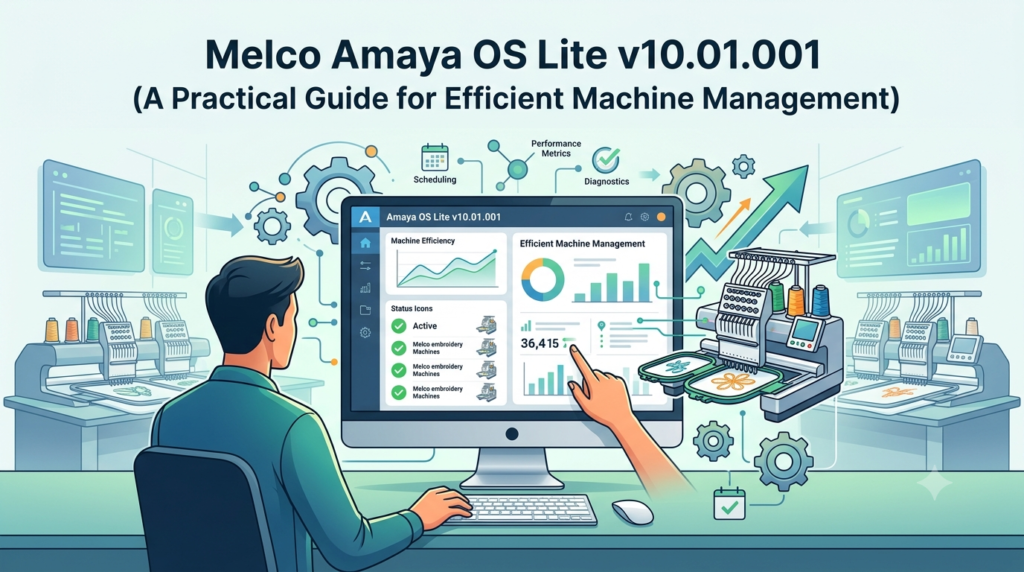
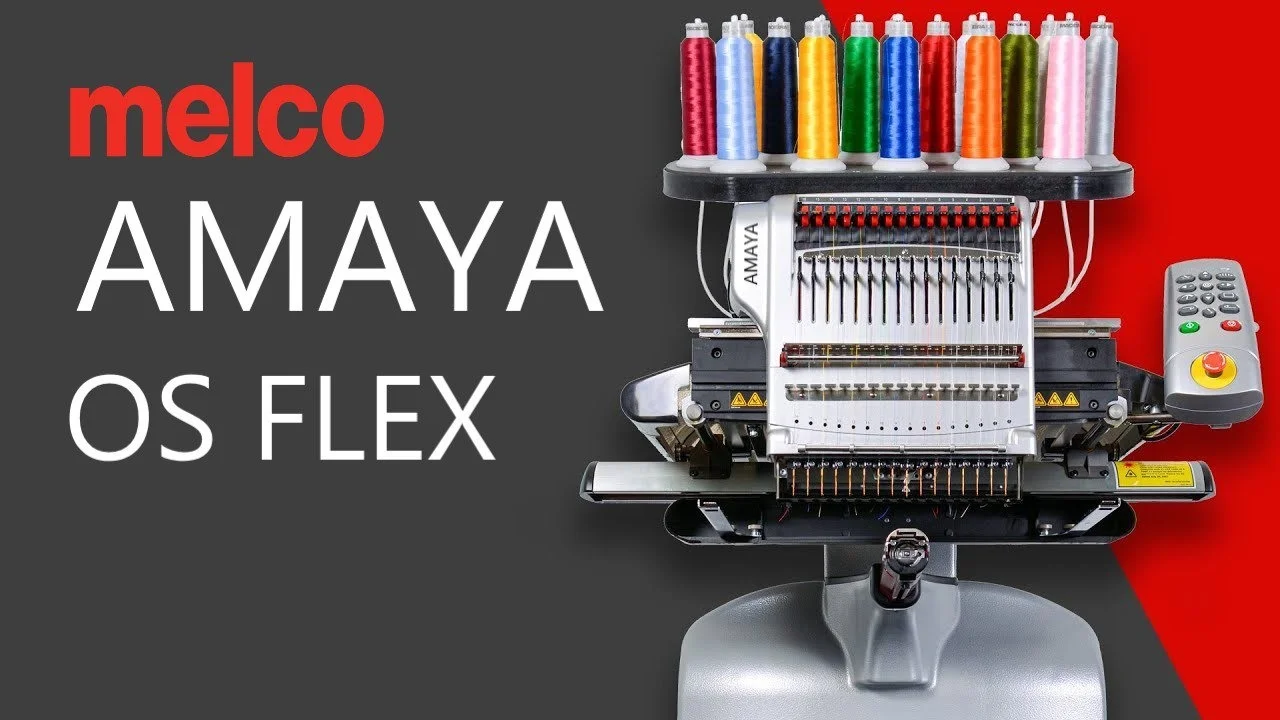
Melco Amaya OS Lite v10.01.001 is the entry-level version of Melco’s comprehensive embroidery machine operating system, specifically designed to manage and communicate with Bravo embroidery machines . This software version serves as the foundation for commercial embroidery operations, providing essential tools for machine control, design loading, and production monitoring without requiring the advanced features found in the SE or Flex+ versions.
As the lightest version of the Amaya OS software line, Amaya OS Lite offers the core functionality needed to operate compatible embroidery equipment effectively . The software uses a USB security key (dongle) for operation, ensuring authorized access to the program’s features . It’s important to note that Melco Amaya OS v10.01.001 represents the final update for this version, with compatibility extending to Windows 11 for users running this specific release .
Key Features
Machine Connectivity
Amaya OS Lite establishes communication between your computer and connected embroidery machines via Ethernet connection. The software detects available machines and allows you to manage multiple units from a single interface, streamlining production workflows.
Load Design Wizard
The Load Design Wizard simplifies the process of transferring embroidery designs to one or more connected Amaya machines. This tool guides users through machine selection, file opening, and design settings configuration in a step-by-step format . Users can:
-
Select which machines will receive the design
-
Configure design settings including placement, size, and color sequence
-
Apply settings across multiple machines simultaneously
Color Sequence Management
The software includes a Color Sequence Tab that allows users to define design colors and active colors, simplifying the setup process and helping prevent errors during color sequencing . This functionality helps ensure accurate thread color matching and reduces production mistakes.
Autofeed Adjustment
Amaya OS Lite enables control of the Autofeed Lower Limit through the Thread Feed Tab, allowing operators to fine-tune thread delivery for optimal stitch quality . This adjustment capability helps maintain consistent embroidery quality across different fabric types and design complexities.
Applique Command
Version 10 introduced Applique Command functionality to Amaya OS Lite, previously available only in higher-tier versions. This feature enables the creation of appliqué designs—a popular technique for adding dimensional fabric elements to embroidery projects .
Internet Update Capability
The software can check for program updates via the Internet, helping users stay current with the latest improvements and bug fixes from Melco .
Design Registration Feature
This functionality allows operators to align designs on garments that may be hooped at an angle, correcting positioning without requiring re-hooping . The feature also supports scaling, locating, and rotating designs for precise placement.
What’s New in Version 10.01.001
The v10.01.001 update represents the final version of Amaya OS, incorporating several enhancements that improve functionality and user experience:
Applique Command in Amaya OS Lite
This powerful addition extends appliqué capabilities to the Lite version, democratizing features previously limited to SE and Flex+ users . Now smaller operations can offer appliqué designs without upgrading to more expensive software tiers.
DesignShop Lite Integration
With the Amaya v10 dongle, users can now load and run DesignShop Lite, providing design creation and editing capabilities when paired with DesignShop version 9.00.100 or later . This integration creates a more complete software ecosystem for embroidery production.
Melco Sizer Compatibility
Amaya OS Lite can now utilize Melco Sizer, expanding design resizing and scaling options . This addition provides greater flexibility in adapting designs to different project requirements.
Autofeed Lower Limit Access
Previously an SE and Flex+ feature, the ability to adjust Autofeed Lower Limits has been added to the Thread Feed Tab in Amaya OS Lite . This enhancement gives Lite users greater control over thread delivery.
True Hoop Limits
New hoop limit functionality alerts users when hoop boundaries are exceeded, preventing machine operation or trace attempts that could damage equipment or create defective products . This safety feature reduces errors and protects your investment in embroidery machinery.
Improved User Interface
Version 10 includes a simplified user interface with reduced clutter, a redesigned machine list, and an intuitive layout that improves usability . Toolbar size is now selectable, and the redesigned Load Design Wizard simplifies the design-loading process.
Machine Identification
Individual machines can now be named, making it easier to distinguish between multiple units in a production environment . This naming capability streamlines management for shops with multiple embroidery machines.
Barcode Support
Keyboard wedge barcode readers are now supported, allowing for efficient design tracking and inventory management . This integration helps streamline production workflows and reduce manual data entry errors.
System Requirements
Hardware Requirements
-
Computer with USB port for security dongle
-
Ethernet network connection for machine communication
-
Sufficient memory and processing power for embroidery software operations
Operating System Compatibility
Amaya OS v10.01.001 (the final update) appears to function properly with Windows 11 . Versions prior to 10.01.001 may not operate correctly with Windows 11, making the update essential for users transitioning to the newer operating system.
Important Note: Versions of Amaya OS prior to v10.01.001 were not designed for 64-bit Windows operating systems and may not install or function reliably . Users running older versions should update to the latest release for optimal performance.
Security Dongle
Amaya OS Lite requires a USB security dongle for operation . This hardware key authenticates the software and enables full functionality. Users should ensure they have the latest dongle driver installed for proper recognition .
Important Compatibility Considerations
Amaya OS v10.01.001 and other current Melco software versions cannot be run in Compatibility Mode. Users must verify correct Compatibility Mode Settings and ensure the software runs as an Administrator in Windows . Enabling Compatibility Mode with current software versions can prevent the software from running properly.
Installation Guide
Pre-Installation Preparation
-
Verify System Compatibility: Confirm your Windows version supports Amaya OS v10.01.001. Windows 11 compatibility is confirmed for this version .
-
Check Administrator Rights: Ensure your Windows User Account has Administrator Privileges, as this may be required for proper software installation and operation .
-
Prepare USB Security Dongle: Locate your USB security key (dongle) and ensure you have the latest driver installed .
-
Disable Compatibility Mode: Verify Compatibility Mode is NOT enabled for Amaya OS v10.01.001. Running the software in Compatibility Mode can prevent proper operation .
Installation Steps
-
Insert the USB security dongle into an available USB port on your computer.
-
Download the Amaya OS v10.01.001 installation package from an authorized source .
-
Run the installation program with administrator privileges (right-click the installer and select “Run as Administrator”).
-
Follow the on-screen prompts to complete the installation.
-
After installation, restart your computer to ensure all components load correctly.
Post-Installation Configuration
-
Verify Software Operation: Launch Amaya OS and confirm the software detects the USB dongle.
-
Configure Machine Communication: Set up Ethernet connection parameters to communicate with your embroidery machines.
-
Name Your Machines: Assign identifying names to each connected machine for easier management .
-
Test Design Loading: Use the Load Design Wizard to verify that design files transfer correctly to your machines .
How to Use the Software
Basic Machine Management
-
Launch Amaya OS Lite by clicking the program icon (ensure the USB dongle is connected).
-
Verify Machine Detection: Check that connected embroidery machines appear in the machine list. If machines are not detected, you may need to verify network connections and settings .
-
Name Machines: Assign identifying names to each machine to simplify management in multi-machine operations .
Loading Designs
-
Access the Load Design Wizard: Navigate to File > Load Design Wizard or click the Load Design Wizard icon .
-
Select Machines: A dialog appears listing available machines. Select the machine(s) that will receive the design .
-
Choose Design File: Click OK, and the File Open dialog appears. Select your desired design file .
-
Configure Design Settings: The first window of the Load Design Wizard appears. Specify settings for your design .
-
Finalize Settings: Click Next to proceed to the second window. Specify additional settings as needed .
-
Complete Loading: Click Finish. The Load Design Wizard closes, and designs and settings are loaded to the selected machines .
Managing Color Sequences
-
Access the Color Sequence Tab: Navigate to the Color Sequence Tab in the software interface.
-
Set Design Colors: Define the colors required for your design .
-
Configure Active Colors: Set active colors to simplify the color sequence process and prevent mistakes .
Adjusting Autofeed
-
Access the Thread Feed Tab: Navigate to the Thread Feed Tab in the software interface.
-
Adjust Autofeed Lower Limit: Set the minimum thread feed level as needed for your production requirements .
Troubleshooting Common Issues
“Ethernet communications did not start correctly” Error
This error indicates that Amaya OS is not detecting the Melco machine(s). To resolve:
-
Verify the correct Compatibility Mode Settings
-
Ensure the software is running as an Administrator in Windows
-
Verify network connections between computer and machines
-
Restart the computer
Best Use Cases
Small Embroidery Businesses
Amaya OS Lite is ideal for small embroidery operations running one or a few Bravo machines. The software provides essential machine management capabilities without the cost of advanced features, making it accessible for startups and growing businesses.
Educational Settings
Training programs and workshops benefit from Amaya OS Lite’s straightforward interface and core functionality. Students can learn fundamental machine operation, design loading, and production management without being overwhelmed by advanced features.
Production Monitoring
For shops with multiple embroidery machines, Amaya OS Lite enables centralized machine monitoring. The software displays machine status and design progress, allowing operators to oversee production from a single workstation.
Apparel Decoration Shops
Custom apparel shops can efficiently manage embroidery production with Amaya OS Lite. The software supports loading designs to compatible machines, adjusting color sequences for different garments, and monitoring production output.
Advantages and Limitations
Advantages
Cost-Effective Solution: Amaya OS Lite offers essential functionality at a lower price point than higher-tier versions, making it accessible for smaller operations.
Simplified Interface: The user-friendly design reduces the learning curve for new operators, allowing quicker onboarding.
Essential Features Included: Core features like the Load Design Wizard, color sequence management, and machine communication provide everything needed for basic embroidery production.
Windows 11 Compatibility: The v10.01.001 update ensures compatibility with modern operating systems .
Appliance Support: The addition of Applique Command functionality extends creative possibilities .
Limitations
Limited Feature Set: Amaya OS Lite lacks advanced features available in SE and Flex+ versions, such as Master Queue functionality for multi-machine coordination .
Single Machine Focus: The Lite version is most commonly used with Bravo machines, with limited support for other Melco equipment .
No Advanced Networking: Unlike Flex+ version, Lite does not support extensive machine networking capabilities .
Final Version Status: Amaya OS v10.01.001 is the final update for this version, which may limit future feature development .
Alternatives to the Software
Melco Amaya OS SE
The SE version is designed for single machines or networking a few Bravo machines. It offers expanded capabilities beyond the Lite version, including more advanced features for growing operations . Unlike Amaya OS Lite, the SE version requires a USB security dongle for operation .
Melco Amaya OS Flex+
The Flex+ version is the most powerful in the Amaya OS line, offering access to all major features. It enables networking of many machines and supports all Amaya machines except Bravo . This version includes advanced features like Master Queue for coordinated production across multiple machines . As with the SE version, Flex+ requires a USB security dongle .
Melco SUMMIT Manager
Melco’s new production management software provides comprehensive control over SUMMIT embroidery machines. Features include real-time production floor preview, automated design preparation, smart job queuing, and custom layout views . This solution offers enhanced visibility and control for embroidery operations, with centralized management capabilities .
Wilcom EmbroideryStudio
Wilcom offers a full suite of embroidery design and digitizing tools, including their Designing level which comes integrated with CorelDRAW Graphics Suite . The software provides professional-grade digitizing capabilities, extensive font libraries, and powerful design creation tools.
Tajima PulselQ
This cloud-based embroidery production service connects embroidery machines to the network, centralizing production management from design to progress tracking. Features include cloud-based data storage, smartphone operation, and instant alerts for machine status .
Frequently Asked Questions
Is Amaya OS Lite compatible with Windows 11?
Yes, Amaya OS v10.01.001 (the final update) appears to function properly in Windows 11. However, versions prior to 10.01.001 may not operate correctly with Windows 11 . Users should ensure they are running the latest update for optimal compatibility.
What is the difference between Amaya OS Lite, SE, and Flex+?
Amaya OS Lite is the entry-level version, most commonly used with Bravo machines. It does not require a dongle. The SE version is designed for single machines or networking a few Bravo machines and requires a dongle. Flex+ is the most powerful version, offering access to all major features and networking for many machines. It works with all Amaya machines except Bravo and also requires a dongle .
Why is my Amaya OS not detecting my embroidery machine?
If you receive an error that Ethernet communications did not start correctly, verify that the software is not running in Compatibility Mode, ensure the software runs as an Administrator in Windows, and check network connections between your computer and machines . Background computer updates can sometimes disrupt previously working connections.
Can I use DesignShop with Amaya OS Lite?
Yes, with the Amaya v10 dongle, you can load and run DesignShop Lite on a computer with Amaya OS v10. This requires DesignShop version 9.00.100 or later .
What features are new in Amaya OS v10?
Amaya OS v10 introduced several enhancements including: Applique Command in Amaya OS Lite, DesignShop Lite integration, Melco Sizer compatibility, Autofeed Lower Limit access in Amaya OS Lite, True Hoop Limits functionality, simplified user interface, machine identification naming, and barcode support .
Why does Amaya OS require a USB security key?
Amaya OS uses a USB security dongle for software authentication and licensing. This hardware-based security measure ensures authorized use of the software and protects intellectual property . Different software levels may require different dongles, with Amaya OS Lite not requiring one while SE and Flex+ versions do .
Can I update my Amaya OS to a newer version?
Amaya OS v10.01.001 is the final update for the Amaya OS line . Users looking for newer features may need to consider transitioning to Melco’s newer software solutions, such as the SUMMIT Manager system .
What should I do if Amaya OS crashes on startup?
If Amaya OS fails to start or crashes, verify that you are not running the software in Compatibility Mode, as this can prevent proper operation . Also, ensure you have administrator privileges and that the USB security dongle is properly connected. Restarting your computer may resolve temporary conflicts .
Final Thoughts
Melco Amaya OS Lite v10.01.001 remains a reliable entry point for embroidery shops seeking efficient machine management without the complexity of advanced software packages. As the final update to the Amaya OS line, this version provides essential functionality for Bravo machine operations while maintaining compatibility with Windows 11 systems .
For small embroidery businesses, educational environments, and operations focused on Bravo machines, Amaya OS Lite delivers the core tools needed to manage production effectively. The software’s Load Design Wizard simplifies design loading , while color sequence management and Autofeed controls provide necessary flexibility .
However, users requiring advanced features such as master queue functionality, extensive machine networking, or support for non-Bravo Amaya machines may need to consider upgrading to SE or Flex+ versions . Alternatively, Melco’s newer SUMMIT Manager offers modern production management capabilities for growing operations .
When implementing Amaya OS Lite, paying attention to system requirements, Windows compatibility, and proper installation procedures will ensure stable operation. Avoiding Compatibility Mode, using administrator privileges, and maintaining proper network connections are essential for reliable machine communication .
Ultimately, Amaya OS Lite v10.01.001 represents a practical, cost-effective solution for embroidery professionals seeking straightforward machine management software that performs reliably in production environments.
Our Paid Service
“We do not sell or provide any software. We only offer professional support services. If any software on your system is not working properly, or you are facing installation errors, crashes, or any other technical issue — just contact us. We will help you fix the problem quickly and remotely via AnyDesk. No software will be provided from our side — only expert troubleshooting and support.”