
Overview of I-Cliqq Embroidery Software
Table of Contents
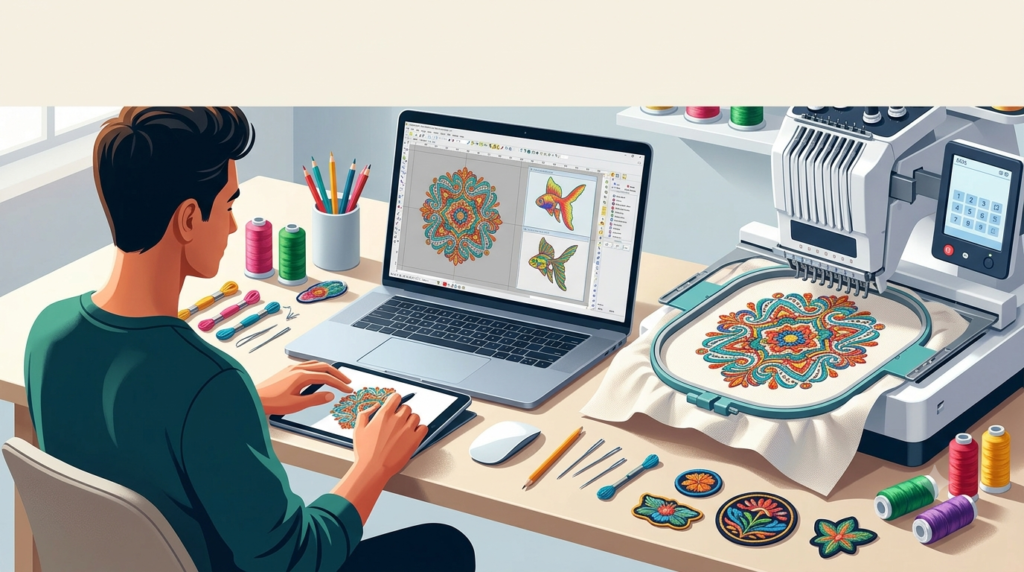
I-Cliqq Embroidery v2 is a professional-grade digitizing suite designed to convert artwork into stitch-ready embroidery files. The software supports a vector-based workflow, enabling designers to create and edit designs with precision. It serves as a complete digital platform for embroidery creation, from initial concept through to machine-ready file generation.
The software works for various professional applications:
-
Embroidery shops and digitizing services needing reliable production tools
-
Apparel decorators creating custom designs for garments
-
Industry trainers and educators teaching embroidery digitizing
-
Hobbyists and small business owners seeking professional results without a steep learning curve
Key Features
Image Import and Processing
I-Cliqq supports a wide range of image formats, including BMP, JPG, PNG, GIF, TIF, PSD, EPS, and WMF. Users can acquire images directly from scanners or copy graphics from other software and paste them directly into the workspace. The software provides image preview functionality with drag capabilities, making resizing, rotating, and positioning designs straightforward and visual.
Vector-Based Design
As a vector-based application, I-Cliqq treats graphics and embroidery designs as integrated elements. Users can combine, weld, intersect, or extract object outlines and convert them into practical stitch types. This seamless integration between graphics and embroidery is a key workflow advantage.
Stitch Types and Effects
The software delivers high-quality embroidery results with a comprehensive selection of stitch effects. Users can create remarkable designs with specialized stitching techniques, including 3D embroidery effects, shading, and gradient options. The system processes colors flexibly, allowing designers to assign PMS codes or update RGB/HSB values as needed for precise color matching.
Lettering System
I-Cliqq includes a robust lettering system with over 100 built-in fonts. The software supports importing TrueType (TTF) and OpenType fonts, allowing users to expand their typography options. This versatility makes the software ideal for monogram creation, logo text, and custom wording.
Vector Exchange Capabilities
One of the software’s standout features is its ability to exchange vector data with other graphics applications. Users can copy vectors from other software and paste them directly into I-Cliqq for conversion into stitch types. The reverse is also possible, allowing designers to transfer embroidery outlines back to vector graphics software.
What’s New in the Latest Version
The v2 release builds on the core strengths of the original I-Cliqq software with several refinements and feature additions that improve both the creative process and production efficiency.
Enhanced Image Handling
The latest version offers improved support for transparent image formats, ensuring cleaner stitch generation around design elements. This enhancement is particularly valuable when working with logos and graphics that require crisp edges without excess stitching in transparent areas.
Expanded Font Library
Version 2 includes an expanded collection of embroidery-optimized fonts alongside improved support for custom font imports. The lettering system provides advanced kerning controls and vertical text placement options.
Improved Editing Workflow
New editing features in v2 streamline the digitizing process. The software offers more flexible undo functionality, allowing designers to experiment freely without fear of losing work. Enhanced view controls let users temporarily hide overlapping objects for easier editing of multi-layered designs.
New Stitch Effects
The v2 release introduces additional stitch effect options that expand creative possibilities. New fill types and array patterns help designers create complex decorative elements more efficiently.
Sequin Function Support
I-Cliqq v2 includes specialized functions for sequin embroidery, making it suitable for decorative work requiring sequin attachments. This feature expands the range of projects that can be designed and produced using the software.
System Requirements
For optimal performance with I-Cliqq Embroidery v2, the following system specifications are recommended.
Operating System
Windows 10 64-bit or newer
Hardware
-
Processor: Modern multi-core processor
-
RAM: 8GB or higher recommended
-
Storage: Sufficient space for software and design files
-
Graphics: Display capable of accurate color reproduction
Compatible File Formats
The software supports standard embroidery machine formats. Exported designs are compatible with most major embroidery machines.
Installation Guide
Installing I-Cliqq Embroidery v2 is straightforward:
Step 1: Download the software installer from the official source. Ensure you receive a legitimate copy to avoid compatibility or security issues.
Step 2: Run the installer and follow the on-screen instructions. The installation process typically takes a few minutes.
Step 3: After installation, you will need to activate the software. Activation requires a valid license key, which is provided at the time of purchase.
Step 4: Once activated, you can begin working with the software immediately. Some vendors may include tutorial files or video resources to help you get started.
Troubleshooting Tip: If the software fails to install correctly, check that your system meets the minimum requirements and that you have administrator privileges on your computer.
How to Use the Software
Getting Started
Step 1: Open a New Design
Launch I-Cliqq and create a new project. Select your target hoop size to define the working area for your design.
Step 2: Import Your Artwork
Load your source image using the import function. I-Cliqq supports common image formats like BMP, JPG, PNG, GIF, and TIF.
Step 3: Prepare Your Image
Adjust the imported image for digitizing. The software provides tools for rotating, cropping, and aligning images. Clean vector artwork typically produces the best embroidery results.
The Digitizing Process
Step 4: Trace the Design
Use the digitizing tools to trace outlines from your source image. I-Cliqq’s vector-based approach allows you to work directly with the graphics without separate conversion steps.
Step 5: Apply Stitch Types
For different design elements, choose appropriate stitch types:
-
Satin stitches for text and borders
-
Tatami or fill stitches for larger areas
-
Run stitches for fine details and outlines
-
Specialty stitches for 3D and decorative effects
Step 6: Review Colors and Settings
Assign thread colors using PMS codes or create custom palettes. Check your design’s stitch count and adjust settings as needed.
Step 7: Export
Save your completed design in the appropriate embroidery machine format. Common export formats are .EMB and .DST.
Tips for Better Results
-
Work from background elements to foreground elements when building complex designs
-
Use contrasting colors during design to keep elements distinct, then adjust to final colors later
-
Use automated digitizing for simple designs but manual control for professional-quality work
-
Review the stitch sequence to minimize unnecessary jumps and trims
Best Use Cases
Custom Apparel and Branding
I-Cliqq excels at logo digitizing and custom apparel work. The software imports common logo formats and converts them efficiently into stitch-ready designs. This makes it ideal for businesses creating branded merchandise and uniforms.
Monogram Design
With over 100 built-in fonts plus TrueType support, the software is well-suited for monogram creation. Users can create personalized text designs quickly. Advanced users can combine monograms with decorative elements for unique results.
Decorative Embroidery
The software’s specialized effects, including 3D and gradient stitching, make it appropriate for decorative projects and creative designs. Users can create distinctive patterns and textures that stand out on finished pieces.
Small Business Production
For embroidery shops and small businesses, I-Cliqq provides a complete digitizing solution at a competitive price point. The software includes tools for design creation, editing, and file export, reducing the need for outsourcing digitizing work.
Advantages and Limitations
Advantages
Professional Capabilities Without Industry Pricing
I-Cliqq offers a compelling balance of features and cost. It includes many functions typically found in more expensive software.
Vector-Based Integration
The software’s vector foundation allows smooth exchange with graphics applications. This makes it easier to edit artwork without constant file conversion.
International Accessibility
I-Cliqq’s availability in 17 languages makes it accessible to a global user base. This multilingual support helps international teams work together more effectively.
Broad Hardware Compatibility
The software supports embroidery machines from multiple manufacturers, making it suitable for mixed-machine production environments.
Limitations
Not Industry Standard
While I-Cliqq is powerful, it does not have the same market recognition as Wilcom or Hatch in some regions. This can affect file compatibility when collaborating with partners using different software.
Learning Curve for Advanced Features
Although the software is user-friendly for basic tasks, mastering advanced features such as manual digitizing with specialized stitch effects requires dedicated practice.
Limited Third-Party Resources
The available third-party tutorials, plugins, and community support are more limited compared to industry-standard platforms.
Alternatives to the Software
Wilcom EmbroideryStudio
Wilcom is the industry standard for professional embroidery digitizing. It offers comprehensive features including auto-digitizing, vector graphics integration, and advanced editing tools. Wilcom includes CorelDRAW Graphics Suite 2025 with its Designing and Decorating editions. The software is trusted by embroidery businesses in over 100 countries.
Hatch Embroidery Software
Hatch is a popular consumer-grade alternative that uses Wilcom’s digitizing engine at a lower price point. It offers a user-friendly interface suitable for both beginners and professionals. Hatch provides automated digitizing capabilities for basic design creation.
Janome Artistic Digitizer
This alternative software focuses on versatility for embroidery, sewing, and crafting. Version 2 includes improved features like sketch digitizing, transparency support, and vertical text placement. It offers unlimited undo and advanced fill options for creative projects.
Comparison Summary:
Choose I-Cliqq for value and a solid feature set at a competitive price. Choose Wilcom EmbroideryStudio for industry-standard capabilities and advanced professional features. Choose Hatch for a user-friendly experience built on the Wilcom engine. Choose Janome Artistic Digitizer for integrated sewing and crafting functionality.
Frequently Asked Questions
What is I-Cliqq Embroidery Software?
I-Cliqq is a professional digitizing software that converts artwork into embroidery files. It supports various stitch types, image formats, and offers vector-based design tools.
What file formats does I-Cliqq support?
The software imports BMP, JPG, PNG, GIF, TIF, PSD, EPS, and WMF formats. It exports standard embroidery machine formats including .EMB and .DST.
Can I use my own fonts with I-Cliqq?
Yes, I-Cliqq supports TrueType (TTF) and OpenType fonts, allowing users to expand their lettering options beyond the included fonts.
Is I-Cliqq suitable for beginners?
The software is designed for both beginners and professionals. It offers an intuitive interface while maintaining advanced capabilities for experienced users.
What makes I-Cliqq different from other embroidery software?
I-Cliqq offers vector-based integration, multi-language support (17 languages), and competitive pricing. Its direct vector exchange capabilities with other graphics software are a distinguishing feature.
What operating system does I-Cliqq require?
The software requires Windows 10 64-bit or newer.
Can I create 3D embroidery designs with I-Cliqq?
Yes, the software includes 3D stitch effects and other advanced features for creating dimensional embroidery.
Final Thoughts
I-Cliqq Embroidery v2 delivers a professional digitizing experience at a reasonable investment. The software offers a strong balance of features and price for embroidery professionals and enthusiasts. Its vector-based architecture, broad format support, and international accessibility make it a suitable choice for various production environments.
While I-Cliqq may not have the name recognition of Wilcom or the market share of Hatch, it includes the core capabilities needed for professional digitizing work. The software addresses the needs of users who require professional results without the highest price points.
For embroidery shops, custom apparel businesses, and educators, I-Cliqq provides a legitimate alternative to more expensive industry-standard options. The software’s continuous development and user-focused features make it worth considering for anyone entering the embroidery digitizing field or seeking to upgrade their existing toolkit.