
Overview of MagicSoft CG
Table of Contents
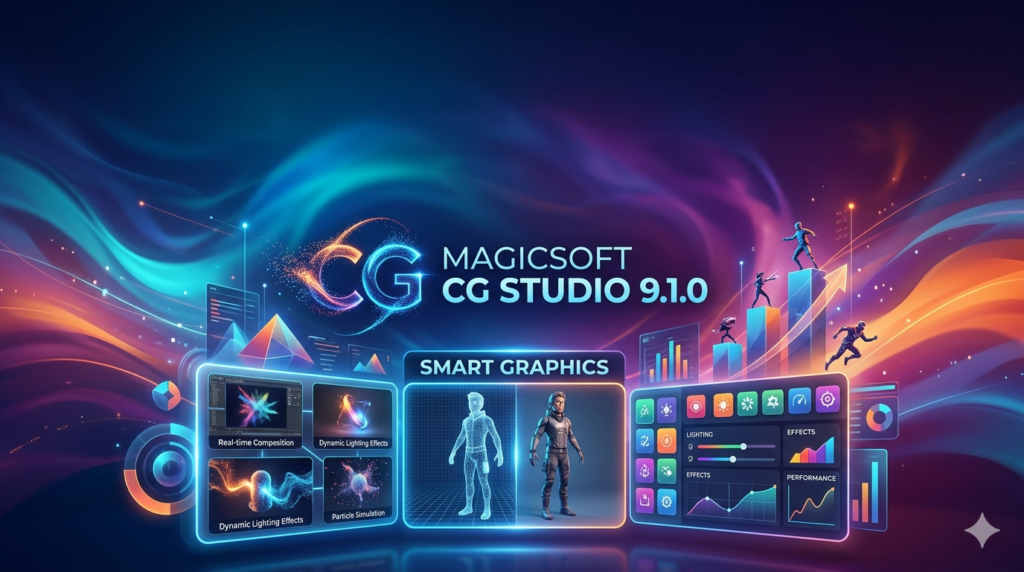
MagicSoft CG is a high-performance broadcast graphics platform developed for television channels, production houses, master control rooms, and live event productions . The software allows broadcasters to create sophisticated on-air graphics, animated titles, lower thirds, logos, crawlers, promotional elements, and channel branding while maintaining real-time performance and broadcast reliability .
The software supports all SD, HD, and 4K video modes for broadcast quality in a GPU-based 3D working environment. It enables users to manage multiple projects simultaneously and integrates with professional broadcast infrastructures using DeckLink and NDI technologies . MagicSoft CG supports GPI, RSS feeds, Twitter feeds, scripting, and TCP/IP commands, making it a versatile solution for modern broadcast operations .
Developed by MagicSoft, a Romanian software company established in Bucharest in 2005, this character generator software is widely used by production houses and sports broadcasters, including Eurosport . The software is available as a lifetime license purchase, providing broadcasters with a cost-effective, permanent solution for their graphics needs .
Key Features of MagicSoft CG
GPU-Accelerated Rendering Engine
MagicSoft CG utilizes a powerful GPU rendering engine capable of processing complex graphics and animations in real time . Key rendering capabilities include:
-
GPU-based rendering for preview and on-air output
-
24-bit TrueColor graphics with 8-bit Alpha Channel (256 transparency levels)
-
Anti-aliased text rendering for TrueType and OpenType fonts
-
Anisotropic image filtering for superior image quality
-
Real-time transparency processing
-
De-interlacing and anti-flicker processing
Advanced Animation System
The software includes a sophisticated keyframe-based animation engine that enables users to create professional motion graphics without external animation software . Graphic elements can be animated using position movement, rotation, color transitions, transparency adjustments, and dynamic Z-axis positioning . A key-frame concept is used to describe the characteristics in time of an object and can interpolate characteristics in the time intervals between key-frames .
Professional Text & Typography Tools
MagicSoft CG includes advanced typography capabilities suitable for multilingual broadcast environments . Features include:
-
TrueType and OpenType font support
-
GPU-accelerated text rasterization using Direct2D
-
Kerning support and automatic text fitting
-
Text justification and adjustable line spacing
-
Enhanced Arabic text support with improved text fitting
Broadcast Workflow Integration
The software integrates seamlessly into modern broadcast environments and can operate independently or together with MagicSoft Playout . Supported integration features include:
-
DeckLink support for professional capture and output cards
-
NDI input and NDI RGBA output for network-based video workflows
-
Shared rendering buffer with MagicSoft Playout for efficient keying
-
Support for up to 4 simultaneous inputs
-
Latest Blackmagic DeckLink and Intensity driver support
Media & Asset Support
MagicSoft CG supports a wide range of media formats commonly used in broadcast production environments . Supported media capabilities include:
-
H.264 video clips and QuickTime PNG sequences
-
TGA files with Alpha Channel support
-
Alpha-enabled animations
-
Multiple codecs and container formats
-
Lossless texture compression
Monitoring & Reliability
For mission-critical broadcast operations, MagicSoft CG includes monitoring and management tools designed to ensure operational reliability . Features include:
-
Manager application for centralized control
-
Watchdog monitoring system
-
Email reporting for system alerts
-
Extended logging for troubleshooting
What’s New in MagicSoft CG 9.1.0
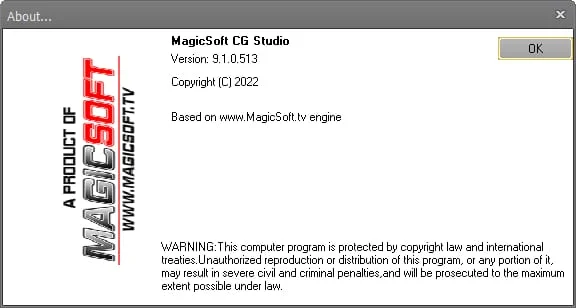
MagicSoft CG 9.1.0 builds upon the robust foundation of previous versions with enhancements in performance, compatibility, and functionality. Key improvements include:
Enhanced 4K Support
Version 9.1.0 offers full support for UHD 4K workflows with comprehensive frame rate options including 23.98, 24, 25, 29.97, 30, 50, 59.94, and 60 fps . This ensures compatibility with international broadcast standards and enables production houses to deliver high-resolution content for modern distribution platforms.
Improved Arabic Text Rendering
The latest version introduces enhanced Arabic text fitting with kerning support, making the software particularly valuable for broadcasters in Middle Eastern markets . The improved text justify option and auto-fit with kerning support provide typographic accuracy in both Latin and Arabic languages.
Expanded Input Options
MagicSoft CG 9.1.0 supports up to 4 simultaneous inputs with DeckLink and NDI compatibility . The option for NDI output as RGBA provides additional flexibility for IP-based broadcast workflows.
Performance Optimizations
The software implements a new blending mode that improves the look of highly transparent pictures and rectangles, eliminating the black contour of white text . On-the-fly lossless compression of textures reduces memory usage while maintaining visual quality.
Updated Driver Support
Version 9.1.0 includes support for the latest DeckLink and Intensity drivers, ensuring compatibility with current Blackmagic Design hardware . The improved user interface is optimized for PC monitors with lower resolutions.
System Requirements for MagicSoft CG
MagicSoft CG 9.1.0 requires specific hardware and software configurations to operate effectively. Based on the available information, here are the recommended system specifications:
Operating System
-
Windows 10 (64-bit) or Windows 11
-
Windows Server 2016, 2019, 2022, or 2025
Hardware Requirements
-
Processor: Quad-core processor (Intel i7 9700 series or AMD equivalent recommended)
-
Memory: 16 GB RAM minimum, 32 GB or more recommended for 4K workflows
-
Storage: SSD with M.2 NMVe for optimal performance
-
Graphics Card: Dedicated GPU with OpenCL support
Supported Video Formats
-
UHD 4K: 23.98, 24, 25, 29.97, 30, 50, 59.94, 60 fps
-
HD1080p: 23.98, 24, 25, 29.97, 30, 50, 59.94, 60 fps
-
HD1080i: 50, 59.94 fps
-
HD720p: 50, 59.94 fps
-
SD: PAL and NTSC
Hardware Integration
-
DeckLink capture and output cards from Blackmagic Design
-
NDI-compatible network infrastructure for IP-based workflows
-
SDI and HDMI output capability
Installation Guide for MagicSoft CG
Pre-Installation Preparation
Before installing MagicSoft CG 9.1.0, ensure your system meets the minimum requirements. Verify that your dedicated graphics card is properly installed and updated with the latest drivers. Close all unnecessary applications to ensure a smooth installation process.
Installation Steps
-
Download the installer from the official MagicSoft website or authorized distributor.
-
Run the installer as administrator (right-click and select “Run as administrator”).
-
Follow the setup wizard to select the installation directory and configuration options.
-
Enter your license key when prompted (the lifetime license provided with purchase).
-
Complete the installation and restart your computer if required.
Post-Installation Setup
After installation, configure MagicSoft CG for your specific broadcast environment:
-
Configure DeckLink or NDI input/output settings
-
Set up project templates for your workflow
-
Install any required fonts for your broadcast typography
-
Connect external triggers such as GPI
How to Use MagicSoft CG
Creating Your First Project
Launch MagicSoft CG and create a new project. The software provides a user-friendly graphic interface that allows quick and efficient project setup . Select your desired video mode (SD, HD, or 4K) and frame rate to match your broadcast requirements.
Adding Graphics Elements
MagicSoft CG allows you to add various graphic elements to your project:
-
Text Objects: Create lower thirds, titles, and crawls with customizable fonts and styles
-
Geometric Shapes: Add rectangles, circles, and triangles directly to your project
-
Image Assets: Import JPG, PNG, TGA, and RTF files for logos and graphics
-
Video Clips: Insert AVI video files with alpha channel support
Animation and Keyframing
Use the keyframe-based animation engine to create dynamic motion graphics:
-
Select an object on the canvas
-
Set keyframes at different points in the timeline
-
Adjust position, rotation, color, and transparency between keyframes
-
Preview the animation in real-time using GPU rendering
Live Operation
MagicSoft CG supports live editing, allowing you to modify graphics while other projects are on-air . Use the preview window to see changes before taking them to air. The software supports both internal and external keying, making it compatible with all switch models for professional broadcast operations .
Automation and Control
The software supports TCP/IP protocol for remote control of project display and content . Scripting capabilities enable automation for applications such as SMS-to-TV integration . GPI triggers can be used for external control .
Best Use Cases for MagicSoft CG
Television Broadcasting
MagicSoft CG excels in professional television environments where reliable, high-quality graphics are essential. The software is ideal for:
-
News channels: Creating lower thirds, tickers, and breaking news graphics
-
Sports broadcasting: Displaying scores, statistics, and athlete information
-
Music and movie channels: Producing promotional graphics and branding elements
-
Master control rooms: Managing multiple graphics projects simultaneously
Live Event Production
For live events such as concerts, conferences, and sporting events, MagicSoft CG provides:
-
Real-time graphics delivery
-
Integration with professional video switchers via SDI/HDMI
-
Support for multiple simultaneous inputs
-
Live editing capabilities
Production Studios
Production houses benefit from MagicSoft CG’s creative capabilities:
-
Professional motion graphics creation without external animation software
-
3D working environment for advanced visual effects
-
Multi-project management for efficient workflow
-
Support for high-resolution content production
Church and Worship Production
For houses of worship, the software offers:
-
Lyric and scripture display
-
Professional branding and graphics
-
Integration with existing video systems
-
User-friendly interface for volunteer operators
Advantages and Limitations of MagicSoft CG
Advantages
Professional Broadcast Quality
-
GPU-based rendering ensures smooth, broadcast-quality output
-
Supports all SD, HD, and UHD 4K video modes
-
24-bit TrueColor with 8-bit alpha channel for superior graphics quality
High Performance
-
Rendering done entirely on GPU, reducing CPU requirements
-
Real-time preview and on-air output simultaneously
-
On-the-fly lossless texture compression
Flexible Integration
-
Compatible with Blackmagic DeckLink and NDI workflows
-
Supports GPI, RSS, Twitter feeds, and TCP/IP control
-
Can share rendering buffer with MagicSoft Playout
Creative Freedom
-
True 3D working environment with Z-axis object positioning
-
Keyframe-based animation engine for professional motion graphics
-
No layer limitations like traditional graphics systems
Multilingual Support
-
Enhanced Arabic text rendering
-
Support for TrueType and OpenType fonts
-
Thai language support
Limitations
Platform Restriction
-
Windows only (requires Windows 10/11 or Windows Server)
-
No native macOS support
Hardware Requirements
-
Requires dedicated GPU for optimal performance
-
Significant memory requirements for 4K workflows
Learning Curve
-
Professional broadcast features may require training
-
Advanced animation and keyframing capabilities require practice
Alternatives to MagicSoft CG
Charisma by Pixel Power
A comprehensive broadcast graphics solution offering similar features for television production. Charisma is particularly strong in automated graphics workflows and multi-channel operations.
ChyronHego
Industry-leading graphics systems widely used in news and sports broadcasting. ChyronHego offers advanced template-based graphics and data-driven content creation.
Vizrt
Professional broadcast graphics software known for its 3D graphics capabilities. Vizrt is popular in high-end broadcast environments for complex visual effects.
CasparCG
An open-source CG and graphics playout solution. While less feature-rich than MagicSoft CG, CasparCG offers a free alternative for broadcast graphics with support for HTML-based templates.
NewBlue
Offers a suite of broadcast graphics tools with user-friendly interfaces. NewBlue is particularly accessible for smaller production houses and content creators.
Frequently Asked Questions
What is MagicSoft CG and what is it used for?
MagicSoft CG is professional broadcast graphics and character generator software used to create, display, and control on-air graphics for television broadcasting, live events, and production studios. It supports lower thirds, logos, tickers, crawls, animations, and visual effects in SD, HD, and UHD 4K workflows .
Is MagicSoft CG compatible with 4K video production?
Yes, MagicSoft CG fully supports UHD 4K workflows with frame rates including 23.98, 24, 25, 29.97, 30, 50, 59.94, and 60 fps . The software provides broadcast-quality graphics for 4K production environments.
What hardware do I need to run MagicSoft CG?
MagicSoft CG requires Windows 10/11 (64-bit) or Windows Server, a dedicated graphics card, and at least 16GB of RAM. For 4K workflows, a quad-core processor and SSD storage are recommended . Blackmagic Design DeckLink cards are supported for professional video I/O .
Does MagicSoft CG work with Blackmagic Design hardware?
Yes, MagicSoft CG supports Blackmagic Design DeckLink capture and output cards, including the latest drivers . The software can use SDI input and output for broadcast-quality graphics delivery.
What file formats does MagicSoft CG support?
MagicSoft CG supports various media formats including H.264 video clips, QuickTime PNG sequences, TGA files with Alpha Channel, and AVI video files . For images, it supports JPG, PNG, and TGA formats .
Can I control MagicSoft CG remotely?
Yes, MagicSoft CG supports TCP/IP protocol for remote control of the displaying and content of projects . The software also supports scripting for automation and GPI triggers for external control .
What is the difference between MagicSoft CG and MagicSoft Playout?
MagicSoft CG is dedicated to broadcast graphics creation and control, while MagicSoft Playout is designed for automated video playback. The two products can integrate using a shared rendering buffer, allowing graphics generated by MagicSoft CG to be keyed directly by MagicSoft Playout without requiring a dedicated output card .
Is MagicSoft CG suitable for live sports broadcasting?
Yes, MagicSoft CG is widely used in sports broadcasting, including by major broadcasters like Eurosport . The software supports real-time graphics delivery, multiple simultaneous inputs, and integration with professional broadcast workflows .
Final Thoughts
MagicSoft CG 9.1.0 stands as a professional broadcast graphics solution that combines powerful GPU-based rendering, advanced animation capabilities, and flexible integration options. Its support for SD, HD, and UHD 4K workflows makes it suitable for a wide range of broadcast applications, from news channels and sports broadcasts to live event production and studio environments .
The software’s 3D working environment and keyframe-based animation engine enable creative professionals to produce sophisticated motion graphics without requiring external animation software . The integration with Blackmagic DeckLink and NDI technologies ensures compatibility with modern broadcast infrastructures .
For broadcasters seeking a reliable, high-performance character generator software with lifetime licensing, MagicSoft CG 9.1.0 offers a compelling solution. Its enhanced Arabic text support and multilingual capabilities make it particularly valuable for international broadcast operations . While the Windows-only platform and hardware requirements represent considerations, the software’s professional features and broadcast-quality output justify its place in professional production environments.
Whether you’re operating a television station, managing a production studio, or producing live events, MagicSoft CG provides the tools needed to create professional, engaging broadcast graphics with confidence and reliability .
Our Paid Service
“We do not sell or provide any software. We only offer professional support services. If any software on your system is not working properly, or you are facing installation errors, crashes, or any other technical issue — just contact us. We will help you fix the problem quickly and remotely via AnyDesk. No software will be provided from our side — only expert troubleshooting and support.”