
Overview of the Software
Table of Contents
LiveTime Scoring Engine is comprehensive race management software developed by LiveTime LLC, a sister company to LiveRC. The software provides race directors and track owners with intuitive tools for managing races from practice through finals .
The software is designed to integrate seamlessly with LiveRC for broadcasting scoring, video, and results to viewers worldwide via real-time cloud synchronization . LiveTime also interfaces with a global driver database, allowing users to view results archives from any track worldwide .
LiveTime was developed in conjunction with race directors who organize everything from weekly club races to major international events . The software made its public debut as the official scoring software at the 2014 IFMAR 1:12 and ISTC World Championships in Florida .
Rather than charging a large upfront price, LiveTime offers flexible monthly pricing tiers starting at $9.99/month, with a free trial available .
Key Features
Race Management Capabilities
LiveTime Scoring Engine provides extensive race format support, including Qual Points, Rocket Round, HRQF, Bump-Ups, and Double/Triple Mains . The software supports nearly any race format and tie-breaker option imaginable .
The advanced race screen displays more information than other timing systems, including sorting by pace, detecting broken cars, and showing accurate time behind rather than just laps down . Race directors can view racers’ most recent laps and add or remove missed laps precisely where they should have been .
Broadcasting and Integration
LiveTime integrates directly with LiveRC.com for automatic race broadcasting without running additional software . The platform provides live broadcasting tools with on-screen graphics, automated camera switching, and a scrolling information ticker showing current running order, fastest laps, and latest lap times .
Facilities with multiple cameras can use LiveTime’s auto-switching feature to track the leader or follow a car of the race director’s choice .
Practice and Series Management
The advanced practice mode gives racers the data they want while making management easy. Race directors can print laps for each racer upon request or automatically . Controlled practice mode automatically tells racers when to leave the stand and when the next group should begin, without requiring a staff member to manage the system .
The Series Points Keeper allows organizers to run points series by setting parameters and selecting which events to include . Multiple series can run simultaneously, such as a Wednesday night series and a Saturday night series .
Time Table and Reports
The software offers detailed time table options ranging from a simple countdown clock between races to a fully customizable time table generator . Events can be auto-started at specific times to guarantee punctual scheduling .
Powerful reports and printouts can be generated on almost any data, which is especially helpful for media companies covering major races .
What’s New in Version 4.60
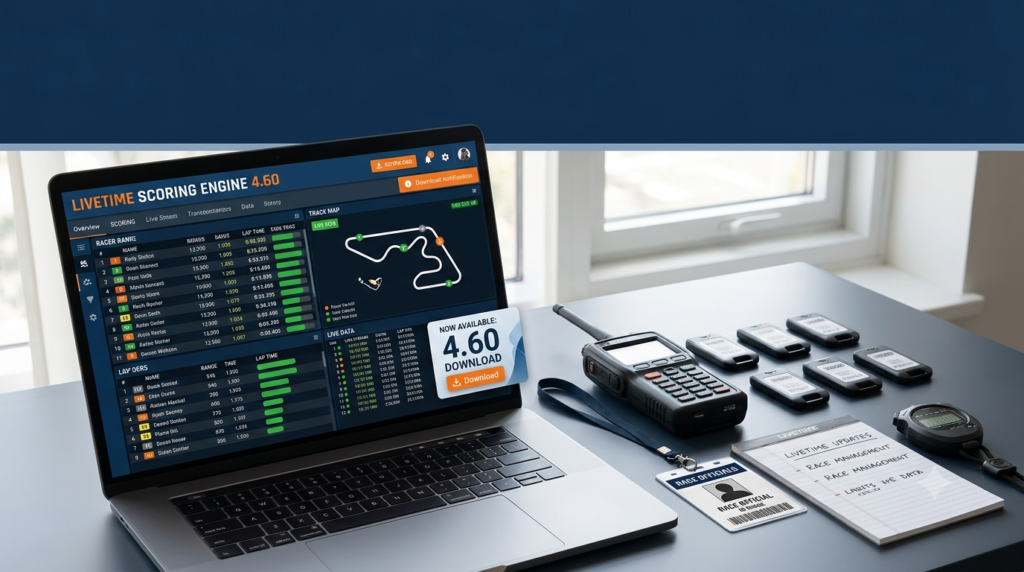
LiveTime Scoring Engine 4.60, released November 20, 2025, includes several key updates and fixes :
-
New chassis support: Added Team Qik and Axon RC chassis support
-
Recalculation improvements: Added recalculation trigger options when multiple decoders acting as sectors send data out of order
-
Input improvements: Increased time to type in decimal values before the input box clears the decimal point
-
Time zone fix: Fixed issue with old Windows time zones in track time zone settings
-
Report errors: Fixed reports throwing errors on Windows computers missing .NET framework files
-
Race detail fixes: Fixed round detail report issue where some drivers were marked DNS/DNF incorrectly
-
Class selection: Fixed issue where old rentals caused incorrect classes to be selected in open practice
System Requirements
Operating Systems
LiveTime Scoring Engine runs on Windows operating systems. The software requires Windows with .NET framework support .
Decoder Compatibility
The software supports multiple decoder types depending on the subscription tier :
Basic Tier: iLap, TrackMate, EasyLap
Standard and Premium Tiers: MyLaps DR5 Drone, MyLaps RC4, MyLaps RC3, AMBrc2, iLap, TrackMate, EasyLap
Hardware Requirements
-
Computer running Windows OS
-
Compatible decoder hardware
-
Internet connection for cloud broadcasting features
-
Optional: Multiple cameras for auto-switching features
Installation Guide
Getting Started
-
Sign up for a free trial on the LiveTime Scoring website
-
Download the software from the official LiveTime Scoring download page
-
Install the application following the standard Windows installation process
-
Configure decoder settings to match your track’s timing hardware
-
Set up race profiles with your preferred race formats and series parameters
Upgrading
LiveTime notifies users when updates are available, and downloading and installing the latest version is straightforward . The software uses a multi-threaded design, meaning you can enter racers while practice is running without system slowdowns .
How to Use the Software
Setting Up a Race
-
Import entries with one click from RCSignup, Excel (CSV), or other supported formats
-
Configure race format using the extensive options for Qual Points, Rocket Round, HRQF, Bump-Ups, and more
-
Set up practice mode with either open practice or controlled sessions
-
Run the event using the advanced race screen with real-time position tracking
Key Operational Features
-
Drag-and-drop functionality: Almost anything in LiveTime can be drag-and-dropped, including detailed driver profiles that make setting up weekly races faster
-
Real-time estimated position list: See how racers in the current race stack up against others in the class, showing leads based on pace
-
Transponder corrections: Drag and drop a transponder onto a racer after the race has started, and it counts all their laps from the beginning
Best Use Cases
RC Racing Tracks
LiveTime is ideal for RC racing facilities of all sizes, from local club tracks to major international venues . The software has been selected as the official timing system for many of the world’s largest races, including the IFMAR 1:8 Nitro Off-Road Worlds, Reedy Race of Champions, and Snowbird Nationals .
Weekly Club Racing
For club tracks running weekly events, LiveTime’s drag-and-drop functionality makes setting up races faster than ever . The series points keeper allows organizers to easily manage ongoing points championships across multiple events .
Major Events and Broadcasts
The software’s broadcasting tools make it suitable for events streamed to global audiences. Features like automated camera switching, on-screen graphics, and real-time scoring integration with LiveRC create a professional viewing experience .
Advantages and Limitations
Advantages
-
Intuitive interface: Drag-and-drop functionality and clear layout make the software easy to learn
-
Multi-threaded design: Enter racers or process data while races run without performance issues
-
Flexible pricing: Monthly subscription model with different tiers allows tracks to choose appropriate features
-
Extensive format support: Supports nearly any race format and tie-breaker option
-
Cloud integration: Automatic broadcasting and results synchronization through LiveRC
-
Parent/child backup: Premium tier supports running two computers side-by-side for redundancy
Limitations
-
Windows only: The software requires Windows operating systems
-
Internet dependency: Full features including broadcasting require an internet connection
-
Decoder compatibility: Some advanced decoders require Standard or Premium tiers
-
Maximum registrations: Basic tier limited to 20 registrations per day across all events
Alternatives to the Software
MYLAPS Race Management
MYLAPS provides comprehensive race management solutions including Race Control Manager software for complete oversight of real-time track infrastructure, competition, and vehicle data . Their offerings include X2 RaceLink for live GPS tracking and on-board flagging .
Roster Athletics
Roster Athletics is a web-based platform designed for managing track and field and mass participation events . Available from any device with internet access, it provides real-time solutions for creating races, updating event details, and collaboration between organizers, officials, and timers .
RaceTime
RaceTime is a mobile application for race management and manual timing, available for both iOS and Android . Features include participant management, flexible start options, real-time results, and team collaboration, with Pro subscription supporting unlimited devices at finish lines and checkpoints .
RaceRanger
RaceRanger is a triathlon-specific event management application designed for technical officials . Features include AI-powered assistance for reporting penalties and incidents, tablet-optimized interface, and real-time location tracking of multiple officials .
Kart Race Management
Kart Race Management is an open-source web application designed for collecting participant registrations, assigning race numbers, categories, and tires . It supports managing championships and races, tracking payments, and exporting participant lists for MyLaps Orbits timekeeping .
Frequently Asked Questions
What is LiveTime Scoring Engine used for?
LiveTime Scoring Engine is professional race management software designed for timing, scoring, and broadcasting RC racing and motorsport events. It provides tools for managing practice, qualifying, and main events, with cloud synchronization for broadcasting results to viewers worldwide .
What decoders are compatible with LiveTime Scoring Engine?
Compatible decoders include iLap, TrackMate, EasyLap (Basic tier), plus MyLaps DR5 Drone, MyLaps RC4, MyLaps RC3, and AMBrc2 in Standard and Premium tiers .
How much does LiveTime Scoring Engine cost?
LiveTime offers monthly subscription pricing starting at $9.99/month for Basic, $29.99/month for Standard, and $39.99/month for Premium. A free 30-day trial is available .
How does LiveTime integrate with LiveRC?
LiveTime automatically broadcasts your event to LiveRC.com without requiring additional software. It provides live broadcasting tools with on-screen graphics, automated switching, and real-time scoring updates .
Can I run LiveTime as a backup system?
Yes. Premium tier includes Parent/Child Backup, allowing you to run two computers side-by-side for redundancy. The backup system receives the same commands as the primary system .
Does LiveTime support multiple race formats?
Yes. LiveTime supports nearly any race format including Qual Points, Rocket Round, HRQF, Bump-Ups, Double/Triple Mains, Reedy Race Format, and Ladder Mains .
What practice modes are available?
LiveTime offers both open practice and controlled practice mode. Controlled practice automatically tells racers when to leave the stand and when the next group should begin, without requiring staff management .
Can I import entries from other systems?
Yes. LiveTime allows one-click import of entries from RCSignup, Excel (CSV), and many other supported formats .
Final Thoughts
LiveTime Scoring Engine 4.60 stands as a comprehensive race management solution for RC racing and motorsport events. The software’s strength lies in its combination of powerful features with intuitive design, making it suitable for both weekend club racing and major international competitions.
The latest version 4.60 demonstrates the development team’s commitment to ongoing improvement. The addition of Team Qik and Axon RC chassis support, along with fixes for recalculation triggers, time zone handling, and report generation, shows attention to both feature expansion and stability .
For race organizers looking for a professional timing and scoring solution with broadcasting capabilities, LiveTime offers flexibility through its tiered pricing model. The free trial allows tracks to evaluate whether the software meets their needs before committing .