
Overview of Intact Simulation Software
Table of Contents
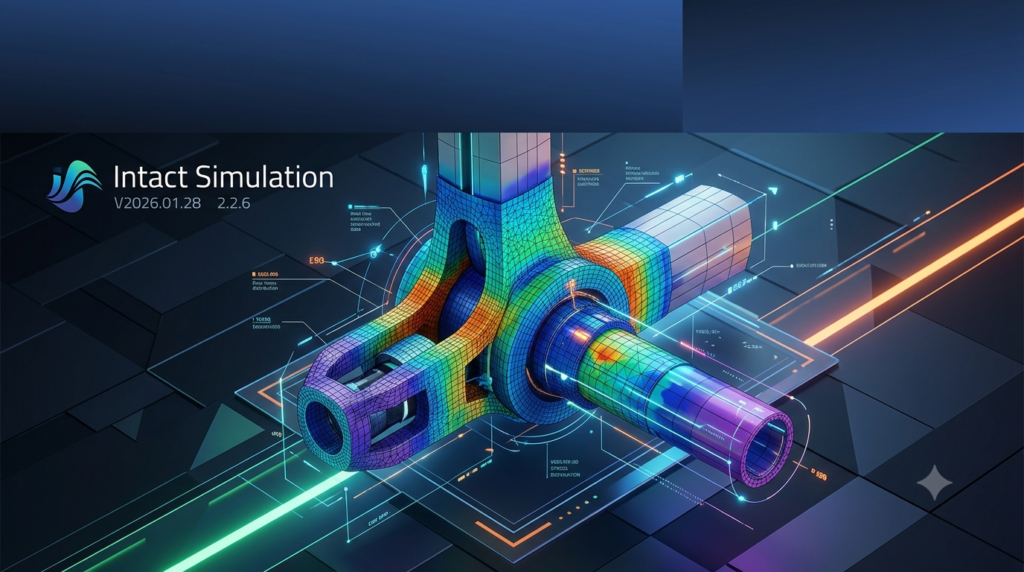
Intact Simulation V2026.01.28 2.2.6 represents a paradigm shift in finite element analysis (FEA) technology. Developed by Intact Solutions, this innovative software eliminates the traditional meshing bottleneck that has long constrained engineering simulation workflows . Using proprietary mesh-free FEA technology, Intact Simulation allows engineers to analyze complex geometries directly without time-consuming pre-processing or geometry cleanup .
The Intact Simulation software is built on technology originally developed at the University of Wisconsin-Madison and commercialized with funding from the National Science Foundation and DARPA . Now integrated with leading computational design platforms including Rhino Grasshopper, nTop, and Synera, this simulation tool empowers engineers to perform structural analysis, modal analysis, and thermal simulations on geometries that would be impractical or impossible with traditional FEA methods .
Key Features of Intact Simulation
Mesh-Free FEA Technology
The defining feature of Intact Simulation is its mesh-free approach. Unlike conventional FEA software that requires conformal meshing of geometry, Intact uses an Immersed Method of Moments (IMM) that decouples the simulation from geometry meshing . This delivers several significant advantages:
-
Eliminates meshing bottlenecks: No pre-processing or geometry cleanup required
-
Handles complex geometries: Analyze lattices, gyroids, and intricate assemblies with ease
-
Works with native geometry: Supports Rhino geometries, implicit models, G-code, and CT scans directly
-
Independent resolution control: Simulation resolution can be adjusted without changing geometry
Physics Capabilities
Intact Simulation provides comprehensive physics solvers for engineering analysis :
-
Linear Elasticity: Static structural analysis for stress and deformation
-
Modal Analysis: Natural frequency and mode shape determination
-
Linear Buckling: Critical load factor analysis (beta)
-
Static Thermal: Steady-state heat transfer analysis
-
Thermoelasticity: Coupled thermal-structural analysis
Topology Optimization
The software includes LevelSet Topology Optimization (LevelOpt) capabilities :
-
Compliance optimization: Minimize structural compliance under constraints
-
Stress optimization: Optimize designs for stress distribution (beta)
Platform Integration
Intact Simulation integrates seamlessly with major engineering platforms :
-
Rhino Grasshopper: Direct integration for parametric design workflows
-
nTop: Full integration for implicit modeling and simulation
-
Synera: Low-code process automation platform integration
-
Python API (PyIntact): Custom workflow automation
-
Command Line Interface: Headless operation for batch processing
Performance Advantages
The mesh-free approach delivers dramatic performance improvements :
-
Simulation time reduction: Complex simulations that traditionally take 2.5 hours can complete in under 5 minutes
-
Rapid design iteration: Engineers can explore more design variations in less time
-
Development timeline reduction: Cut development timelines by up to 50%
What’s New in Intact Simulation V2026.01.28 2.2.6
Version V2026.01.28 2.2.6 represents the latest evolution of Intact Simulation’s mesh-free FEA platform. Key updates include:
Enhanced Automation Capabilities
The latest version strengthens integration with Synera’s low-code automation platform . Engineers can now configure simulations with a few clicks and automate parameter sweeps for rapid design exploration. This democratizes simulation capabilities, making them accessible to design engineers and industrial designers without specialized FEA expertise.
Expanded Geometry Support
Version 2.2.6 extends support for various geometry types including implicit models, G-code, and CT scans directly . This eliminates the need for conversion to boundary representations (B-reps), reducing time and eliminating potential errors from format conversion.
Improved Solver Performance
The iterative solver has been optimized for reduced memory usage while maintaining solution accuracy . This allows engineers to run larger simulations on standard workstations without requiring high-performance computing resources.
nTop Integration Refinement
The integration with nTop has been enhanced to analyze complex implicit models directly without converting to surface meshes . This preserves design fidelity and accelerates the simulation workflow for additive manufacturing applications.
System Requirements for Intact Simulation
Recommended Hardware Specifications
Based on analysis of similar high-performance simulation software, the following system requirements are recommended for Intact Simulation:
Processor: Intel Core i9 (14th generation or later) or AMD Ryzen 9 equivalent
Memory (RAM): 64 GB or higher
Graphics: Latest generation NVIDIA GeForce or NVIDIA RTX with dedicated VRAM
Storage: 1TB SSD or higher for simulation data and results
Operating System: Windows 10/11 (latest version with original license)
Performance Notes
-
For simulations exceeding 10 million elements, additional RAM and more powerful GPUs may be required
-
The software can run on decent laptops for smaller simulations, with resolution in the order of millions of elements
-
For optimal performance with complex geometries and large assemblies, workstation-class hardware is recommended
Installation Guide for Intact Simulation
Download and Installation
-
Sign up for access: Visit the Intact Solutions website and sign up for a trial to get access to the software
-
Download the installer: Obtain the latest installer file from the official Intact Solutions download page
-
Close Rhino (if using Grasshopper integration): Ensure Rhino is not running before installation
-
Run the installer: Execute the
Intact_InstallerV*.exefile -
Restart Rhino: After installation completes, restart Rhino and run the Grasshopper command to verify installation
Command Line Interface Installation
For automation workflows, the CLI executable is installed at:
C:\Users\[your username]\AppData\Local\Programs\Intact.Simulation for Automation\intact.exe
How to Use Intact Simulation Software
Basic Workflow for Grasshopper Users
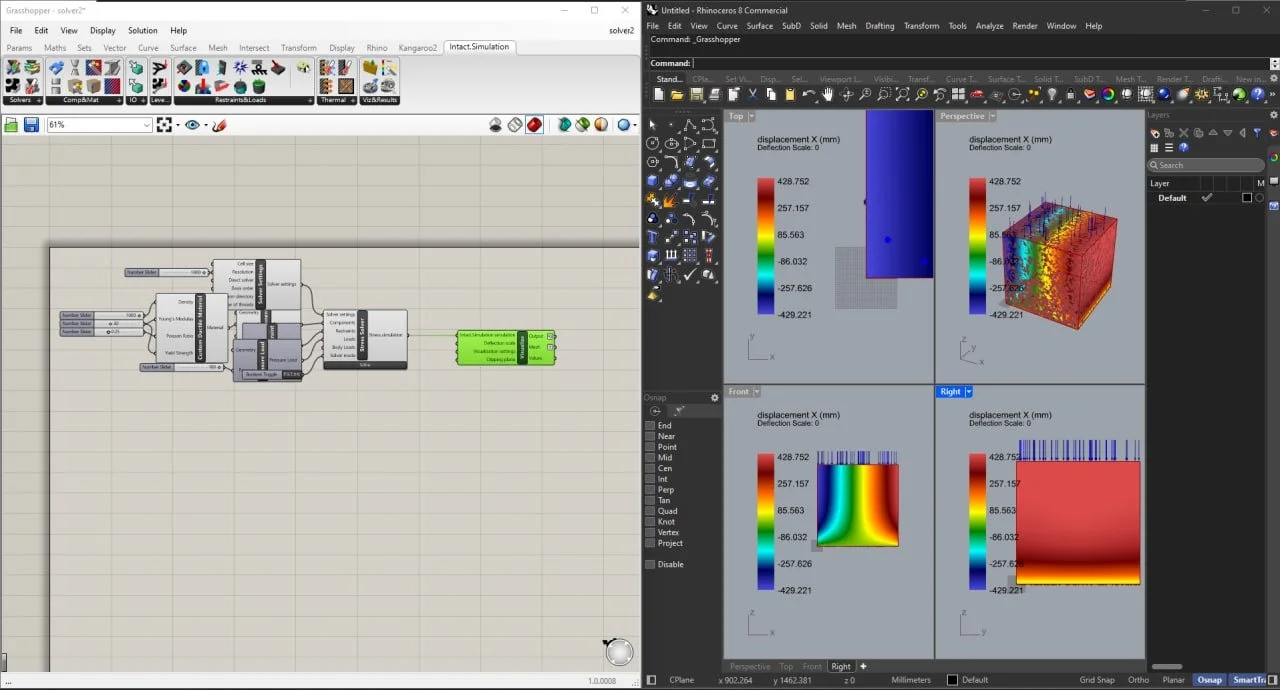
The Intact Simulation workflow in Grasshopper follows a straightforward process :
-
Prepare geometry: Copy faces from your Rhino model for restraints and loads
-
Set up simulation components:
-
Add Solver block to your Grasshopper canvas
-
Configure solver Settings (resolution, element type, solver type)
-
Add Components (parts to analyze)
-
Define Restraints (fixed supports, displacement conditions)
-
Apply Loads (forces, pressures, body loads)
-
-
Solve: Click [Solve] on the solver block to run the analysis
-
Visualize results: Add a Visualization block and right-click to access solution quantities (stress, displacement, strain)
Understanding Element Types and Resolution
Intact Simulation offers both linear and quadratic elements :
-
Quadratic elements: Converge to accurate solutions with fewer elements; recommended for bending scenarios
-
Linear elements: For accurate capture of small features, set cell size to 1/3 of feature thickness
Resolution guidelines :
-
Start with low resolution (<100,000 elements) for quick results
-
Gradually increase resolution until consistent results are obtained
-
Most systems support up to 10 million elements
-
Using the iterative solver reduces RAM usage for large models
Troubleshooting Common Issues
Invalid inputs: Check each parameter on the solver block to identify incorrect inputs
Incorrect geometry placement: Enable preview on geometry references to verify correct selection; ensure referenced geometries that should intersect actually do intersect
Memory issues: If running out of RAM, increase cell size to reduce resolution or switch to the iterative solver
Assembly modeling: Intact Simulation models assembly parts as bonded when gaps are small; for disconnected physics, reduce cell size to be less than the gap size
Best Use Cases for Intact Simulation
Additive Manufacturing
Intact Simulation excels at analyzing complex lattice structures and gyroid geometries common in additive manufacturing . The mesh-free approach handles these intricate structures without simplification or manual meshing, enabling:
-
Validation of lattice infilled parts
-
Optimization of support structures
-
Qualification of metal additive parts for aerospace applications
Large Assemblies
Traditional FEA struggles with large welded assemblies due to meshing complexity. Intact Simulation can quickly investigate these assemblies without mating constraints :
-
Engine block analysis in under 5 minutes with results within 3% of traditional methods
-
Complex welded structures with intricate features
-
Bonded assemblies without requiring gap/contact definitions
Design Exploration
The rapid simulation speed enables extensive design space exploration:
-
Parameter sweeps and design studies
-
Generative design validation
-
Topology optimization with compliance and stress objectives
Continuous Engineering
Intact Simulation supports continuous engineering workflows throughout the product lifecycle :
-
Concept design with fast coarse simulations
-
Design validation with refined simulations
-
Part qualification using the same simulation setup
-
Digital twin creation for ongoing product monitoring
Advantages and Limitations of Intact Simulation
Advantages
Time Efficiency: Eliminates meshing bottleneck, reducing simulation time from hours to minutes
Geometry Handling: Works directly with native CAD geometries, implicit models, and even CT scans without pre-processing
Integration: Seamlessly integrates with Rhino Grasshopper, nTop, and Synera platforms
Accuracy: Benchmarked against traditional methods with validation within 3% for complex models
Automation: Python API and CLI enable automated workflows and custom integration
Accessibility: Democratizes FEA, making simulation accessible to design engineers and industrial designers
Limitations
Physics Scope: Currently focused on linear elasticity, modal, thermal, and thermoelasticity; nonlinear and dynamic analyses may have limited support
Learning Curve: While easier than traditional FEA, users need understanding of computational mechanics principles
Cost: Premium software requiring commercial licensing; not available as free/open-source
Hardware Requirements: Complex simulations require significant computing resources
Resolution Management: Users must understand resolution settings to balance speed and accuracy
Alternatives to Intact Simulation
Traditional FEA Software
ANSYS: Industry-standard FEA with comprehensive physics capabilities but requires conformal meshing and significant pre-processing time
Abaqus: Powerful nonlinear analysis capabilities with extensive material models; meshing remains a bottleneck for complex geometries
COMSOL Multiphysics: Excellent for coupled physics problems; still requires geometry preparation and meshing
Mesh-Free and Alternative Approaches
Altair SimSolid: Mesh-free structural analysis with rapid simulation capabilities; increasingly popular for design analysis
Concerto: Cloud-based FEA with reduced manual meshing requirements
nTop + Intact Integration: Combined computational design and mesh-free simulation for additive manufacturing
Comparison Considerations
Intact Simulation differentiates from alternatives through:
-
Truly mesh-free operation without geometry simplification
-
Direct handling of complex geometries like lattices
-
Extensive platform integration (Grasshopper, nTop, Synera)
-
DARPA-funded technology with over 20 years of development
For design engineers working with complex geometries in Rhino Grasshopper or nTop, Intact Simulation offers unique advantages that traditional FEA tools cannot match.
Frequently Asked Questions
What is the primary advantage of Intact Simulation over traditional FEA software?
Intact Simulation eliminates the meshing bottleneck through its mesh-free FEA technology. Traditional FEA requires conformal meshing that can take hours for complex geometries, while Intact works directly with native CAD, implicit models, and even CT scans without pre-processing or geometry cleanup. This can reduce simulation time from 2.5 hours to under 5 minutes for complex models .
Which engineering platforms does Intact Simulation integrate with?
Intact Simulation integrates with Rhino Grasshopper, nTop, and Synera . It also provides a Python API (PyIntact) and Command Line Interface for custom workflow automation and headless operation . The integration with Rhino Grasshopper supports all Rhino geometric models and handles implicit volumes using Dendro VDB .
What types of analysis can I perform with Intact Simulation?
Intact Simulation supports linear elasticity (static structural), modal analysis, linear buckling (beta), static thermal, and thermoelasticity (coupled thermal-structural analysis) . It also includes LevelSet Topology Optimization for compliance and stress optimization .
What are the system requirements for running Intact Simulation?
Recommended specifications include Intel Core i9 or AMD Ryzen 9 processor, 64 GB or more RAM, latest generation NVIDIA graphics, and 1TB SSD storage . For simulations with up to 10 million elements, additional memory may be required; using the iterative solver helps reduce RAM usage .
Can Intact Simulation handle lattice structures and complex assemblies?
Yes, this is one of its key strengths. Intact Simulation excels at analyzing complex geometries like gyroids, lattice infilled parts, and large welded assemblies . The mesh-free approach eliminates the need for manual meshing or geometry simplification, making it ideal for additive manufacturing applications and complex engineering structures.
How accurate is Intact Simulation compared to traditional FEA?
Intact Simulation has been fully benchmarked against traditional methods. In one validation example, an engine block simulation using Intact achieved results within 3% of traditional FEA methods while completing in 5 minutes versus 2.5 hours . The technology uses proprietary numerical methods that have been validated over 20+ years of development with NSF and DARPA funding .
How do I get started with Intact Simulation?
Start by visiting the Intact Solutions website and signing up for a trial . The software is available as a Grasshopper add-in , nTop integration , and Synera module . Installation involves downloading the installer, closing Rhino (if applicable), running the installer, and restarting the host application . The software includes comprehensive documentation and troubleshooting guides .
Final Thoughts
Intact Simulation V2026.01.28 2.2.6 represents a significant evolution in engineering simulation technology. By eliminating the meshing bottleneck that has constrained traditional FEA for decades, this mesh-free software enables engineers to analyze complex geometries with unprecedented speed and ease.
The technology’s ability to handle intricate structures like lattices and assemblies without pre-processing opens new possibilities in additive manufacturing, generative design, and continuous engineering workflows. Integration with Rhino Grasshopper, nTop, and Synera ensures that engineers can incorporate this powerful simulation capability directly into their existing design processes.
While Intact Simulation is a premium commercial product with certain limitations in physics scope and hardware requirements, its advantages in time savings, geometry handling, and accessibility make it a valuable tool for organizations seeking to accelerate product development and innovation. For engineers working with complex geometries where traditional FEA struggles, Intact Simulation offers a compelling solution that can reduce development timelines by up to 50% while maintaining accuracy and reliability.
Our Paid Service
“We do not sell or provide any software. We only offer professional support services. If any software on your system is not working properly, or you are facing installation errors, crashes, or any other technical issue — just contact us. We will help you fix the problem quickly and remotely via AnyDesk. No software will be provided from our side — only expert troubleshooting and support.”