
Overview of HOMER Pro
Table of Contents
HOMER stands for Hybrid Optimization of Multiple Energy Resources. The software was originally developed at the U.S. National Renewable Energy Laboratory (NREL) in 1993 and was later commercialized by HOMER Energy LLC, which UL Solutions acquired in 2020. With more than 250,000 users across 190 countries, HOMER Pro has become the de facto standard for microgrid and distributed energy resource (DER) feasibility studies.
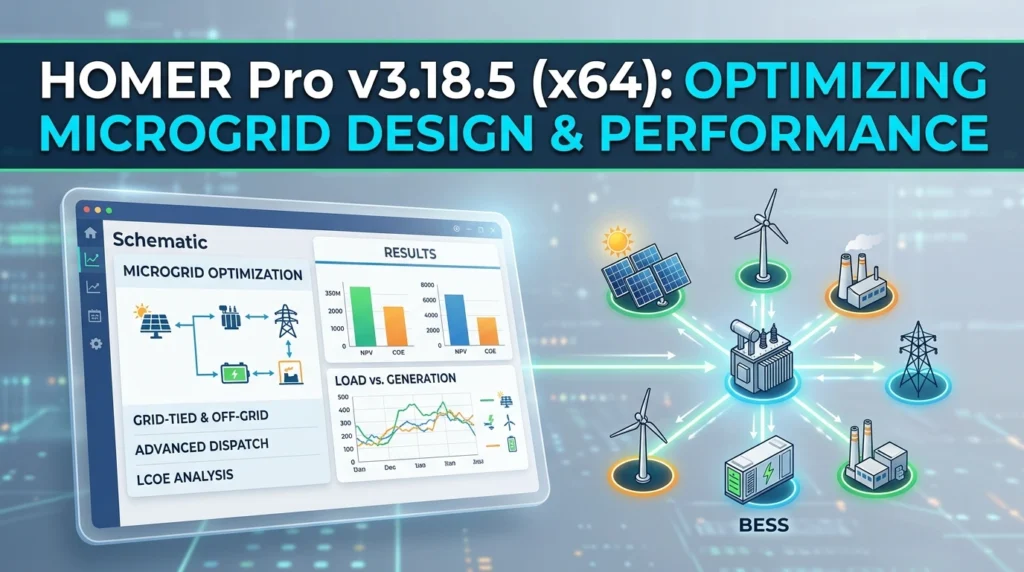
At its core, HOMER Pro answers a fundamentally different question than solar design suites: not where to place panels, but how much of everything—PV, batteries, generators, and grid interconnection—is needed to meet a given load at the lowest net present cost (NPC). The software nests three critical functions:
-
Simulation: Models the hour-by-hour (or minute-by-minute) operation of a hybrid power system across a full year, deciding at each time step which source serves the load and how the battery behaves.
-
Optimization: Searches across every feasible combination of component sizes and ranks them by NPC using the proprietary HOMER Optimizer™ algorithm.
-
Sensitivity Analysis: Repeats the entire optimization across ranges of uncertain inputs—such as diesel price, load growth, and solar irradiance—so you can see how the optimal design changes under different future conditions.
The 64-bit architecture of HOMER Pro v3.18.5 enables faster computation and supports time steps as granular as one minute, delivering higher simulation accuracy than legacy 32-bit versions.
Key Features
HOMER Pro v3.18.5 equips users with a comprehensive feature set for rigorous hybrid energy system design:
Simulation and Optimization Engine
-
Full-year operational simulation with time steps ranging from one minute to one hour, capturing detailed performance data for every component.
-
HOMER Optimizer™, a derivative-free algorithm that streamlines the identification of least-cost system configurations without requiring exhaustive search-space enumeration.
-
Search Space exploration to evaluate every possible combination of equipment sizes and types, ensuring no viable option is overlooked.
Techno-Economic Analysis
-
Calculates Net Present Cost (NPC) and Levelized Cost of Energy (LCOE) for each simulated system, enabling direct comparison of design alternatives on a consistent economic basis.
-
Produces detailed cash-flow projections, fuel consumption figures, and dispatch profiles that support project financing and feasibility reporting.
Sensitivity and Uncertainty Analysis
-
Runs thousands of simulations in a single analysis to assess the impact of variables such as global irradiance, fuel costs, and load demand.
-
Helps identify robust configurations that remain cost-effective across a range of plausible future conditions.
Component Library and Modular Extensibility
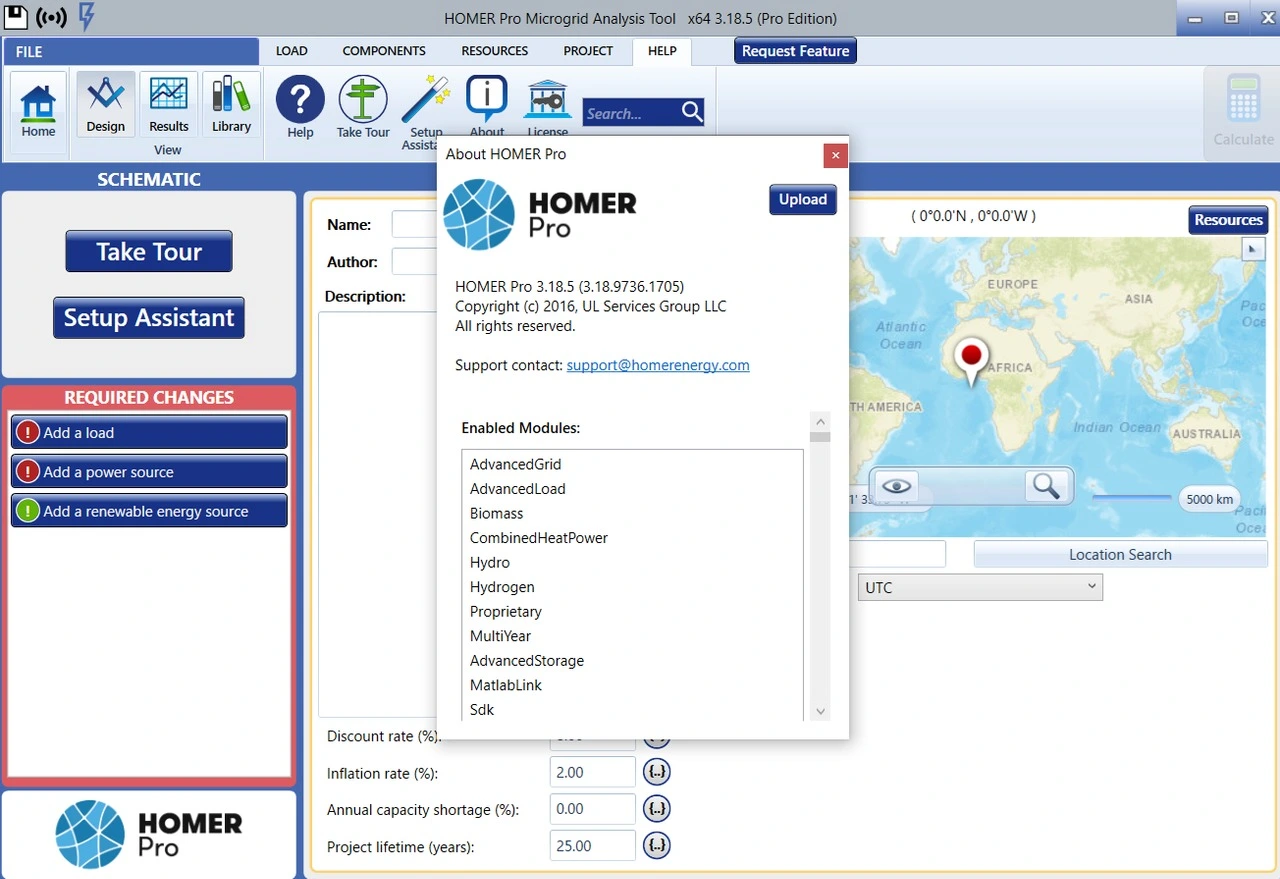
The base license covers solar PV, wind turbines, diesel generators, battery energy storage, and grid connections. Up to nine optional modules extend modeling capability to specialized technologies and scenarios:
| Module | What It Models |
|---|---|
| Biomass | Biomass gasification and biogas-fueled or cofired generators |
| Hydro | Conventional, small, or micro hydroelectric generation with monthly or time-series stream flow data |
| Combined Heat and Power (CHP) | Boilers, cogeneration, heat recovery, and thermal loads including absorption chillers |
| Advanced Load | Simultaneous AC and DC loads, plus deferrable loads such as pumping or HVAC |
| Advanced Grid | Grid-connected systems with real-time or scheduled pricing, detailed grid specifications, and grid-extension analysis |
| Hydrogen | Electrolyzers, fuel cells, hydrogen storage, and systems that produce, store, or consume hydrogen |
| Advanced Storage | Rate-dependent losses, temperature-dependent capacity, variable depth of discharge for cycle life, and accelerated degradation at higher temperatures |
| Multi-Year | Project-lifetime changes such as PV degradation, grid price escalation, load growth, and fuel price increases |
| MATLAB Link | Integration of custom MATLAB dispatch strategies with the HOMER Pro simulation engine |
Predictive Dispatch Algorithm
A standout feature in recent releases is Predictive Dispatch, which looks ahead 48 hours to anticipate electricity demand and weather patterns. This enables more intelligent and cost-effective control of batteries and generators compared to simple rule-based dispatch strategies.
What’s New in HOMER Pro v3.18.5
HOMER Pro v3.18.5 is a maintenance and refinement release that builds on the substantial updates introduced in v3.18.4 (November 2024). While explicit release notes for v3.18.5 are not publicly enumerated, the version line inherits the following improvements from its immediate predecessor:
-
ULTRUS branding integration: The interface reflects UL Solutions’ ULTRUS software suite identity, reinforcing the product’s alignment with UL’s broader sustainability and compliance portfolio.
-
Optimizer support for electrolyzers: The HOMER Optimizer now works with the electrolyzer component, enabling automated sizing optimization for hydrogen-producing systems rather than manual trial-and-error.
-
Enhanced usability: New context-sensitive help has been added throughout the interface, and a feature-request button allows users to submit feedback directly from the application.
-
Hydrogen load sizing bug fix: A defect affecting optimization sizing for hydrogen loads has been corrected, aligning the process with the established workflow for electric loads.
Users upgrading from v3.18.3 or earlier should note that the 64-bit installer (x64) is now the recommended distribution for performance and memory-access reasons.
System Requirements
HOMER Pro v3.18.5 is a Windows-based application and does not run natively on macOS or Linux. The following specifications represent the practical minimum and recommended configurations for smooth operation:
| Component | Minimum | Recommended |
|---|---|---|
| Operating System | Windows Vista, 7, 8, 8.1, or 10 | Windows 10 (64-bit) or Windows 11 |
| Processor | Multi-core Intel Series, Xeon, or AMD equivalent | Intel Core i5 / i7 or AMD Ryzen 5 / 7 |
| RAM | 4 GB | 8 GB or more |
| Hard Disk Space | 4 GB | 4 GB or more (SSD preferred for large projects) |
| Framework | .NET Framework 4.6 | .NET Framework 4.6 or later |
| Display Resolution | 1024 × 768 | 1920 × 1080 or higher |
macOS compatibility note: HOMER Pro can be run on a Mac using a Windows virtual machine (e.g., Parallels Desktop or VMware Fusion), but this configuration is not officially supported by UL Solutions. Windows XP is explicitly not supported.
Installation Guide
Installing HOMER Pro v3.18.5 requires a registered user account and a valid license or trial entitlement. Follow these steps:
-
Create or sign in to your account: Visit the HOMER Energy website and click “Sign In” or “Register Now & Get Your Free Trial.” Confirm your email address to activate the account.
-
Complete your profile: You may be prompted to provide professional details before the download is made available.
-
Download the installer: Navigate to the HOMER Pro download page, read and accept the End User License Agreement, and click “Download HOMER Pro.” Ensure you select the 64-bit (x64) package for optimal performance.
-
Run the installer: Open the downloaded .zip file and execute the installation file (e.g.,
HomerPro-x.x.x.msi). Follow the on-screen prompts to complete the installation. -
Activate your license: On first launch, the License Manager will prompt you to activate a purchased license, start a free trial, or import an existing license file.
Legal and compliance note: Always obtain HOMER Pro through official UL Solutions channels. The use of unauthorized distribution methods or license-circumvention tools is prohibited and may violate intellectual property laws and expose users to security risks.
How to Use the Software
HOMER Pro follows a structured, project-based workflow that guides users from load definition through to optimized system selection. The typical process involves the following steps:
Step 1: Create a Project and Define the Load
Begin by creating a new project and adding an electric load profile. This represents the energy demand your microgrid must meet and is the foundation of every subsequent calculation. Load data can be entered manually, imported from a time-series file, or modeled using the built-in load builder.
Step 2: Add and Configure Components
Add the equipment you are considering—PV arrays, wind turbines, diesel generators, battery banks, converters, and grid connections. For each component, specify technical parameters (e.g., rated capacity, efficiency, lifetime) and cost data.
Step 3: Configure Cost Tables
Define capital, replacement, and operations & maintenance (O&M) costs for every component. Accurate cost inputs are essential for the economic analysis; HOMER Pro uses these figures to calculate NPC and LCOE for each candidate system.
Step 4: Run the Simulation
Click “Calculate” to simulate the operation of all feasible system combinations. The software evaluates thousands of configurations, computing their economic and technical performance across the simulation year.
Step 5: Optimize the Design
Use the Search Space feature or the HOMER Optimizer™ to narrow the solution space and identify the most cost-effective combination of component sizes. The optimizer automates the sizing process while respecting user-defined constraints.
Step 6: Analyze and Compare Results
Review the ranked results to compare system designs across metrics including NPC, LCOE, renewable fraction, fuel consumption, and emissions. Export detailed reports and charts to support decision-making, stakeholder communication, or academic publication.
Best Use Cases
HOMER Pro is the reference tool for a wide spectrum of microgrid and hybrid power applications:
-
Remote and off-grid communities: Originally designed to optimize power systems for remote, diesel-dependent villages, HOMER Pro remains the leading tool for rural electrification planning. It has been used extensively in programs such as Canada’s Indigenous Off-Diesel Initiative to reduce diesel reliance in First Nations and Inuit communities.
-
Island utilities: For non-interconnected island grids, the software helps analyze and plan the transition to higher renewable energy penetration while maintaining reliability and minimizing costs.
-
Grid-connected commercial and industrial sites: Campuses, military bases, and industrial facilities can model microgrids to back up unreliable grid connections or reduce energy costs through renewable integration and storage.
-
Research and academia: HOMER Pro is a primary tool for energy-system research, with hundreds of peer-reviewed papers referencing its use. Its transparent simulation engine and sensitivity-analysis capabilities make it well suited for reproducible techno-economic studies.
-
Feasibility studies and project financing: Industry-standard outputs such as LCOE, NPC, and dispatch profiles are widely recognized by lenders and investors, making HOMER Pro a trusted tool for pre-feasibility and bankability assessments.
-
Hydrogen and sector-coupling analysis: With the Hydrogen module and newly added optimizer support for electrolyzers, HOMER Pro is increasingly used to model power-to-hydrogen systems, fuel-cell backup, and integrated energy carriers.
Advantages and Limitations
Advantages
-
Unmatched depth in dispatch and sizing optimization: HOMER Pro’s simulation engine evaluates system operation at time steps as fine as one minute, capturing battery cycling, generator part-load behavior, and renewable variability with high fidelity.
-
Proprietary optimization algorithm: The HOMER Optimizer™ reduces the computational burden of finding least-cost designs without sacrificing solution quality.
-
Comprehensive sensitivity analysis: Thousands of simulations can be run in a single analysis, enabling robust decision-making under uncertainty.
-
Extensible modular architecture: Up to nine add-on modules tailor the software to biomass, hydro, CHP, hydrogen, advanced storage, multi-year analysis, and MATLAB co-simulation.
-
Industry-standard credibility: With over 250,000 users and widespread academic citation, HOMER Pro outputs are recognized by financiers, regulators, and researchers.
Limitations
-
No design or proposal output: HOMER Pro does not produce array layouts, single-line diagrams, bills of quantities, or customer-facing proposals. It is an economic optimizer, not a solar design suite.
-
Windows-only native support: macOS and Linux users must rely on virtual machines, which are not officially supported.
-
Dated interface and learning curve: While functional, the user interface is not as modern as some competing tools, and new users should expect a non-trivial learning period.
-
Input-data sensitivity: Results are highly dependent on the accuracy of load profiles, resource data, and cost inputs; poor-quality inputs yield misleading optimizations.
-
Cost: List pricing for a single user begins at $1,575 per year for the Base license and rises to $4,650 per year for the Expert tier with all modules, which may be prohibitive for individual practitioners or small organizations in low-resource settings.
Alternatives to HOMER Pro
While HOMER Pro is the benchmark for microgrid optimization, several other tools serve overlapping or complementary purposes. The right choice depends on whether your priority is dispatch optimization, detailed PV engineering, open-source flexibility, or budget.
| Tool | Primary Focus | Key Differentiator vs. HOMER Pro |
|---|---|---|
| HOMER Grid | Grid-connected commercial and industrial DER, demand-charge management, complex tariff modeling | More focused on behind-the-meter applications and utility tariff structures; less emphasis on remote off-grid systems |
| HOMER Front | Utility-scale hybrid projects (solar + wind + storage) | Designed for front-of-the-meter project finance and generation asset optimization, not distribution-level microgrids |
| PVsyst | Detailed PV system design, shading analysis, and bankable energy yield simulation | Produces lender-grade reports and 3D shading models; weaker on multi-source dispatch optimization and diesel hybridization |
| SAM (System Advisor Model) | NREL-developed open-source techno-economic modeling for renewable energy projects | Free and highly transparent; strong battery modeling; less automated optimization search than HOMER Pro |
| iHOGA / HOGA | Standalone microgrid optimization with genetic algorithms | Open-source and research-oriented; narrower commercial support and module ecosystem than HOMER Pro |
| RETScreen | Pre-feasibility and clean-energy project analysis | Broader scope across efficiency and renewables; less granular dispatch simulation than HOMER Pro |
For users who need both high-fidelity dispatch optimization and detailed electrical design, a multi-tool workflow—using HOMER Pro for sizing and dispatch, then PVsyst or SAM for engineering documentation—is common in professional practice.
Frequently Asked Questions
Is HOMER Pro v3.18.5 a free upgrade for existing license holders?
Upgrade eligibility depends on your license type and maintenance status. Academic and Standard licenses may have different upgrade paths. Contact UL Solutions or your authorized reseller to confirm whether your current license entitles you to the v3.18.5 release or whether a renewal is required.
Can I run HOMER Pro on a Mac or Linux computer?
HOMER Pro is a Windows-native application. Mac users can run it through a Windows virtual machine (e.g., Parallels or VMware), but this configuration is not officially supported. Linux users would need a Windows VM or compatibility layer, which is likewise unsupported.
What is the difference between the HOMER Optimizer and the Search Space feature?
The Search Space enumerates every combination of component sizes within user-defined bounds and simulates each one. The HOMER Optimizer™ uses a proprietary derivative-free algorithm to navigate the search space more efficiently, reducing computation time while still identifying the least-cost configuration.
Does HOMER Pro include a solar array layout or proposal generator?
No. HOMER Pro outputs sized system configurations, NPC, LCOE, fuel consumption, and dispatch profiles. It does not produce roof layouts, single-line diagrams, bills of quantities, or branded customer proposals. Users who need those deliverables typically integrate HOMER Pro with a design suite such as PVsyst or SAM.
How often is HOMER Pro updated?
UL Solutions releases maintenance and feature updates periodically. Minor releases (e.g., v3.18.4 to v3.18.5) typically include bug fixes, usability improvements, and incremental module enhancements. Major feature additions are communicated through the HOMER Energy knowledge base and user newsletter.
Can HOMER Pro model hydrogen production and fuel-cell systems?
Yes. The optional Hydrogen module enables modeling of electrolyzers, hydrogen storage tanks, and fuel cells. Starting with v3.18.4, the HOMER Optimizer also supports automated sizing of electrolyzers, making it easier to optimize power-to-hydrogen systems.
What load data formats can I import into HOMER Pro?
HOMER Pro accepts time-series load data in delimited text formats (e.g., CSV) with customizable column mappings. It also provides built-in synthetic load profiles for common applications (residential, commercial, industrial) and can scale or shape imported profiles to match annual energy targets.
Is HOMER Pro suitable for utility-scale front-of-the-meter projects?
HOMER Pro is optimized for distributed and microgrid-scale systems. For utility-scale hybrid generation projects, UL Solutions offers HOMER Front, which is designed specifically for front-of-the-meter analysis and project finance use cases.
Final Thoughts
HOMER Pro v3.18.5 (x64) remains the reference tool for microgrid optimization and hybrid energy system design. Its depth in dispatch simulation, transparent techno-economic metrics, and extensible module architecture make it indispensable for engineers, researchers, and planners who need to answer the question: what is the least-cost, most reliable way to power this load?
The software is not a substitute for detailed electrical design or a proposal-generation suite—and it does not claim to be. Its value lies in de-risking capital decisions before detailed engineering begins, by quantifying trade-offs across thousands of design permutations and sensitivity cases. For organizations where diesel is in the design, where grid reliability is uncertain, or where renewable penetration targets must be balanced against cost and resilience, HOMER Pro continues to set the standard.
Prospective users should evaluate their workflow requirements carefully: if dispatch optimization and least-cost sizing are the primary needs, HOMER Pro is the clear choice. If the deliverable is a stamped drawing set or a bankable PV yield report, a complementary design tool should be part of the stack. With the right expectations and high-quality input data, HOMER Pro v3.18.5 delivers decision-grade insight that few competing tools can match.
Our Paid Service