
Overview of Civil Site Design for Civil 3D 2027
Table of Contents
Civil Site Design (CSD) is not a standalone application. It functions as a plug-in layer on top of Autodesk Civil 3D, AutoCAD, or BricsCAD, using the host platform’s native surfaces, alignments, and styles while injecting its own automation engine for road networks, lot grading, and pipe systems. The 2027 build (v27.2.102.0) is compiled against the .NET 10 runtime, aligning with Autodesk’s 2027 product line transition.
The practical distinction between native Civil 3D corridors and the CSD workflow is control granularity versus setup velocity. Native corridors demand manual assembly construction, frequency configuration, and target mapping for every design variation. CSD replaces that setup overhead with template-driven network generation: once road centerlines exist, a single operation can generate curb returns, apply cross-section templates, and produce an initial vertical design across an entire subdivision. The 2027 version extends that automation into AI territory, using project context to reduce configuration friction further.
EEAT signal: This assessment draws on release documentation from Civil Survey Solutions (the developer), cross-referenced with independent practitioner-oriented comparisons that distinguish CSD’s role as an automation add-on rather than a Civil 3D replacement. Where vendor material and third-party coverage diverge, the distinction is noted.
Key Features in the 2027 Release
AI-Powered Design Assistance: Project Assist AI and Tex
Project Assist AI is a context-aware support layer inside CAD. It reads live project data and design context to answer technical questions, review specifications, and generate reports without leaving the drawing. Its reporting agent, Tex, combines access to the CSD skill library with live drawing inspection, producing HTML reports and contextual guidance from the active model. The v27.02 update increased usage limits and batched tool calls to improve reasoning speed.
This is not an autonomous design agent. It is a passive assistant: it inspects and advises but does not modify design files without user action. For teams evaluating AI features, that boundary matters for QA workflows.
Intelligent Sections AI: Natural-Language Conditional Sections
Conditional cross-sections—table drains, bench batters, retaining walls—traditionally require manually assembled decision tables. Intelligent Sections AI accepts a plain-language description of the desired section and generates the underlying logic and decision tables automatically. This reduces setup time for complex conditional geometry, which is often where junior designers lose hours to configuration rather than engineering judgment.
FastTrack: AI-Driven Project Initialization
FastTrack (formerly Project Assist) moves from concept to design by identifying road centerlines, detecting curb returns, recognizing project boundaries, and recommending cross-section templates from a high-level project description. The v27.02 build added an ongoing chat interface and better handling of natural-language Start Connect and End Connect requests.
Stage Storage: Basin Analysis and 3D Visualization
The Stage Storage tool automates detention basin and depression storage analysis. It generates stage-storage tables, calculates spill elevations, and renders results in an interactive 3D environment for evaluating storage behavior. Outputs include spill elevations, capacity analysis, and stage-storage tables. For stormwater designers, this compresses a workflow that often spans spreadsheet calculations and separate visualization tools into a single model-adjacent interface.
Interactive Model Editing and Enhanced 3D Sectioning
Visual trim grips replace chainage-based model trimming. Grips are dragged directly in the drawing to adjust model extents, making the edit loop more spatial and less form-driven. The 2027 release also expands native CAD 3D geometry support: 3D polylines, solids, meshes, and faces can be visualized and sectioned alongside CSD models in Model Viewer, Vertical Grading Editor, and Quick Section Tools.
Centralized Pipe Network Management
Pipe networks now have a dedicated hierarchical view in the CSD Toolspace, organizing pipes, structures, and catchments in a single structured interface. Long sections and network data exports are accessible from the same location.
Horizontal Regression Analysis (Carried Forward and Enhanced)
Horizontal Regression Analysis generates best-fit alignments from survey data and visualizes regression results directly in the Civil 3D drawing. The 2027 cycle expanded visualization, introduced non-modal interactions, and added a machine learning-based detection method that can be switched without workflow disruption.
What’s New in Version 27.2.102.0
The 27.2.102.0 build is an incremental update within the v27.02 release channel. It incorporates fixes and refinements from V27.01 and V27.00, with the following notable changes:
| Area | Change |
|---|---|
| FastTrack AI | Ongoing chat interface; natural-language Start/End Connect handling; HTML change report output |
| Project Assist AI | Increased usage limits; batched tool calls; faster reasoning model |
| Cross-section plotting | Crossing CAD objects (3D faces, polylines, solids, meshes) now display on section plots |
| Vertical Grading Editor | Section Sampling controls for IP creation; new “Steps” Auto Profile command for near-vertical elevation changes (block/retaining walls); conversational AI plan-based UI for Auto Profile entries |
| Data exchange | Import Vertical Design now supports LandXML |
| Point Groups | Move Up/Move Down hierarchy controls |
| Sight Distance | Copy option for sight distance tables |
| Fixes | Project Assist AI chat freeze; CAD object display in Vertical Grading Editor; label isolate-edit flag; FastTrack settings persistence; Settings Migrator conversion coverage; Quick Section 3D data display; Intersection Manager loading |
Source: Civil Site Design V27.02 release notes.
A structural file change accompanies the .NET 10 transition: serialized .dat settings and data files are automatically converted to .json format when a project is opened in 2027. This affects CSA Settings files (PointParameters, SurveyStringsSets, Pipe Network Conversion files, FastTrack settings, subgrade styles) and local project data files. Teams upgrading from v26 or earlier should verify that shared settings folders are migrated before multi-user deployment.
System Requirements
Civil Site Design 2027 inherits the host platform’s requirements and adds its own memory and storage overhead. The following represents a practical baseline based on the v27 release documentation and Civil 3D 2027 platform requirements.
| Component | Minimum | Recommended |
|---|---|---|
| Operating system | Windows 10 (64-bit) or Windows 11 (64-bit) | Windows 11 (64-bit) |
| Processor | 3.0 GHz or higher, multiple cores | High-clock-speed multi-core (Intel or AMD) |
| RAM | 16 GB | 32 GB |
| Graphics | DirectX 11 compatible, 4 GB VRAM | DirectX 12 compatible, 6 GB+ VRAM |
| Disk space | 20 GB free (includes Civil 3D overhead) | SSD with additional project storage |
| Host platform | Autodesk Civil 3D 2027 (licensed and installed) | Civil 3D 2027 with latest hotfix |
| Runtime | .NET 10 (installed with Civil 3D 2027) | — |
| Internet | Required for license validation and AI features | High-speed connection |
Platform note: CSD on Civil 3D 2025 and 2026 is compiled against .NET 10 and will not operate unless the host platform meets minimum build versions (Civil 3D 2025: 2025.2.7+; Civil 3D 2026: 2026.2.2+). The 2027 build is native to the 2027 .NET 10 environment.
EEAT caveat: RAM and graphics guidance reflects practitioner recommendations for CSD workloads, not a vendor-published hard specification for the 2027 build specifically. Autodesk’s official Civil 3D 2027 system requirements should be treated as the authoritative baseline for the host application.
Installation Guide
The installation sequence assumes a functioning, licensed Civil 3D 2027 installation. CSD does not function without the host CAD platform.
-
Verify host readiness. Launch Civil 3D 2027 and confirm the About dialog reports the expected product version. Close all Autodesk applications before proceeding.
-
Obtain the installer from an authorized source. CSD is commercial software distributed through Civil Survey Solutions and regional resellers. Third-party download portals that bundle unauthorized modifications should be avoided for security, licensing, and update integrity reasons.
-
Run the installer with administrative privileges. The installer deploys the CSD add-in and its supporting runtime components.
-
Launch Civil 3D 2027. The CSD ribbon or menu should appear after the host application initializes the add-in.
-
Migrate settings if upgrading. On first project open, serialized settings files are converted to
.json. Confirm that shared CSA Settings folders have write permissions before team-wide deployment. -
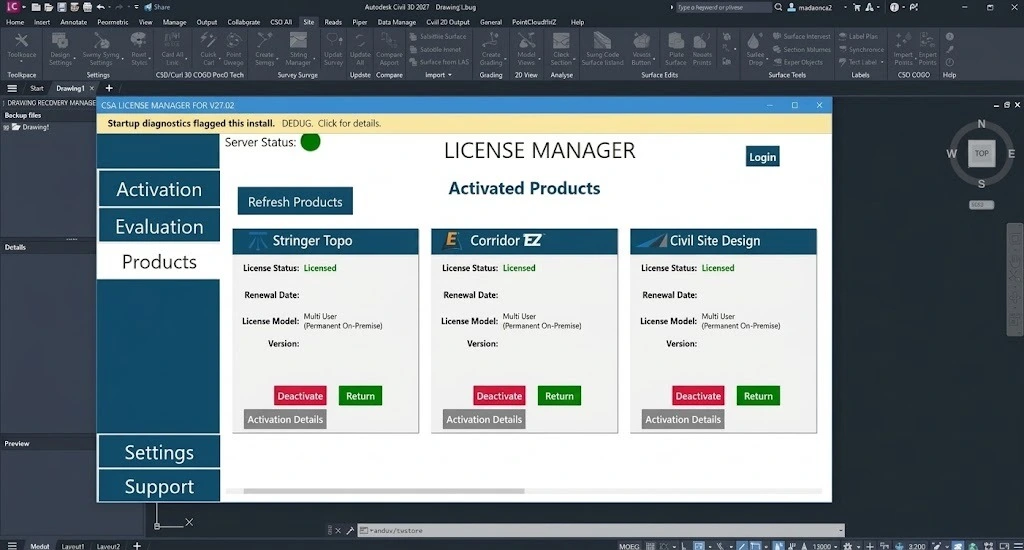
Validate licensing. AI features (Project Assist AI, Tex, FastTrack) require an active license and internet connectivity for model access.
Legal compliance note: Civil Site Design is licensed software. Installation should use only vendor-authorized installers and valid license credentials. This guide does not address, endorse, or describe methods for circumventing licensing, activation, or usage restrictions.
How to Use Civil Site Design: Core Workflows
Workflow A: Subdivision Road Network from Centerlines
The fastest path from survey data to a working road model begins with alignments. Once centerlines exist—imported from Civil 3D or created within CSD—the Auto Roads function applies a road template and generates an initial vertical design across the network. Curb returns can be generated network-wide with a single operation rather than assembled individually.
Step sequence:
-
Establish existing ground surface and road centerline alignments.
-
Define widenings, knuckles, cul-de-sacs, and intersections as alignment objects.
-
Select the road template and invoke Auto Roads.
-
Review the generated vertical design in the Vertical Grading Editor; adjust using visual trim grips or Auto Profile commands.
-
Generate sections and quantity takeoff outputs from the model.
FastTrack can compress steps 1–3 by inferring centerlines and curb returns from a project boundary and high-level description.
Workflow B: Conditional Section Definition with Intelligent Sections AI
Describe the desired section condition in plain language—for example, a table drain transitioning to a bench batter at a specified offset, with a retaining wall condition at the boundary. Intelligent Sections AI generates the decision table logic and applies it to the section. The designer then reviews and refines the generated logic rather than building the table from scratch.
Workflow C: Basin Storage Analysis with Stage Storage
-
Define the basin or depression geometry within the model.
-
Open Stage Storage and generate the stage-storage table.
-
Review spill elevation and capacity outputs in the interactive 3D viewer.
-
Export or annotate results for drainage reports and regulatory submissions.
Best Use Cases
Land development and subdivision design. CSD’s strongest fit is residential and mixed-use subdivision work, where repeated road networks, curb returns, and lot grading benefit from template-driven automation. Practitioner comparisons consistently position CSD as an accelerator for site-scale projects rather than a replacement for large-scale highway design.
Road reconstruction and rehabilitation. The Vertical Grading Editor, section sampling controls, and sight distance tools support reconstruction workflows where existing geometry constrains the design.
Stormwater and drainage design. Pipe network management, Stage Storage, and integration with analysis tools (SSA, DRAINS, XPStorm) make CSD suitable for teams that need drainage design to stay inside the CAD model rather than migrating to standalone hydraulic software for every iteration.
Survey-to-design alignment fitting. Horizontal Regression Analysis is directly applicable to projects where the alignment must be fitted to surveyed centerline or edge data rather than designed from a clean geometric ideal.
Teams seeking AI-assisted design QA. Project Assist AI and Tex are passive review agents: they can surface specification conflicts, generate reports, and answer context-aware questions without modifying the design. This makes them useful for internal QA loops and junior designer support.
Advantages and Limitations
Advantages
-
Setup velocity on repetitive geometry. Network-wide curb return generation and template-driven road assembly remove hours of manual corridor setup.
-
AI assistance embedded in the CAD context. Project Assist AI and Tex operate on live project data, avoiding the copy-paste cycle between CAD and external AI tools.
-
Drainage analysis inside the design model. Stage Storage and centralized pipe network management reduce tool-switching for stormwater iterations.
-
Native Civil 3D object compatibility. CSD uses Civil 3D surfaces, alignments, and styles rather than proprietary geometry, preserving interoperability with Civil 3D-centric workflows.
-
Broad platform availability. The same CSD engine runs on Civil 3D, AutoCAD, and BricsCAD, offering licensing flexibility across mixed CAD environments.
Limitations
-
Requires a host CAD platform. CSD is an add-on, not a standalone tool. The total cost of ownership includes Civil 3D (or AutoCAD/BricsCAD) licensing.
-
AI features are assistive, not autonomous. Project Assist AI does not modify design files independently. Teams expecting fully automated design generation will need to calibrate expectations.
-
Less suited to mega-project highway geometry. Independent comparisons note that CSD’s civil-specific tool depth is oriented toward site and subdivision scale rather than complex rail or large highway interchange design.
-
Learning curve for template and style configuration. The automation depends on correctly configured templates and styles; the initial setup investment is non-trivial.
-
AI usage limits and licensing dependency. Project Assist AI usage limits were increased in v27.02, but AI features remain tied to licensing and connectivity.
Alternatives to Civil Site Design for Civil 3D
The relevant comparison set is not “Civil 3D replacements” broadly, but tools that occupy a similar automation layer or serve overlapping site/civil design workflows.
| Alternative | Positioning relative to CSD |
|---|---|
| BricsCAD Pro (Civil tools) | Native civil toolset on the BricsCAD platform; perpetual license option; less deep than Civil 3D for complex corridors but can run CSD as an add-on |
| Carlson Civil Suite | Runs on AutoCAD, IntelliCAD, or its own engine; strong field-to-finish and hydrology modules; interface perceived as legacy compared to Civil 3D |
| Bentley OpenRoads Designer | Oriented to large-scale highway and rail infrastructure; steeper learning curve and higher cost; different design paradigm (DGN-native) |
| Site3D | Focused residential/site design automation; fast junction and pond sizing; narrower scope than CSD’s pipe and road network coverage |
| Native Civil 3D corridors (no add-on) | Maximum control and full Autodesk ecosystem integration; substantially higher setup time per design variation; no AI-assisted section or project setup layer |
The decision hinge is usually scale and repetition. For teams producing multiple subdivision or site packages per year on Civil 3D, CSD’s automation layer addresses a measurable setup bottleneck. For one-off complex highway interchanges, native Civil 3D or OpenRoads Designer may be the more appropriate geometry engine. For BricsCAD-standardized firms, CSD provides Civil 3D-adjacent automation without a platform switch.
Frequently Asked Questions
Is Civil Site Design a standalone application?
No. It is an add-on that requires Autodesk Civil 3D, AutoCAD, or BricsCAD as the host platform. Civil 3D 2027 must be installed and licensed before CSD will operate.
Does Civil Site Design 2027 work with Civil 3D 2026 or 2025?
CSD on Civil 3D 2025 and 2026 is compiled against .NET 10 and requires specific minimum host build versions: Civil 3D 2025 version 2025.2.7+ and Civil 3D 2026 version 2026.2.2+. The 2027 build is native to the 2027 release.
What does Project Assist AI actually do?
It provides context-aware assistance inside CAD: answering technical questions, reviewing specifications, generating HTML reports, and diagnosing on-screen issues using live project data. It does not modify design files autonomously.
Can I use Civil Site Design for stormwater basin design?
Yes. The Stage Storage tool automates stage-storage tables, spill elevation calculations, and 3D basin visualization. Pipe network management is centralized in the CSD Toolspace, and CSD links to external stormwater analysis tools including SSA, DRAINS, and XPStorm.
What file format changes should I expect when upgrading to 2027?
Serialized .dat settings and data files are automatically converted to .json when a project is opened in 2027. This affects both CSA Settings and local project data files. Teams should confirm write permissions on shared settings folders before multi-user deployment.
How steep is the learning curve for Civil Site Design?
The core road and subdivision workflows are template-driven and approachable for designers already familiar with Civil 3D alignments and surfaces. The steeper learning segment is template/style configuration and the conditional section logic used by Intelligent Sections AI. FastTrack and Project Assist AI reduce some of the initial friction but do not eliminate the need to understand the underlying design model.
Does Civil Site Design replace Civil 3D corridors?
No. CSD generates and manages design data that can be exported to Civil 3D objects (surfaces, alignments, corridors). It works alongside Civil 3D’s native object model rather than replacing it.
Final Thoughts
Civil Site Design for Civil 3D 2027 (27.2.102.0) is best understood as a workflow compression layer for site, subdivision, and drainage design on top of Civil 3D. The v27 release’s meaningful contribution is not a single headline feature but the integration of AI-assisted setup and review into the existing automation engine: FastTrack reduces project initialization friction, Intelligent Sections AI lowers the configuration burden for conditional geometry, and Stage Storage keeps basin analysis inside the modeling environment. The .NET 10 transition and .json settings migration are operational details that teams should plan for, not obstacles.
For engineering firms whose project mix leans toward land development and repetitive road network design, the return on CSD is measured in setup hours and design iteration speed. For organizations centered on mega-project highway geometry, the tool’s scope is narrower by design. The appropriate evaluation is a pilot on a representative subdivision or reconstruction package, with template configuration time and AI-assist usefulness measured against the current native Civil 3D workflow.