
Overview of EasyWorship Software
Table of Contents
What is EasyWorship?
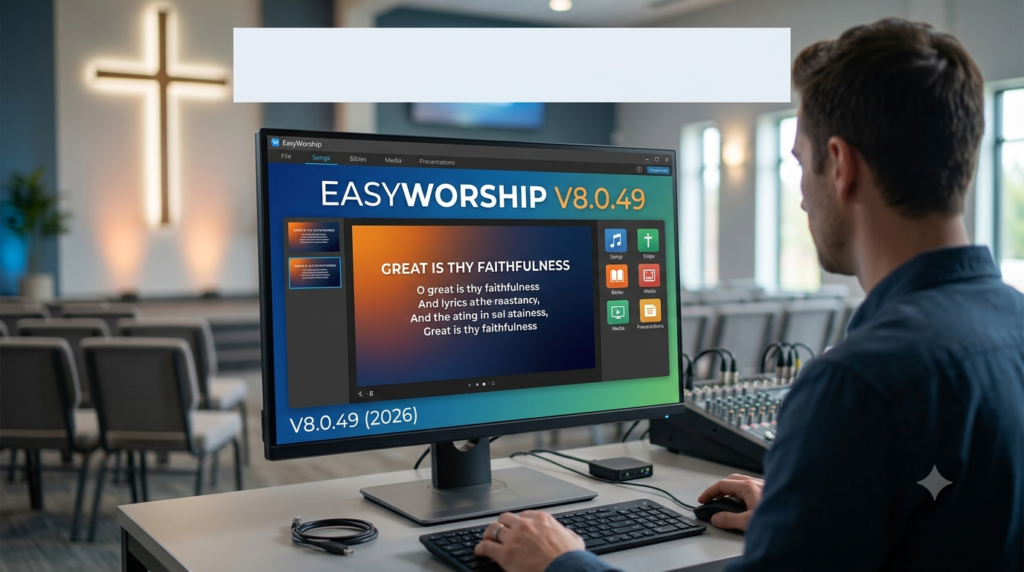
EasyWorship is a professional church presentation software designed to help churches display song lyrics, scriptures, sermon slides, videos, and announcements during worship services . Developed by Softouch Development, Inc., EasyWorship has been serving churches worldwide for over 25 years . The software provides an all-in-one solution for worship presentation, allowing users to build service schedules, edit slides, and control multi-screen outputs from a single interface.
The Evolution to EasyWorship V8.0.49
EasyWorship 8 launched as one of the platform’s most anticipated updates . Version 8.0.49 continues this legacy by delivering native support for both Mac (Apple Silicon) and Windows with full feature parity across platforms . This means your schedules, songs, and media work seamlessly whether you’re using a Mac or PC . The release includes a rebuilt slide editor, an updated Profile Transfer Tool for migrating between computers, refreshed default media, and a streamlined codebase designed for faster future updates .
Why Churches Choose EasyWorship V8.0.49
Churches switch to EasyWorship for several compelling reasons: competitive pricing, ease of use, extensive media selection, and unlimited free support . The software’s intuitive interface is specifically built to reduce the burden on volunteer tech teams . With over 800 reviews and a 4.6/5 star rating on Capterra, EasyWorship has proven itself as a reliable and accessible church presentation solution .
Key Features of EasyWorship V8.0.49
EasyWorship V8.0.49 is packed with features designed to streamline worship service preparation and delivery.
Cross-Platform Compatibility
-
Native Mac and Windows Support: Runs natively on Windows 10/11 and macOS 14 (Sonoma) or later, with full feature parity between operating systems .
-
Seamless File Sharing: Schedules, songs, and media work on either OS, allowing mixed teams to collaborate without compromise .
Service Planning and Presentation
-
Contiguous Schedule: Three layout options to adjust any area of your service schedule to fit your workflow .
-
Drag-and-Drop Scheduling: Easily drag any item from the resource area to add it to your schedule .
-
Real-Time Preview: Review every slide in detail before it goes live, ensuring no surprises during your service .
-
Live Output Monitoring: Monitor what’s on screen in real-time and keep slides flowing smoothly .
Media and Content Management
-
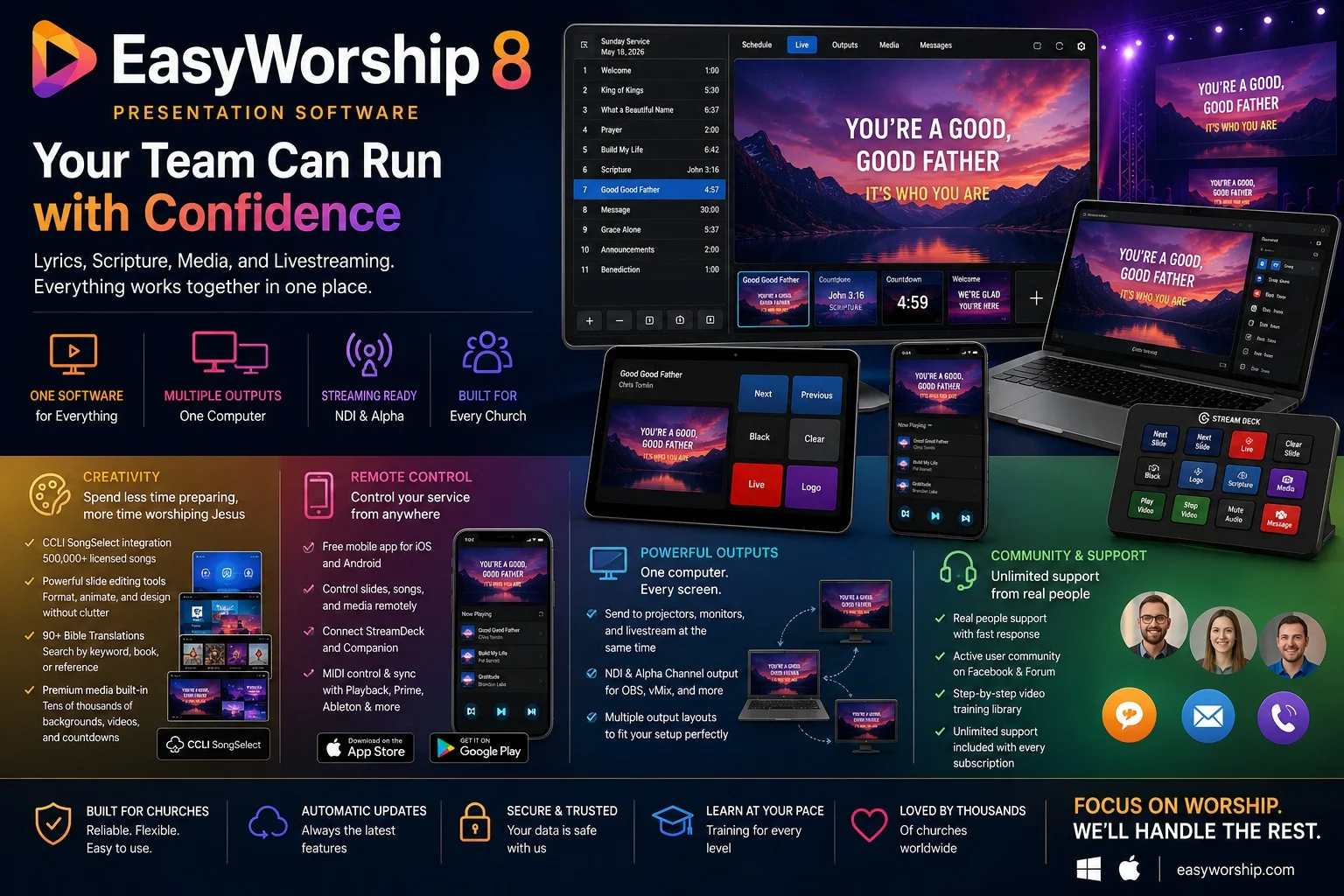
CCLI SongSelect Integration: Search over 500,000 licensed worship songs directly inside EasyWorship. Lyrics arrive pre-formatted and copyright reporting is handled automatically .
-
90+ Bible Translations: Access over 90 Bible translations across 32 languages by book or keyword search .
-
Premium Media Library: Browse tens of thousands of worship backgrounds, motion graphics, countdowns, mini-movies, and lower thirds right inside the Resource Area (included with Premium plan) .
-
Powerful Slide Editing: Rebuilt slide editor with built-in tools for creating professional-looking slides .
-
One-Theme Consistency: Set your fonts, colors, and backgrounds once, and they apply to every lyric, scripture, and announcement slide .
Broadcasting and Livestreaming
-
NDI Output: Output via NDI and Alpha Channel to OBS, vMix, and most broadcast and livestreaming setups .
-
Multiple Outputs: Send presentations to projectors, confidence monitors (foldback), and your livestream simultaneously from one computer .
-
Alpha Channel Support: Layered, professional-looking video displays with alpha channel support .
Remote and Advanced Control
-
Free Remote App: Control your service from iOS and Android devices, advancing slides and switching songs from anywhere in the room .
-
StreamDeck Integration: Trigger cues and manage your service without touching a keyboard .
-
MIDI Control: Send and receive MIDI cues to control EasyWorship from Playback, Prime, Ableton, and other worship software, and keep multiple computers perfectly in sync .
-
One-Click Web Display: Send any webpage or video full screen with a single click .
-
Real-Time Message Alerts: Keep speakers, congregation, and online viewers in sync with real-time messages .
What’s New in EasyWorship V8.0.49
Native Mac Support
The most significant update in EasyWorship 8 is its native support for macOS. EasyWorship now runs natively on Apple Silicon Macs, bringing the same features and performance to Mac users as Windows users have enjoyed for years .
Rebuilt Slide Editor
Version 8.0.49 features a completely rebuilt slide editor that makes creating and editing worship slides more intuitive and efficient . This new editor provides powerful tools for designing professional presentations without the clutter .
Enhanced Profile Transfer Tool
The updated Profile Transfer Tool simplifies migrating EasyWorship data between computers or operating systems . This is particularly valuable for churches transitioning from Windows to Mac or setting up new workstations.
Refreshed Default Media
EasyWorship V8.0.49 includes updated default media to help churches get started with fresh, modern visuals .
Improved Codebase
The software’s codebase has been streamlined to accelerate future updates, ensuring EasyWorship remains at the forefront of church presentation technology .
System Requirements for EasyWorship V8.0.49
To ensure smooth performance, your computer should meet the following system requirements .
Windows Requirements
Minimum Requirements
-
OS: Windows 10 (64-bit)
-
CPU: Intel i3 (2.4 GHz or greater) or AMD Ryzen 3 (3.1 GHz or greater)
-
RAM: 4 GB
-
GPU: NVIDIA GeForce GTX 1050-1650
-
Storage: 7200 RPM HDD
-
Video Outputs: Two outputs required for extended desktop (laptop screen counts as one)
-
Best For: Basic use – song lyrics, Scriptures, and still image backgrounds up to 1920×1080
Recommended Requirements
-
OS: Windows 11 64-bit (Home or Pro)
-
CPU: Intel i5, i7, or i9 (2.5 GHz or greater) or AMD Ryzen 5, 7, or 9 (3.0 GHz or greater)
-
RAM: 8 GB
-
GPU: NVIDIA GeForce RTX 2060–2080 (SUPER), RTX 3050–3090 (Ti), RTX 4050–4090 (Ti), or RTX 5050–5090 (Ti)
-
Storage: SSD or NVMe SSD
-
Video Outputs: Two outputs required for extended desktop (laptop screen counts as one)
-
Best For: 4K output, alpha channel, alternate output, foldback, HD, livestreaming, NDI, PowerPoint, and video feeds
Important Note: EasyWorship uses the Windows Extended Desktop for displaying live output to Front of House, Foldback, and Alpha Channel monitors. This is different from cloning or duplicating your screen to a projector or TV .
Mac Requirements
Minimum Requirements
-
OS: macOS 14 (Sonoma)
-
CPU: Intel Core processor
-
RAM: 8 GB
-
Supported Models: 2017 iMac Pro; 2018 MacBook Air, MacBook Pro, or Mac mini; 2019 iMac or Mac Pro; 2026 MacBook Neo
-
Best For: Basic use – song lyrics, Scriptures, and still image backgrounds up to 1920×1080
Recommended Requirements
-
OS: macOS 14 (Sonoma) or later
-
CPU: Apple Silicon (M1 or later)
-
RAM: 16 GB
-
Supported Models: Late 2020 Mac mini, 2020 MacBook Air, or newer
-
Best For: 4K output, alpha channel, alternate output, foldback, HD, livestreaming, NDI, PowerPoint, and video feeds
On Apple Silicon Macs, the built-in GPU handles all features – no separate graphics card is needed .
Unsupported Software and Hardware
EasyWorship does not support the following :
-
Operating Systems: Windows XP, Vista, 7, 8, 8.1; Windows S or Starter; Linux; Chrome OS
-
Virtual Machines: Citrix, Parallels, Virtual Box, VMWare, Wine
-
Video Cards: USB video adapters, Intel UHD, Qualcomm, NVIDIA Quadro/NVS/A Series/T Series, ATI/AMD Fire Pro, Matrox C/G/M/MMS/P
-
Storage: Dropbox, Google Drive, OneDrive, NAS drives, external hard drives (for installation)
Installation Guide for EasyWorship V8.0.49
How to Download EasyWorship V8.0.49
-
Visit the official EasyWorship website at easyworship.com
-
Click on the “Free Trial” or “Download” button
-
Select the version for your operating system (Windows or Mac)
-
Follow the on-screen instructions to complete the download
Installation Process
For Windows
-
Run the downloaded installer file
-
Follow the installation wizard prompts
-
Choose your installation directory
-
Complete the installation and launch EasyWorship
For Mac
-
Open the downloaded .dmg file
-
Drag the EasyWorship application to your Applications folder
-
Launch EasyWorship from your Applications folder
First-Time Setup
-
Create or Sign In to Your Account: You’ll need an EasyWorship account to activate the software .
-
Choose Your Subscription Plan: Select from Basic or Premium plans, available monthly or annually .
-
Configure Display Settings: Set up your primary display, foldback monitor, and other outputs .
-
Import Your Media: Use the Resource Area to import songs, Bibles, and media .
How to Use EasyWorship V8.0.49
Building a Service Schedule
-
Open EasyWorship and navigate to the Schedule view
-
Drag and Drop Items: Add songs, scriptures, videos, and slides from the Resource Area into your schedule
-
Adjust the Order: Reorder items as needed
-
Preview Your Service: Review every slide before going live
Importing Songs with CCLI SongSelect
-
In the Resource Area, select the Songs section
-
Click the CCLI SongSelect icon
-
Search for songs by title or artist
-
Select the songs you want to import
-
The lyrics will be pre-formatted and copyright information will be logged automatically
Adding Bible Verses
-
In the Resource Area, select the Scriptures section
-
Choose a Bible translation from over 90 available options
-
Enter a book, chapter, and verse, or search by keyword
-
Add the scripture to your schedule
Using the Remote App
-
Download the free EasyWorship Remote app from the iOS App Store or Google Play Store
-
Connect the app to your EasyWorship computer (ensure both devices are on the same network)
-
Advance slides, switch songs, and control your service from your mobile device
Livestreaming with NDI
-
In EasyWorship, enable NDI output in the settings
-
Open your streaming software (OBS, vMix, or similar)
-
Add an NDI source and select EasyWorship
Best Use Cases for EasyWorship V8.0.49
Small Churches and Church Plants
EasyWorship’s affordable pricing and ease of use make it ideal for small churches with limited budgets and volunteer tech teams . With a campus license included in every plan, churches of any size can use the software at a single location without additional costs .
Multi-Site Churches
The campus license and Profile Transfer Tool allow multi-site churches to maintain consistent presentation styles across locations. The software also supports multiple outputs for complex production setups .
Volunteer-Led Tech Teams
With its intuitive interface and comprehensive training library, EasyWorship is perfect for churches relying on volunteers . “Anyone on your team can step in confidently on their first Sunday” .
Livestreaming Churches
EasyWorship’s NDI output and alpha channel support make it a powerful tool for churches broadcasting services online . Integration with OBS and vMix ensures a professional livestream experience .
Advantages and Limitations of EasyWorship V8.0.49
Advantages
-
Cross-Platform Support: Runs natively on Mac and Windows with full feature parity .
-
Ease of Use: Designed for volunteers with minimal training .
-
Competitive Pricing: Affordable plans starting at $17.50/month with campus license included .
-
Comprehensive Media Library: Thousands of premium backgrounds and motion graphics included with Premium plan .
-
CCLI SongSelect Integration: Built-in access to 500,000+ licensed songs with automatic copyright reporting .
-
Unlimited Free Support: Access to real people for support, not bots .
-
Remote Control: Free iOS and Android app for wireless control .
-
NDI and Alpha Channel Support: Professional livestreaming capabilities .
Limitations
-
One-Line Slide Display: Not as seamless as ProPresenter for displaying one line per slide with build-in features .
-
No Cloud Sync: Currently lacks cloud-based schedule and database synchronization .
-
Subscription Model: Some users prefer perpetual licenses .
-
Computer Requirements: Requires dedicated graphics card on Windows for optimal performance .
-
Occasional Performance Issues: Some users report occasional hangs or media playback issues .
Alternatives to EasyWorship V8.0.49
ProPresenter
ProPresenter is a popular alternative, known for its advanced features like one-line slide builds and extensive customization options. However, it is generally more expensive (starting at $29/month) and has a steeper learning curve .
Proclaim by Logos
Proclaim is another church presentation software that integrates with the Logos Bible Software ecosystem. It offers cloud-based collaboration and a similar price point (starting at $24.99/month) .
Comparison Table
| Feature | EasyWorship V8.0.49 | ProPresenter | Proclaim |
|---|---|---|---|
| Starting Price | $17.50/month | $29/month | $24.99/month |
| Mac Support | Native (Apple Silicon) | Yes | Yes |
| CCLI Integration | Built-in | Yes | Yes |
| Ease of Use | Excellent | Moderate | Good |
| Cloud Sync | No | Yes | Yes |
| Remote App | Free | Paid | Free |
| Premium Media | Included in Premium | Add-on | Add-on |
| One-Line Slide Builds | Manual | Automated | Automated |
Frequently Asked Questions About EasyWorship V8.0.49
Does EasyWorship work on Mac?
Yes. EasyWorship V8 runs natively on macOS 14 (Sonoma) or later, including Apple Silicon Macs. Your schedules, songs, and media work the same whether you present on a Mac or a Windows computer .
What are the system requirements for EasyWorship V8.0.49?
For Windows: Windows 10 or 11, Intel i3/AMD Ryzen 3 (minimum) or i5/i7/i9/AMD Ryzen 5/7/9 (recommended), 4 GB RAM (minimum) or 8 GB (recommended), and a dedicated NVIDIA GeForce GPU is recommended .
For Mac: macOS 14 (Sonoma) or later, Intel Core (minimum) or Apple Silicon M1 or later (recommended), 8 GB RAM (minimum) or 16 GB (recommended) .
Can I use EasyWorship offline?
Yes. EasyWorship runs offline for presenting services. An internet connection is only required for CCLI SongSelect, streaming features, and software updates .
Does EasyWorship support livestreaming?
Yes. EasyWorship outputs via NDI and Alpha Channel to OBS, vMix, and most broadcast and livestreaming setups .
How much does EasyWorship cost?
EasyWorship offers Basic and Premium plans, starting at $17.50 per month for the Basic plan . All plans include a campus license. Annual subscriptions are available at a discounted rate .
Can I control EasyWorship from my phone?
Yes. A free Remote app is available for iOS and Android, allowing you to advance slides, switch songs, and control your service from anywhere in the room .
Is there a free trial?
Yes. EasyWorship offers a 30-day free trial with no credit card required, and a 90-day money-back guarantee .
What support options are available?
EasyWorship provides unlimited free support via phone, email, and live chat with every subscription. There’s also a video training library, knowledge base, and active community forum .
Final Thoughts on EasyWorship V8.0.49
EasyWorship V8.0.49 represents a major leap forward for church presentation software. With native Mac support, a rebuilt slide editor, and powerful cross-platform capabilities, this version delivers on its promise of making worship presentation easy for everyone – from volunteers to seasoned tech directors . The software’s focus on user-friendliness, combined with its comprehensive feature set and competitive pricing, makes it a compelling choice for churches of all sizes .
While there are some limitations – such as the lack of cloud sync and challenges with one-line slide builds – the overall value proposition remains strong . The integration with CCLI SongSelect, extensive premium media library, and unlimited free support set EasyWorship apart in the church software market .
If your church is looking for reliable, easy-to-use worship presentation software that works across Mac and Windows, EasyWorship V8.0.49 is definitely worth considering. We recommend taking advantage of the 30-day free trial to see if it fits your church’s needs.