
Overview of the Software
Table of Contents
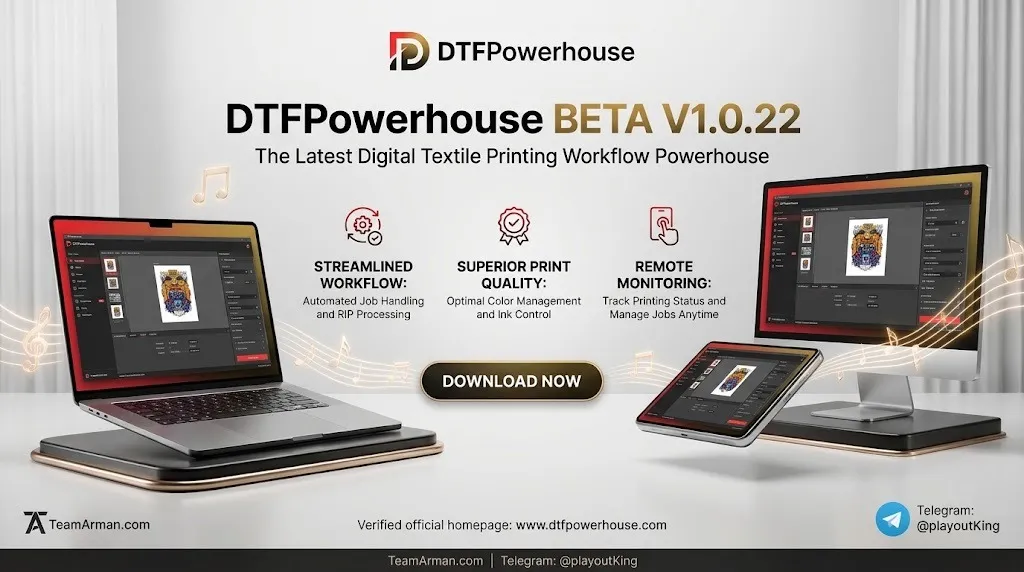
DTFPowerhouse is a DTF workflow companion designed to simplify the path from a finished design to a printable film sheet. At its core, it functions as a RIP utility—the class of software that takes raster or vector artwork and converts it into the precise ink-laying instructions a DTF printer needs.
The “Beta V1.0.22” designation signals that this is an early-access build. Beta software often introduces new workflow ideas before they are polished, and users should expect occasional rough edges, incomplete presets, or interface changes between builds. The value of a beta DTF tool lies in whether its core RIP logic is sound and whether it saves steps compared with established alternatives.
For DTF production, the most critical software job is white underbase management. White ink must be laid down behind the color layer so that colors remain opaque and vibrant on dark fabrics. DTFPowerhouse, like any DTF RIP, is built around that requirement. The sections below break down what a tool in this category typically does, what to look for in a beta release, and how it compares with the wider DTF software landscape.
Key Features of a DTF RIP Utility Like DTFPowerhouse
Because public documentation for Beta V1.0.22 is limited, the feature set below describes the core capabilities a DTF-focused RIP must provide and the areas where DTFPowerhouse is positioned to deliver value. These are the functions users should test and verify when evaluating the beta build.
-
White underbase generation and control. The software must create a white ink layer that sits behind the CMYK image. Look for adjustable underbase density, choke (the amount by which the white layer is shrunk relative to the color layer), and the ability to preview the white layer independently of the color data.
-
CMYK color separation with DTF-aware profiles. RIP software for DTF needs color management that accounts for how ink behaves on film, not on paper. A beta build may offer a limited set of preset profiles; users should test whether those profiles produce consistent results across different film brands and printer models.
-
File preparation and nesting. DTF workflows benefit from tools that arrange multiple designs efficiently onto a single film sheet. Features such as auto-nesting, manual position adjustment, and gang-sheet building reduce film waste and setup time.
-
Mirroring and output orientation. DTF transfers are printed in reverse so that the image reads correctly when pressed. Reliable automatic mirroring is a baseline requirement for any DTF RIP.
-
Printer compatibility and ink-channel control. The software must communicate with the printer’s ink channels, particularly the white channel. Beta-stage compatibility may be narrow; users should confirm that their specific printer model is supported before building a workflow around it.
-
Job presets and repeatability. Production DTF work depends on repeatable settings. A useful RIP lets users save, recall, and share presets for different fabrics, film types, and design categories.
What’s New in the Latest Beta Build (V1.0.22)
Beta version numbers are incremental, and public release notes for V1.0.22 are not independently verifiable. What can be said with confidence is how to evaluate a beta DTF RIP update responsibly:
-
Check the changelog before upgrading. Beta builds can introduce regressions in color output or white-layer behavior. A version bump does not automatically mean better output; it may primarily address stability, interface, or compatibility issues.
-
Test against a known-good file. Before committing a production job to a new beta build, print a test sheet with a mix of light and dark garment simulations, fine detail, and gradients, and compare it against output from the previous version or an established RIP.
-
Expect evolving presets. Beta software often ships with incomplete or provisional printer and media profiles. A “new feature” in a beta changelog may still be under active tuning.
-
Report issues with specifics. Beta programs improve fastest when users report printer model, film type, ink set, and the exact file that produced an unexpected result. DTFPowerhouse’s beta status means user feedback is part of the product’s development loop.
System Requirements
DTF RIP software is more demanding than standard design software because it processes large image files, manages multiple ink channels, and communicates directly with print hardware. The requirements below reflect the baseline environment a DTF RIP tool is expected to run in; the beta build’s exact minimum and recommended specifications should be confirmed with the developer.
| Component | Baseline expectation for a DTF RIP tool |
|---|---|
| Operating system | Windows 10 or Windows 11 (64-bit) is the most common platform for DTF RIP software; macOS support varies by developer and is less standard for low-cost DTF RIPs. |
| Processor | A modern multi-core CPU (Intel Core i5 / AMD Ryzen 5 or higher) for responsive file processing and nesting. |
| RAM | 8 GB minimum for small sheets; 16 GB or more recommended for large gang sheets and multi-layer file preparation. |
| Storage | SSD recommended for fast file opening, RIP processing, and output spooling; DTF job files and film output can consume significant disk space. |
| GPU | Not typically the primary bottleneck for RIP work, but a dedicated GPU can help with interface responsiveness and large-canvas previews. |
| Connectivity | USB or network connection to the DTF printer; stable connection is critical because a dropped job mid-print can waste film and ink. |
| Printer support | Must explicitly support the user’s DTF printer model and its white-ink channel configuration. |
| Display | 1920×1080 or higher recommended for working with gang sheets and previewing white-layer separation. |
Installation Guide
Beta software installation deserves more caution than installing a mature release. The steps below outline a safe, reversible installation approach for a DTF RIP beta.
-
Confirm printer compatibility first. Before installing anything, check whether the beta build supports your DTF printer model. Installing a RIP that cannot drive your hardware wastes time and may leave printer drivers in an inconsistent state.
-
Create a system restore point (Windows). A restore point gives you a clean rollback if the beta installation interferes with existing printer drivers or RIP software.
-
Download from the official source. Avoid third-party download mirrors for beta software. Beta builds distributed outside the developer’s official channel are a security and reliability risk.
-
Close other print software. If you already have a production RIP installed, close it before installing DTFPowerhouse. Running two RIP tools that both claim control of the printer’s ink channels can cause driver conflicts.
-
Run the installer and note custom paths. If the installer offers a custom installation directory, use it. Keeping beta software in its own folder makes it easier to remove cleanly.
-
Install printer drivers only if directed. Some RIP tools include their own driver layer; others rely on the printer’s standard driver. Follow the beta documentation rather than assuming.
-
Launch in trial or demo mode if available. A beta tool may offer a limited-output mode. Use that mode for initial testing before committing to a full production job.
-
Print a calibration test sheet. Do not run a customer job first. Print a small test film with known color patches and a white-layer test pattern to verify that the RIP output matches expectations.
Beta installation warning: Do not install beta DTF software on a machine that is simultaneously responsible for time-critical production output unless you have a tested rollback plan. A beta build should be evaluated on a secondary workstation or during a production gap.
How to Use the Software
The following walkthrough describes the logical DTF RIP workflow that a tool like DTFPowerhouse is built to support. Exact menu names and button locations will differ between builds, especially in beta.
Step 1: Prepare the artwork outside the RIP
DTF RIP software is not a design tool. Artwork should be prepared in a design application first: correct dimensions, transparent background, and a resolution appropriate for the intended print size. High-resolution PNG files are common for DTF because they preserve transparency and raster detail.
Step 2: Import and place the design on a film sheet
Open the RIP and import the prepared file. The canvas represents the film sheet. Position the design with enough margin for the white underbase and for cutting or pressing.
Step 3: Generate and tune the white underbase
This is the most consequential step in DTF preparation. The RIP should produce a white layer beneath the color data. Adjust the underbase density, choke, and edge settings according to the fabric and film type. Too little white leads to dull colors on dark garments; too much white can create a thick, stiff transfer.
Step 4: Verify color separation and mirroring
Preview the CMYK and white channels separately. Confirm that the image is mirrored for transfer output. A missing mirror setting produces a transfer that reads backward when pressed.
Step 5: Nest and optimize the sheet
If printing multiple designs, arrange them efficiently. Some RIP tools offer automatic nesting; in a beta build, verify the nesting result manually before printing. Film waste and print time are directly tied to how well the sheet is packed.
Step 6: Select the printer and output settings
Choose the correct printer, film media setting, and print quality mode. Beta software may have a limited preset list; if your film type is not listed, start with the closest equivalent and run a small test.
Step 7: Print, powder, cure, and press
The RIP’s job ends at film output. From there, the physical DTF workflow takes over: apply adhesive powder to the wet print, cure the powder, and heat-press the transfer onto the garment. Consistent RIP output makes the physical steps predictable; inconsistent output makes every downstream step harder to troubleshoot.
Best Use Cases
DTF RIP tools like DTFPowerhouse are most valuable in workflows where white-ink control and film efficiency directly affect cost and quality.
-
Small-batch and on-demand apparel decoration. DTF is well suited to short runs and one-off designs because it does not require screens or plates. A RIP that generates reliable white underbases makes short-run production viable without extensive manual adjustment.
-
Dark garment printing. The white underbase is what makes DTF work on black and dark-colored fabrics. A RIP with granular white-layer controls is essential for this use case.
-
Gang-sheet production for print shops. Shops that combine multiple customer designs onto a single film sheet benefit from nesting and layout tools that reduce wasted film.
-
Workflow experimentation and beta testing. Users interested in shaping a new DTF tool’s development can provide feedback on printer compatibility, preset accuracy, and interface friction—areas where beta software improves fastest.
-
Educational and entry-level DTF setups. A simplified RIP can lower the learning curve for users moving from standard printing to DTF, provided the beta build is stable enough for learning without constant troubleshooting.
Advantages and Limitations
Potential advantages of a beta DTF RIP
-
Focused DTF workflow. A tool built specifically for DTF can streamline white-layer management compared with generic RIP software that treats DTF as one of many output modes.
-
Early access to evolving features. Beta users may see new nesting, preset, or color-management ideas before they reach the stable release.
-
Lower cost barrier (in some cases). Beta software is sometimes offered at reduced cost or free during the testing period, which can make DTF more accessible to small shops. Pricing for this specific beta should be confirmed directly.
-
Direct influence on development. Beta feedback can shape printer compatibility and feature priorities in ways that mature software’s roadmap does not allow.
Limitations and risks
-
Instability and output inconsistency. Beta builds can change behavior between versions. A setting that works in V1.0.22 may behave differently in the next increment.
-
Narrow printer compatibility. Beta DTF software often supports a limited set of printer models. Users with less common hardware may find their device unsupported.
-
Incomplete documentation. Beta tools frequently lack polished guides, troubleshooting flows, and media presets. Users should expect to solve problems through testing and community feedback.
-
Not a production replacement until proven. A beta RIP should not replace a stable production RIP on critical jobs until it has passed repeated side-by-side output tests.
-
Limited official support. Support channels for beta software are often informal or slower than commercial support for stable releases.
Alternatives to the Software
The DTF RIP market includes several established tools. The alternatives below are mature, widely referenced options that can serve as benchmarks when evaluating DTFPowerhouse Beta V1.0.22.
AcroRIP (formerly EKPrint) is one of the most commonly cited DTF RIP options. It is known for broad printer compatibility and a relatively accessible entry point, though its interface and color-management depth vary by version.
CADlink Digital Factory is a higher-end RIP and workflow platform used in professional DTF and DTG environments. It offers deeper color management, job preparation tools, and production automation features such as hot folders and barcode processing. It is positioned at a higher price and complexity level than entry-level DTF RIPs.
WhiteRIP is a DTF-focused RIP commonly used in smaller shops. It emphasizes white-ink workflow simplicity and is often bundled with or recommended for specific DTF printer kits.
PrintFab is a versatile RIP that supports DTF alongside other printing workflows. It is valued for driver flexibility and incremental feature depth, though DTF-specific white-layer controls may be less specialized than dedicated DTF RIPs.
Caldera offers DTF and DTG RIP solutions with strong color-management and white-ink tools, including spot-color conversion and multi-ink management up to 12 inks. It is aimed at professional and higher-volume production environments.
DTFGSA is a browser-based, AI-assisted DTF gang-sheet builder rather than a traditional printer-driver RIP. It automates design nesting, generates white underbase channels, and exports RIP-ready files compatible with CADlink Digital Factory and Rasterlink. It represents a different software category—prepress automation—rather than a direct replacement for an on-printer RIP.
When comparing DTFPowerhouse Beta against these alternatives, the most useful test is not feature-count comparison but output consistency on your specific printer, film, and ink set. A beta RIP that produces clean white underbases and repeatable color on your hardware is more valuable than a feature-rich tool that requires constant troubleshooting.
Frequently Asked Questions
Is DTFPowerhouse a RIP software for DTF printing?
Yes. DTFPowerhouse functions in the DTF RIP category: it prepares artwork for a DTF printer by managing color separation, white underbase generation, and film output. Any DTF workflow requires a RIP layer because standard printer drivers cannot handle white-ink layering.
What does “Beta V1.0.22” mean for stability?
“Beta” means the software is in pre-release testing. Features and behavior may change between builds, and the developer may still be resolving compatibility and output-consistency issues. Beta builds are best evaluated on non-critical jobs until they have proven stable on your specific hardware.
Can I use DTFPowerhouse Beta for paid client work?
That depends on your tolerance for risk. A beta RIP can produce saleable output if it passes repeated side-by-side tests against a known-good RIP on your printer, film, and ink set. If a single failed white layer or color shift would harm a client relationship, keep a stable RIP as the primary production tool while you evaluate the beta.
Does DTFPowerhouse work with my DTF printer?
Printer compatibility is the first thing to verify. Beta DTF software often supports a narrower printer list than mature RIPs. Check the developer’s official compatibility list for your exact printer model and white-ink channel configuration before installing.
Is a separate RIP really necessary for DTF printing?
Yes. Standard printer drivers do not provide the white-underbase control that DTF requires. Without a RIP, the printer does not know where to place white ink relative to the color image, and the transfer will not produce opaque, vibrant results on dark fabrics.
What is the most important setting to tune in a DTF RIP?
White underbase density and choke. These settings determine how opaque the transfer is and how cleanly the white layer sits behind the color image. Color profiles matter, but white-layer behavior is the defining DTF variable.
Does DTFPowerhouse support gang sheets and nesting?
Gang-sheet layout and nesting are standard DTF workflow needs, but the specific nesting capability of Beta V1.0.22 should be verified directly in the build. If automatic nesting is limited or absent, manual layout on the film canvas is still possible, though it is slower.
How does DTFPowerhouse compare with CADlink or AcroRIP?
CADlink Digital Factory and AcroRIP are mature, production-tested RIPs with established printer compatibility and support ecosystems. DTFPowerhouse is a beta-stage tool whose value lies in its DTF-focused workflow direction and its potential for rapid iteration. The practical comparison should be made on your own printer with your own artwork, not on marketing feature lists.
Final Thoughts
DTFPowerhouse Beta V1.0.22 occupies an early-stage position in the DTF software landscape. Its relevance depends less on a long feature list and more on whether its core RIP logic—white underbase generation, color separation, and repeatable film output—works reliably on the hardware it supports. Beta software always carries uncertainty, and that uncertainty is amplified in DTF production, where a single bad white layer can waste film, ink, and press time.
The most responsible way to evaluate this beta is to test it alongside a known-good RIP on the same printer, film, and ink set. If the output is consistent and the workflow saves steps, the beta has earned a place in a testing rotation. If output varies between jobs or printer compatibility is too narrow, the mature alternatives remain the safer production choice. For DTF operators willing to participate in development feedback, a focused beta RIP can offer an early look at how DTF-specific software is evolving—provided expectations are set around its pre-release status.
Our Paid Service