

Overview of the Software
Table of Contents
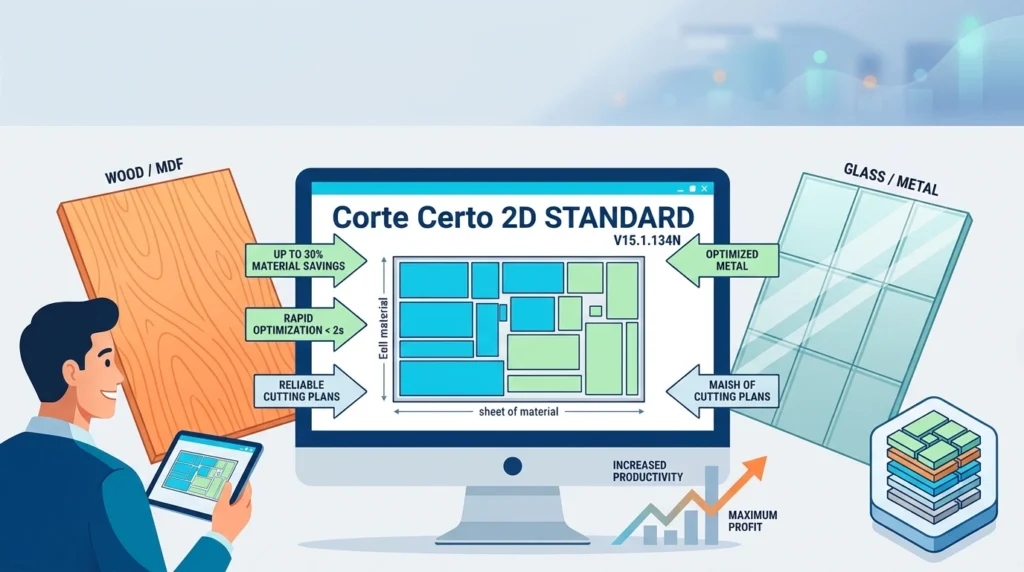
Corte Certo is a 2D cutting plan optimizer built for rectangular sheet materials. It takes a list of required parts and the dimensions of available sheets, then calculates the most efficient arrangement using a combination of heuristic search techniques and linear programming. The result is a set of reports and diagrams that can be viewed on screen, printed, or used to guide cutting machines.
The software has been in continuous development for nearly two decades and is used in more than 40 countries. Its user base ranges from small carpentry shops and glass retailers to multinational manufacturers and distributors. The Standard edition is specifically positioned for operations that have outgrown basic optimization and now need production planning, inventory awareness, and traceability across the shop floor.
Corte Certo 2D Standard runs natively on Windows and is available as an annual subscription. A separate cloud version, Corte Certo Web, exists for teams that prefer a browser-based workflow.
Key Features of Corte Certo 2D Standard
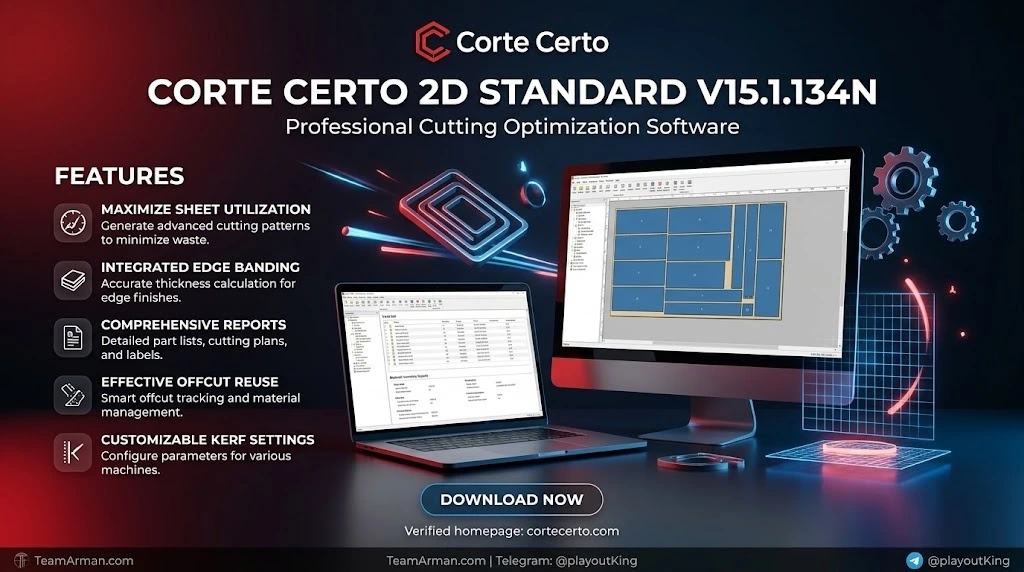
The Standard edition includes every optimization capability of the Mini edition, plus a suite of advanced production tools. Below are the features that define the Standard tier.
Core Cutting Optimization
-
Rectangular cutting plan optimization for sheets of any material, including MDF, plywood, glass, acrylic, and metal composite panels.
-
Grain direction and groove awareness, allowing the optimizer to respect fiber orientation or existing grooves so that finished parts meet structural and aesthetic requirements.
-
Fast Typing functions for rapid entry of part lists, reducing data-entry time on large projects.
-
Multi-material projects, so a single project can combine parts made from different sheet types.
Production and Shop-Floor Tools
-
Label generation that prints labels for individual parts, sections, and leftover fragments. In the Standard edition, labels can be synchronized with the cutting sequence, effectively turning a manual cutting machine into a semi-automatic operation.
-
Edge-banding calculation and pricing, including the length and cost of edge tape (tapacantos) required for each part.
-
Budget module for estimating material costs and preparing quotes directly from the cutting plan.
-
Manual post-editing editor that lets the operator adjust, move, or rotate parts on the cutting diagram after automatic optimization. This is a differentiator that Corte Certo invites prospective buyers to test against competing products.
Inventory and Scrap Management
-
Sheet and offcut inventory control, tracking both full sheets and reusable remnants in stock.
-
Automatic registration and reuse of offcuts, so leftover pieces from previous jobs are fed back into the optimizer rather than treated as waste.
-
Manual offcut registration for remnants that are created outside the software.
Cutting-Phase Calculation
For shops that cut with sectioning machines (seccionadoras) or guillotines, Corte Certo Standard calculates cutting plans in phases. This means the plan is structured around the sequence of cuts a guillotine or panel saw must perform, rather than presenting a flat diagram that ignores machine constraints. Corte Certo describes this as a technological differential that leaves competing software “miles away.”
What’s New in the Latest Version (V15.1.134N, 2026)
Corte Certo does not publish a traditional public changelog for every build number. Instead, the developer follows a continuous-update model: improvements are first developed in the Plus edition and then selectively incorporated into Standard and Mini at the company’s discretion.
What is confirmed for the 2026 Standard edition is the maturity of the features that define the Standard tier. The label synchronization between label printing and cutting sequences has been refined to the point where it can semi-automate a manual cutting station. The manual post-editing system remains the flagship capability that Corte Certo encourages buyers to compare directly against alternatives. The budget module, edge-banding cost calculation, and offcut stock control are all fully integrated into the Standard workflow, rather than being bolt-on tools.
Customers on an active Updates and Remote Support Plan receive new builds over the internet as soon as they pass internal testing. Updates are included at no additional cost during the first month after license activation; after that, ongoing updates require the maintenance plan.
System Requirements
Corte Certo 2D Standard is a Windows desktop application. The developer publishes both minimum and recommended specifications, and the software does not run on macOS natively.
Minimum Requirements
| Component | Specification |
|---|---|
| Operating System | Windows 8 / 8.1 / 10 |
| Processor | Intel Core i3 |
| RAM | 8 GB |
| Screen Resolution | 1280 × 1024 |
Recommended Requirements
| Component | Specification |
|---|---|
| Operating System | Windows 8 / 8.1 / 10 |
| Processor | Intel Core i5 |
| RAM | 8 GB or more |
| Screen Resolution | 1920 × 1080 |
Additional notes: The software does not run on Windows Starter Edition or on any Windows Server version. Some import and export functions may require Microsoft Office to be installed. While Windows 11 is not listed in the official system-requirements article, the developer’s general documentation states that Corte Certo supports Windows 7, 8, 10, and 11, and any modern browser is sufficient for web-dependent functions.
Mac users can run Corte Certo through a virtual machine using Parallels, VMware Fusion, or Boot Camp with a supported Windows installation. The developer does not provide native macOS support or Mac-specific technical assistance.
Installation Guide
-
Confirm your Windows version. Ensure you are running Windows 8, 8.1, 10, or 11 (not Starter or Server Edition).
-
Check your hardware. Verify that your processor, RAM, and screen resolution meet at least the minimum specifications above.
-
Obtain the installer from the official Corte Certo distribution channel. The installer is lightweight — approximately 1.34 MB — because the software relies on the Windows operating system and does not bundle a separate database engine.
-
Run the installer and follow the on-screen prompts. The installation is straightforward and does not require a separate database program.
-
Activate your license using the credentials provided with your subscription.
-
Install updates during the first month after activation to bring the software to the latest build. After the first month, updates are delivered through the Updates and Remote Support Plan.
-
Optional: If you plan to import from or export to Excel, Word, or CSV files, ensure Microsoft Office or a compatible office suite is installed on the machine.
How to Use Corte Certo 2D Standard
Step 1: Create a Project and Register Materials
Open a new project and register the sheet materials you will use. Corte Certo stores registered materials for future use, so you do not need to re-enter dimensions and properties for every job. If a project uses multiple materials, you can add them all to the same project.
Step 2: Enter or Import the Part List
Enter the required parts manually using the Fast Typing functions, or import the list from Excel, Word, CSV, or another software system. The import capability is one of the main time-saving advantages of the Standard edition over the Mini.
Step 3: Configure Optimization Parameters
Set the grain direction if the material has a visible fiber or groove pattern. Configure saw kerf (blade thickness) and any other machine-specific parameters. If you are cutting on a guillotine or sectioning machine, enable cutting-phase calculation so the plan is structured around the machine’s cutting sequence.
Step 4: Run the Optimization
Execute the calculation. The optimizer applies heuristic search and linear programming to find an efficient layout. Calculation time depends on processor speed and the number of parts — faster processors reduce computation time.
Step 5: Review and Post-Edit the Plan
Inspect the generated cutting diagrams. If adjustments are needed, open the manual post-editing editor to move, rotate, or reposition parts. This is where the Standard edition provides a level of control that entry-level optimizers often lack.
Step 6: Generate Labels and Edge-Banding Calculations
Print labels for parts, sections, and offcuts. The labels can be synchronized with the cutting sequence to guide manual cutting operations. The software also calculates the edge-banding length and cost for each part and rolls this into the budget module.
Step 7: Update Stock and Offcuts
Record consumed sheets and reusable offcuts in the inventory control system. The next project will automatically consider available offcuts during optimization, closing the loop between production and material planning.
Best Use Cases
Custom Furniture and Cabinetry
Corte Certo 2D Standard is well suited to custom furniture shops that cut MDF, plywood, or particleboard on panel saws or guillotines. The cutting-phase calculation aligns with the real sequence of cuts on a sectioning machine, and the label synchronization helps manual cutting teams follow the plan without misreading diagrams. The budget module supports quoting custom jobs with accurate material and edge-banding costs.
Glass and Acrylic Fabrication
For glass retailers and acrylic fabricators, the optimizer handles rectangular sheets with grain and groove constraints. The Standard edition’s offcut management is particularly valuable in glass cutting, where remnant pieces can be reused for smaller orders if their dimensions and condition are tracked.
Small-to-Medium Production Runs with Multiple Projects
When a shop needs to combine parts from several projects onto the same sheets, the project merge and set calculation features allow up to 60 projects to be grouped into a single optimization run. This is a practical way to improve yield when individual orders are too small to fill a full sheet efficiently.
Shops Transitioning from Manual Cutting
The Standard edition’s label synchronization is explicitly designed to help manual cutting operations become semi-automatic. By printing labels in the same order as the cutting sequence, the software reduces the cognitive load on the operator and lowers the risk of cutting errors.
Advantages and Limitations
Advantages
-
Deep feature set for the mid-tier price. Label generation, edge-banding calculation, budget module, stock control, and manual post-editing are all included in Standard, whereas many competitors reserve these for higher-priced tiers.
-
Cutting-phase calculation for guillotines and sectioning machines is a genuine differentiator for furniture and panel processing shops.
-
Manual post-editing gives operators final control over the layout, which is valuable when automatic optimization produces a theoretically efficient but practically awkward plan.
-
Offcut reuse closes the loop between production and inventory, reducing waste over time.
-
Fast Typing and import capabilities reduce data-entry time on large or recurring projects.
Limitations
-
Windows-only native application. Mac users must rely on virtual machines, and there is no native Linux version.
-
Annual subscription model. The Standard edition is priced as an annual subscription at $1,030.00, which may be a barrier for very small shops compared with one-time-purchase or free browser-based alternatives.
-
Updates after the first month require a maintenance plan. Without the Updates and Remote Support Plan, the software remains at the build installed at activation plus any updates received during the first month.
-
No public detailed changelog for specific build numbers. Users who need to know exactly what changed in V15.1.134N relative to previous builds may need to contact technical support directly.
-
Portuguese-first documentation and interface. While the software is used internationally, some users may find the language support less comprehensive than browser-based tools that offer 20+ languages.
Alternatives to Corte Certo 2D Standard
CutPlan (Browser-Based)
CutPlan runs entirely in a web browser on Windows, Mac, Linux, Android, and iPhone, with nothing to install. It offers a free plan (30 calculations and 5 exports per month, up to 150 parts) and a one-time Project Pack for $9 per project. CutPlan supports shaped parts, roll materials, and 21 languages, but it does not offer the deep ERP or machine-output integration found in Corte Certo Plus. For quick cut lists and teams that need cross-platform access, CutPlan is a compelling alternative.
CutMaster 2D Professional
CutMaster 2D Professional is a Windows-based rectangular nesting and cutting optimizer. It focuses on maximizing material usage through optimized layouts, and it is often listed alongside Corte Certo in software directories. It may appeal to users who want a dedicated nesting tool without the broader production-management features of the Corte Certo Standard edition.
Corte Certo 2D Plus (Upsell Within the Same Family)
For shops that need barcode labels, G-code generation, ERP/machine integration, Multisolutions, and stacking, the Plus edition is the appropriate step up. The Standard edition is designed for medium-volume operations that need control and automation but do not yet require full industrial integration.
Corte Certo Web (Cloud Edition)
Corte Certo Web is the browser-based SaaS version of the same optimization technology. It is described as currently offered at no cost and is suitable for distributed teams or businesses that prefer a 100% cloud workflow. It lacks some of the deep desktop features of the Standard edition but offers flexibility and zero installation.
Frequently Asked Questions
Is Corte Certo 2D Standard a one-time purchase or a subscription?
The Standard edition is sold as an annual subscription at $1,030.00. The developer also offers temporary (“rental”) and permanent licensing options, with permanent licenses covered by a Maintenance Plan that keeps them updated.
Does Corte Certo 2D Standard work on Mac?
There is no native macOS version. Mac users can run the software through a virtual machine using Parallels, VMware Fusion, or Boot Camp with a supported Windows installation. The developer does not provide Mac-specific technical support.
Can I import my cut lists from Excel?
Yes. Importing from Excel, Word, CSV, and several other software formats is one of the key advantages of the Standard edition over the Mini. This reduces manual data entry and lowers the risk of transcription errors.
What is the difference between the Mini, Standard, and Plus editions?
The Mini edition covers basic rectangular optimization with grain direction and saw kerf. The Standard edition adds labels, edge-banding calculations, a budget module, stock control, manual post-editing, and cutting-phase calculation for guillotines and sectioning machines. The Plus edition adds barcode labels, G-code generation, ERP/machine integration, Multisolutions, stacking, and advanced export capabilities for industrial operations.
Does Corte Certo 2D Standard handle offcuts and remnants?
Yes. The Standard edition includes manual and automatic offcut registration, sheet and offcut stock control, and automatic reuse of offcuts in future optimization runs. This is one of the primary reasons to choose Standard over Mini.
Can the software generate labels for parts and sections?
Yes. The Standard edition generates labels for parts, sections, and leftover fragments. The label issuance can be synchronized with the cutting sequence, which helps manual cutting teams follow the plan in the correct order.
Is there a free trial or demo of Corte Certo 2D Standard?
A demo version of Corte Certo 2 is available for download. The demo allows you to evaluate the software’s core optimization and interface before committing to a subscription. For a full evaluation of Standard-specific features such as label synchronization and post-editing, contacting the developer for a guided demonstration is recommended.
What happens if I do not renew the maintenance plan?
The license remains valid for the build you have installed, but you will not receive new updates, improvements, or compatibility adaptations for newer Windows versions after the first month of activation. The Updates and Remote Support Plan is optional but recommended for production environments that depend on the software daily.
Final Thoughts
Corte Certo 2D Standard V15.1.134N is a mature, feature-dense cutting optimizer built for workshops that have moved past basic sheet layout and now need production control. Its standout capabilities — cutting-phase calculation for guillotines and sectioning machines, manual post-editing, label synchronization, and closed-loop offcut management — address real pain points in furniture, glass, and panel processing operations. The annual subscription of $1,030.00 positions it as a mid-tier investment, and the Windows-only limitation is the main practical constraint for cross-platform teams.
If your operation cuts rectangular sheet materials on manual or semi-automatic equipment and you need more than a simple layout generator, the Standard edition is a strong candidate. If you need ERP integration, barcode labels, or machine output, the Plus edition is the logical upgrade. And if you want to test the core optimization engine before subscribing, the available demo and the cloud-based Corte Certo Web provide low-risk entry points.
Our Paid Service