
Overview of the Software
Table of Contents
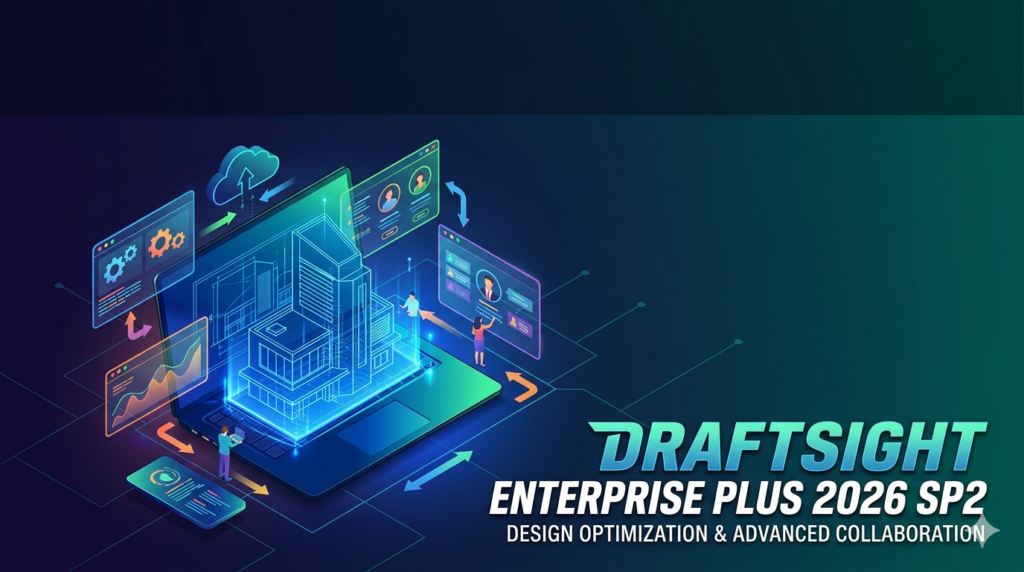
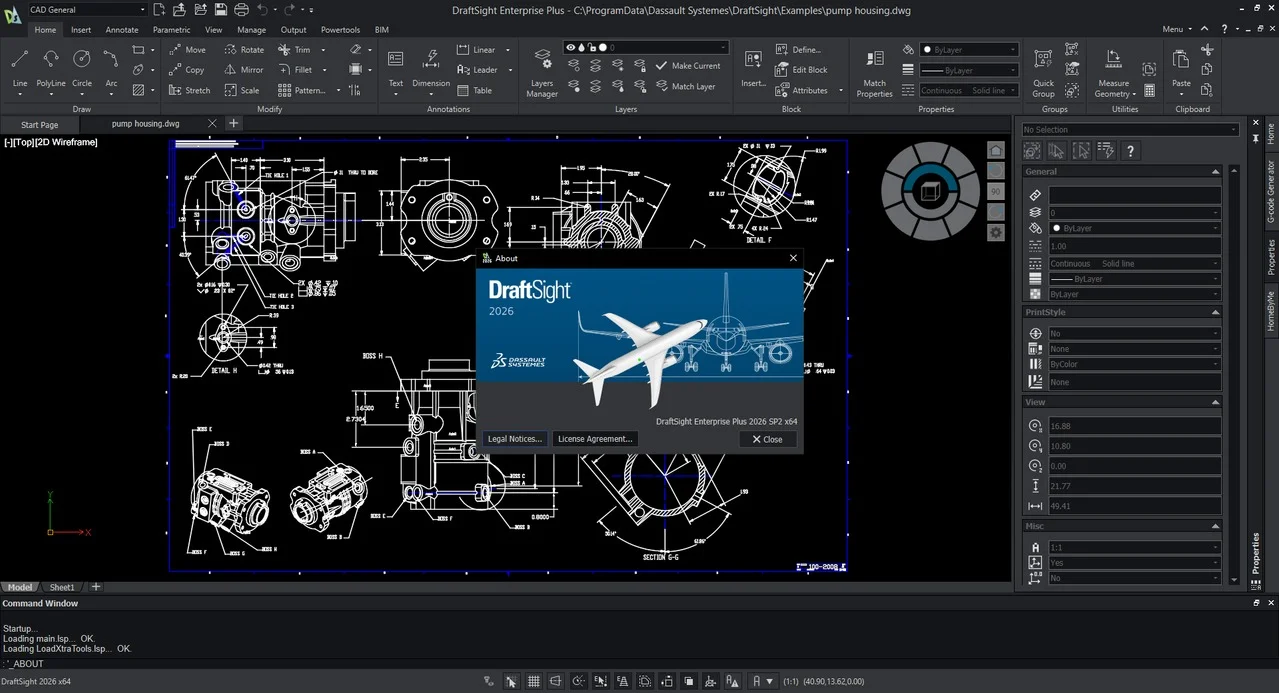
DraftSight Enterprise Plus 2026 SP2 is a professional-grade computer-aided design (CAD) solution developed by Dassault Systèmes. Released in the second service pack of 2026, this version targets engineering teams, architects, and manufacturing professionals who require a reliable, scalable alternative to AutoCAD without recurring subscription complexities.
Unlike free CAD viewers or limited 2D tools, DraftSight Enterprise Plus combines powerful 2D drafting, 3D modeling, and parametric constraints within a familiar user interface. This 2026 SP2 update emphasizes stability, performance improvements, and deeper integration with the 3DEXPERIENCE platform. The software prioritizes native DWG file format compatibility, ensuring seamless collaboration with suppliers, clients, and legacy projects.
For organizations moving away from subscription-based models or seeking a perpetual license structure for compliance reasons, DraftSight Enterprise Plus 2026 SP2 offers a legally compliant, auditable CAD environment suitable for critical infrastructure, product design, and mechanical engineering workflows.
Key Features
Native DWG File Support and Compatibility
-
Read, write, and modify DWG files from AutoCAD versions 2020 through 2026.
-
No file conversion required – preserves layers, blocks, and external references (Xrefs).
-
Supports DWF and DXF formats for broader interoperability.
Advanced 2D Drafting and Documentation
-
Comprehensive toolset for orthographic projections, dimensions, leaders, and hatches.
-
Automated bill of materials (BOM) generation from block attributes.
-
Sheet sets and multi-sheet drawing management with revision clouds.
3D Modeling Capabilities (Enterprise Plus Edition)
-
Direct 3D solid modeling with extrude, revolve, sweep, and loft operations.
-
Parametric constraints for design intent preservation.
-
Basic assembly visualization and interference checking.
3DEXPERIENCE Marketplace Integration
-
Direct publishing of parts to Make (3DEXPERIENCE Marketplace) for additive manufacturing quoting.
-
Cloud-based revision management and design collaboration.
Automation and Customization
-
LISP, C++, and Visual Basic for Applications (VBA) API support.
-
Batch printing and drawing compare tools for quality assurance.
What’s New in DraftSight Enterprise Plus 2026 SP2
The Service Pack 2 (SP2) update focuses on refinement rather than new features. Key enhancements include:
-
Improved 2D to 3D translation stability – Fewer crashes when converting complex splines into extruded solids.
-
Faster hatch regeneration – Up to 30% faster rendering on large floor plan files (over 5,000 boundaries).
-
Enhanced 3DEXPERIENCE synchronization – Reduced latency when saving assemblies to the cloud.
-
Print performance – Fixed a memory leak affecting batch plot workflows over 100+ sheets.
-
Command line predictions – Context-aware auto-completion for 12 additional commands (e.g.,
XREF,BEDIT).
No new ribbon UI changes or file format updates – ensuring backward compatibility remains intact.
System Requirements
Minimum Requirements (Windows 10/11 64-bit):
-
OS: Windows 10 (21H2 or later) or Windows 11.
-
CPU: 2.5 GHz or faster (Intel Core i5 or AMD Ryzen 5).
-
RAM: 8 GB (16 GB recommended for 3D assemblies).
-
GPU: Dedicated GPU with 2 GB VRAM, DirectX 11 compliant (NVIDIA Quadro or GeForce recommended).
-
Storage: 5 GB free SSD space.
-
Display: 1920 x 1080 true color.
Additional for 3DEXPERIENCE Integration:
-
Internet connection (3 Mbps+).
-
Modern web browser for dashboard access.
Supported Operating Systems:
-
Windows 10/11 (Professional, Enterprise)
-
Windows Server 2019/2022 (for network licensing)
-
Not supported: macOS, Linux, or Windows on ARM.
Installation Guide
Step-by-Step Installation for Enterprise Deployment
-
Verify license entitlement – Log into your Dassault Systèmes account to confirm active subscription or perpetual license for Enterprise Plus.
-
Download the installer – Obtain
DraftSight.2026.SP2.Win64.exefrom the official Dassault Systèmes portal (do not use third-party sites). -
Run as administrator – Right-click installer → Run as administrator to avoid privilege errors.
-
Select installation type:
-
Typical: Installs core 2D/3D tools, DWG support, and APIs.
-
Custom: Add or remove VBA support, 3DEXPERIENCE client, or sample files.
-
-
License activation – Enter the provided activation code or point to a network license server (FlexNet).
-
Post-installation – Restart your workstation, then launch DraftSight. Run Check for Updates to confirm SP2 is applied.
How to Use the Software (Workflow Example)
Creating a Mechanical Part Drawing (2D to 3D)
-
Start a new drawing from a template (ISO or ANSI standards).
-
Draw 2D profile – Use
Line,Arc, andTrimtools to create a closed contour. -
Apply parametric dimensions – Add length and angle constraints to preserve design intent.
-
Convert to 3D – Select
Extrudefrom the Solids tab, enter height, and view the shaded result. -
Add holes or fillets – Use
Holewizard orFilletEdgecommands. -
Generate 2D views – Switch to layout space and create orthographic projections automatically.
-
Export – Save as native DWG, or publish to PDF for documentation.
Batch Printing Drawings
-
Navigate to
Output→Batch Print. -
Add 20+ DWG files.
-
Set paper size (e.g., A3 Landscape), scale, and plot style (CTB/STB).
-
Run – each file prints to separate PDF or physical plotter.
Best Use Cases
| Industry | Application |
|---|---|
| Manufacturing | Mechanical part drawings, assembly instructions, sheet metal flat patterns. |
| AEC (Architecture) | Floor plans, electrical schematics, plumbing riser diagrams. |
| Civil Engineering | Site plans, grading drawings, utility maps (2D only). |
| Internal Tool Design | Jigs and fixtures using 3D solid modeling. |
| Education | Teaching 2D drafting with an industry-standard DWG workflow (educational license available). |
Advantages and Limitations
Advantages
-
Perpetual licensing options – No forced annual subscription for some enterprise agreements.
-
Native DWG compatibility – No translation errors like STL or DXF conversions.
-
Low hardware requirements – Runs on older workstations (even without a discrete GPU for 2D).
-
Familiar AutoCAD-like interface – Minimal retraining for experienced CAD users.
-
Active LISP and VBA support – Automate repetitive tasks without rewriting macros.
Limitations
-
No macOS or Linux version – Windows-only deployment restricts mixed-OS teams.
-
Limited surface modeling – Complex Class-A surfaces require CATIA or SOLIDWORKS.
-
No built-in rendering engine – Use external tools for photorealistic visuals.
-
3D assembly constraints are basic – No motion analysis or advanced mating.
-
Cloud collaboration requires 3DEXPERIENCE add-ons – Not included in base Enterprise Plus.
Alternatives to DraftSight Enterprise Plus 2026 SP2
| Software | Best for | Key difference | Price model |
|---|---|---|---|
| AutoCAD 2026 | Full 2D/3D with vertical tools (Map 3D, Architecture) | Industry standard but higher annual cost | Subscription only |
| ZWCAD 2026 | Budget-conscious 2D drafting | Slightly slower 3D performance, similar API support | Perpetual or subscription |
| NanoCAD 23 | Lightweight 2D only (free tier available) | No 3D modeling in free version | Freemium |
| SOLIDWORKS 3D CAD | Professional parametric 3D design | Much higher cost, steep learning curve | Subscription |
| QCAD Professional | Open-source 2D drafting | Very limited 3D, no DWG writing in free version | One-time purchase |
Recommendation: Stick with DraftSight if you need native DWG + basic 3D without switching to SOLIDWORKS. Choose AutoCAD if you require vertical industry tools (GIS, plant design).
Frequently Asked Questions (FAQ)
Q1: Is DraftSight Enterprise Plus 2026 SP2 free?
No. DraftSight offers a free 30-day trial for Enterprise Plus, but continued use requires a commercial or educational license. There is no legal “free version” for business use.
Q2: Can DraftSight open AutoCAD 2026 DWG files?
Yes. DraftSight 2026 SP2 reads all DWG files created in AutoCAD 2026 and earlier. Write compatibility includes back-saving to AutoCAD 2018 format.
Q3: Does DraftSight Enterprise Plus include 3D rendering?
No. It includes 3D solid modeling and visualization (shaded/wireframe) but not photorealistic rendering. Use external tools like KeyShot or export to STEP for rendering.
Q4: What’s the difference between DraftSight Standard and Enterprise Plus?
-
Standard: 2D drafting only, no APIs, no 3DEXPERIENCE.
-
Enterprise Plus: 3D modeling, LISP/VBA/C++ APIs, network licensing, and cloud integration.
Q5: Can I migrate my AutoCAD LISP routines to DraftSight?
Yes, with minor syntax adjustments. DraftSight supports most common LISP functions, but Visual LISP (VLX) files may need recompilation. Test in the trial first.
Q6: Does DraftSight require an internet connection?
Only for license validation (every 30 days) and 3DEXPERIENCE features. Offline work is permitted for perpetual license holders after initial activation.
Q7: Is DraftSight legally compliant for government contracts?
Yes. Dassault Systèmes provides export-controlled versions, FIPS 140-2 encryption options, and full audit logs. No open-source GPL conflicts exist.
Q8: Can I use DraftSight on a virtual desktop (VDI)?
Yes. Citrix and VMware Horizon are supported, but each concurrent user requires a separate network license. Test graphics passthrough for 3D performance.
Final Thoughts
DraftSight Enterprise Plus 2026 SP2 serves a specific but critical role: delivering AutoCAD-level DWG compatibility with a perpetual licensing path and modest system requirements. For engineering teams that do not need photorealistic rendering or complex surface modeling, this CAD software provides a legally compliant, audit-ready solution for 2D drafting and basic 3D part design.
The latest SP2 update enhances stability for large drawings and cloud synchronization, making it a reliable choice for manufacturing and AEC workflows. However, macOS users and those requiring advanced assembly motion analysis should evaluate alternatives like BricsCAD or Fusion 360.
Our Paid Service
“We do not sell or provide any software. We only offer professional support services. If any software on your system is not working properly, or you are facing installation errors, crashes, or any other technical issue — just contact us. We will help you fix the problem quickly and remotely via AnyDesk. No software will be provided from our side — only expert troubleshooting and support.”