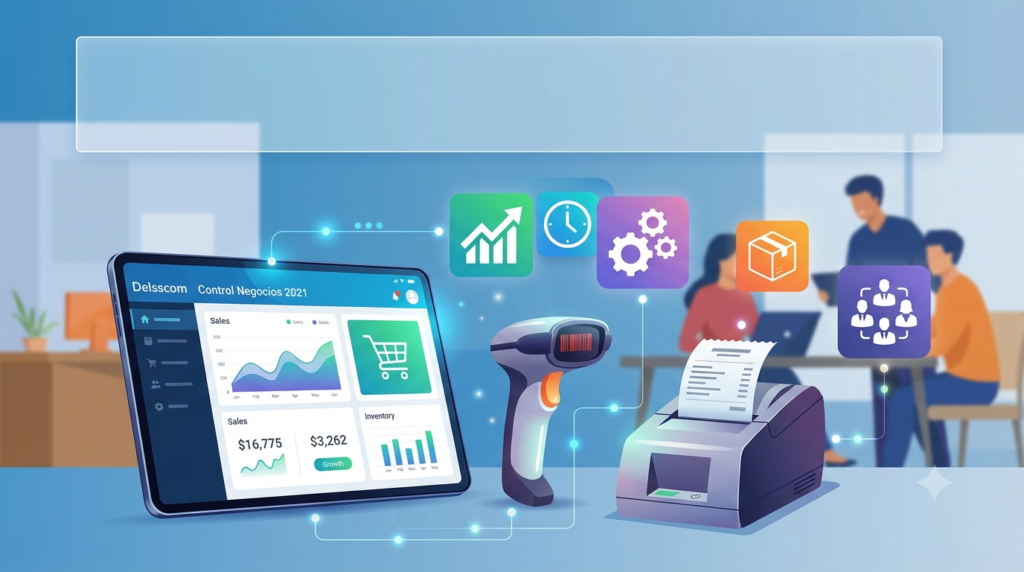

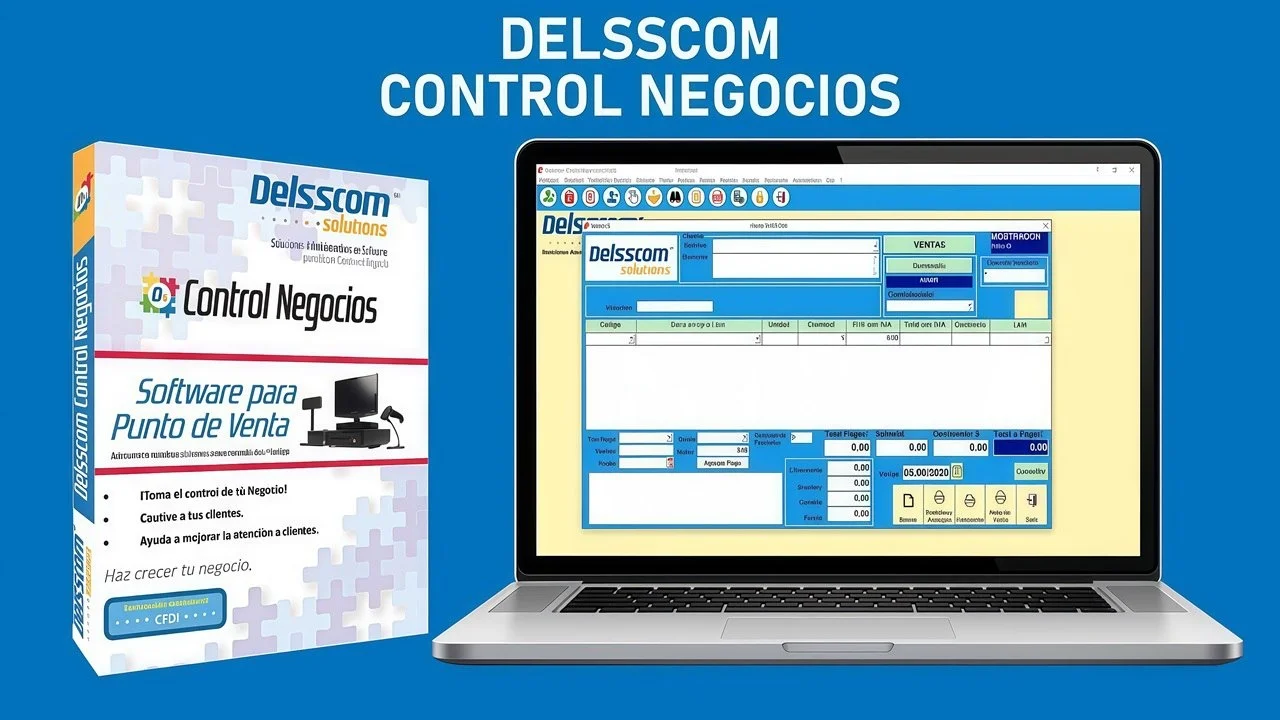
Overview of Delsscom Control Negocios 2021
Table of Contents
Delsscom Control Negocios 2021 is a powerful point of sale (POS) software designed specifically for small to medium-sized retail businesses, restaurants, and service-based enterprises. This comprehensive business management solution streamlines daily operations by integrating inventory control, sales tracking, customer relationship management, and financial reporting into a single, user-friendly platform.
The software has established itself as a reliable choice for Latin American businesses, particularly in Mexico and other Spanish-speaking markets, where it addresses common operational challenges faced by retailers and hospitality establishments. Delsscom Control Negocios offers businesses the ability to modernize their operations without requiring extensive technical expertise or substantial financial investment.
As a POS system for small business environments, Delsscom Control Negocios 2021 delivers enterprise-grade functionality at an accessible price point. The platform enables business owners to monitor real-time sales data, manage inventory across multiple locations, track employee performance, and generate detailed analytical reports that inform strategic decision-making.
This business management software distinguishes itself through its modular architecture, allowing users to customize the system according to their specific industry requirements. Whether operating a clothing boutique, a restaurant, a pharmacy, or a hardware store, businesses can configure Delsscom Control Negocios to match their unique workflows and operational needs.
Key Features of Delsscom Control Negocios 2021
Point of Sale and Billing System
The core functionality of Delsscom Control Negocios centers on its robust POS software for retail capabilities. The system supports multiple payment methods including cash, credit cards, debit cards, and digital wallets, providing flexibility for diverse customer preferences. The billing interface is designed for speed and accuracy, enabling cashiers to process transactions quickly during peak hours.
Key billing features include:
-
Customizable receipt templates with business branding
-
Support for split payments and partial payments
-
Real-time inventory deduction upon sale completion
-
Customer loyalty program integration
-
Tax calculation automation for multiple jurisdictions
-
Discount and promotion management tools
Inventory Management
Effective inventory control represents one of the software’s strongest attributes. Delsscom Control Negocios 2021 provides comprehensive inventory tracking across multiple warehouses and store locations, helping businesses maintain optimal stock levels while minimizing carrying costs.
The inventory management software functionality includes:
-
Barcode scanning and generation capabilities
-
Real-time stock level monitoring with automatic reorder alerts
-
Product categorization and variant tracking
-
Inventory valuation using FIFO and average cost methods
-
Purchase order creation and supplier management
-
Inventory reconciliation and physical count support
-
Serial number and lot number tracking for regulated products
Customer Relationship Management
Building lasting customer relationships is essential for business growth, and Delsscom Control Negocios includes integrated CRM tools that help businesses understand and serve their clients better. The system maintains comprehensive customer profiles, including purchase history, preferences, and contact information.
CRM capabilities enable businesses to:
-
Create targeted marketing campaigns based on purchase behavior
-
Implement loyalty programs with points-based rewards
-
Send automated birthday and special occasion greetings
-
Generate customer activity reports
-
Track customer service interactions and feedback
-
Segment customers by demographics and buying patterns
Financial Management and Reporting
Financial oversight is simplified through comprehensive reporting tools that provide visibility into business performance. Delsscom Control Negocios generates detailed financial statements that help business owners monitor profitability and identify areas for improvement.
Financial reporting features include:
-
Profit and loss statements
-
Sales performance analytics
-
Tax obligation calculations
-
Cash flow forecasting tools
-
Comparative reports across multiple periods
-
Category-level profitability analysis
-
Employee performance metrics
What’s New in Delsscom Control Negocios 2021
The 2021 version introduces significant enhancements designed to improve user experience and operational efficiency. The latest iteration of this POS software incorporates user feedback and technological advancements to deliver a more robust solution.
Enhanced Cloud Integration
Delsscom Control Negocios 2021 offers improved cloud synchronization capabilities, enabling real-time data sharing across multiple locations. This feature allows business owners to monitor operations remotely, accessing critical business data from any internet-connected device. The cloud integration ensures data consistency across all terminals and reduces the risk of information silos.
Mobile Accessibility
The introduction of mobile functionality represents a significant advancement in the 2021 version. Business owners can now access key performance indicators and operational data through a dedicated mobile interface, enabling informed decision-making while away from the office. This mobility feature is particularly valuable for multi-location businesses and entrepreneurs who need to stay connected to their operations.
Improved User Interface
Significant interface improvements make the software more intuitive and easier to navigate. The redesigned dashboard provides at-a-glance visibility into key performance indicators, while streamlined workflows reduce the learning curve for new users. The updated interface also accommodates touch screen functionality, facilitating faster transaction processing at the point of sale.
Advanced Analytics Module
The 2021 version introduces enhanced analytical capabilities, including predictive analytics tools that help businesses anticipate customer demand and optimize inventory levels. These advanced reporting features enable proactive decision-making rather than reactive problem-solving.
Multi-Currency Support
Expanded currency support facilitates business operations in international contexts, particularly valuable for businesses serving tourists or conducting cross-border transactions. This feature simplifies the accounting process for businesses dealing with multiple currencies.
System Requirements for Delsscom Control Negocios 2021
Minimum Hardware Requirements
-
Processor: 1.5 GHz or higher
-
RAM: 2 GB minimum (4 GB recommended for optimal performance)
-
Storage: 500 MB available hard disk space
-
Display: 1024 x 768 screen resolution
-
Printer: Compatible receipt printer
-
Barcode Scanner: USB or Bluetooth-enabled scanner
Operating System Compatibility
-
Windows 7 (64-bit)
-
Windows 8 and 8.1 (64-bit)
-
Windows 10 (64-bit)
-
Windows 11 (64-bit)
Database Requirements
-
SQL Server Compact Edition
-
MySQL (for multi-user installations)
-
Compatible with Microsoft SQL Server (enterprise configurations)
Network Requirements
-
Local area network (LAN) for multi-terminal installations
-
Internet connection for cloud synchronization and updates
-
Recommended: 10 Mbps or higher broadband connection
Installation Guide for Delsscom Control Negocios 2021
Pre-Installation Preparation
Before proceeding with installation, ensure your system meets the minimum requirements and backup any existing business data. This preparation step is crucial for preventing data loss and ensuring a smooth migration.
Pre-installation checklist:
-
Verify system compatibility
-
Create system restore point
-
Backup existing POS data
-
Ensure stable internet connection
-
Prepare license information
-
Complete any pending system updates
Installation Steps
Step 1: Download or Access Installer
Obtain the official installation file from the authorized Delsscom Control Negocios distributor or direct download link.
Step 2: Run the Installer
Execute the installation file with administrator privileges to ensure proper installation.
Step 3: Accept License Agreement
Review and accept the end-user license agreement (EULA) to proceed with installation.
Step 4: Select Installation Type
Choose between typical installation for single-user setups or custom installation for network configurations.
Step 5: Configure Database
Set up the database connection, choosing between local storage for single installations or network database for multi-user environments.
Step 6: Complete Initial Configuration
Configure basic business parameters including company details, tax settings, and default preferences.
Step 7: Activate License
Enter your license key to activate the software and access all features.
Step 8: Test Functionality
Perform test transactions to verify proper installation and configuration.
Post-Installation Configuration
After successful installation, configure additional settings to optimize the software for your specific business needs:
-
Set up user accounts and permissions
-
Configure product categories and inventory items
-
Define tax structures and payment methods
-
Customize receipt templates
-
Establish user-specific security settings
-
Configure backup schedules
-
Set up cloud synchronization (if applicable)
How to Use Delsscom Control Negocios 2021
Getting Started with the Dashboard
The main dashboard provides a central hub for all business operations. Understanding the dashboard layout enables efficient navigation and time-saving shortcuts. The interface is organized into logical modules, each accessible through the main navigation panel.
The dashboard displays key performance indicators including:
-
Daily sales totals
-
Transaction count
-
Top-selling products
-
Customer metrics
-
Low stock alerts
-
Recent transactions
Processing Sales Transactions
Processing a sale follows a straightforward workflow designed for efficiency, even during busy periods. This user-friendly process minimizes transaction time and reduces errors.
Transaction workflow:
-
Select customer or create new customer profile
-
Add items using barcode scanning or product search
-
Apply discounts or promotions as applicable
-
Review transaction summary
-
Select payment method
-
Process payment
-
Generate and print customer receipt
-
Email receipt (optional)
Managing Inventory
Effective inventory management is crucial for operational success. Delsscom Control Negocios provides tools to streamline inventory tasks and maintain optimal stock levels.
Inventory management tasks include:
-
Adding new products to the catalog
-
Updating product information and pricing
-
Conducting periodic physical counts
-
Adjusting stock levels for returns or damage
-
Creating and managing purchase orders
-
Setting reorder points and automatic alerts
-
Transferring inventory between locations
Customer Management
Building customer relationships through systematic management enhances loyalty and increases sales.
Customer management workflow:
-
Create detailed customer profiles
-
Track purchase history and preferences
-
Implement loyalty programs
-
Manage customer communications
-
Analyze customer behavior patterns
-
Create targeted promotional campaigns
Generating Reports
The reporting module provides actionable insights for business improvement.
Common report types:
-
Daily sales summaries
-
Product performance analysis
-
Customer purchase patterns
-
Employee productivity metrics
-
Financial performance reviews
-
Inventory status reports
Best Use Cases for Delsscom Control Negocios 2021
Retail Stores
Retail businesses of all sizes benefit from the comprehensive features of Delsscom Control Negocios. The software addresses the unique challenges of retail operations, from inventory management to customer service.
Retail benefits include:
-
Efficient checkout processing
-
Real-time inventory visibility
-
Detailed sales analytics by category
-
Customer purchase history tracking
-
Automated reorder management
-
Multi-location synchronization
Restaurants and Food Service
The hospitality industry has specific needs that Delsscom Control Negocios accommodates through specialized features.
Restaurant-specific capabilities:
-
Table management and reservation system
-
Split billing and sharing checks
-
Kitchen order display integration
-
Menu management with variations
-
Ingredient inventory tracking
-
Peak time analysis
Pharmacies and Healthcare
Healthcare retailers benefit from precise inventory tracking and compliance features.
Pharmacy applications include:
-
Expiration date tracking
-
Lot number management
-
Prescription tracking
-
Patient profile management
-
Regulatory compliance reporting
-
Supplier management
Service-Based Businesses
Service businesses can utilize Delsscom Control Negocios for appointment scheduling, client management, and service tracking.
Service business features:
-
Appointment scheduling
-
Service package creation
-
Client history maintenance
-
Resource allocation
-
Service performance analysis
-
Staff commission tracking
Advantages and Limitations of Delsscom Control Negocios 2021
Advantages
Cost-Effective Solution
Delsscom Control Negocios offers an affordable entry point for small businesses seeking professional POS software. The pricing structure accommodates different business sizes and budgets.
User-Friendly Interface
The intuitive design minimizes training time and enables staff to become productive quickly. The software is accessible to users with varying technical backgrounds.
Comprehensive Feature Set
The all-in-one solution eliminates the need for multiple software applications, reducing costs and integration challenges.
Latin American Market Focus
Tailored features address specific requirements of Latin American businesses, including tax regulations and business practices.
Scalable Architecture
The software accommodates business growth, from single-store operations to multi-location enterprises.
Strong Customer Support
Dedicated support resources and training materials help users maximize the software’s potential.
Limitations
Limited Global Integration
Integration options may be limited compared to international alternatives, with primary focus on Latin American services.
Language Restrictions
Spanish-language orientation may present challenges for non-Spanish-speaking users.
Industry-Specific Customization
While adaptable, some specialized industries may require additional customization.
Mobile Features
Mobile capabilities, though improved, may not match dedicated mobile-first POS solutions.
Third-Party Integration
Limited integration with third-party tools compared to some global competitors.
Alternatives to Delsscom Control Negocios 2021
Square POS
Square offers a user-friendly POS system suitable for small businesses, with strong mobile capabilities and simple pricing. However, it lacks some of the advanced inventory features of Delsscom Control Negocios.
QuickBooks POS
QuickBooks POS integrates seamlessly with QuickBooks accounting software, making it ideal for businesses already using the ecosystem. The software is more expensive than Delsscom Control Negocios.
Lightspeed Retail
Lightspeed provides comprehensive retail POS solutions with strong e-commerce integration. It targets larger retailers with higher budgets.
Odoo POS
Open-source POS solution with extensive customization options. Requires more technical expertise to implement effectively.
Vend (Lightspeed)
Cloud-based POS solution with strong omnichannel capabilities. Subscription-based pricing may be higher than Delsscom Control Negocios.
| Software | Starting Price | Key Strength | Best For |
|---|---|---|---|
| Delsscom Control Negocios 2021 | Moderate one-time fee | Comprehensive Latin American market features | Small to medium businesses in Latin America |
| Square POS | Free (transaction fees apply) | Mobile-first simplicity | Very small businesses, pop-up shops |
| QuickBooks POS | Higher one-time fee | Accounting integration | Businesses needing strong accounting features |
| Lightspeed Retail | Subscription-based | E-commerce integration | Larger retailers with online presence |
| Odoo POS | Open source (no license fee) | Customizability | Technical users seeking flexibility |
Frequently Asked Questions About Delsscom Control Negocios
1. What is Delsscom Control Negocios used for?
Delsscom Control Negocios is a comprehensive point of sale software designed for small to medium businesses to manage sales, inventory, customers, and financial reporting in a single platform.
2. Is Delsscom Control Negocios cloud-based?
Delsscom Control Negocios 2021 offers cloud synchronization capabilities, allowing remote access and multi-location data sharing, though it is not exclusively cloud-based.
3. Can I use Delsscom Control Negocios on multiple computers?
Yes, the software supports network installations, enabling multiple terminals to operate simultaneously and share data across locations.
4. What operating systems support Delsscom Control Negocios?
The software runs on Windows 7, 8, 8.1, 10, and 11 operating systems (64-bit versions).
5. Does Delsscom Control Negocios support barcode scanning?
Yes, the software fully supports barcode scanning for efficient product lookup and checkout processes.
6. How does Delsscom Control Negocios handle inventory management?
The system provides real-time inventory tracking, automatic reorder alerts, product categorization, and comprehensive stock level monitoring across multiple locations.
7. Can I integrate Delsscom Control Negocios with my existing accounting software?
Integration capabilities depend on the specific software versions, though the system does support data export for accounting purposes.
8. What payment methods does Delsscom Control Negocios support?
The software supports multiple payment methods including cash, credit cards, debit cards, digital wallets, and vouchers.
9. Is training included with Delsscom Control Negocios?
Training resources are available through authorized distributors, including user manuals, video tutorials, and in-person training options.
10. How does Delsscom Control Negocios compare to other POS software?
Delsscom Control Negocios offers competitive features tailored to Latin American markets, with strong inventory management and reporting capabilities at affordable pricing.
Final Thoughts on Delsscom Control Negocios 2021
Delsscom Control Negocios 2021 represents a significant development in point of sale software, particularly for businesses operating in Latin American markets. The software successfully balances comprehensive functionality with accessibility, making professional business management tools available to small and medium enterprises.
The 2021 version builds upon previous iterations with meaningful enhancements in cloud integration, mobile accessibility, and analytical capabilities. These improvements address evolving business needs while maintaining the core strengths that have made Delsscom Control Negocios a trusted POS solution.
For businesses seeking to modernize operations without overwhelming complexity, Delsscom Control Negocios 2021 offers a compelling solution. The software’s ability to integrate sales, inventory, customer management, and reporting into a unified platform reduces operational friction and provides business owners with the visibility necessary for informed decision-making.
The platform’s focus on the specific needs of Latin American businesses, including localized tax compliance and business practices, provides distinct advantages over generic POS solutions. This focus, combined with the software’s scalability, makes it suitable for businesses at various growth stages.
While the software has some limitations, including limited international integration and language restrictions, these factors should be weighed against its strengths and target market focus. Businesses should carefully evaluate their specific requirements against the software’s capabilities to determine the best fit for their needs.
Ultimately, Delsscom Control Negocios 2021 delivers on its promise of efficient business management through integrated point of sale functionality, helping businesses improve operational efficiency and customer satisfaction.
Our Paid Service
“We do not sell or provide any software. We only offer professional support services. If any software on your system is not working properly, or you are facing installation errors, crashes, or any other technical issue — just contact us. We will help you fix the problem quickly and remotely via AnyDesk. No software will be provided from our side — only expert troubleshooting and support.”