

Overview of the Software
Table of Contents
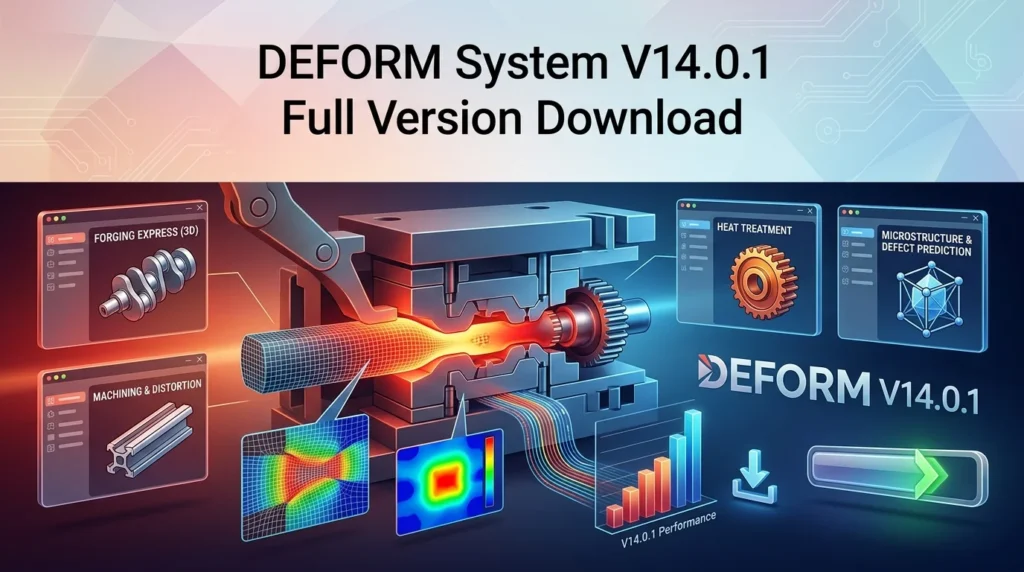
DEFORM System V14.0.1 stands as a premier metal forming simulation software developed by Scientific Forming Technologies Corporation (SFTC). This powerful engineering tool specializes in process simulation for manufacturing operations, enabling engineers and researchers to analyze complex forming processes with remarkable precision.
The software employs advanced finite element analysis (FEA) to predict material behavior during various manufacturing operations. From hot forging and cold forming to heat treatment and mechanical properties analysis, DEFORM provides comprehensive solutions for the manufacturing industry.
As a leading manufacturing simulation tool, DEFORM System V14.0.1 offers unparalleled capabilities for process optimization and defect prediction. The software’s robust material modeling features allow users to simulate real-world conditions, reducing the need for costly physical trials and accelerating product development cycles.
Key Features
Advanced Material Modeling
DEFORM V14.0.1 excels in material behavior simulation with its extensive material database and customizable models. The software supports:
-
Flow stress data for various metals and alloys
-
Temperature-dependent properties for accurate thermal analysis
-
Microstructure evolution modeling for heat treatment processes
-
Damage and fracture criteria for predicting material failure
Comprehensive Process Simulation
The software supports multiple manufacturing processes:
-
Hot forging simulation with complex tool geometries
-
Cold forming operations including extrusion and drawing
-
Heat treatment processes with phase transformation modeling
-
Rolling simulations for sheet and bar stock
-
Machining operations with chip formation analysis
User Interface and Workflow
Modernized interface design in V14.0.1 features:
-
Streamlined pre-processing workflow
-
Enhanced visualization capabilities
-
Interactive result analysis tools
-
Automated report generation
Multi-Physics Capabilities
The software integrates multiple physical phenomena:
-
Thermal-mechanical coupling for accurate temperature predictions
-
Structural analysis with large deformation capabilities
-
Microstructure prediction for quality assessment
-
Die stress analysis for tool life optimization
What’s New in Version 14.0.1
The latest iteration of this metal forming simulation tool introduces several significant enhancements:
Performance Improvements
-
Parallel processing optimization reducing simulation time by up to 40%
-
Memory management enhancements for larger model handling
-
GPU acceleration support for specific calculations
New Material Models
-
Expanded high-temperature superalloy database
-
Advanced damage initiation criteria for brittle materials
-
Enhanced twinning and recrystallization models
User Interface Updates
-
Redesigned geometry import functionality
-
Improved mesh generation algorithms
-
Streamlined material property assignment workflow
System Requirements
For optimal performance of this engineering simulation software, ensure your system meets these specifications:
Recommended Configuration
-
Operating System: Windows 10/11 Professional (64-bit)
-
Processor: Intel Xeon or AMD Ryzen with 8+ cores
-
RAM: 32 GB minimum (64 GB recommended)
-
Storage: 500 GB SSD with 20 GB free space
-
Graphics: NVIDIA Quadro or AMD Radeon Pro with 4GB VRAM
Minimum Requirements
-
OS: Windows 10 (64-bit)
-
Processor: Intel Core i7 or AMD equivalent
-
RAM: 16 GB
-
Storage: 100 GB available space
-
Display: 1920×1080 resolution
Network Requirements
-
License server for floating network licenses
-
TCP/IP connectivity for multi-user environments
-
Internet connection for updates and cloud features
Installation Guide
Follow these steps for successful DEFORM System installation:
Pre-Installation Preparation
-
Verify system compatibility
-
Close all running applications
-
Disable antivirus software temporarily
-
Ensure sufficient disk space
Installation Steps
-
Launch the installer as administrator
-
Select installation type (typical/custom)
-
Choose installation directory (default recommended)
-
Configure license settings:
-
Local license file
-
Network license server
-
Cloud-based licensing
-
-
Select components to install:
-
Pre-processor
-
Solver
-
Post-processor
-
Additional tools
-
-
Complete installation and restart the system
Post-Installation Configuration
-
Verify license activation
-
Run sample simulations
-
Configure user preferences
-
Set up project directories
How to Use the Software
Getting Started with Process Simulation
Step 1: Project Setup
Begin by creating a new simulation project:
-
Define the process type (forging, extrusion, etc.)
-
Set simulation parameters (time, temperature, etc.)
-
Choose analysis type (2D, 3D, or axisymmetric)
Step 2: Geometry Import
Import or create die and workpiece geometry:
-
Use STL, IGES, or STEP file formats
-
Define symmetry and boundary conditions
-
Set up contact surfaces and friction conditions
Step 3: Material Assignment
Configure material properties:
-
Select from the pre-loaded database
-
Define custom material models
-
Set temperature-dependent properties
-
Specify damage and fracture parameters
Step 4: Process Definition
Set up simulation parameters:
-
Define forming steps and sequences
-
Configure tool movements
-
Set environmental conditions
-
Establish cooling or heating profiles
Step 5: Simulation Execution
Run the manufacturing simulation:
-
Monitor convergence and iteration progress
-
Track temperature and stress evolution
-
Analyze material flow patterns
-
Review intermediate results
Step 6: Results Analysis
Evaluate simulation outcomes:
-
Generate stress-strain plots
-
Analyze temperature distributions
-
Evaluate die filling and flash formation
-
Assess potential defects
-
Check microstructure predictions
-
Generate comprehensive reports
Best Use Cases
Automotive Industry
-
Engine component forging optimization
-
Transmission parts manufacturing
-
Suspension components forming analysis
-
Body panels stamping simulation
Aerospace Applications
-
Turbine blade forging modeling
-
Structural components forming analysis
-
Heat treatment of critical parts
-
Composite material forming
Heavy Machinery
-
Large gear forging simulation
-
Shaft manufacturing process optimization
-
Bearing components forming analysis
-
Tool and die design verification
Research and Development
-
New material characterization
-
Process innovation validation
-
Microstructure evolution studies
-
Optimization of manufacturing parameters
Advantages and Limitations
Advantages
Technical Benefits
-
High accuracy simulation results
-
Comprehensive material databases
-
Multi-physics coupling capabilities
-
Scalable solutions for complex problems
Operational Benefits
-
Reduced physical prototyping costs
-
Faster development cycles
-
Improved product quality through defect prediction
-
Enhanced process understanding
Economic Benefits
-
Material savings through optimization
-
Tool life extension through stress analysis
-
Energy efficiency improvement
-
Waste reduction in manufacturing
Limitations
Technical Constraints
-
High computational requirements for complex models
-
Steep learning curve for new users
-
Specialized knowledge needed for accurate modeling
-
Time-consuming setup for complex geometries
Practical Considerations
-
High software licensing costs
-
Training requirements for personnel
-
Hardware upgrades may be necessary
-
Validation experiments still required
Alternatives to DEFORM System
Commercial Alternatives
| Software | Key Features | Best For |
|---|---|---|
| Simufact Forming | Advanced forging simulation, intuitive interface | Automotive forming |
| QForm | Specialized extrusion and forging, fast setup | Extrusion processes |
| FORGE | High-performance computing, complex geometries | Heavy industry |
| Ansys Forming | Integration with Ansys ecosystem, multiphysics | Multidisciplinary analysis |
Open Source Alternatives
-
OpenFOAM with custom solvers
-
CalculiX for structural analysis
-
Elmer FEM for multi-physics applications
Complementary Tools
-
Simulink for control system integration
-
Abaqus for detailed stress analysis
-
COMSOL for multiphysics simulation
Frequently Asked Questions
What is DEFORM System used for?
DEFORM System is specialized metal forming simulation software used for analyzing processes like forging, extrusion, rolling, and heat treatment. It helps engineers predict material behavior, defects, and optimize manufacturing parameters.
What industries use DEFORM System?
The software is widely used in automotive manufacturing, aerospace engineering, heavy machinery production, and research institutions. Any industry involving metal forming and processing can benefit from DEFORM.
What are the benefits of using DEFORM System?
Benefits include reduced prototyping costs, improved product quality, defect prevention, process optimization, and faster development cycles. The simulation capabilities help companies make informed manufacturing decisions.
Is DEFORM System suitable for beginners?
While the software is powerful, new users should expect a learning curve. The manufacturer provides training resources, tutorials, and documentation. Some familiarity with metal forming and simulation principles is beneficial.
What file formats does DEFORM System support?
The software supports various CAD formats including STL, IGES, STEP, and proprietary formats. It also exports results in common engineering formats for further analysis.
Does DEFORM System support cloud computing?
Yes, DEFORM System offers cloud-based licensing and can leverage high-performance computing resources for complex simulations. This enables users to run large-scale analyses without on-premise hardware investments.
Final Thoughts
DEFORM System V14.0.1 represents a significant advancement in manufacturing simulation technology. Its comprehensive feature set, enhanced performance, and user-friendly improvements make it an indispensable tool for companies involved in metal forming and heat treatment processes.
The software’s ability to accurately simulate complex manufacturing operations helps engineers make data-driven decisions, optimize production parameters, and reduce the risk of costly defects. With continuous development and support from Scientific Forming Technologies Corporation, DEFORM System remains at the forefront of process modeling and simulation.
For engineering teams serious about manufacturing process optimization, DEFORM System V14.0.1 offers the capabilities needed to stay competitive in today’s demanding industrial landscape. The investment in this technology pays dividends through improved efficiency, better product quality, and reduced development costs.
Our Paid Service