
Overview of DBeaver Ultimate Edition
Table of Contents
DBeaver Ultimate Edition is designed for users who require a powerful toolkit for complex data environments with enhanced cloud capabilities. It builds upon the DBeaver Enterprise Edition by adding specialized tools for cloud database management and integration with data streams like Apache Kafka . As a universal database management tool, it allows professionals to manipulate data as if working in a regular spreadsheet, create analytical reports across various data storages, and export information in the desired format .
The software is offered as a desktop application available for Windows, macOS, and Linux, with a distribution now available on the Microsoft Store and as a preconfigured AMI on AWS Marketplace for streamlined deployment within AWS environments . DBeaver Ultimate is an annual subscription product, ensuring users receive continuous updates and support .
DBeaver Ultimate is the most comprehensive edition in the DBeaver product line. It combines advanced data management, multi-cloud connectivity, and a full SQL development toolkit. Key capabilities include data viewing, editing, transfer, comparison, and analysis across 100+ database types, with built-in visualizations and Tableau integration .
Key Features
DBeaver Ultimate v26.1 is packed with features designed to streamline database administration, query development, and data migration. Here are the core capabilities that define this edition.
Universal Database Connectivity
DBeaver Ultimate supports a vast array of database systems. It includes a comprehensive set of JDBC drivers, offering connectivity to various databases without needing separate downloads and configurations . The Ultimate edition provides enhanced features compared to the Community Edition for many databases, offering additional metadata capabilities and advanced authentication methods. Its extensive list of supported databases spans across:
-
Relational Databases: Oracle, PostgreSQL, MySQL, SQL Server, MariaDB, and many more .
-
NoSQL and Cloud Databases: MongoDB, Cassandra, Elasticsearch, Google BigQuery, and Amazon Athena .
-
Cloud Platforms: Seamless integration with Amazon Web Services (AWS), Google Cloud Platform (GCP), and Microsoft Azure, with Cloud Explorer enabling centralized authentication and automatic configuration .
Advanced SQL Editor and Development Tools
The SQL Editor in DBeaver Ultimate is a powerful environment for writing, optimizing, and debugging queries . It provides robust features such as:
-
Code completion and auto-formatting .
-
Execution plan visualization for analyzing query performance .
-
A visual query builder (VQB) for constructing SQL queries without writing code .
-
An integrated SQL debugger for PostgreSQL to aid in query development and troubleshooting .
AI-Powered Assistant
DBeaver Ultimate v26.1 integrates an AI Assistant and AI Chat to offer guidance and automation within the SQL Editor . The latest version enhances this feature significantly, providing smarter context-aware suggestions that respect database permissions.
Cloud Data and Storage Management
The Cloud Explorer tool provides a unified interface for managing and connecting to cloud-hosted databases across AWS, GCP, and Azure . Furthermore, the Cloud Storage support enables direct file management within cloud environments like Amazon S3 and Google Cloud Storage, allowing users to query data files (CSV, XLSX, Parquet, JSON, XML) without importing them into a database . Integration with Apache Kafka is also included .
Data Management and Administration
For data administration, DBeaver Ultimate offers a comprehensive suite of tools:
-
Data Transfer: Export and import data in up to 10 different file formats or directly between different databases .
-
Data and Schema Comparison: Compare database schemas or data across different databases and generate synchronization scripts .
-
ER Diagrams: Reverse engineer databases into entity-relationship diagrams (ERDs) and edit them for database design .
-
Task Management and Scheduling: Automate routine operations through scheduled tasks .
-
Mock Data Generator: Generate test data for development and testing purposes .
Integration and Security
-
Git Integration: Supports integration with Git for version control and change tracking .
-
Tableau Integration: Facilitates advanced data visualization and analysis .
-
Advanced Security: Includes master and project password protection, authentication mechanisms, and Secret Manager integrations .
What’s New in DBeaver Ultimate v26.1
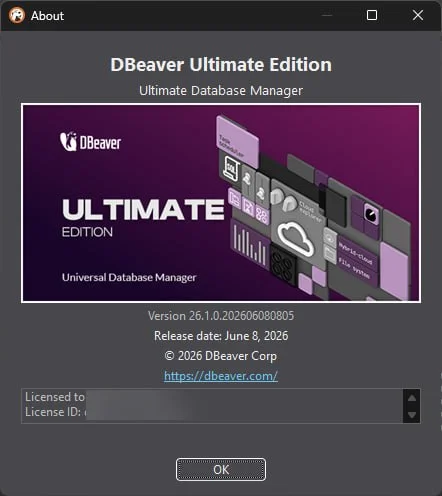
The v26.1 update, released in June 2026, brings a host of enhancements focused on AI, performance, usability, and security . This update solidifies DBeaver Ultimate’s position as a cutting-edge database management solution.
AI Assistant and MCP Server Support
A major new feature is the ability to add, configure, and use external AI MCP (Model Context Protocol) servers and tools . These added tools can be used in the AI Chat after user confirmation. Users can now configure permissions for MCP servers and specific AI tools through an allowlist in Preferences.
SQL Editor and Execution Plan Enhancements
-
AI-Powered Execution Plans: The SQL Execution Plan graph has been redesigned. Users can now ask the AI to explain execution plans directly within the AI Chat .
-
Improved Query Suggestions: Added SQL context support for more accurate AI query suggestions. Suggestions are now inserted into the script in a suitable place and follow existing script logic and formatting .
Data Editor and Filter Management
-
Query Filter Management: Users can now save, rename, delete, and search for needed query filters .
-
Enhanced Data Visualization: Added a group row striping option that allows rows to be colored by column values in the result grid for easier data analysis .
Data Transfer and Compare
-
Redesigned Export Wizard: The first page of the Data Export wizard was redesigned to simplify the process. Less frequently used settings were moved to advanced sections. The “Proceed” button is now enabled on every properly filled page, letting users start the export without opening settings they don’t need .
-
Data Diff in Daff Format: A new text format, “Daff” (Data diff), has been added for exporting comparison results .
-
AI Summaries: Users can now summarize comparison reports with AI .
Connectivity and New Drivers
-
Microsoft Store Availability: Added the ability to download and purchase DBeaver Ultimate from the Microsoft Store .
-
New Driver Support: Added connectors for Microsoft Fabric and new database support for Valkey and GizmoSQL .
-
AWS Secrets Integration: Added a new configuration provider, “AWS Secrets,” that uses local AWS configuration for secret management .
Security Fixes
This update addresses several high and medium vulnerabilities in third-party libraries, including sun.mail.jakarta, bcpg-jdk18on, netty-codec-http2, and tomcat-embed-core . This demonstrates a strong commitment to security and trustworthiness.
System Requirements
To ensure optimal performance and compatibility, your system should meet the following specifications for running DBeaver Ultimate Edition .
Supported Operating Systems
-
Microsoft Windows: Windows 10, Windows 11 or later versions. Windows Server 2016 or later versions .
-
macOS: macOS 11 (Big Sur) or later versions . Version 26.1.0 is compatible with both Intel and Apple Silicon (ARM) architectures .
-
Linux: Most modern Linux distributions .
Other Requirements
-
Java: DBeaver includes OpenJDK, so no separate Java installation is required. The bundled JDK is accessible only to DBeaver .
Installation Guide
Installing DBeaver Ultimate is a straightforward process, with options tailored to different operating systems. For AWS users, a specialized deployment option is also available.
Windows and macOS Installer
The installer distribution is the recommended method for installing DBeaver on Windows and macOS . To install:
-
Download the installer from the official DBeaver website or the Microsoft Store .
-
Run the installer executable.
-
Follow the on-screen instructions.
-
For Windows, you can select whether to install for all users or the current user and choose the destination folder .
-
For macOS, drag and drop the DBeaver icon into your Applications folder .
-
-
The installer will automatically upgrade DBeaver if a previous version is already installed .
Linux Installation (Debian and RPM)
For Linux users, DBeaver provides Debian and RPM packages .
-
Debian/Ubuntu:
-
Download the
.debpackage. -
Run
sudo dpkg -i dbeaver-<version>.deb. -
Execute
dbeaver &.
-
-
RPM-based distributions:
-
Download the
.rpmpackage. -
Run
sudo rpm -ivh dbeaver-<version>.rpm. -
To upgrade, use
sudo rpm -Uvh dbeaver-<version>.rpm.
-
Installation on AWS Marketplace
For organizations operating in AWS, DBeaver Ultimate is available as a preconfigured AMI on AWS Marketplace .
-
Locate the DBeaver Ultimate for AWS listing in AWS Marketplace .
-
Launch an EC2 instance from the selected AMI .
-
The instance comes with AWS authentication pre-configured, allowing users to start working immediately after connecting via RDP .
-
Subscription and billing are handled directly through the AWS account .
Activation
After installation, launch the application. You will be prompted to either start a free 14-day trial or import a license key . You can copy your license key from your profile on the DBeaver website .
How to Use DBeaver Ultimate
This section provides a practical guide to using DBeaver Ultimate, from establishing your first connection to performing complex data tasks.
Getting Started: Creating a Connection
-
Launch DBeaver Ultimate and go to Database > New Database Connection.
-
Select your database type (e.g., PostgreSQL, MySQL, Oracle).
-
In the connection settings window, enter the required details:
-
Host: The server address (e.g., localhost, IP address).
-
Port: The database’s listening port (default values are pre-filled).
-
Database: The specific database name.
-
Username/Password: Your database credentials.
-
-
Click Test Connection to verify the settings. If successful, click Finish.
-
For cloud databases, you can use the Cloud Explorer to browse, connect to, and manage databases across AWS, GCP, and Azure with centralized authentication .
Using the SQL Editor and AI Assistant
-
In the Database Navigator, select a connection and open a new SQL script by clicking the SQL Editor button or right-clicking the connection and selecting SQL Editor > New SQL Script.
-
Write your SQL query. The editor provides code completion, syntax highlighting, and formatting .
-
To execute a query, press Ctrl+Enter (Cmd+Enter on macOS) or click the Execute button.
-
To use the AI Assistant:
-
Open the AI Chat panel.
-
In v26.1, you can now add and configure external AI MCP servers and tools in Preferences .
-
Type a natural language request (e.g., “Explain this execution plan” or “Write a query to join the ‘orders’ and ‘customers’ tables”).
-
The AI will generate a response or a suggestion that can be directly inserted into your script .
-
Data Management and Export
-
To view and edit data, right-click a table and select View Data or Edit Data.
-
Use the Data Editor to filter, sort, and modify data. In v26.1, you can manage and save query filters and color rows by column values .
-
For exporting data:
-
Right-click on a table or a query result.
-
Select Export Data.
-
The redesigned export wizard allows you to select the format (e.g., CSV, Excel, SQL) and settings. The “Proceed” button is enabled on every properly filled page, simplifying the process .
-
-
For data migration, use the Data Transfer tool to move data directly between different databases .
Comparing Schemas and Data
DBeaver Ultimate includes tools to compare database schemas or data to identify differences and generate synchronization scripts .
-
Navigate to the desired database or schema.
-
Right-click and select Schema Compare or Data Compare.
-
In the wizard, choose the source and target objects to compare.
-
After the comparison, you can view a report. In v26.1, you can also summarize comparison reports with AI and export results in the new “Daff” format .
Best Use Cases
DBeaver Ultimate is a versatile tool suitable for a wide range of professional use cases.
-
Multi-Cloud Data Management: Organizations using AWS, GCP, and Azure can manage all their cloud databases from a single, unified desktop interface using Cloud Explorer .
-
Complex Database Migration: The direct data transfer, schema comparison, and data comparison tools streamline the process of migrating data between different database systems and versions .
-
High-Performance Query Development: Data engineers and analysts can use the advanced SQL Editor with AI assistance and execution plan visualization to write, optimize, and debug complex queries .
-
Data Administration in AWS: Teams running their data operations on AWS can use the AWS Marketplace version to bypass separate procurement cycles and compliance reviews, deploying DBeaver Ultimate directly within their AWS infrastructure .
-
Data Analysis and Reporting: With built-in visualizations, integration with Tableau, and the ability to query files directly in cloud storage (S3, GCS), analysts can access and analyze data without complex ETL processes .
Advantages and Limitations
Like any software, DBeaver Ultimate has key strengths and potential drawbacks to consider.
Advantages
-
Comprehensive Database Support: Connect to over 100 different SQL and NoSQL databases, making it a single tool for diverse data environments .
-
Powerful Feature Set: Includes all advanced features from the Enterprise edition, plus enhanced cloud integration, Kafka support, and cloud storage management .
-
AI Integration: The AI assistant in v26.1 provides smart, context-aware query suggestions, code generation, and explanatory capabilities, boosting productivity .
-
Enhanced Security: Regularly updated to address vulnerabilities and includes robust features like master password protection and Secret Manager integrations .
-
Flexible Deployment: Available as a traditional desktop installer, via the Microsoft Store, or as a preconfigured AMI on AWS Marketplace .
Limitations
-
Cost: As the most comprehensive edition, DBeaver Ultimate requires an annual subscription, which may be a consideration for individual users or small teams .
-
Individual Use: The Ultimate Edition is designed for individual use only .
-
Resource Intensive: As a feature-rich desktop application, it can be resource-heavy compared to simpler SQL clients, especially when managing many active connections.
Alternatives to DBeaver Ultimate
Depending on your specific needs and budget, several alternatives may be suitable for database management.
| Tool | Focus / Key Differentiator | Best For |
|---|---|---|
| DBeaver Enterprise | Advanced features minus dedicated cloud tools. | Professionals needing advanced database tools without the cloud and Kafka features of Ultimate . |
| DBeaver Community | Free and open-source. | Individual developers and students needing a robust, free universal database client. |
| DataGrip | JetBrains IDE integration. | Developers already in the JetBrains ecosystem. |
| Navicat | User-friendly interface with powerful features. | Users seeking an intuitive GUI with visual database design and data modeling. |
| SQL Workbench/J | Lightweight, pure SQL client. | Users preferring a lightweight client focused on SQL execution without database-specific features. |
Frequently Asked Questions
Is DBeaver Ultimate free?
No, DBeaver Ultimate is a commercial product with an annual subscription . However, a free 14-day trial is available for users to evaluate the software . The Community Edition is a free, open-source alternative with a more limited feature set .
What is the difference between DBeaver Enterprise and Ultimate?
DBeaver Ultimate builds on the Enterprise Edition by adding specialized tools for enhanced cloud integration and management . Specifically, Ultimate includes the Cloud Explorer for managing cloud-hosted databases, Cloud Storage support for managing files in AWS, GCP, and Azure, and integration with Apache Kafka data streams .
Is DBeaver Ultimate available for macOS?
Yes, DBeaver Ultimate is fully compatible with macOS 11 (Big Sur) or later, supporting both Intel and Apple Silicon (ARM) architectures . The installation process involves downloading the disk image and dragging the app to your Applications folder .
Can I manage multiple cloud databases with DBeaver Ultimate?
Yes, DBeaver Ultimate is specifically designed for this purpose. The Cloud Explorer tool provides a unified interface to browse, connect to, and manage databases across AWS, Google Cloud Platform (GCP), and Microsoft Azure from a single application .
What new features are included in DBeaver Ultimate v26.1?
Version 26.1 introduces significant enhancements, including support for external AI MCP servers, improved AI query suggestions with context, a redesigned SQL Execution Plan graph with AI explanation capabilities, enhanced data filter management, and a simplified Data Export wizard .
What are the system requirements for DBeaver Ultimate?
DBeaver Ultimate requires Windows 10/11, Windows Server 2016+, macOS 11+, or a modern Linux distribution. It includes its own OpenJDK, so no separate Java installation is needed .
How can I install DBeaver Ultimate?
Installation methods include an installer for Windows and macOS, Debian and RPM packages for Linux, availability on the Microsoft Store, and a preconfigured AMI on AWS Marketplace .
Which databases does DBeaver Ultimate support?
DBeaver Ultimate supports over 100 different SQL and NoSQL databases, including Oracle, PostgreSQL, MySQL, SQL Server, MongoDB, Cassandra, Google BigQuery, and many more .
Does DBeaver Ultimate integrate with version control?
Yes, DBeaver Ultimate supports integration with Git for version control and change tracking, allowing teams to manage database scripts and schema changes effectively .
Final Thoughts
DBeaver Ultimate v26.1 represents a significant advancement in the field of database management tools. By seamlessly integrating powerful AI capabilities, enhancing core features like the SQL Editor and Data Export wizard, and reinforcing its commitment to security and multi-cloud support, it solidifies its position as a leading solution for data professionals.
For teams and individuals navigating complex, cloud-centric data landscapes, DBeaver Ultimate offers a comprehensive, reliable, and innovative toolkit. Its ability to unify disparate data sources under one interface—from traditional SQL databases to modern cloud data lakes and streaming platforms—makes it an invaluable asset for maximizing productivity and ensuring data governance. Whether you are optimizing a single query or orchestrating a large-scale cloud migration, DBeaver Ultimate provides the tools you need to succeed.
Our Paid Service
“We do not sell or provide any software. We only offer professional support services. If any software on your system is not working properly, or you are facing installation errors, crashes, or any other technical issue — just contact us. We will help you fix the problem quickly and remotely via AnyDesk. No software will be provided from our side — only expert troubleshooting and support.”