
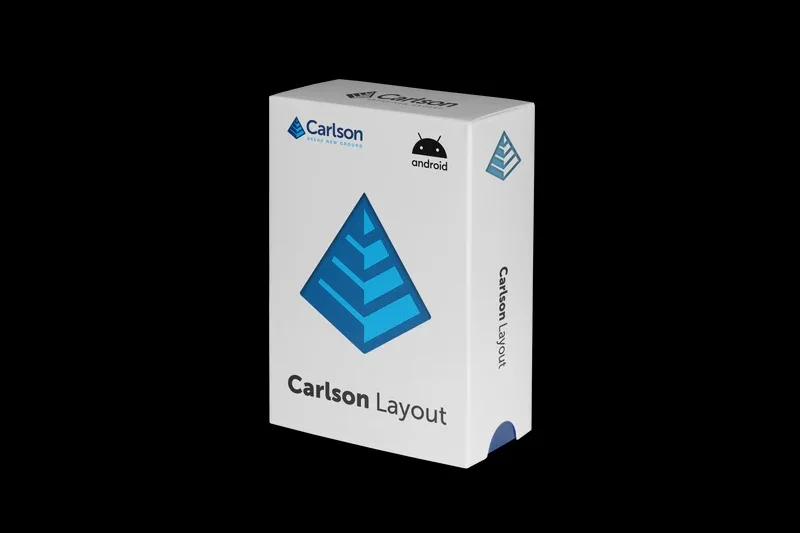
Overview of Carlson Layout 2.0
Table of Contents
Carlson Layout 2.0 is a specialized software for civil engineering and surveying professionals, designed to streamline the creation of construction staking sheets, boundary surveys, and subdivision plats. Unlike general-purpose CAD tools, Carlson Layout provides automated annotation, dynamic labeling, and robust coordinate geometry (COGO) functions tailored for land surveyors and layout crews.
This latest iteration focuses on improving field-to-office workflow efficiency, reducing manual drafting time, and enhancing data compatibility with total stations and GPS rovers. Whether you are preparing a residential lot layout or a large-scale road alignment, Carlson Layout 2.0 offers precision tools that meet professional surveying standards.
Key Features of Carlson Layout 2.0
The software is built around several high-impact features that distinguish it from basic CAD platforms. Below are the core capabilities.
Automated Staking Sheet Generation
-
Instantly create point, line, and curve staking reports
-
Customizable title blocks and company logos
-
Batch processing for multiple lots or alignments
Advanced COGO Toolkit
-
Traverse adjustment and least squares analysis
-
Curve solving by chord, arc, or delta angle
-
Inverse and bearing-distance computation
Dynamic Annotation & Labeling
-
Smart labels that update when geometry changes
-
Support for bearing, distance, radial, and delta text
-
User-defined label styles for consistent output
Field-to-Finish Data Integration
-
Import raw survey data from Leica, Trimble, Topcon, and Sokkia
-
Automatic linework generation from field codes
-
Export ready-to-stake DXF, DWG, or PDF files
What’s New in the Latest Version (Carlson Layout 2.0)
Version 2.0 introduces several workflow enhancements compared to previous releases:
| Feature | Improvement |
|---|---|
| Point Cloud Support | Lightweight visualization of LiDAR or drone-derived points |
| Cloud Collaboration | Share layouts via Carlson’s cloud portal for remote review |
| Enhanced PDF Export | Hyperlinked point lists and layer-based PDF output |
| Faster Regeneration | Optimized engine for large plats with 10,000+ points |
These updates make Carlson Layout 2.0 a more capable tool for modern survey teams working with mixed data sources.
System Requirements
Before installing, ensure your workstation meets the recommended specifications for smooth operation.
Minimum Requirements:
-
OS: Windows 10 (64-bit) or Windows 11
-
CPU: Intel Core i5 or AMD Ryzen 5
-
RAM: 8 GB
-
Storage: 5 GB free space
-
Display: 1920 x 1080 resolution
Recommended Requirements:
-
OS: Windows 11 Pro
-
CPU: Intel Core i7 or AMD Ryzen 7
-
RAM: 16 GB or more
-
Storage: 256 GB SSD
-
Graphics: Dedicated GPU with 2 GB VRAM (OpenGL 4.5)
Installation Guide for Carlson Layout 2.0
Follow these steps to perform a clean installation of the software. This process assumes you have a valid license key provided by Carlson Software or an authorized reseller.
Step-by-Step Installation
-
Download the installer from the official Carlson Software customer portal.
-
Close all CAD or office applications to avoid file conflicts.
-
Run the installer as administrator (right-click > Run as administrator).
-
Accept the license agreement and choose “Complete” installation.
-
Enter your license key when prompted. The software will validate online.
-
Select your default CAD platform (AutoCAD or IntelliCAD) if applicable.
-
Complete the installation and restart your computer.
How to Use Carlson Layout 2.0
Mastering the software involves understanding its core modules. Below is a practical workflow for generating a residential subdivision staking sheet.
Importing Field Data
-
Go to Survey > Import/Export > Import ASCII/RAW File
-
Select your data format (e.g., CSV, RW5, DC)
-
Map point number, northing, easting, and elevation columns
-
Click Import – points will appear in the drawing
Creating a Boundary Plat
-
Use COGO > Draw Line by Bearing/Distance to enter deed calls
-
Apply Linework > Join Polylines to close the boundary
-
Verify closure error with COGO > Traverse Analysis
Generating Staking Sheets
-
Select all points or a window of lot corners
-
Navigate to Layout > Staking Sheet Wizard
-
Choose point order (clockwise, by point number, or by alignment)
-
Set sheet size (Letter, Legal, Arch D)
-
Click Generate – the software creates labeled plats with cut/fill tables
Best Use Cases for Carlson Layout 2.0
This software excels in specific civil and surveying scenarios.
-
Residential subdivision design – Create lot and block layouts with automatic setbacks
-
Construction staking – Produce clear staking sheets for grading, utilities, and foundations
-
ALTA/NSPS land title surveys – Meet required accuracy and annotation standards
-
As-built documentation – Import field-collected points to verify built conditions
-
Boundary retracement – Compare recorded deed calls with measured data
Advantages and Limitations of Carlson Layout 2.0
Advantages
| Category | Benefit |
|---|---|
| Speed | Batch staking sheets reduce manual work from hours to minutes |
| Accuracy | Built-in closure checks and adjustment tools minimize errors |
| Compatibility | Works with most total station and GPS file formats |
| Learning curve | Familiar ribbon interface for AutoCAD users |
Limitations
| Category | Consideration |
|---|---|
| CAD dependency | Best experience requires AutoCAD or IntelliCAD (standalone version available but limited) |
| 3D modeling | Not a full BIM or roadway corridor modeler |
| Price point | Higher than basic CAD, justified for survey-specific tasks |
Alternatives to Carlson Layout 2.0
Depending on your budget and workflow, consider these alternatives.
| Software | Primary Use | Strengths | Weaknesses |
|---|---|---|---|
| Carlson Layout 2.0 | Staking sheets & COGO | Fast, survey-focused | Requires CAD base |
| Trimble Business Center | Post-processing & layout | Strong GNSS integration | Higher cost |
| MicroSurvey | CAD-based surveying | Good field-to-finish | Smaller user community |
| ESRI ArcGIS Surveyor | GIS-focused surveying | Excellent mapping | Less staking automation |
| QGIS with COGO plugins | Open-source alternative | Free | Steep learning curve |
Frequently Asked Questions (FAQ)
Is Carlson Layout 2.0 compatible with AutoCAD?
Yes. Carlson Layout 2.0 runs on top of AutoCAD 2018–2025 or includes an IntelliCAD engine. You can also export to standard DXF/DWG files.
What file formats can I import for survey data?
The software supports RAW, RW5, CSV, TXT, FBK, DC, JOB, and many proprietary total station formats from Leica, Trimble, Topcon, and Sokkia.
Can I use Carlson Layout 2.0 without a CAD license?
Yes. The standalone version includes IntelliCAD, so you do not need an existing AutoCAD license. However, the full version running on AutoCAD offers more advanced drafting tools.
Does this software include point cloud editing?
Version 2.0 introduces light point cloud visualization (LAS, LAZ, RCP) for context, but it is not a full point cloud classification or modeling tool.
How do I get a legal license for Carlson Layout 2.0?
Purchase directly from Carlson Software’s website or through authorized resellers. Subscription and perpetual license options are available for individual users and firms.
What is the typical learning curve for a survey technician?
Most users become productive within 1–2 weeks if they have prior CAD experience. Carlson offers free video tutorials and paid training courses.
Can I output staking sheets to a mobile device for field use?
Yes. Export sheets as PDF or use Carlson’s mobile app (separate license) to view interactive staking data on an Android or iOS tablet.
Final Thoughts on Carlson Layout 2.0
Carlson Layout 2.0 remains a strong choice for survey firms and civil engineering departments that need reliable, fast staking sheet generation and COGO tools. Its strengths lie in automation of repetitive layout tasks and seamless field data integration. While it is not a full BIM platform, for 2D staking and boundary surveying, it is one of the most efficient tools available.
Professionals should evaluate their existing CAD environment and budget before purchasing. If your team primarily produces construction staking sheets or subdivision plats, Carlson Layout 2.0 will likely pay for itself in labor savings within months.
Our Paid Service
“We do not sell or provide any software. We only offer professional support services. If any software on your system is not working properly, or you are facing installation errors, crashes, or any other technical issue — just contact us. We will help you fix the problem quickly and remotely via AnyDesk. No software will be provided from our side — only expert troubleshooting and support.”