
Overview of the Software
Table of Contents
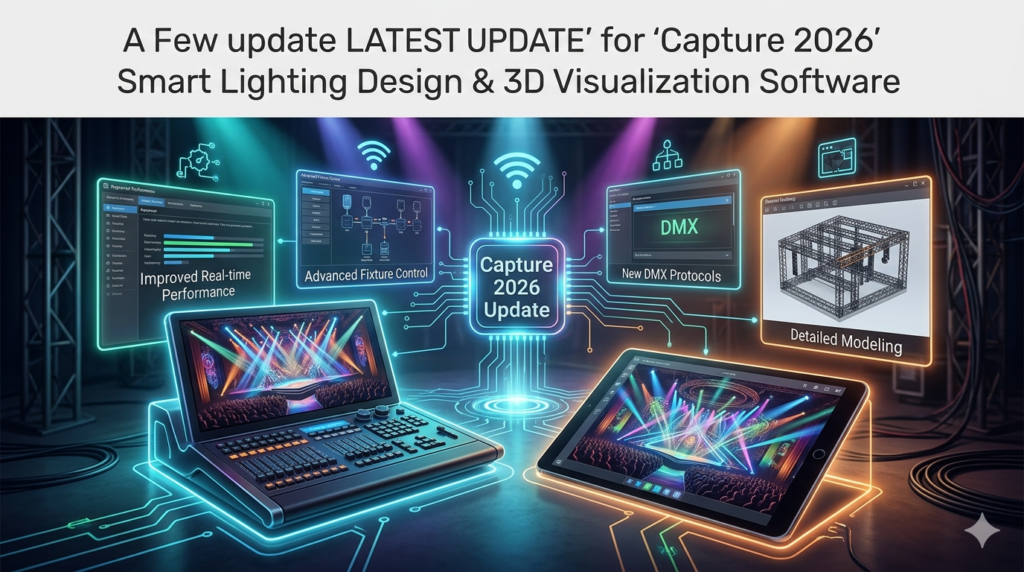
Capture 2026 is a real-time 3D visualization software developed by the Swedish company Capture Visualisation AB. It serves as a critical tool for pre-visualization (pre-viz), allowing designers to program lighting, set design, and media servers offline before stepping into a venue.
Running natively on both Windows 11 and macOS, the software utilizes modern graphics APIs (DirectX 11.1 and Metal) to simulate real-world light physics. Whether designing for a concert tour, a theater production, or an architectural landmark, Capture 2026 helps identify potential design flaws early, saving time and reducing physical setup costs.
Key Features of Capture 2026
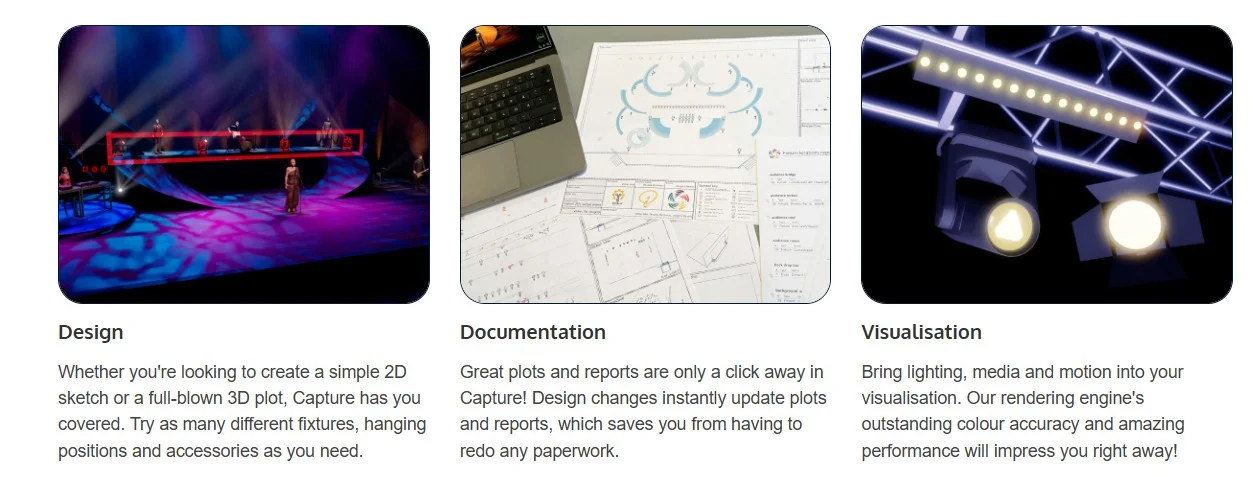
This software is built to handle the heavy lifting of professional productions. Key features include:
-
Real-Time Rendering Engine: Instant visual feedback with physically correct lighting, shadows, and now, realistic smoke absorption.
-
Extensive Object Library: Access thousands of fixtures, truss structures, geometric shapes, and stage props.
-
DMX & Art-Net Input: Connect directly to lighting consoles (GrandMA, Avolites, etc.) to control the virtual rig as if it were real.
-
Paperwork & Documentation: Automatically generate patch lists, instrument schedules, and plot sheets for technical crews.
-
Multi-User Collaboration: Support for team-based design via server networking (Symphony Edition).
What’s New in Capture 2026
The 2026 version is not a minor patch but a significant workflow upgrade. Key enhancements include:
1. Enhanced User Interface & Data Handling
The property tables have been completely modernized. Users can now utilize system-wide copy/paste, incremental value inputs, and multi-selection across large data sets. This significantly speeds up editing for projects with hundreds of fixtures.
2. Advanced Rigging Workflows
New Sling objects allow designers to model chains, wire ropes, and steel cables with accurate load display and 3D coordinates. You can now link directly to Production Assist for static calculation studies.
3. Physically Correct Smoke Visualization
One of the most striking visual upgrades is the new smoke rendering. Unlike older particle effects, this version simulates how light is absorbed and scattered by haze, creating volumetric beams that feel real, not artificial.
4. Flexible Patching & Universes
Capture 2026 now supports fixture modes exceeding 512 DMX channels and allows patching across universe boundaries, catering to the complexity of modern multi-protocol fixtures.
System Requirements
To ensure optimal performance with complex 3D scenes and real-time rendering, your workstation should meet the following requirements:
Operating System: Windows 11 (64-bit) or macOS 13.5 – 26.0 (Ventura to Sequoia).
Graphics API: DirectX 11.1 (Windows) / Metal (macOS).
Processor: Multi-core Intel, AMD, or Apple Silicon (M1/M2/M3) recommended.
RAM: 8 GB minimum (16 GB or higher recommended for large touring shows).
Disk Space: 2 GB for installation; additional space for project libraries.
Network: Required for DMX streaming over Art-Net/sACN and license validation.
Installation Guide (Windows & macOS)
Unlike generic screen recorders, Capture is a professional-grade application requiring standard administrative rights. Follow this guide to install your Demo or Full version.
For Windows 11:
-
Download the
Capture 2026.0.32.msi(approx. 413 MB) file from the official Capture website. -
Double-click the installer file.
-
Follow the setup wizard. It is recommended to keep the default installation path.
-
Once completed, launch Capture from the Start Menu.
For macOS (Ventura to Sequoia):
-
Download the
Capture 2026.0.32.dmgfile. -
Double-click the DMG to mount the volume.
-
Drag the Capture application icon into your Applications folder.
-
If macOS warns about an unidentified developer, right-click the app and select “Open” to bypass Gatekeeper for trusted software.
Note: The Demo version is fully functional but limits saving and runs sessions to 90 minutes.
How to Use the Software
For new users transitioning from traditional CAD or pen-and-paper plotting, the workflow in Capture 2026 is intuitive yet powerful.
Step 1: Building the Venue
Start by importing a DWG file of the venue or using the built-in primitive objects to build walls, stages, and audience areas.
Step 2: Rigging the Gear
Drag and drop trusses and fixtures from the library onto your stage. Use the new Sling objects to hang moving heads from high steel accurately.
Step 3: Patching
Open the Patch Tool. Assign your DMX addresses or Universes. You can now patch multiple fixture modes seamlessly, even if they exceed the standard 512 channels.
Step 4: Pre-Visualization
Connect your lighting console via a network cable (Art-Net/sACN). As you move the faders on your physical console, the 3D view in Capture 2026 updates instantly.
Best Use Cases
Capture 2026 serves distinct roles across the entertainment industry:
-
Touring & Live Events: Program the entire show in a hotel room or bus. Arrive at the venue with the console fully show-ready.
-
Theatre & Opera: Use the paperless documentation to generate patch lists for stagehands and use the 3D view for blocking notes for actors relative to light positions.
-
Architectural Lighting: Import IES files to use real-world photometric data for lighting building facades or indoor commercial spaces.
-
Education: Students can learn lighting design without needing access to a physical rig of $10,000 fixtures.
Advantages and Limitations
Advantages
-
Time Efficiency: Eliminates the guesswork of rigging, drastically reducing “focusing” time in the actual venue.
-
Realism: The new smoke and bloom effects create renders indistinguishable from real event photography.
-
Scalability: The software handles large universes and complex LED strips (pixel mapping) efficiently.
Limitations
-
Learning Curve: For absolute beginners, the sheer depth of the fixture library and network settings can be daunting without prior DMX knowledge.
-
Hardware Dependent: Real-time rendering relies heavily on a dedicated GPU; integrated graphics may struggle with large shows.
Alternatives to the Software
While Capture is a market leader, professionals may also consider these competitors depending on their budget or specific niche:
-
Vectorworks Vision (by Nemetschek): Tightly integrated with the industry-standard CAD software Vectorworks. Excellent for architectural integration but requires a high subscription cost.
-
MA 3D (by MA Lighting): Free for GrandMA users, but limited in fixture library and documentation features compared to Capture.
-
Depence² (by Syncronorm): Exceptional for outdoor festivals and water/fountain shows. It has a massive rendering engine but is significantly more expensive than Capture’s Solo edition.
(Note: Unlike Logitech Capture or generic screen recorders found in alternative searches, these are direct competitors in the professional entertainment space).
Frequently Asked Questions
Q: Is Capture 2026 available for macOS on Apple Silicon (M1/M2/M3)?
A: Yes, Capture 2026 runs natively on macOS, utilizing the Metal graphics API to ensure smooth performance on MacBooks and Mac Studios.
Q: Can I import real-world photometric data?
A: Yes. The new Custom Fixtures feature allows the import of IES files, enabling architects and designers to use precise real-world light distribution data.
Q: What is the difference between the Demo and the Full version?
A: The Demo version is a fully functional trial that allows you to test all features (including DMX control) without a license. However, the save function is disabled, and sessions are limited to 90 minutes.
Q: Does Capture 2026 support LED walls and pixel mapping?
A: Absolutely. The software now includes generic LED Strip fixtures that can be mapped via Bezier curves and controlled pixel by pixel.
Final Thoughts
Capture 2026 represents a mature evolution in lighting visualization. While the core concept remains the same, the refinements in UI responsiveness, rigging mechanics, and volumetric rendering set it apart from previous versions.
For the professional LD (Lighting Designer), this software is not just a nice-to-have; it is a productivity multiplier. It ensures that technical riders are accurate, creative visions are realized before the first cable is run, and clients can see photorealistic previews of their investment. Whether you are designing a small club show or a stadium tour, Capture 2026 is the industry standard for a reason.
Our Paid Service
“We do not sell or provide any software. We only offer professional support services. If any software on your system is not working properly, or you are facing installation errors, crashes, or any other technical issue — just contact us. We will help you fix the problem quickly and remotely via AnyDesk. No software will be provided from our side — only expert troubleshooting and support.”