
Overview of CajaFácil
Table of Contents
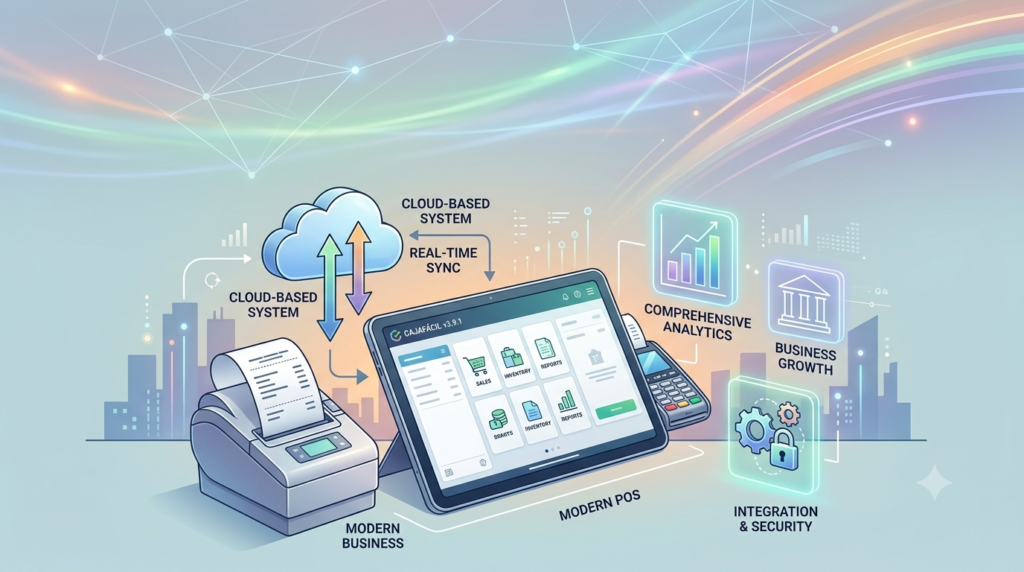
CajaFácil is a comprehensive and intuitive point of sale (POS) system designed to streamline business operations across various industries. This cloud-based software solution offers complete control over sales, inventory, customer management, and reporting, making it an essential tool for modern retailers, restaurateurs, and service providers . The platform’s name, which translates to “Easy Cash Register,” reflects its core philosophy of simplifying complex business processes through an accessible and functional interface.
The CajaFácil POS system has evolved significantly from traditional cash registers into a sophisticated digital ecosystem that supports multiple sales channels, real-time inventory tracking, and seamless integration with authorized PACs (Proveedores Autorizados de Certificación) for direct electronic invoicing without needing to access the SAT portal . This integration with Mexico’s tax authority requirements makes CajaFácil particularly valuable for businesses operating within the Mexican market.
One of the system’s standout attributes is its cloud-native architecture, which eliminates the need for complex on-premise installations while providing access from any device with an internet connection . This modern approach to POS software ensures that business owners can monitor operations remotely, access real-time data, and manage multiple store locations from a centralized dashboard.
Key Features of CajaFácil
Inventory Management System
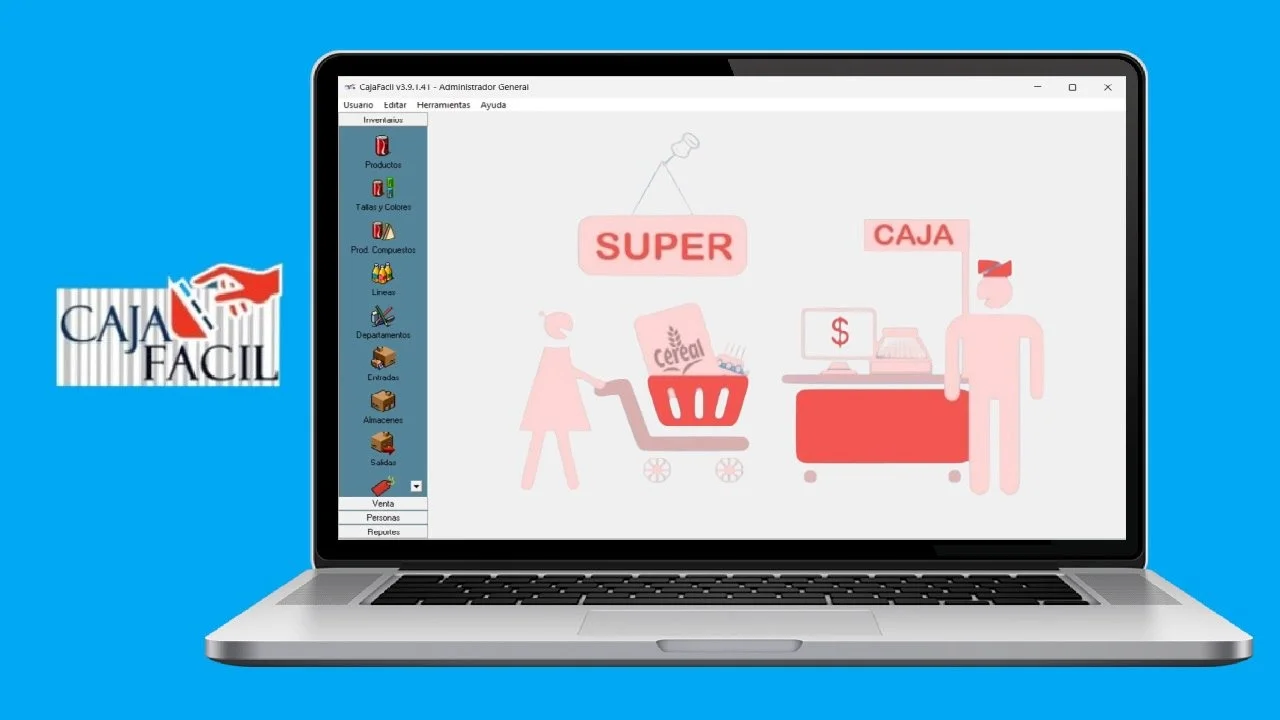
CajaFácil provides robust inventory control capabilities that help businesses maintain optimal stock levels and reduce waste. The cloud-based inventory management system enables real-time tracking of product quantities across multiple warehouses, providing instant visibility into stock movements, sales patterns, and reorder needs . Business owners can organize products by departments and lines, making it easy to categorize items and analyze performance at granular levels.
Point of Sale Interface
The POS interface is designed with user experience as a priority, featuring an intuitive layout that minimizes training time for new staff members. The system supports product images on the sales screen, barcode scanning for quick item lookup, and configurable buttons that can be customized based on frequently purchased items . These features combine to accelerate checkout processes and reduce transaction errors, ultimately improving customer satisfaction.
Customer and Employee Management
CajaFácil includes comprehensive tools for managing both customer relationships and employee access. The system stores detailed customer profiles, tracks purchase histories, and maintains contact information to support targeted marketing efforts and personalized service . For employee management, the platform offers role-based access controls, allowing business owners to define permissions for different user types—from cashiers to managers—ensuring accountability and preventing unauthorized operations such as unauthorized discounts or transaction cancellations .
Reporting and Analytics Suite
The reporting module transforms raw transaction data into actionable business intelligence. CajaFácil generates detailed sales reports, inventory turnover statistics, and performance analytics that help business owners make informed decisions . Users can access daily, weekly, or monthly sales summaries, identify best-selling products, track employee performance, and analyze customer purchasing patterns—all through an accessible dashboard that presents complex data in an understandable format.
Electronic Invoicing Capabilities
A distinctive feature of CajaFácil is its integrated electronic invoicing functionality. The system connects directly with authorized PACs, enabling businesses to generate compliant electronic invoices (CFDI) without navigating through the SAT portal . This integration saves time, reduces errors, and ensures tax compliance, making it particularly valuable for Mexican businesses required to issue electronic invoices for their transactions.
What’s New in the Latest Version
CajaFácil continues to evolve with new features designed to meet the changing needs of modern businesses. Recent updates have introduced modules for managing home deliveries and collection routes, addressing the growing demand for delivery services . The platform has also added call center functionality, enabling businesses to process telephone orders efficiently .
The latest version offers expanded versatility across different business types, with specialized modules for restaurants, parking facilities, online orders, and credit notes . These industry-specific features demonstrate CajaFácil’s commitment to providing tailored solutions rather than one-size-fits-all software.
The cloud-based architecture has been enhanced with automatic updates that occur without additional cost or technical intervention . This ensures that businesses always have access to the latest features and security improvements without requiring manual upgrades or IT support.
System Requirements
Hardware Requirements
CajaFácil is designed to work with a wide range of hardware configurations, supporting various peripherals that enhance POS functionality. The system is compatible with barcode scanners for rapid product lookup, thermal receipt printers for professional-looking tickets, cash drawers for secure money handling, and digital scales for weight-based products . Unlike traditional POS systems that require dedicated terminals, CajaFácil’s cloud-based approach allows businesses to use existing devices, reducing hardware investment costs.
Platform Compatibility
As a cloud-based solution, CajaFácil operates in any modern web browser, making it accessible from virtually any device with internet connectivity . The platform is optimized for use on smartphones, tablets, laptops, and desktop computers, regardless of the operating system . This cross-platform compatibility ensures that business owners and staff can access the system from their preferred devices, whether in-store or remotely.
Network Requirements
For optimal performance, CajaFácil requires a stable internet connection to access cloud-based features and synchronize data across devices . The system does, however, offer offline capabilities for certain functions, allowing businesses to continue operations during temporary connectivity issues. Data synchronization occurs automatically when the connection is restored, ensuring no information is lost.
Installation Guide
Step 1: Account Registration
Getting started with CajaFácil begins with creating an account through the official website. The registration process is straightforward, requiring basic business information to set up the account . For Mexican businesses, this includes providing tax identification information to enable electronic invoicing functionality.
Step 2: System Configuration
After registration, users configure their business settings, including store locations, tax rates, and currency preferences. The setup wizard guides users through essential configurations, ensuring the system is properly tailored to the specific business requirements .
Step 3: Product and Inventory Setup
The next phase involves creating the product catalog by adding items, setting prices, defining categories, and establishing initial inventory levels . CajaFácil supports bulk imports through CSV files, making it efficient for businesses with extensive product lists to transfer existing data into the new system.
Step 4: User and Permission Setup
Business owners create user accounts for employees and assign appropriate permissions based on roles . This step ensures that staff members can access only the functions they need to perform their jobs, maintaining security and accountability.
Step 5: Hardware Integration
For businesses using physical POS hardware, the system guides users through connecting peripherals such as receipt printers, cash drawers, and barcode scanners . CajaFácil supports a wide range of hardware brands and models, with comprehensive compatibility testing performed for popular devices.
Step 6: Training and Testing
The final installation phase involves training staff on the new system and conducting test transactions to verify that all functions work correctly. CajaFácil’s intuitive interface typically minimizes training requirements, allowing staff to become proficient quickly .
How to Use the Software
Processing Sales Transactions
The core function of CajaFácil is processing sales quickly and accurately. Staff begin by selecting or scanning items, with the system automatically retrieving product information, prices, and available stock . The interface supports multiple payment methods, including cash, credit cards, and digital wallets, with the option to split payments when necessary. The system automatically calculates totals, taxes, and change, streamlining the checkout process.
Managing Inventory
Inventory management in CajaFácil involves monitoring stock levels, processing incoming shipments, and handling returns . The system provides real-time visibility into inventory status across all warehouses, with low-stock alerts preventing stockouts. Staff can perform physical inventory counts and reconcile discrepancies through the system’s inventory adjustment functions.
Generating Reports
CajaFácil offers a comprehensive reporting dashboard that provides insights into various aspects of business performance . Users can generate sales reports by product, category, staff member, or time period. Inventory reports highlight turnover rates and identify slow-moving items, while customer reports reveal purchasing patterns and loyalty metrics.
Managing Customer Relationships
The CRM functionality within CajaFácil allows businesses to build and maintain detailed customer profiles . Staff can look up customer history during transactions to provide personalized service, identify loyal customers for special offers, and track customer preferences over time. This data-driven approach helps businesses improve customer retention and increase average transaction values.
Handling Electronic Invoicing
For businesses requiring electronic invoices, CajaFácil simplifies the process through PAC integration . The system automatically generates compliant CFDI documents for qualifying transactions, submitting them to the tax authority through the PAC. Users can manage invoice status, cancel documents when necessary, and maintain a complete record of issued invoices within the system.
Best Use Cases for CajaFácil
Retail Stores and Shops
CajaFácil is ideally suited for retail environments ranging from small boutiques to multi-store chains . Retailers benefit from the system’s inventory management capabilities, quick checkout processes, and detailed sales analytics that help optimize product selection and pricing strategies.
Restaurants and Food Service Establishments
The restaurant-specific modules enable efficient order management, table tracking, and split billing functionality . Food service businesses can manage recipe ingredients, track food costs, and analyze menu item performance, helping optimize operations and improve profitability.
Service-Based Businesses
For service providers such as salons, spas, and repair shops, CajaFácil manages appointments, tracks service inventory, and processes payments efficiently . The customer management features help build relationships through loyalty programs and personalized communications.
Multi-Location Operations
Businesses with multiple stores or warehouses benefit from CajaFácil’s centralized management capabilities . The cloud-based platform provides unified visibility across all locations, enables centralized purchasing, and simplifies inter-warehouse transfers.
E-Commerce Integration
For businesses with both physical and online stores, CajaFácil’s multi-channel capabilities help maintain consistent inventory and customer experiences across sales channels . The system synchronizes data to prevent overselling and ensure accurate stock information regardless of where sales occur.
Advantages and Limitations
Advantages
User-Friendly Interface: CajaFácil’s intuitive design minimizes training requirements and accelerates staff adoption, with the system described as “so easy to use that you’ll forget about technical support” .
Cloud-Based Accessibility: The platform’s cloud architecture enables access from any device with internet connectivity, providing business owners with remote management capabilities and automatic updates without additional cost .
Comprehensive Feature Set: From inventory management to electronic invoicing, CajaFácil provides a complete business management solution rather than requiring separate software for different functions .
Scalability: The system can grow with businesses, supporting multiple cash registers, warehouses, and store locations within a single platform .
Multi-Platform Support: CajaFácil works across various devices and operating systems, allowing businesses to use their preferred hardware without compatibility concerns .
Limitations
Internet Dependency: As a cloud-based solution, CajaFácil requires a stable internet connection for full functionality, which may be challenging in areas with unreliable connectivity .
Hardware Compatibility Issues: While generally compatible with many peripherals, specific hardware configurations may require technical adjustments to function correctly, as noted in user discussions about printer driver compatibility .
Geographic Focus: The system’s features, particularly electronic invoicing integration, are tailored for the Mexican market, which may limit its applicability for businesses in other regions.
Learning Curve for Advanced Features: While basic operations are intuitive, maximizing the system’s full potential may require time to explore and understand all available features.
Alternatives to CajaFácil
Traditional POS Systems
Square POS: Square offers a widely adopted POS system with a free basic tier and extensive payment processing capabilities. It provides inventory management, customer engagement tools, and e-commerce integration, making it suitable for small to medium-sized businesses.
Shopify POS: For businesses already using Shopify for e-commerce, Shopify POS provides seamless integration between online and physical stores. It offers comprehensive inventory synchronization, customer data unification, and multi-channel selling capabilities.
Lightspeed Retail: Lightspeed targets retail and hospitality businesses with robust inventory management, advanced reporting, and employee management features. The system offers dedicated solutions for various industries, including specialized functionality for specific business types.
Industry-Specific Solutions
Toast POS: Designed specifically for restaurants, Toast offers table management, menu customization, online ordering, and delivery management features that may exceed CajaFácil’s capabilities for food service businesses.
Clover POS: Clover provides a versatile system with extensive app integrations and hardware options suitable for various business types. The platform’s app market allows businesses to customize their POS functionality to match specific requirements.
Cloud-Based Alternatives
SumUp POS: SumUp offers a simple, mobile-friendly POS system with competitive payment processing rates. It provides inventory management, sales reporting, and customer engagement tools suitable for smaller operations.
ERPLY: ERPLY offers cloud-based POS and inventory management with advanced features for multi-store operations, barcode scanning, and e-commerce integration that may appeal to businesses requiring more sophisticated inventory capabilities.
Frequently Asked Questions
What types of businesses can use CajaFácil?
CajaFácil is designed for various business types, including retail stores, restaurants, service-based businesses, and multi-location operations . The system includes specialized modules for restaurants, parking facilities, online orders, and delivery services .
Is CajaFácil available in English as well as Spanish?
While CajaFácil is primarily designed for the Spanish-speaking Mexican market, the platform supports multiple languages for diverse business needs, similar to other modern POS systems that offer multilingual interfaces .
What is the cost of CajaFácil?
CajaFácil offers a free trial for businesses to test the system before committing to a paid plan . For specific pricing information, interested businesses should contact the company directly, as pricing typically depends on factors such as the number of registers, features required, and business size.
Does CajaFácil work with my existing hardware?
CajaFácil is compatible with a wide range of hardware peripherals, including barcode scanners, receipt printers, cash drawers, and digital scales . However, businesses should verify compatibility with their specific hardware models. Some configurations may require technical support to resolve driver compatibility issues, particularly with certain printer models .
Can CajaFácil process electronic invoices in Mexico?
Yes, CajaFácil integrates directly with authorized PACs for electronic invoicing, allowing businesses to generate CFDI invoices without accessing the SAT portal . This feature ensures compliance with Mexican tax requirements and simplifies the invoicing process.
Is CajaFácil suitable for multi-store businesses?
CajaFácil is well-suited for multi-store operations, supporting multiple cash registers and warehouses within a single platform . The cloud-based architecture provides centralized management and unified data across all locations.
Do I need an internet connection to use CajaFácil?
While CajaFácil is primarily a cloud-based system requiring internet connectivity for full functionality, it offers limited offline capabilities . Data synchronizes automatically when the connection is restored, ensuring no information is lost during temporary disconnections.
How does CajaFácil handle inventory management?
CajaFácil provides comprehensive inventory management features, including real-time stock tracking across multiple warehouses, low-stock alerts, product categorization, and support for items with variants . The system helps businesses reduce overstocking and prevent stockouts through accurate inventory visibility.
Final Thoughts
CajaFácil represents a modern approach to point-of-sale systems, combining intuitive design with comprehensive functionality in a cloud-based platform. The software successfully addresses the core needs of retail and service businesses while offering specialized features that set it apart from simpler alternatives.
The system’s evolution from a traditional cash register replacement to a complete business management ecosystem reflects the changing needs of modern commerce . By integrating electronic invoicing, multi-channel capabilities, and real-time reporting, CajaFácil provides value that extends well beyond transaction processing.
For businesses operating within the Mexican market, the system’s PAC integration for electronic invoicing adds significant value that may not be available in competing solutions. The platform’s emphasis on ease of use—from its name through its interface design—makes it accessible to businesses that may lack dedicated IT support.
While CajaFácil’s geographic focus on Mexico may limit its appeal for international businesses, the platform’s underlying architecture and feature set demonstrate how cloud-based POS systems can transform business operations. The company’s commitment to automatic updates and continuous improvement suggests that CajaFácil will continue to evolve with changing business needs.
Businesses considering CajaFácil should take advantage of the free trial to evaluate how the system meets their specific requirements . With its comprehensive feature set, user-friendly design, and cloud-based flexibility, CajaFácil offers a compelling solution for businesses seeking to modernize their point-of-sale operations.