
Overview of BioSolveIT infiniSee
Table of Contents
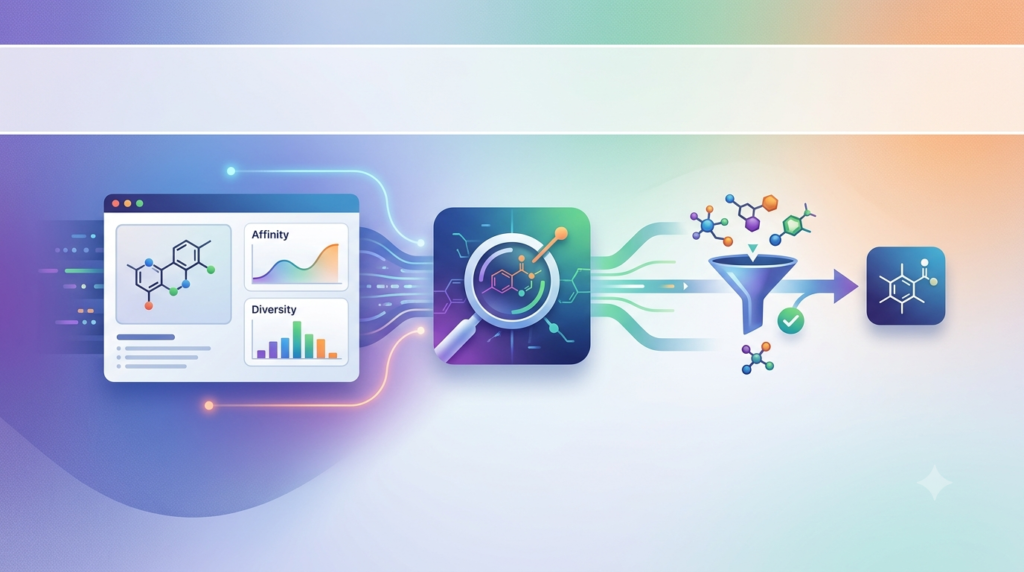
BioSolveIT infiniSee is an advanced software tool developed by BioSolveIT GmbH that enables researchers to explore vast chemical and molecular spaces to find compounds with desired properties based on structural similarity . It is particularly useful for applications in drug discovery and molecular screening. The platform allows users to search through extremely large chemical libraries, including those approaching infinity, to find novel molecular structures and potential drug candidates .
What sets infiniSee apart is its ability to process searches in large molecular databases without requiring supercomputers, delivering results in minutes on standard hardware . This accessibility makes it a valuable asset for academic institutions, pharmaceutical companies, and research organizations of all sizes.
The software leverages innovative search algorithms, including the FTrees similarity engine, to capture a molecule’s topology and pharmacophore properties as a feature tree . This enables finding compounds that may be structurally quite different (low Tanimoto similarity) but share high pharmacophoric similarity—a capability known as scaffold hopping .
Key Features
infiniSee 7.1 offers a robust set of features designed to streamline the drug discovery process:
Multiple Search Modes
The platform provides three orthogonal search modes, each suited for different discovery objectives :
Scaffold Hopper (Pharmacophore-guided): Uses the FTrees algorithm to perform fuzzy pharmacophore searches, identifying compounds with distant yet related chemistry to the query. This mode excels at finding novel scaffolds and breaking patents .
Analog Hunter (Fingerprint-based): Employs molecular fingerprint technology to mine for close analogs of the query compound with high similarity. This mode is particularly effective for lead optimization and finding close structural relatives .
Motif Matcher (Substructure-focused): Performs substructure matching to find compounds containing specific molecular motifs. It includes the ability to find the longest continuous arrangement of heavy atoms compared to the query compound, enabling targeted searches for desired fragment series .
Analyzer Mode
The Analyzer Mode allows researchers to load, compare, and analyze results from any of the three search modes. It facilitates the loading of SD files, where users can select which custom property tag populates the “Name” column, eliminating manual data wrangling .
MPO Plots Integration
Version 7.1 introduces integrated Multi-Parameter Optimization (MPO) plots directly into result tables. These visual tools turn compound property data into immediate visual guidance .
Key MPO features include:
-
Radar plots summarizing preset or user-defined physicochemical properties
-
Color-coded scoring (green for 1.0 through yellow to red for 0.0)
-
Hover capabilities to identify which parameters violate thresholds
-
Sorting by MPO score to bring the most suitable compounds to the top
Customizable MPO Profiles
Users can adapt MPO plots to different drug discovery scenarios by selecting from preset property combinations commonly used in drug discovery. Quantitative parameters available in the table can be added to an MPO profile, with threshold values freely definable by numerical entry or interactive adjustment .
Chemical Space Integration
infiniSee integrates with multiple commercial chemical spaces, including :
-
REAL Space by Enamine (13 billion compounds)
-
xREAL Space by Enamine (4.4 trillion compounds)
-
GalaXi by WuXi Labnetwork (1.7 billion compounds)
-
eXplore by eMolecules
-
CHEMriya by OTAVA
-
Freedom Space by Chemspace
What’s New in infiniSee 7.1
Version 7.1 ‘Arke’ represents a significant advancement in chemical space navigation technology.
Performance Optimizations
The 7.1 release delivers substantial performance improvements through the new database format and algorithmic enhancements:
Analog Hunter Speed Boost: Major optimizations to the underlying SpaceLight algorithm make Analog Hunter searches up to 3.2x faster through full parallelization. Searches scale seamlessly with available CPU threads while consuming up to 42% less RAM .
Reduced RAM Usage: The new database format significantly reduces memory consumption. In benchmark tests, RAM usage was reduced by up to 73%, making searches feasible on standard hardware configurations .
Faster Motif Matcher: The Motif Matcher now handles massive queries more smoothly, with SpaceMACS algorithm improvements avoiding fruitless enumerations during large searches. Standard compound searches with the Motif Matcher are now up to 7 times faster .
Enhanced Usability
Color Accessibility: A new visualization setting supports color blindness by allowing users to switch between Green-Red and Blue-Red UI themes .
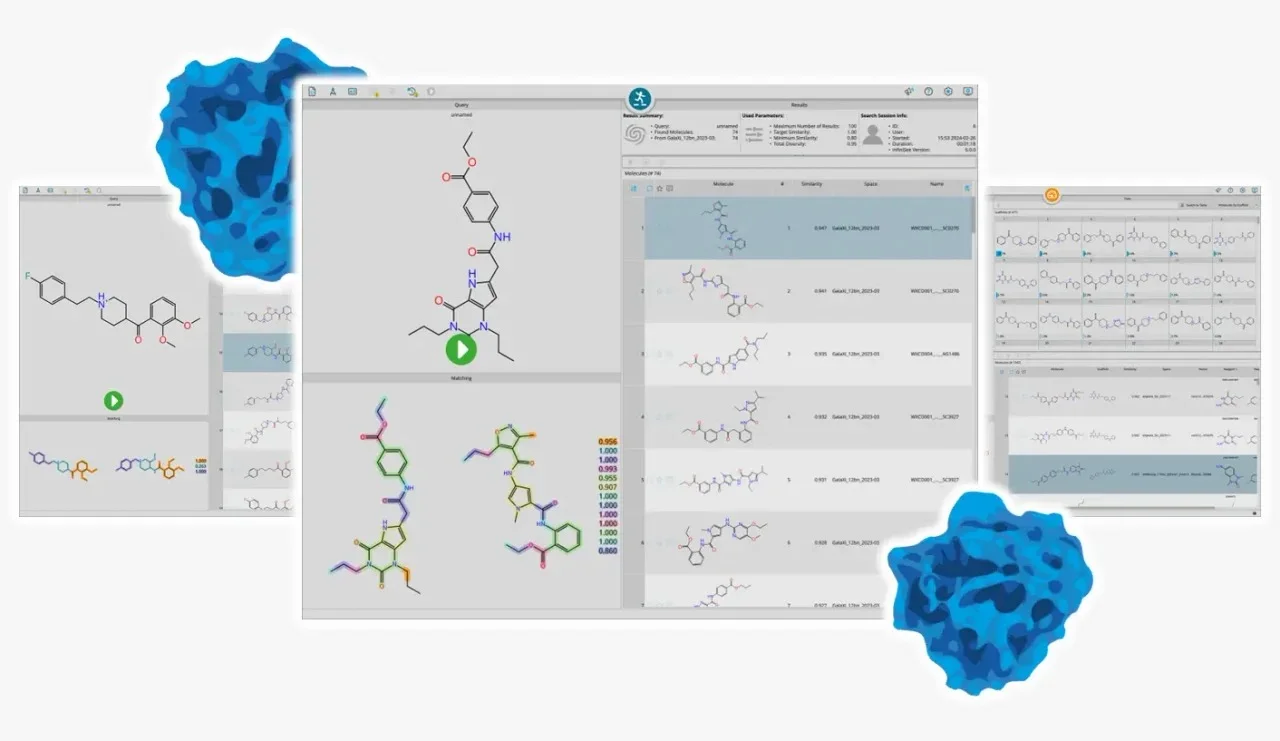
Improved Result Visualization: Matched molecules are now easier to compare visually, with automatic alignment between query and result molecules according to shared common cores, helping users immediately recognize identical structural elements .
Clearer Computation Modes: Computation Modes are now divided into “Local” and “External Server” tabs, making it easier to understand where calculations will be executed .
xREAL Space Expansion
infiniSee xREAL 7.1 includes a significant expansion of Enamine’s xREAL Space, increasing the number of included compounds to 4.4 trillion—almost twice as many as the previous version .
System Requirements
infiniSee is designed to run on standard hardware, making it accessible to a wide range of users:
Supported Operating Systems
-
Windows (x64)
-
Linux (x64)
-
macOS (Intel and Apple Silicon)
Hardware Considerations
The software is optimized to run efficiently on standard workstations without requiring supercomputer resources. The new database format introduced in version 7.1 further reduces RAM requirements, making searches feasible even on slim hardware setups .
Installation Guide
Installing infiniSee is a straightforward process:
Step-by-Step Installation
-
Download the Software: Visit the BioSolveIT download page to obtain the appropriate installer for your operating system.
-
Run the Installer: Execute the downloaded file and follow the on-screen instructions. Installation is available for Windows, Linux, and macOS platforms .
-
Obtain a License: infiniSee operates with a license file. The software is available for a free trial period after download and installation. For extended use, request a trial license from BioSolveIT .
-
Activate the Software: Launch infiniSee and load your license file by navigating to the file from the start screen or by drag-and-dropping the file into the window .
-
Download Chemical Spaces: After installation, download the chemical spaces you wish to search from within the software interface or from the BioSolveIT website .
How to Use the Software
Getting Started with Your First Search
infiniSee features an intuitive graphical interface that follows a logical workflow:
Step 1: Launch and License Activation
Open infiniSee and load your license file. The software can be activated by either navigating to the file from the start screen or through drag-and-drop .
Step 2: Load Chemical Spaces
Click the System icon and navigate to Search to load chemical spaces. This can be done by loading spaces downloaded from the BioSolveIT website or from third-party providers . After loading, click Apply to confirm. The loaded spaces will appear when you click the Chemical Spaces icon .
Step 3: Add Your Query Molecule
Load your query molecule in one of the supported file formats:
-
SD file (SDF)
-
SMILES string
-
Mol2 file
For SMARTS definitions, version 7.1 introduces SMARTS support, allowing you to load SMARTS definitions as queries to screen for compounds matching specific criteria .
Step 4: Select Search Mode
Choose your preferred search mode based on your project requirements:
-
Scaffold Hopper: For finding novel scaffolds and distant neighbors
-
Analog Hunter: For finding close molecular analogs
-
Motif Matcher: For substructure-focused searches
Step 5: Execute the Search
Click the green play button to execute the search. Searches typically complete in minutes, even when screening trillions of compounds .
Step 6: Analyze Results
Results display in a table format with MPO plots integrated for immediate visual assessment. Click on any entry to compare local similarities .
Step 7: Refine and Export
Refine your search by prioritizing important parts of your query or applying additional filters. Export checked results via the “Export checked results” option, which now includes MPO scores as numeric values for use in other applications .
Best Use Cases
infiniSee excels in several key application areas:
Drug Discovery and Lead Optimization
The platform enables rapid identification of compounds with desired properties, significantly accelerating early-stage drug discovery. Researchers can query a target molecule and find structurally related compounds with potentially similar biological or chemical properties .
Scaffold Hopping
The Scaffold Hopper mode excels at identifying compounds with different core structures but similar pharmacophoric properties. This capability is particularly valuable for :
-
Breaking existing patents
-
Finding novel intellectual property
-
Overcoming toxicity or pharmacokinetic issues associated with existing scaffolds
Lead Optimization
The Analog Hunter mode is ideal for lead optimization, helping researchers find compounds with improved properties while maintaining desired biological activity. Close analogs identified through this mode can be prioritized for synthesis and testing .
Custom Library Design
The ability to screen vast chemical spaces enables the design of focused, target-specific libraries. Results can be used to create custom compound collections for screening, machine learning, or AI workflows .
PROTAC Discovery
infiniSee xREAL has shown particular value in discovering compounds for PROTAC (Proteolysis Targeting Chimeras) applications, where finding appropriate linkers and warheads is challenging .
Advantages and Limitations
Advantages
Unprecedented Speed: infiniSee can search a 1 trillion compound chemical space in seconds—a task that would take months with classical search methods .
Accessibility: The software runs on standard hardware without requiring internet access, keeping all calculations secure and private behind your firewall .
Multiple Search Methods: Three orthogonal search modes provide complementary approaches to find compounds, addressing different aspects of molecular similarity .
Actionable Results: All identified compounds are available for purchase from partner vendors, with typical synthesis times of a few weeks and claimed success rates of 70-90% .
Intuitive Interface: The graphical user interface is designed for ease of use, making it accessible to both novices and experts .
Limitations
xREAL GUI-Only Access: As of version 7.1, infiniSee xREAL can only be accessed through the graphical user interface, with no support for command-line tools .
Command-Line Tool Limitations: The command-line versions (FTrees, SpaceLight, SpaceMACS) are available but may not include all GUI features, such as real-time visualization .
Learning Curve for Advanced Features: While basic operations are intuitive, advanced features like MPO customization and SMARTS query design may require some training.
Alternatives to infiniSee
While infiniSee is a leading chemical space navigation platform, several alternatives exist:
Commercial Alternatives
Schrödinger’s Virtual Screening Tools: Offer ligand-based and structure-based virtual screening capabilities for exploring chemical spaces.
OpenEye’s ROCS: Focuses on shape-based and electrostatics similarity for ligand-based virtual screening.
Cresset’s Flare: Provides ligand-based and structure-based drug discovery tools with a focus on 3D similarity.
Open-Source Alternatives
RDKit: An open-source cheminformatics toolkit that can perform similarity searches but lacks the performance for trillion-compound spaces.
Open Babel: A chemical toolbox with various cheminformatics capabilities, though less focused on ultra-large chemical spaces.
Comparison Note
infiniSee distinguishes itself through its ability to handle truly massive chemical spaces (billions to trillions of compounds) on standard hardware. Many alternatives struggle with these scales or require significant computational resources. The integration with commercial compound vendors also provides a direct path to obtaining identified hits, making infiniSee particularly valuable for drug discovery applications where speed and accessibility are critical.
Frequently Asked Questions
1. What is infiniSee and what is it used for?
infiniSee is a chemical space navigation platform developed by BioSolveIT that enables researchers to search through billions to trillions of synthetically accessible compounds to find molecular structures with desired properties. It is primarily used in drug discovery, molecular screening, and lead optimization to identify novel compounds for pharmaceutical development .
2. How much does infiniSee cost and is there a free trial?
infiniSee is available with a free trial period after download and installation. For extended use, users can request a trial license from BioSolveIT. For full pricing and licensing options, contact BioSolveIT directly .
3. Can infiniSee run on my computer?
Yes, infiniSee is designed to run on standard hardware. It supports Windows (x64), Linux (x64), and macOS (Intel and Apple Silicon). The software is optimized for performance even on standard workstations, with recent updates reducing RAM usage significantly .
4. What chemical spaces can I search with infiniSee?
infiniSee integrates with multiple commercial chemical spaces, including REAL Space by Enamine (13 billion compounds), xREAL Space (4.4 trillion compounds), GalaXi by WuXi Labnetwork, eXplore by eMolecules, CHEMriya by OTAVA, and Freedom Space by Chemspace .
5. How does infiniSee compare to traditional virtual screening?
Traditional virtual screening typically works with enumerated libraries of 10-20 million compounds. infiniSee can explore billions to trillions of compounds by building molecules on the fly rather than enumerating them beforehand. This combinatorial approach dramatically expands the search space while maintaining speed, and all results are purchasable through partner vendors .
6. What is the difference between the three search modes?
-
Scaffold Hopper: Finds compounds with different core structures but similar pharmacophoric properties, ideal for breaking patents and discovering novel scaffolds
-
Analog Hunter: Finds close structural analogs of the query compound, ideal for lead optimization
-
Motif Matcher: Finds compounds containing specific molecular substructures, ideal for targeted searches for desired fragment series
Final Thoughts
BioSolveIT infiniSee 7.1 represents a significant advancement in chemical space navigation technology. Its ability to search trillions of compounds in minutes on standard hardware, combined with three orthogonal search modes and integrated MPO visualization, makes it an indispensable tool for modern drug discovery.
The 7.1 release further strengthens the platform through significant performance improvements, enhanced usability features, and expanded chemical space access. The integration of MPO plots directly into result tables provides immediate visual guidance, while the xREAL Space expansion to 4.4 trillion compounds dramatically increases the hunting ground for novel molecules.
For researchers seeking to efficiently navigate chemical space and discover novel compounds, infiniSee offers a compelling combination of speed, accessibility, and actionable results. As computational chemistry continues to evolve, tools like infiniSee are essential for staying competitive in the fast-paced world of drug discovery.
Our Paid Service
“We do not sell or provide any software. We only offer professional support services. If any software on your system is not working properly, or you are facing installation errors, crashes, or any other technical issue — just contact us. We will help you fix the problem quickly and remotely via AnyDesk. No software will be provided from our side — only expert troubleshooting and support.”