
Overview of AxelTech XTV Suite Playout
Table of Contents
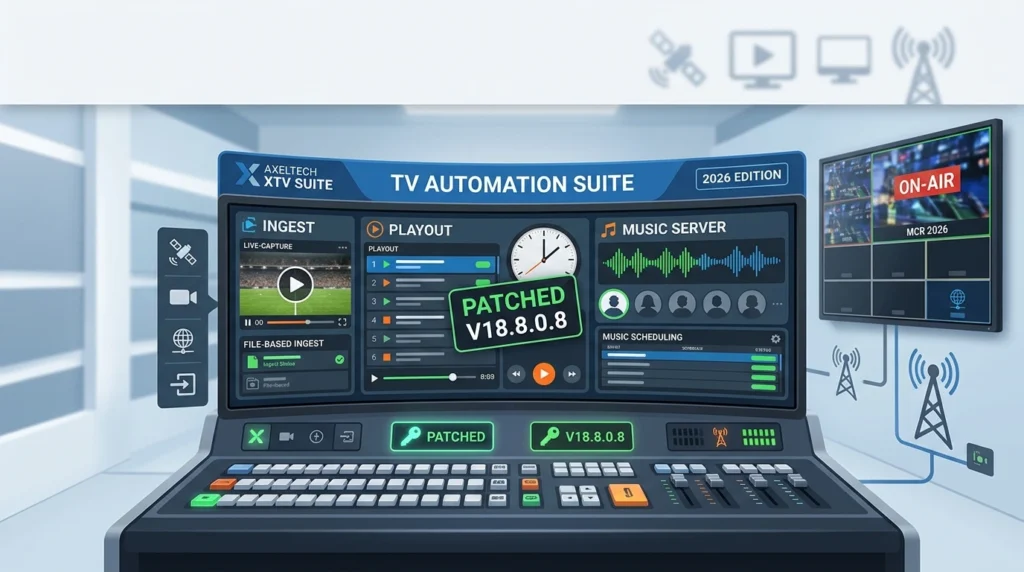
AxelTech XTV Suite represents a complete broadcast automation platform trusted by television stations, production houses, and media organizations worldwide. The software combines playout automation, content ingest, and music server functionality into a unified ecosystem.
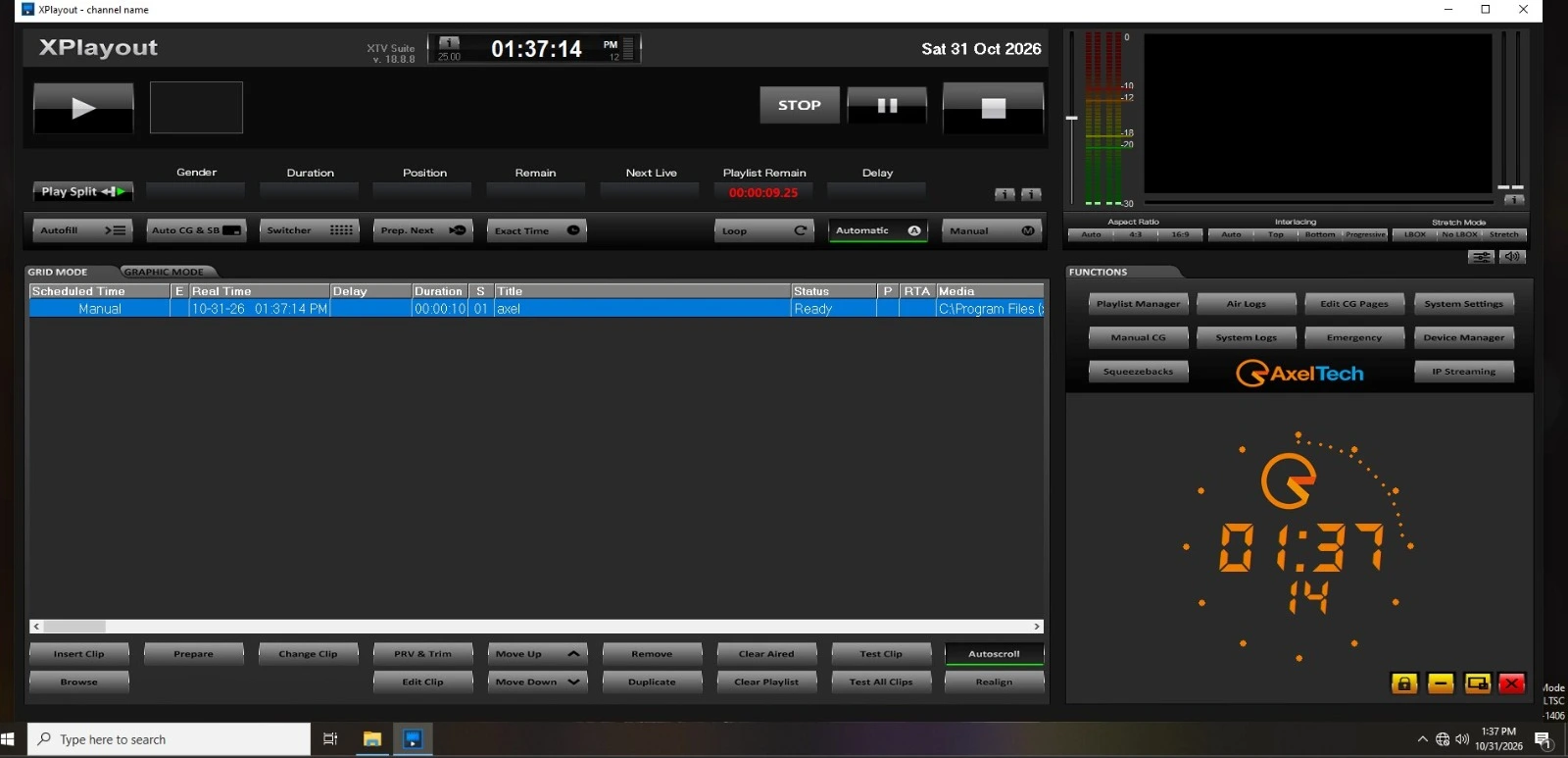
The XTV Suite architecture supports both single-channel operations and multi-channel broadcast environments. Broadcast engineers and operators use this platform to automate program scheduling, manage media assets, and ensure seamless on-air continuity. The system integrates with industry-standard hardware, including video servers, routers, and graphics systems.
This broadcast automation software addresses the complete workflow from content acquisition through final delivery. The ingest module captures live feeds and file-based content, while the playout engine handles scheduled programming with frame-accurate precision. The integrated music server supports radio-style automated music programming for television channels requiring background audio management.
Key Features
Playout Automation
-
Frame-accurate video playback with support for SD, HD, and UHD formats
-
Multi-channel simultaneous playout capability
-
Automated program scheduling with playlist management
-
Live event switching and manual override controls
-
Redundant playout architecture for mission-critical broadcasts
-
Integration with traffic and billing systems
Ingest Server Functionality
-
Scheduled and manual recording from satellite, fiber, and IP sources
-
File-based ingest with format transcoding
-
Quality control and content verification tools
-
Metadata capture and management
-
Batch processing for high-volume content acquisition
-
Support for XDCAM, P2, and other professional formats
Music Server Capabilities
-
Automated music rotation and scheduling
-
Playlist creation with category-based selection
-
Crossfade and transition management
-
Integration with broadcast playout for seamless audio insertion
-
Music library organization and search functionality
System Management
-
Centralized monitoring dashboard
-
User role-based access control
-
Comprehensive logging and reporting
-
Remote management capabilities
-
Database backup and recovery tools
What’s New in XTV Suite V18.8.0.8
The latest version introduces several enhancements for broadcast professionals:
-
Enhanced UHD Workflow Support : Improved handling of 4K content throughout the ingest and playout pipeline
-
Cloud Integration : Expanded support for hybrid cloud workflows and remote content access
-
Updated Codec Library : Support for the latest professional codecs and container formats
-
Performance Optimizations : Reduced latency in live switching and faster playlist processing
-
Security Updates : Strengthened authentication protocols and data encryption
-
User Interface Refinements : Streamlined operator controls and improved workflow efficiency
Broadcast engineers should review the official release documentation for complete technical specifications and deployment guidelines.
System Requirements
Minimum Hardware Requirements
| Component | Specification |
|---|---|
| Processor | Intel Core i7 or equivalent |
| RAM | 16 GB |
| Storage | 500 GB SSD (system) + media storage |
| Graphics | Dedicated GPU with 4GB VRAM |
| Network | Gigabit Ethernet |
Recommended Hardware Requirements
| Component | Specification |
|---|---|
| Processor | Intel Xeon or AMD EPYC |
| RAM | 32 GB or higher |
| Storage | NVMe SSD for system + RAID media array |
| Graphics | Professional video card with SDI output |
| Network | 10 Gigabit Ethernet |
Operating System
-
Windows Server 2019/2022
-
Windows 10/11 Professional (workstation configurations)
-
Linux support available for specific deployments
Software Dependencies
-
Microsoft .NET Framework 4.8 or higher
-
DirectX 11 compatible graphics drivers
-
Database server (SQL Server or PostgreSQL)
Installation Guide
Pre-Installation Checklist
-
Verify hardware meets minimum specifications
-
Ensure operating system is fully updated
-
Disable unnecessary background services
-
Configure network settings and firewall rules
-
Obtain valid licensing from authorized AxelTech resellers
Installation Steps
Step 1: Obtain Licensed Software
Acquire the official installer package through authorized distribution channels. Contact AxelTech or certified partners for licensing and download access.
Step 2: Run Installation Wizard
Launch the installer and follow on-screen prompts. Select installation directory and components based on your broadcast workflow requirements.
Step 3: Database Configuration
Configure database connection settings during installation. The system supports local and remote database deployments for multi-channel operations.
Step 4: License Activation
Activate the software using the provided license key through the official activation portal. Ensure network connectivity for online validation.
Step 5: Initial Configuration
Complete the configuration wizard to set up:
-
Channel assignments
-
Output routing
-
Storage paths
-
User accounts
Step 6: Verification Testing
Run the built-in diagnostic tools to verify system readiness. Test playout, ingest, and server functionality before going live.
How to Use the Software
Setting Up a Playout Channel
-
Navigate to the Channel Configuration module
-
Create a new channel and assign output hardware
-
Configure video and audio routing
-
Define playlist templates and scheduling rules
-
Import content from the media library
-
Build and preview playlists before activation
Managing Content Ingest
-
Access the Ingest Control panel
-
Configure source inputs (SDI, IP, file-based)
-
Set recording schedules and duration parameters
-
Monitor ingest progress and quality metrics
-
Apply metadata and categorization
-
Transfer completed recordings to the media library
Operating the Music Server
-
Import music files to the library
-
Create categories and rotation rules
-
Build automated playlists
-
Set transition preferences
-
Schedule music blocks within playout timelines
-
Monitor and adjust rotation as needed
Daily Operations Workflow
-
Review overnight automated operations
-
Verify content availability for scheduled programs
-
Check system health and error logs
-
Prepare manual content for live segments
-
Monitor on-air output quality
-
Document operational activities
Best Use Cases
Television Broadcast Stations
Local and regional television stations use XTV Suite for complete automation of daily programming, commercials, and station identification content.
Cable and Satellite Networks
Multi-channel operations benefit from centralized management and redundant playout configurations for continuous broadcast delivery.
Production Houses
Content creators utilize the ingest and management capabilities to organize large media libraries and prepare content for distribution.
Educational Institutions
Campus television stations and media programs leverage the system for training students in broadcast operations.
Live Event Broadcasting
Sports venues and event production companies use the software for scheduled content delivery around live broadcasts.
Radio-Style Television Channels
Music video channels and background music services utilize the integrated music server for automated audio programming.
Advantages and Limitations
Advantages
-
Comprehensive Solution : Single platform covering playout, ingest, and music server needs
-
Scalability : Supports from single-channel to enterprise multi-channel deployments
-
Industry Integration : Compatible with standard broadcast hardware and protocols
-
Reliability : Redundant architecture options for mission-critical operations
-
Professional Support : Access to technical support through authorized channels
Limitations
-
Learning Curve : Full feature utilization requires training and experience
-
Hardware Investment : Professional deployment requires dedicated broadcast hardware
-
Licensing Costs : Enterprise features require appropriate licensing tiers
-
Windows-Centric : Primary development focus on Windows platforms
-
Specialized Knowledge : Optimal configuration benefits from broadcast engineering expertise
Alternatives to AxelTech XTV Suite
Professional Broadcast Automation Options
| Software | Category | Notable Features |
|---|---|---|
| PlayBox Neo | Playout Automation | Multi-channel, cloud support |
| Cinegy Air | Broadcast Automation | IP-based workflows, 4K support |
| BroadStream Solutions | Integrated Playout | OTT and traditional broadcast |
| Imagine Communications | Enterprise Playout | Large-scale operations |
| VPlayed | Streaming Platform | OTT-focused with VOD capabilities |
| Harmonic Spectrum | Media Server | Integrated playout and storage |
Open-Source Alternatives
Organizations with technical resources may consider open-source broadcast tools for specific workflow components. However, professional broadcast environments typically require commercial solutions with vendor support agreements.
Comparison Considerations
When evaluating alternatives, consider:
-
Channel count requirements
-
Integration with existing hardware
-
Support availability and response times
-
Total cost of ownership
-
Migration complexity
-
Future scalability needs
Frequently Asked Questions
What is AxelTech XTV Suite Playout used for?
AxelTech XTV Suite is used for television broadcast automation, including scheduled playout, content ingest, and music server operations. It automates the delivery of programs, commercials, and other content for broadcast channels.
What are the system requirements for XTV Suite V18.8.0.8?
The software requires a Windows Server or Professional operating system, minimum 16GB RAM, dedicated graphics, and professional video hardware for broadcast output. Recommended specifications include enterprise-grade servers with redundant storage.
How do I obtain a licensed copy of XTV Suite?
Licensed copies are available through AxelTech and authorized resellers. Contact the vendor directly or visit their official website for licensing options, pricing, and distribution partners in your region.
Can XTV Suite handle multiple channels simultaneously?
Yes, the software supports multi-channel operations with centralized management. The number of simultaneous channels depends on hardware specifications and licensing tier.
Does XTV Suite support 4K/UHD broadcast?
The latest version includes enhanced UHD workflow support. Verify specific format compatibility with your hardware configuration and licensing agreement.
What file formats does the ingest server support?
The ingest server supports professional broadcast formats including XDCAM, P2, and common container formats. The transcoding engine handles format conversion for playout compatibility.
Is training available for new users?
AxelTech and authorized partners offer training programs for operators and administrators. Contact your reseller for available training options and certification programs.
How does XTV Suite compare to cloud-based playout solutions?
XTV Suite provides on-premises control with optional cloud integration. Organizations requiring maximum control over broadcast infrastructure often prefer on-premises deployments, while cloud solutions suit specific operational models.
Final Thoughts
AxelTech XTV Suite Playout V18.8.0.8 represents a mature, feature-rich platform for television broadcast automation. The combination of playout, ingest, and music server functionality in a single ecosystem provides operational efficiency for broadcasters seeking integrated solutions.
The 2026 edition continues the software’s evolution with enhanced UHD support, improved performance, and modernized workflows. Organizations considering this platform should evaluate their specific requirements against the system’s capabilities and ensure appropriate hardware infrastructure is available.
For broadcasters requiring reliable, professional automation software with proven industry deployment, AxelTech XTV Suite warrants serious consideration. Obtain licensed software through official channels and work with qualified integrators for optimal deployment.