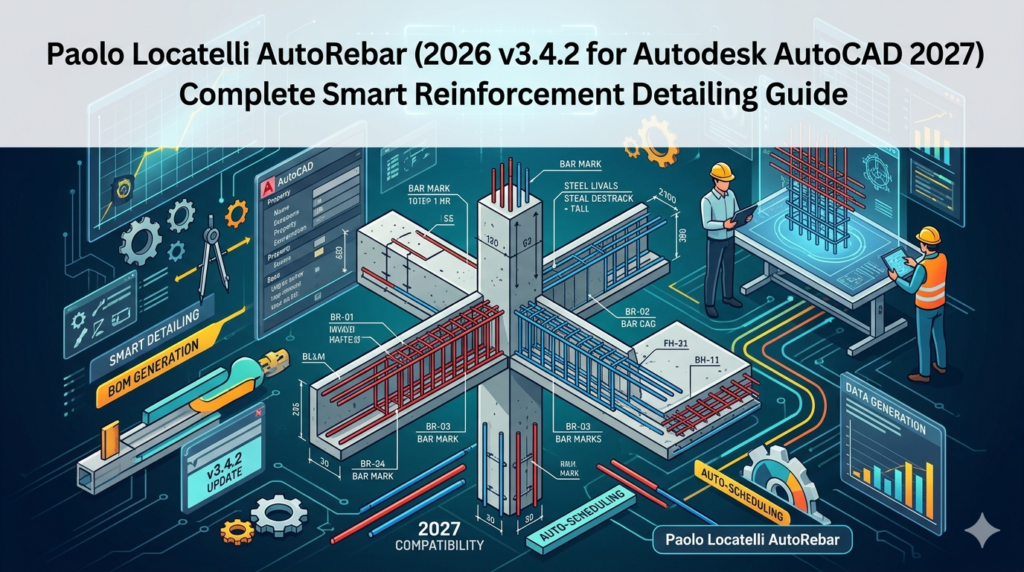

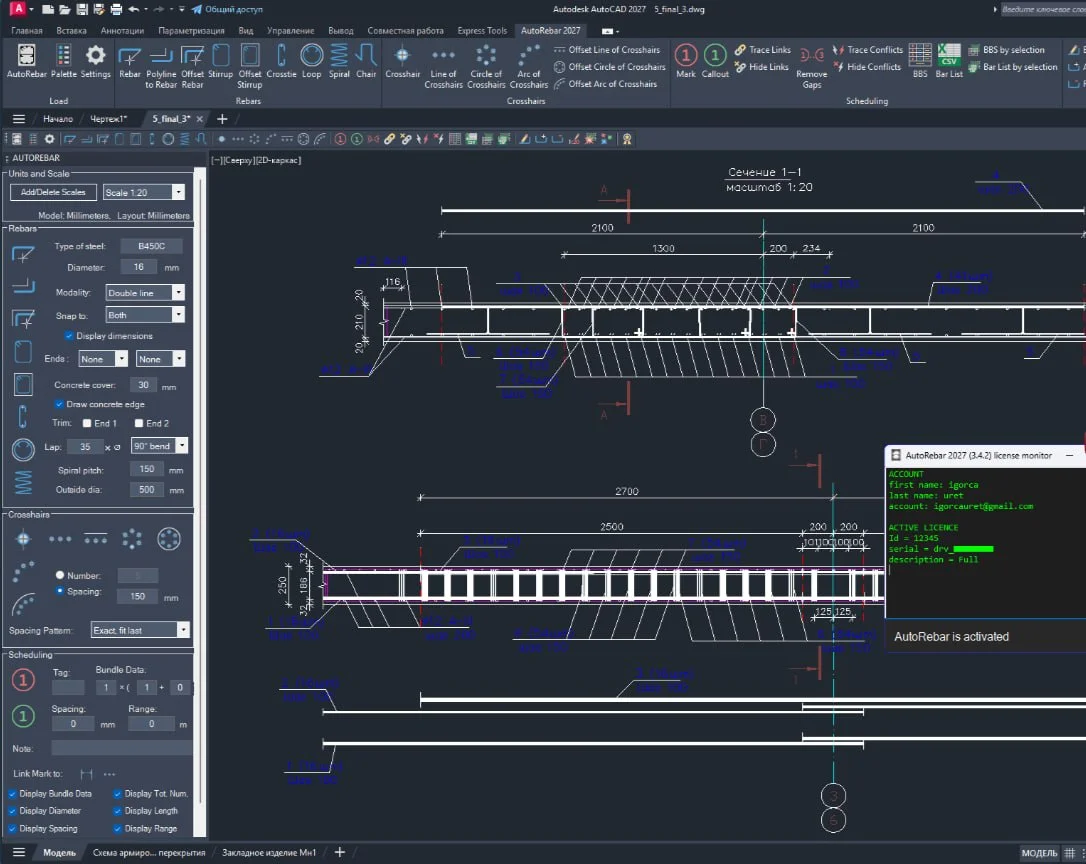
Overview of AutoRebar 2026 for AutoCAD 2027
Table of Contents
AutoRebar is a powerful reinforced concrete detailing software developed by Paolo Locatelli. It acts as an intuitive plugin, adding a dedicated toolbar of specialized objects to Autodesk AutoCAD and all its vertical products (including AutoCAD Architecture, MEP, and Civil 3D) . The latest version, 2026 v3.4.2, is fully compatible with AutoCAD 2027, representing a significant leap in smart reinforcement detailing .
The primary purpose of this rebar detailing software is to streamline the creation of complex reinforcement details. By moving away from manual, error-prone 2D drafting, AutoRebar introduces dynamic objects like intelligent Rebars and Crosshairs. This allows structural engineers, detailers, and fabricators to achieve significant productivity gains in just hours. If you can navigate AutoCAD, the learning curve for AutoRebar is designed to be remarkably short .
Key Features
AutoRebar is packed with features that transform how you work with concrete detailing. Here are its core capabilities:
A Comprehensive Object Library
The software equips you with a dedicated set of tools for every type of reinforcement element. This library allows for the quick creation of standard and complex shapes:
-
Rebars & Shapes: Create dynamic Rebars that behave like polylines, complete with hooks and custom bends. This includes specialized tools for Stirrups, Crossties, Loops (circular stirrups), Spirals, and Chairs .
-
Crosshairs: Insert precise cross-section representations of rebar. These can be arranged in linear, circular, or arc patterns for a clear visual representation of reinforcement layout .
-
Annotation & Scheduling: Generate Marks (for scheduling and quantity takeoff) and Callouts (for dynamic annotations not used in scheduling). These elements are intelligently linked to the rebars they reference .
Dynamic Linking and Automatic Updates
This is a cornerstone feature that sets AutoRebar apart for productivity:
-
Intelligent Updates: All AutoRebar elements are dynamically linked. When you modify a rebar’s geometry, all associated Marks, Callouts, and even the Bar Bending Schedule update automatically and in real-time. This eliminates the need for manual adjustments and significantly reduces the risk of errors .
-
Zero Errors: The dynamic nature of the objects ensures consistency across your project, preventing discrepancies between drawings and schedules.
Automated Bar Bending Schedules (BBS)
One of the most powerful features is the ability to generate professional, accurate Bar Bending Schedules automatically:
-
Effortless Generation: Create a comprehensive BBS directly within your AutoCAD drawing or export it to Excel (CSV format) with a single click .
-
Schedule by Selection: You are not limited to creating schedules for the entire project. The
selBBScommand allows you to generate a schedule only for a selected set of structural elements . -
Smart Quantity Takeoff: The
BarListcommand exports detailed quantity takeoff data directly to a CSV file for further analysis .
Complete Customization
The software is designed to fit seamlessly into your existing workflow and standards:
-
Customizable Terminology: The Dictionary Tool is a unique feature that gives you complete control over the technical terminology used by the software. You can define specific symbols, terms, and sentences for each component, allowing you to produce drawings in any language and according to your company’s specific style guide .
-
Flexible Formatting: You can fully customize the format of Marks and the layout of Bar Bending Schedules to match your project or company requirements .
-
Layer and Color Controls: Customize the default layer names and colors for all AutoRebar objects and their sub-objects, ensuring consistency with your existing CAD standards .
-
Unit and Precision Settings: Options are stored on a per-drawing basis, allowing you to manage units, digit preferences, and display formats (metric or imperial) independently for each project .
What’s New in AutoRebar 2026 v3.4.2
The latest version, v3.4.2, released on March 25, 2026, focuses on compatibility and stability :
-
AutoCAD 2027 Compatibility: This is the headline feature, ensuring that the plugin works flawlessly with the newest version of Autodesk’s flagship software .
-
Callout Command Fix: The
Calloutcommand has been renamed toCallout_. This critical fix prevents a conflict with a hidden command in AutoCAD’s Sheet Set Manager, which was causing errors for some users . -
Bug Fix: A fix was implemented to resolve a minor rounding error that could occur for bar spacing under certain specific conditions, improving the accuracy of your detailing .
System Requirements
Before installing, ensure your system meets the following requirements:
-
Supported Software: AutoRebar 2026 v3.4.2 is fully compatible with Autodesk AutoCAD 2027 and all its vertical products (e.g., AutoCAD Architecture, AutoCAD MEP, Civil 3D) .
-
Backward Compatibility: It also supports versions going back to AutoCAD 2015, allowing users on older systems to benefit from the software .
-
Operating System: It is designed for Windows 10 and 11 (both 32-bit and 64-bit systems) .
-
Hardware: No specific high-end hardware is required beyond what is typically needed to run AutoCAD smoothly.
Installation Guide
Installing AutoRebar from the Autodesk App Store is a straightforward process:
-
Download: Download the installer for
AutoRebar_2027_Full_v3.4.2from the Autodesk App Store or the official AutoRebar website . -
Run the Installer: Double-click the downloaded
.exefile to start the installation. -
Follow the Prompts: The installer will guide you through the process. You may need to accept the license agreement and confirm the installation location.
-
Restart AutoCAD: Once the installation is complete, you will likely need to restart Autodesk AutoCAD to activate the plugin .
-
Load the Plugin: In AutoCAD, click the AutoRebar icon button to load the plugin and visualize dynamic AutoRebar objects .
How to Use the Software: A Step-by-Step Guide
Getting started with AutoRebar is designed to be intuitive. Here is a basic workflow to create a reinforcement detail:
-
Load the Plugin: Click the AutoRebar icon on your toolbar. This loads the plugin and makes the dynamic objects visible .
-
Create a Rebar: Use the
Rebarcommand. This behaves similarly to the standard Polyline command. Specify the diameter and follow the command line options to draw the rebar’s path, including arcs and hooks . -
Create a Stirrup: For faster detailing, use the
Stirrupcommand. Specify the diameter, the concrete cover, and the two opposite corners of the rectangular concrete section. AutoRebar will automatically generate the stirrup . -
Add a Mark: Use the
Markcommand to assign a mark number to your rebar or group of bars. This links the rebar to the scheduling system . -
Generate a BBS: Once you have created your rebars and marks, use the
BBScommand. AutoRebar will generate the Bar Bending Schedule, which you can insert into your drawing or export as a CSV file . -
Share Your Work: If you need to send your drawing to someone who does not have AutoRebar, use the
ExplodeAllorExplodeSelcommand. This explodes the dynamic objects into standard AutoCAD polylines and blocks, preserving the information without the need for the plugin .
Best Use Cases
AutoRebar is an essential tool for any professional working with reinforced concrete:
-
Structural Engineers: Quickly generate accurate and detailed reinforcement drawings for project submissions.
-
Rebar Detailers: Dramatically speed up the creation of complex rebar shapes and ensure accuracy in shop drawings.
-
Rebar Fabricators: Export clear and reliable bar bending schedules directly from the design model to guide the bending and cutting process.
-
Civil and Infrastructure Projects: Ideal for detailing reinforcement in bridges, foundations, retaining walls, and other concrete structures.
-
BIM Workflows: While primarily a 2D/3D detailing tool within AutoCAD, its accuracy makes it a valuable companion for BIM and construction workflows.
Advantages and Limitations
Advantages
-
Unmatched Productivity: Dramatically reduces the time required for rebar detailing compared to manual drafting .
-
High Accuracy: Dynamic links between objects ensure that your data is consistent and error-free .
-
User-Friendly Interface: Designed for AutoCAD users, making it easy to learn and adopt .
-
Perpetual Licensing: A one-time payment grants you a permanent license, including free updates for future AutoCAD versions .
-
Flexible Licensing: Licenses can be easily transferred between computers .
-
Customizability: Adapts to your specific company standards, terminology, and language requirements .
Limitations
-
Dependency on Plugin: Drawings with dynamic AutoRebar objects require the plugin to be installed to edit or view them fully. However, they can be exploded into standard AutoCAD entities for sharing .
-
Steep Initial Cost: The upfront cost for a perpetual license might be higher than some subscription-based alternatives.
-
Free vs. Full Version: The free version provides a good introduction but lacks scheduling features and has object limits. The full version is necessary for professional, production-level work .
Alternatives to AutoRebar
While AutoRebar is a powerful tool, other software is available for rebar detailing, each with its own strengths :
-
Tekla Structures: A powerful 3D modeling software ideal for complex, large-scale projects and fabrication-ready models. It has a steeper learning curve but offers unmatched precision for advanced detailing and seamless collaboration .
-
Revit (with add-ons): A popular BIM tool used in multi-disciplinary project environments. While Revit has good parametric capabilities, it often requires third-party add-ons like CADS RC3D to match the detailing capabilities of specialized software .
-
Allplan: A flexible solution known for creating high-quality reinforcement plans and direct fabrication exports. It is a solid choice for civil and structural engineering projects but requires expertise to use effectively .
-
ArmaCAD: A user-friendly tool integrated with AutoCAD, focused on rebar detailing and scheduling .
Frequently Asked Questions
Is AutoRebar 2026 v3.4.2 compatible with the latest AutoCAD?
Yes, AutoRebar 2026 v3.4.2 is fully compatible with Autodesk AutoCAD 2027 and all its vertical products, as well as versions dating back to AutoCAD 2015 .
What are the key differences between the full, trial, and free versions?
-
Full Version: Provides unlimited access to all detailing objects and integrated scheduling tools with a perpetual license .
-
Trial Version: Allows you to create up to 20 rebar objects in a project. Deleting objects allows for further experimentation .
-
Free Version: Offers a limited selection of the most frequently used rebar detailing objects but does not include scheduling features .
Can I share an AutoRebar drawing with someone who doesn’t have the software?
Yes. You can use the ExplodeSel or ExplodeAll commands to turn the dynamic AutoRebar objects into standard AutoCAD entities (polylines and blocks). This allows others to view and plot the drawing without needing the plugin .Does AutoRebar work with other CAD software like Revit or Tekla?
No, AutoRebar is an AutoCAD add-on designed specifically for Autodesk AutoCAD and its vertical products. It does not directly integrate with Revit or Tekla Structures .
How can I change the units in AutoRebar?
AutoRebar stores settings on a per-drawing basis. You can access the arSettings command to open the Options dialogue box. From there, you can define your preferred units, digits, annotation scale, and many other preferences for the current drawing .
Is AutoRebar a subscription service?
No, AutoRebar is available for a one-time, perpetual license fee. This means you pay once and can use the software indefinitely, including free updates for future AutoCAD versions .
Final Thoughts
Paolo Locatelli AutoRebar 2026 v3.4.2 for Autodesk AutoCAD 2027 stands as an indispensable tool for professionals in the structural and civil engineering sectors. By seamlessly integrating into the familiar AutoCAD environment, it transforms a manual, time-consuming process into an efficient, dynamic, and highly accurate workflow.
Its powerful object library, dynamic linking capabilities, and automated Bar Bending Schedule generation, combined with extensive customization options, make it a top-tier solution for smart reinforcement detailing. The latest update further solidifies its position by ensuring full compatibility with AutoCAD 2027. While alternatives exist, the combination of ease of use, perpetual licensing, and powerful features makes AutoRebar a highly compelling choice for anyone looking to elevate their structural detailing game.
Our Paid Service
“We do not sell or provide any software. We only offer professional support services. If any software on your system is not working properly, or you are facing installation errors, crashes, or any other technical issue — just contact us. We will help you fix the problem quickly and remotely via AnyDesk. No software will be provided from our side — only expert troubleshooting and support.”