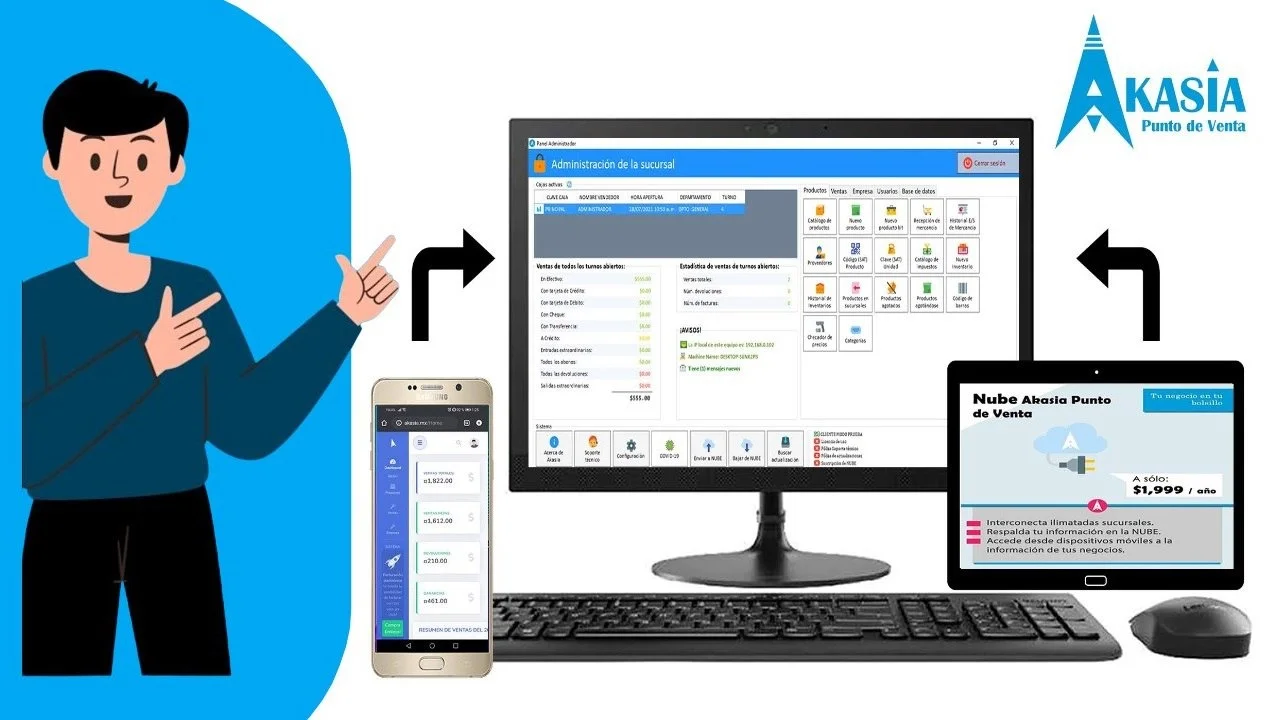
Overview of Akasia 3.1.1.20 Smart POS and Business Management System
Table of Contents
Akasia (اكاسيا), developed by Wealth & Savings Technology Company (WSTCO), LLC, is a comprehensive financial and business management application designed to handle modern commerce demands. Available for iOS devices—including iPhone, iPad, and Apple Vision—with support for visionOS 2.0 or later, the app has a download size of approximately 85.6 MB and is classified under the Finance category on the App Store.
The “Full Modules” version of Akasia 3.1.1.20 integrates multiple business functions into a single interface. Instead of juggling separate tools for sales, inventory, and accounting, users can manage everything from one platform.
What Makes Akasia a Smart POS System?
Unlike traditional POS systems that simply process transactions, Akasia functions as a business management hub. It collects data across all operations and provides insights that help you make informed decisions. The app’s real-time synchronization ensures that sales updates, inventory changes, and financial records are always current.
Key Features of Akasia 3.1.1.20 Full Modules
Point-of-Sale (POS) and Transaction Processing
Akasia 3.1.1.20 provides a smart POS system that supports multiple payment types, including cash, credit cards, and mobile payments. The interface is optimized for fast checkout, making it suitable for both retail stores and service-based businesses.
Inventory Management
The full modules version includes comprehensive inventory tracking features. Users can:
-
Monitor stock levels in real time
-
Track inventory movement across multiple locations
-
Receive low-stock alerts to prevent stockouts
-
Manage product categories and variants
-
Control purchase orders and supplier relationships
Accounting and Financial Management
Akasia integrates accounting tools that simplify financial tracking. Features include:
-
Expense and revenue tracking with automated categorization
-
Invoice generation and payment tracking
-
Financial reporting for better decision-making
-
Tax calculation and compliance tools
Customer Relationship Management (CRM)
The built-in CRM system allows businesses to:
-
Store customer profiles and purchase history
-
Segment customers for targeted marketing campaigns
-
Manage loyalty programs
-
Track customer feedback and preferences
-
Send promotional offers
Real-Time Analytics and Reporting
Data-driven decision-making is at the core of Akasia’s value proposition. The analytics dashboard provides:
-
Sales performance reports and trend analysis
-
Inventory turnover rates and valuation
-
Employee productivity metrics
-
Financial performance summaries
What’s New in Akasia 3.1.1.20
The 3.1.1.20 version brings several updates to the Smart POS and business management system:
-
Enhanced user interface for smoother navigation
-
Real-time synchronization improvements for multi-device setups
-
Expanded payment integration options, supporting new payment gateways
-
Inventory management enhancements, including improved tracking and alerts
-
Advanced analytics features for deeper business insights
-
Security updates to protect sensitive data
-
Performance optimization for faster transaction processing
System Requirements
Compatibility
Based on official App Store information , Akasia requires the following system specifications:
| Component | Requirement |
|---|---|
| iPhone | iOS 18.0 or later |
| iPad | iPadOS 18.0 or later |
| Apple Vision | visionOS 2.0 or later |
| File Size | Approximately 85.6 MB |
Recommended Hardware
For optimal performance, consider using devices with sufficient processing power and storage capacity. The app works smoothly on modern iOS devices, but performance may vary on older hardware.
Internet Connection
A stable internet connection is recommended for real-time synchronization, automatic updates, and cloud-based features.
Installation Guide
Installing Akasia from the App Store
Akasia can be downloaded from the official App Store. Follow these steps:
-
Open the App Store on your iOS device.
-
Search for “Akasia” or visit the official application page .
-
Tap “Get” to download the app.
-
Verify your Apple ID credentials if required.
-
Wait for the download to complete (approximately 85.6 MB).
-
Open the app and sign in with your credentials.
First-Time Setup
-
Open the app after installation.
-
Enter your business information and contact details.
-
Connect your payment gateways and integrate with your existing systems.
-
Configure inventory settings and upload product data.
-
Set up user accounts and define roles and permissions.
-
Complete the initial configuration and launch your system.
How to Use Akasia Smart POS and Business Management System
Navigating the Dashboard
The main dashboard provides an overview of your business operations, including real-time sales, inventory levels, and pending tasks. From here, you can access all modules.
Processing Sales Transactions
-
Launch the POS module from the main menu.
-
Search or scan items to add them to the cart.
-
Apply discounts or promotions as needed.
-
Select a payment method.
-
Process the transaction and issue a receipt.
Managing Inventory
-
Access the inventory module.
-
Navigate to products and adjust quantities.
-
Track stock levels with automatic updates.
-
Update product pricing and descriptions.
Generating Reports
-
Go to the analytics module.
-
Choose the relevant report type (sales, inventory, financials).
-
Set a date range for the report.
-
Export or view the data directly in the dashboard.
Best Use Cases
Retail Stores
Akasia helps retail businesses manage point-of-sale operations, track inventory in real time, and handle multi-location sales seamlessly.
Restaurants and Cafes
The software supports table management, order processing, and integration with kitchen display systems, making it suitable for the food and beverage industry.
Service-Based Businesses
For service providers such as salons, gyms, or consulting firms, Akasia manages appointments, client relationships, and recurring payments efficiently.
Multi-Location Businesses
Akasia’s multi-store support and centralized management simplify operations for businesses with multiple locations.
E-commerce Integration
Businesses with online stores can integrate Akasia to synchronize inventory and process orders across sales channels.
Advantages and Limitations
Advantages
-
All-in-one solution combining POS, inventory, accounting, and CRM
-
Real-time data synchronization across devices and locations
-
Intuitive user interface designed for fast learning
-
Comprehensive analytics to support data-driven decisions
-
Multi-platform compatibility for various iOS devices
Limitations
-
iOS-only compatibility (requires iOS 18.0 or later)
-
Cloud-based, requiring a stable internet connection
-
Limited customization options compared to open-source alternatives
-
Device performance may affect app responsiveness on older models
Alternatives to Akasia
| Alternative | Key Features | Best For |
|---|---|---|
| Square POS | Simple setup, payment processing, inventory management | Small businesses and startups |
| Lightspeed Retail | Advanced inventory, multi-location support, e-commerce integration | Retail and hospitality businesses |
| Shopify POS | E-commerce integration, omnichannel sales management | Businesses with a strong online presence |
| Toast | Restaurant-specific features, table management, kitchen integration | Food and beverage industry |
| Clover | Customizable POS hardware, app marketplace, payment processing | Versatile retail and service businesses |
Frequently Asked Questions
What is Akasia 3.1.1.20 Full Modules?
Akasia 3.1.1.20 Full Modules is a Smart POS and business management system that combines point-of-sale operations with inventory, accounting, and CRM functionality.
What are the system requirements for Akasia?
Akasia requires iOS 18.0 or later for iPhone, iPadOS 18.0 or later for iPad, or visionOS 2.0 or later for Apple Vision.
How do I download Akasia?
You can download Akasia from the official Apple App Store .
What features are included in the full modules version?
The full modules version includes POS, inventory management, accounting, CRM, and analytics features.
Is Akasia suitable for multi-location businesses?
Yes, Akasia offers multi-store support and centralized management, making it suitable for businesses with multiple locations.
Can Akasia integrate with e-commerce platforms?
Akasia can synchronize inventory and orders across sales channels for businesses with an online store.
What payment methods does Akasia support?
Akasia supports cash, credit cards, and mobile payments.
Final Thoughts
Akasia 3.1.1.20 Full Modules is a powerful Smart POS and business management solution designed to meet the needs of modern businesses. It offers an integrated suite of tools for sales, inventory, accounting, customer management, and analytics, making it a valuable asset for retailers, restaurants, service providers, and multi-location businesses.
The software’s real-time synchronization and intuitive interface simplify complex business operations. However, it requires iOS 18.0 or later devices and a stable internet connection to work effectively.
When evaluating Akasia, consider your specific business needs, hardware environment, and budget to determine if it aligns with your requirements. The full modules version provides a comprehensive business management experience that can scale as your business grows.