
Overview of BreakawayOne
Table of Contents
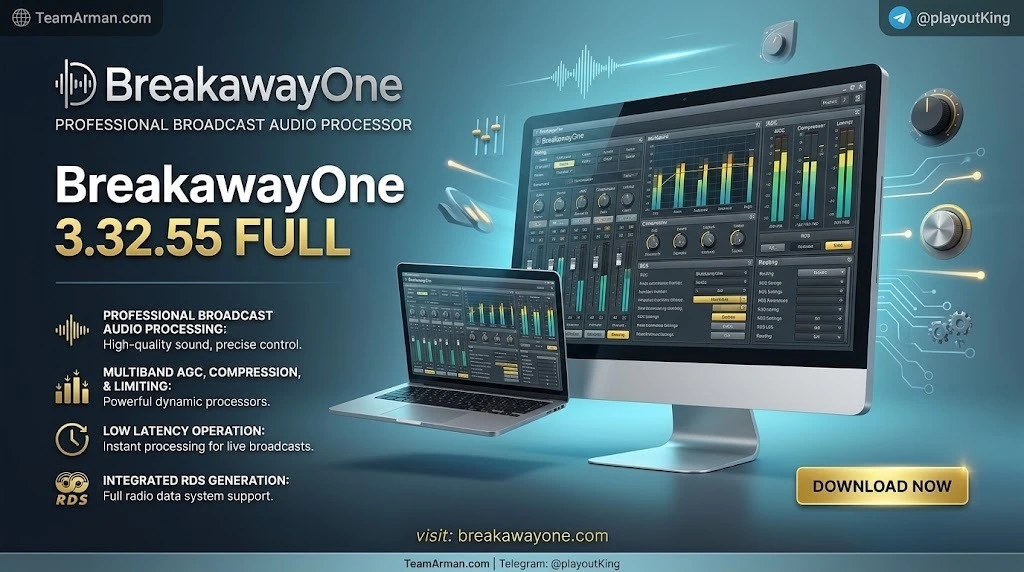
BreakawayOne is not a consumer audio “enhancer.” It is a complete multiband broadcast processing chain designed for professional and semi-professional radio operations. The software builds on the legacy of the original Breakaway Broadcast Processor but has been completely rewritten around Claesson’s modern algorithms and a road-tested platform core.
The core proposition is straightforward: install BreakawayOne on a dedicated Windows machine, route audio through it, and output a polished, competitive sound that can stand alongside dedicated hardware processors. It processes audio for multiple stations simultaneously, ships with an extensive preset library, and supports full IP remote control for multi-station management.
The primary keyword for this tool is “broadcast audio processor software.” Supporting concepts include “FM audio processing,” “web radio streaming processor,” “HD Radio audio processing,” and “multiband audio processor.”
Key Features
BreakawayOne’s feature set is built around three pillars: sound quality, workflow flexibility, and operational reliability.
Multiband Processing with Intelligent Distortion Masking
At the heart of the processor is a multiband dynamics engine with back-end peak control. Claesson’s design intelligently masks distortion, placing artifacts where they are least likely to be perceived by listeners. In practical terms, this allows the processor to remain loud and consistent even with difficult program material—tracks with dense transients, heavy low-end, or inconsistent mastering—without collapsing into audible distortion.
The processing architecture is 5-band in the Full FM and HD cores. It is not a 7-band design like the Omnia.9; users migrating from higher-band-count hardware should set expectations accordingly.
Broadcast Medium Coverage
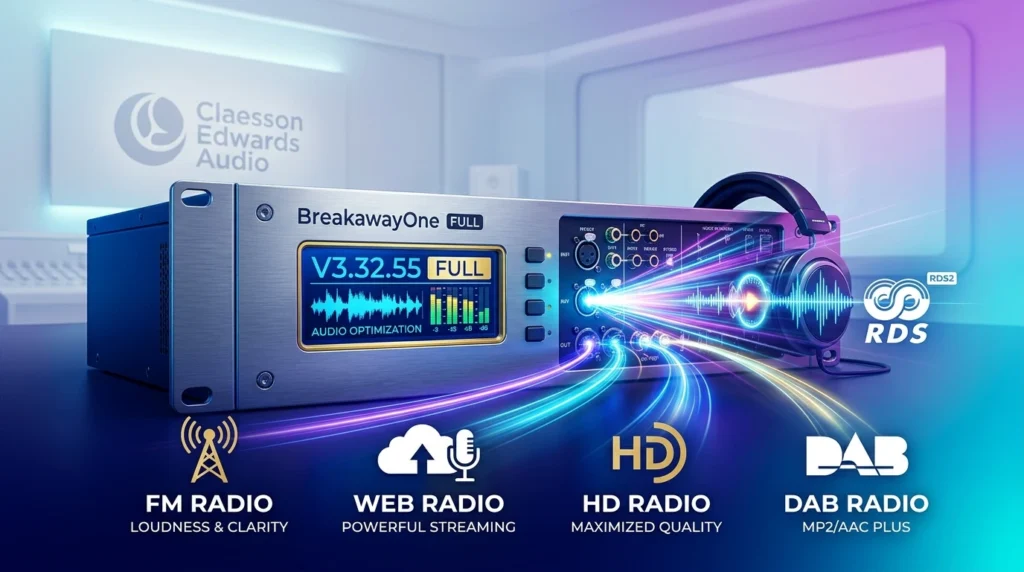
BreakawayOne is not limited to a single transmission standard. The software includes processing cores for:
-
Full FM with pre-emphasis (75 µs / 50 µs) and an integrated stereo generator (MPX) with Pilot and RDS input.
-
FM with ITU BS-412 Multiplex Power compliance for regions with strict MPX power limits.
-
Full AM processing, including C-QUAM stereo compatibility in updated builds.
-
HD Radio / HD core, optimized for limited bitrates.
-
DAB with strong performance on MP2 and AAC Plus.
-
Web radio / internet streaming, both as a processor and via built-in streaming sender/receiver functionality.
Flexible I/O and Virtual Audio Routing
The software supports WDM (Kernel Streaming), WAVE, ASIO, and virtual audio devices through Breakaway Pipeline. This matters for real-world deployments where the processor must coexist with playout software, a DAW, or a streaming encoder on the same machine. ASIO and WDM inputs are mixed with separate level sliders, allowing a small web station to feed a playout system and the processor from one PC without external hardware.
Presets and Human-Readable Controls
BreakawayOne includes a library of factory presets tuned for different formats and broadcast targets. The top-level controls carry plain-English labels—Deep Bass, Warmth, Presence, Brilliance—making the processor approachable for operators who are not full-time audio engineers. A separate Speaker Controller is included for calibrated studio monitoring, and a low-latency studio processing path (under 10 ms in supported cores) is available for live off-air monitoring.
Remote Management and Operational Robustness
For multi-station operations, BreakawayOne offers full IP remote control with locally rendered meters, audio streaming for remote monitoring, and file recording for troubleshooting. The processor can run as a Windows service, which improves robustness and security for 24/7 unattended operation.
Legal and Safe Content Note
This article discusses BreakawayOne exclusively as licensed, legitimate broadcast software. The trial version is fully functional and interrupts audio periodically with short jingles until a license is purchased; there is no legitimate need to seek unauthorized activation methods. All information here is provided for informational and educational purposes.
What’s New in BreakawayOne 3.32.55
Version note: Publicly indexed release notes for the exact build 3.32.55 are limited. The most detailed public changelog available in the BreakawayOne 3.3x series is for 3.30.93, and later 3.32.x builds continued incremental refinements. The features below reflect the confirmed 3.3x lineage; consult the official Claesson Edwards release notes for the definitive 3.32.55 change list.
Across the 3.3x generation, the 3.32.x branch has focused on stability, I/O flexibility, and broadcast-specific workflow improvements. Confirmed improvements in the 3.3x line include:
-
Startup crash fixes on certain system configurations.
-
Input 2 level trim and a separate Monitor Out mute button.
-
Adjustable diversity delay down to one sample.
-
WDM buffer count adjustment and a per-device Adaptive Sample Rate Conversion toggle.
-
FM MPX pilot level range limiting (8.75–9.25%) and new combo test tones for transmitter calibration (sweep + 50 Hz square wave, plus a phase-inversion test).
-
Streaming encoder improvements: HTTPS metadata URLs, connection/downtime duration displays, up to 6 encoders, selectable output sample rate, and 48 kHz MP3 output at bitrates ≥ 256 kbps.
-
Management package enhancements: MQTT support (Homie v3.0.1 compliant) for advanced automation, file recorder, and extended freeze-watchdog grace periods.
In short, 3.32.55 represents a mature point in the 3.3x line: the core sound engine is stable, and the updates concentrate on making the processor easier to integrate into real broadcast facilities and remote-managed workflows.
System Requirements
BreakawayOne is deliberately efficient. The official position has historically listed compatibility from Windows XP SP3 through Windows 10, and Claesson Edwards has confirmed that recent releases are compiled with Windows 11 .NET components and run reliably on Windows 11 in 24/7 streaming deployments.
| Component | Minimum / Recommended |
|---|---|
| Operating System | Windows 7 / 8 / 10 / 11 (32-bit or 64-bit); XP SP3 supported in legacy documentation |
| CPU | 1.8 GHz dual-core minimum; PassMark guidance varies by core type (Full FM Intel ≈ 800, AMD ≈ 1200; Basic FM Intel ≈ 700, AMD ≈ 1100) |
| RAM | 2 GB minimum |
| Storage | Standard HDD or SSD; the installer is relatively small (≈ 20 MB class) |
| Audio I/O | WDM, WAVE, ASIO, or virtual audio (Breakaway Pipeline); 192 kHz-capable cards supported for MPX output |
A dedicated machine is strongly recommended for 24/7 broadcast use. BreakawayOne can run a full FM processor even on low-power hardware—Claesson has demonstrated operation on an Atom Z3736G-based tablet—but a clean, dedicated PC reduces the risk of driver conflicts and unexpected reboots.
Installation Guide
BreakawayOne follows a two-stage installation model: a configuration application and the processing application. This is a departure from older Breakaway products and is worth understanding before deployment.
Step 1: Download and Run the Installer
Obtain the installer from the official Claesson Edwards Audio download page. The trial is fully functional and requires no feature unlock; audio interruptions are the only limitation until a license is applied. Run the installer with administrator privileges.
Step 2: Open the Configuration Application
After installation, launch the BreakawayOne Config application first. This is where you select your audio devices, core type (Full FM, HD, Full AM, etc.), and basic routing. The processing engine itself is configured through this layer.
Step 3: Select the Processing Core and I/O
Choose the core that matches your broadcast target. For FM transmission, select Full FM; for streaming only, the HD core is appropriate. Assign input and output devices. If you are using ASIO, confirm that the ASIO driver is visible and that the buffer size is set appropriately for your workload.
Step 4: Load a Preset and Verify Audio
Load a factory preset that matches your format, then route audio through the processor and monitor the output. Use the built-in meters to confirm that input levels are healthy and that the final limiter is not being driven excessively. The Final Limiter Drive control in the Audio Processor > Final section is the primary loudness/aggression control.
Step 5: Launch the Processing Application and Enable Service Mode (Optional)
Once configuration is complete, launch the main BreakawayOne application. For unattended 24/7 operation, enable service mode so the processor continues running without an interactive desktop session. Verify that audio passes correctly after a reboot before walking away.
How to Use BreakawayOne
Start with a Preset, Then Adjust One Control at a Time
The most reliable workflow is to find the factory preset that sounds closest to your target, then make small, single-variable adjustments. BreakawayOne’s presets are not generic EQ curves; they are full processing chains with AGC, multiband dynamics, and final limiting tuned for specific formats and loudness targets. Changing multiple controls at once makes it difficult to understand what improved—or what broke.
Use the Plain-English Controls for Directional Changes
If the preset is close but not exact, use the labeled controls for directional correction:
-
Deep Bass for sub-low emphasis (use cautiously on FM; excessive low-end consumes modulation headroom).
-
Warmth for low-mid body.
-
Presence for midrange intelligibility.
-
Brilliance for high-end openness.
For streaming-only deployments, the HD core is the correct starting point because it avoids FM pre-emphasis and is better suited to codec-friendly processing.
Calibrate the Transmitter with Built-in Test Tones
The 3.3x line includes Combo FM MPX test tones that combine a quick sweep with a 50 Hz square wave, plus a phase-inversion test that flips phase every second. These are designed for at-a-glance transmitter and modulation-monitor calibration without external test equipment.
Monitor in Low Latency When Needed
A separate low-latency studio processing path (under 10 ms in supported configurations) is available for live monitoring. The main high-quality processor can continue feeding the transmitter while the studio monitor receives a faster, separately processed feed.
Save and Back Up Configurations
Use BaRemote to export configuration .ini files and back up the full configuration as a ZIP from Common > System > System Information > Backup Configuration. This is essential before firmware or build upgrades.
Best Use Cases
1. FM Radio Stations on a Constrained Budget
A small commercial or community FM station can deploy BreakawayOne on a dedicated PC and achieve competitive loudness and clarity without purchasing a hardware processor. The Full FM core handles pre-emphasis, stereo generation, and MPX output; the ITU BS-412 mode addresses regulatory power limits where required.
2. Web Radio and Internet Streaming
For online-only stations, the HD core provides codec-friendly processing without FM-specific pre-emphasis. Built-in streaming sender and receiver functionality means the processor can also handle the encoder feed, reducing the number of separate applications in the chain.
3. HD Radio and DAB Supplementary Audio
HD Radio and DAB impose bitrate constraints that expose poor processing. BreakawayOne’s HD and DAB cores are specifically tuned for MP2 and AAC Plus, making the processor a practical choice for digital supplementary channels that must sound consistent with the analog main channel.
4. Multi-Station Head-End or Cluster Processing
The software can process multiple stations simultaneously and manage them through a single IP remote interface. This makes it viable for small groups or regional broadcasters who want centralized processing without a rack of hardware units.
5. Podcast and Pre-Recorded Content Loudness Consistency
While BreakawayOne is a broadcast processor rather than a mastering tool, its ability to produce consistent loudness across heterogeneous source material makes it useful for podcast networks or automated music channels where tracks arrive at wildly different levels.
Advantages and Limitations
Advantages
-
Broadcast-grade sound at software cost. Claesson’s algorithms deliver loudness and clarity comparable to expensive hardware processors, with intelligent distortion masking that keeps difficult material under control.
-
Wide medium coverage in one package. FM, AM, HD, DAB, DRM, and web streaming cores are included; there is no need to purchase separate processors for each transmission path.
-
Efficient hardware utilization. A 1.8 GHz dual-core CPU and 2 GB RAM are sufficient for many configurations, and the processor can run on very low-power hardware in a pinch.
-
Operationally mature. Service mode, IP remote control, MQTT automation, and file recording are included in the management package, reflecting real broadcast facility needs.
-
Approachable for non-engineers. Plain-English controls and a preset library lower the barrier to entry compared with parameter-dense processors.
Limitations
-
5-band processing only. BreakawayOne does not offer the 7-band flexibility of high-end hardware such as Omnia.9; engineers accustomed to deep band-count control should evaluate whether 5 bands meet their format requirements.
-
Configuration is split across two applications. The separation between Config and the processing app can confuse first-time users and adds a step to initial deployment.
-
No native VST plug-in version. Unlike Stereo Tool, BreakawayOne is not available as a VST, which matters for workflows centered on a DAW rather than a standalone processor.
-
Streaming encoder module may require separate licensing. Some users have noted that the streaming module is a separate purchase rather than bundled with the core license, which affects total cost of ownership.
-
Public documentation for specific builds is sparse. Version-specific release notes for builds like 3.32.55 are not always prominently indexed; operators should retain the installer and release notes for their deployed build.
Alternatives to BreakawayOne
Stereo Tool
Stereo Tool by Hans van Zutphen is the most frequently compared alternative. It offers a free tier with reduced advanced features, a VST version for DAW integration, and modular pricing that lets users pay only for the features they need. BreakawayOne’s base license is approximately $150, while Stereo Tool’s basic license is around €35; multiple users report that BreakawayOne is easier to set up and may sound better with the right preset, while Stereo Tool rewards deeper parameter work and offers more modular flexibility.
Choose BreakawayOne if you want a faster path to a broadcast-ready sound and prefer a standalone processor with strong ergonomics. Choose Stereo Tool if you need VST integration, want a free starting point, or require highly granular control over specific processing modules.
flexAI
flexAI is positioned around template-based chain provisioning and reusable configuration patterns for multi-station lineup changes. It is less established than BreakawayOne or Stereo Tool in the general radio market but may appeal to operators who prioritize automation-friendly configuration consistency across many routes.
Hardware Processors (Omnia, Orban, etc.)
Dedicated hardware processors from Orban, Omnia, and similar vendors remain the reference standard for high-power FM and complex AM directional arrays. BreakawayOne is not a drop-in replacement for every hardware scenario, but for low-to-mid-power FM, web radio, and digital supplementary channels, the software’s quality-to-cost ratio is difficult to match.
DAW Plug-in Chains
Some engineers build broadcast-style processing from individual plug-ins (limiting, multiband compression, de-essing, clipping) inside a DAW. This approach offers maximum flexibility but requires significant expertise and careful gain-staging; it is not a practical turnkey solution for a station that needs a repeatable, preset-driven sound.
Frequently Asked Questions
Is BreakawayOne 3.32.55 free?
No. BreakawayOne is commercial software. A fully functional trial is available; the trial interrupts audio periodically with short jingles until a license is purchased. There are no feature restrictions during the trial, and no legitimate need to seek unauthorized activation methods.
What is the difference between the FM, HD, and AM cores in BreakawayOne?
The Full FM core includes pre-emphasis and an integrated MPX stereo generator with Pilot and RDS support, making it the correct choice for analog FM transmission. The HD core omits FM pre-emphasis and is optimized for codec-constrained digital paths such as HD Radio and web streaming. The Full AM core handles AM-specific processing, including C-QUAM stereo compatibility in current builds.
Does BreakawayOne work on Windows 11?
Yes. While some official documentation historically listed Windows XP through Windows 10, Claesson Edwards has confirmed that recent releases are compiled with Windows 11 .NET components, and users report stable 24/7 operation on Windows 11 systems.
How many bands does BreakawayOne process?
BreakawayOne’s Full FM and HD cores are 5-band processors. This is fewer than 7-band hardware processors such as the Omnia.9, but the design prioritizes intelligent distortion masking and final peak control over raw band count.
Can BreakawayOne stream audio directly to Icecast or Shoutcast?
Yes, BreakawayOne includes built-in streaming sender and receiver functionality. In the 3.3x line, encoder management supports up to 6 encoders (with the management package), HTTPS metadata sources, and selectable output sample rates. Some users have noted that the streaming module may require separate licensing in certain purchase configurations.
Does BreakawayOne work with ASIO audio interfaces?
Yes. BreakawayOne supports ASIO, WDM (Kernel Streaming), WAVE, and virtual audio devices via Breakaway Pipeline. ASIO and WDM inputs can be mixed with separate level sliders, which is useful when feeding the processor from a playout system and a live source on the same machine.
Is BreakawayOne a VST plug-in?
No. BreakawayOne is a standalone Windows application, not a VST plug-in. If DAW integration is a requirement, Stereo Tool’s VST version may be a better fit; alternatively, BreakawayOne can be routed into a DAW via virtual audio devices.
How do I reset BreakawayOne to a known-good configuration?
Save the current preset to disk, then reload a factory preset from the library. For a full configuration reset, use BaRemote to restore a previously backed-up configuration ZIP from Common > System > System Information > Backup Configuration.
Final Thoughts
BreakawayOne 3.32.55 occupies a practical middle ground in the broadcast audio processing market. It is not the cheapest option (Stereo Tool’s free tier is lower cost of entry), and it is not a 7-band hardware replacement for a high-power FM flagship. What it does exceptionally well is deliver a broadcast-ready, preset-driven sound across FM, HD, AM, DAB, and streaming from a standard Windows PC, with operational features—service mode, IP remote control, MQTT automation, file recording—that reflect the realities of running a station rather than a demo bench.
For small and mid-market radio operations, web broadcasters, and engineers who value a fast path to a competitive sound over deep parameter exploration, BreakawayOne remains one of the strongest software-based broadcast audio processors available. The 3.3x line’s emphasis on stability, calibration tools, and remote management makes 3.32.55 a sensible deployment target for new installations and upgrades from earlier 3.x builds—provided operators consult the official release notes for build-specific changes and plan for the two-stage configuration workflow.