
Overview of HOMER Grid Pro
Table of Contents
HOMER Grid Pro is the industry-standard software for designing and analyzing hybrid power systems where the electric grid is a primary energy source. While HOMER Pro is optimized for off-grid and islanded microgrids, HOMER Grid is specifically engineered for grid-connected facilities that need to reduce operating expenses through demand charge management and energy arbitrage.
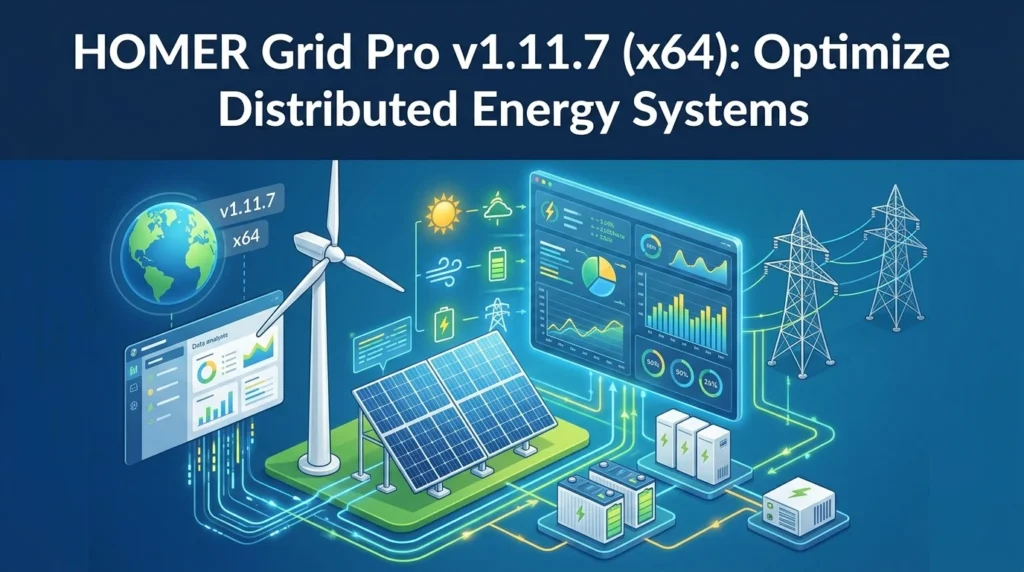
At its core, the software performs an hourly simulation (8,760 hours per year) to balance electrical and thermal loads against available energy resources. It evaluates thousands of system configurations—combining solar photovoltaic (PV), wind turbines, battery energy storage systems (BESS), generators, and the grid—to identify the least-cost option based on Net Present Cost (NPC) and Cost of Energy (COE).
The platform is used by over 250,000 energy professionals across 190 countries, serving researchers, project developers, and investors who require bankable, data-driven insights for hybrid power system design.
Key Features of HOMER Grid Pro
HOMER Grid Pro distinguishes itself from generic energy modeling tools through a suite of features tailored specifically for grid-connected commercial and industrial applications.
Demand Charge Reduction and Tariff Optimization
The software’s optimization engine is uniquely configured to account for complex utility rate structures. It includes dispatch algorithms specifically designed for demand charge reduction, allowing users to simulate how battery storage and on-site generation can shave peak demand and lower monthly utility bills. This capability is critical for facilities with high demand charges that significantly impact overall operational costs.
Multi-Source Hybrid Modeling
HOMER Grid Pro models a diverse range of generation and storage assets within a single, integrated environment. Users can evaluate combinations of:
-
Solar PV (with dedicated converters)
-
Wind turbines
-
Diesel or natural gas generators
-
Battery energy storage systems (including advanced lithium-ion chemistry)
-
Combined Heat and Power (CHP) systems
-
Electric Vehicle (EV) charging infrastructure
Advanced Financial and Sensitivity Analysis
The platform calculates key financial performance indicators, including Net Present Cost (NPC), Internal Rate of Return (IRR), payback period, and return on investment. It also supports sensitivity analysis, allowing users to test how variations in fuel prices, interest rates, load growth, and renewable resource availability affect project viability.
EV Charging and Resilience Planning
For facilities incorporating electric vehicle fleets, HOMER Grid Pro includes modeling capabilities for EV chargers, enabling users to assess the impact of charging loads on system sizing and demand charges. The software also supports resilience planning by evaluating the cost of backup power and the ability to sustain critical loads during grid outages.
What’s New in HOMER Grid Pro v1.11.7
Version 1.11.7, released on August 28, 2026, focuses on improving the accuracy of long-term battery asset modeling and financial projections. These updates reflect the evolving practices in battery procurement and project financing.
Storage Degradation Tables
A major addition in this release is the introduction of Storage Degradation Tables. This feature provides a more flexible framework for modeling battery degradation based on actual manufacturer warranties and performance guarantees. Users can now define degradation trajectories by year, incorporate warranty curves for different annual cycling levels, and specify how degradation is interpreted between operating conditions. This allows project assumptions to better align with real-world supplier commitments.
Battery Augmentation Modeling
Complementing the degradation tables, the new Battery Augmentation Modeling capability allows users to add new storage capacity throughout the project lifetime. This mirrors the industry practice of augmenting battery systems to offset degradation and maintain energy and capacity commitments over the life of the asset. The software now disables augmentation options only where they are not supported, reducing configuration confusion.
TOU-Aware BESS Optimization
The optimization engine now includes Time-of-Use (TOU)-aware battery dispatch. This improvement better aligns battery charging and discharging schedules with time-of-use energy rates and demand-charge structures, resulting in more realistic operational modeling and improved savings estimates.
Enhanced Financial Incentive Calculations
Version 1.11.7 expands financial modeling to include Bonus Depreciation, Annual Depreciation, and MACRS (Modified Accelerated Cost Recovery System). These enhancements enable more accurate project valuation and cash flow analysis, particularly for projects leveraging U.S. tax incentives.
System Requirements
HOMER Grid Pro is a native Windows application. The following specifications are recommended for stable performance.
Minimum Requirements
-
Operating System: Windows 7 Service Pack 1 or later (Windows 10 is recommended).
-
Processor: 64-bit processor (x64 architecture is required for this version).
-
Memory (RAM): 2 GB minimum.
-
Disk Space: 450 MB of available hard drive space.
-
Display: Minimum resolution of 1024 x 768 pixels.
-
Framework: .NET Framework 4.7.2 Runtime (typically included with the latest Windows updates).
Recommended Specifications
For users working with large datasets, complex multi-year simulations, or detailed sensitivity analyses, a modern multi-core processor and 8 GB or more of RAM are advisable to ensure efficient computation times.
Installation Guide
Installing HOMER Grid Pro requires an active account on the HOMER Energy website. The process is straightforward and guided by a standard Windows setup wizard.
Step-by-Step Installation
-
Download the Installer: Log in to your HOMER account and navigate to the download section. Select the 64-bit installer for HOMER Grid. The download will be a .zip archive containing the installation file (e.g.,
HomerGrid-x.x.x.msi). -
Run the Installer: Extract the .zip file and double-click the
.msifile. The HOMER Grid Setup Wizard will launch. -
Follow the Wizard: Accept the End User Agreement and proceed through the prompts. The wizard will guide you through the installation process.
-
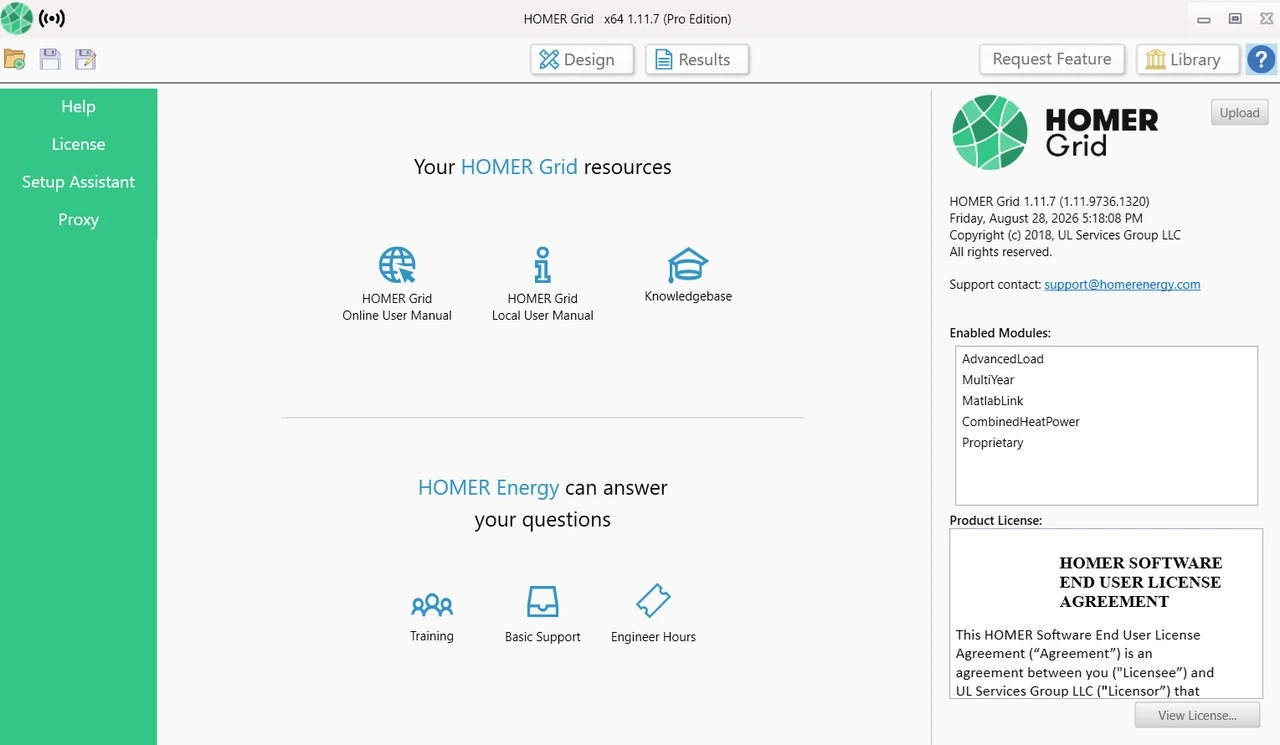
Launch and License: Open HOMER Grid from your Start menu. On the first launch, the software will prompt you to enter your email address. Clicking “Get Started” will automatically retrieve your license file if you have an active subscription. First-time users may be eligible for a free trial period to evaluate the software.
How to Use HOMER Grid Pro
The workflow in HOMER Grid Pro follows a logical sequence: define the project location and loads, input available resources and components, configure financial parameters, and then run the optimization.
Core Modeling Workflow
-
Define Loads: Input the facility’s electrical and thermal load profiles. The software uses hourly data to accurately capture demand patterns.
-
Add Resources: Specify the available solar irradiation, wind speed, and fuel prices for the project site. HOMER integrates with databases like NASA POWER for resource data.
-
Configure Components: Select the generation and storage technologies to include in the simulation. Set technical parameters such as capital costs, replacement costs, operation and maintenance (O&M) costs, and efficiencies for each component.
-
Set Financial Parameters: Input economic assumptions including discount rate, inflation rate, and project lifetime. Define applicable tariffs, demand charges, and financial incentives (e.g., tax credits or depreciation schedules).
-
Run Optimization: Execute the simulation. HOMER will model thousands of system architectures and dispatch strategies to identify the configurations that meet the defined constraints at the lowest lifecycle cost.
-
Analyze Results: Review the ranked list of optimal systems. Examine the cash flow, cost breakdown, and technical performance of the top configurations to inform your design decision.
Best Use Cases
HOMER Grid Pro is primarily deployed in scenarios where grid electricity is the dominant energy source, and the goal is to reduce costs or enhance resilience.
Commercial and Industrial Facility Bill Optimization
A manufacturing plant or large retail facility can use HOMER Grid to determine the optimal size of a rooftop solar array and a battery storage system. The software will simulate how the BESS can discharge during peak demand periods to reduce monthly demand charges, while the solar PV reduces overall energy consumption.
University Campus and Institutional Hybrid Systems
Educational institutions with significant land area and diverse energy loads frequently use HOMER Grid to model hybrid systems. A study involving a university campus utilized HOMER Grid to identify a Photovoltaic–Wind–Diesel–Grid configuration that reduced annual energy purchases and achieved a payback period of approximately four years.
EV Fleet Charging Infrastructure
Organizations electrifying their vehicle fleets face new, substantial load profiles. HOMER Grid Pro can model EV charger integration alongside on-site generation and storage to manage the impact of charging on demand charges and to evaluate the cost-effectiveness of using stored solar energy for vehicle charging.
Resilience Planning for Critical Facilities
Hospitals, data centers, and emergency response centers require uninterrupted power. HOMER Grid Pro evaluates the cost of adding storage and on-site generation to sustain critical loads during grid outages, providing a quantitative basis for resilience investments.
Advantages and Limitations
Advantages
-
Specialized Focus: Unlike generic microgrid tools, HOMER Grid is purpose-built for behind-the-meter, grid-connected systems with a strong emphasis on demand charge management and tariff optimization.
-
Industry Standard and Credibility: With over 250,000 users globally, HOMER software is widely recognized by investors, utilities, and researchers as a reliable tool for techno-economic analysis.
-
Comprehensive Financial Modeling: The inclusion of advanced depreciation schedules, incentive calculations, and sensitivity analysis supports bankable project development.
-
Continuous Innovation: Recent updates like Storage Degradation Tables and Battery Augmentation Modeling demonstrate a commitment to reflecting real-world battery procurement and operational practices.
Limitations
-
Platform Exclusivity: The software is native to Windows and does not offer a native Mac or Linux version. Users on other operating systems must rely on virtualization or Windows emulation.
-
Cost: HOMER Grid Pro is a commercial product with licensing costs that may be prohibitive for individual hobbyists or very small-scale projects. Pricing depends on license length and selected modules.
-
Learning Curve: While the interface is user-friendly, mastering the full depth of financial and technical parameterization requires training and experience in energy system modeling.
Alternatives to HOMER Grid Pro
While HOMER Grid Pro is a market leader, several other tools offer overlapping capabilities. The choice depends on the specific project scope and analytical requirements.
HOMER Pro (by UL Solutions)
The sibling product to HOMER Grid Pro, HOMER Pro is optimized for off-grid, islanded, and remote microgrid systems. It focuses on energy access and self-sufficiency rather than demand charge management for grid-connected facilities. Some projects may use HOMER Grid for initial design and export the model to HOMER Pro for off-grid fine-tuning.
REopt (by NREL)
REopt is a free, web-based techno-economic decision support platform developed by the National Renewable Energy Laboratory. It is often used for screening-level analysis and is particularly suited for federal and public-sector projects. While capable, it may offer less granular control over detailed component dispatch than a desktop tool like HOMER Grid.
iHOGA / iHOGA PRO+
iHOGA (improved Hybrid Optimization by Genetic Algorithms) is an alternative that uses genetic algorithms for optimization. It is a viable option for users seeking a different algorithmic approach, though HOMER Grid remains the more established standard in the commercial sector.
OpenDSS (by EPRI)
OpenDSS is an open-source distribution system simulator. It is more focused on detailed electrical network analysis (power flow, voltage regulation) than on high-level techno-economic optimization. It is often used in tandem with optimization tools for detailed grid impact studies rather than as a direct replacement.
Frequently Asked Questions (FAQ)
1. Is HOMER Grid Pro the same as HOMER Pro?
No. While built on the same platform, HOMER Grid Pro is specifically optimized for behind-the-meter, grid-connected systems and includes features for demand charge reduction and energy arbitrage. HOMER Pro is optimized for off-grid and islanded microgrids where self-sufficiency is the primary goal.
2. Can I run HOMER Grid Pro on a Mac?
No, HOMER Grid Pro is a Windows-based application and does not have a native Mac or Linux version. Mac users must use virtualization software (such as Parallels or VMware) or a Windows boot camp partition.
3. What is the primary purpose of the optimization engine?
The engine simulates thousands of system configurations on an hourly basis (8,760 hours per year) to identify the lowest-cost system that reliably meets the defined electrical and thermal loads. The primary ranking metric is typically Net Present Cost (NPC).
4. What are Storage Degradation Tables in v1.11.7?
This new feature allows users to model battery degradation based on actual manufacturer warranty terms. Users can define year-by-year degradation trajectories and cycling-dependent warranty curves, making the financial projections more realistic.
5. Can HOMER Grid Pro model electric vehicle charging?
Yes. The software includes modeling capabilities for EV chargers, allowing users to evaluate the impact of EV loads on system sizing, demand charges, and the optimal dispatch of on-site generation and storage.
6. How does HOMER Grid Pro handle financial incentives?
Version 1.11.7 includes enhanced calculations for Bonus Depreciation, Annual Depreciation, and MACRS. This allows for accurate modeling of project cash flows under various tax regimes and incentive structures, particularly in the United States.
7. Is there a free trial available?
UL Solutions typically offers a free trial for first-time users. The trial period is generally 14 days and includes access to all modules and features to evaluate the software’s suitability for your projects.
8. What input data do I need to start a model?
You will need hourly electrical load data (or a representative profile), site-specific solar and wind resource data, fuel prices (if using generators), and financial parameters such as component costs, discount rates, and applicable utility tariffs.
Final Thoughts
HOMER Grid Pro v1.11.7 (x64) represents a mature, industry-trusted solution for the techno-economic optimization of grid-connected hybrid power systems. Its latest iteration strengthens the software’s value proposition by addressing two of the most critical challenges in modern energy project development: accurately modeling battery degradation over multi-year horizons and reflecting real-world financial incentives in project valuation.
For commercial and industrial facility managers, renewable energy developers, and energy consultants focused on reducing demand charges and maximizing the value of solar-plus-storage investments, HOMER Grid Pro remains a benchmark tool. While it requires a Windows environment and a commercial license, the depth of its analytical capabilities and its widespread acceptance among investors and researchers make it a worthwhile investment for serious hybrid power system design.
By following the installation steps, understanding the core modeling workflow, and leveraging the new features in version 1.11.7, users can generate bankable insights that drive cost-effective and resilient energy decisions.
Our Paid Service