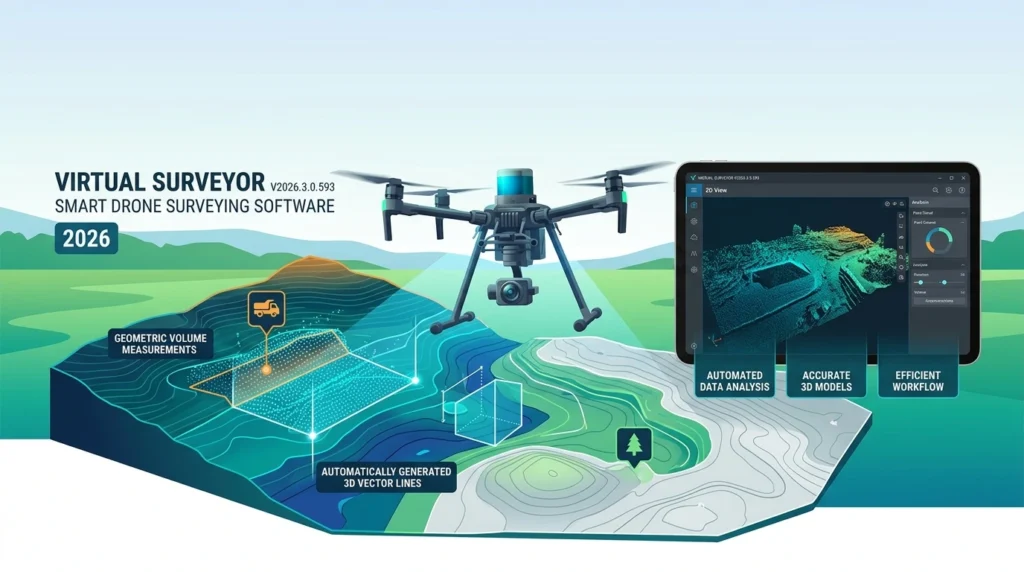

Overview of Virtual Surveyor V2026.3.0.593
Table of Contents
Virtual Surveyor is a desktop application for Windows that bridges the gap between drone photogrammetry and professional surveying. The suite is split into two focused components: Terrain Creator, which photogrammetrically processes drone photos into orthomosaics and digital surface models (DSMs), and the Virtual Surveyor app, where users perform measurement, drafting, volume analysis, and reporting. This separation keeps the heavy processing load isolated while the surveying environment remains responsive.
The software is used across 88 countries and is positioned as a faster alternative to traditional field survey methods for topographic data capture. Licensing is cloud‑based and floating, allowing a single concurrent seat to move between desktop workstations when users sign in with a Virtual Surveyor ID. A free Valley tier provides basic import and export access, while paid plans (Ridge, Mountain, and Peak) unlock photogrammetry, timeline comparison, and advanced design tools.
Key Features
Terrain Creator Photogrammetry Integration
Terrain Creator processes drone imagery into survey‑grade orthomosaics and DSMs through a guided workflow. Once processing is complete, projects transfer directly into the Virtual Surveyor app for feature extraction and analysis. This integrated approach removes the need to juggle multiple photogrammetry packages for routine survey deliverables.
Topographic and Planimetric Drafting
Users can draw breaklines, points, and surfaces directly on top of drone‑derived terrain. The drafting tools support lightweight CAD deliverables, including boundary creation, polyline editing, and surface triangulation. Planimetric surveys—such as parking lot layouts or road centerlines—can be extracted from orthophotos and integrated into 3D models.
Stockpile and Inventory Reporting
Virtual Surveyor includes dedicated stockpile measurement functionality. Users assign materials (sand, aggregate, and so on), calculate volumes and tonnage, and generate PDF reports for single sites or recurring flights. A search‑based material selector simplifies inventory management at large facilities with numerous stockpiles.
Construction Earthworks and Cut/Fill Analysis
The software compares drone flights against design surfaces to track cut‑and‑fill volumes and document as‑built conditions over time. This is particularly useful for construction progress monitoring and earthworks quantity tracking.
Timeline and Change Analysis
Mountain and Peak tier plans add multi‑epoch comparison tools. The Timeline feature organizes a project site across timesteps, allowing users to compare surfaces from different drone flights, monitor change, and remove objects for cleaner models.
Local Coordinate System Support
Recent releases have added the ability to define local coordinate systems directly within Virtual Surveyor. GPS‑based drone imagery and LiDAR data can be projected into local systems without a third‑party package—a critical capability for mining, excavation, and construction projects that rely on site‑specific grids.
Cloud Collaboration (OneDrive, Dropbox)
Virtual Surveyor integrates with Microsoft OneDrive, SharePoint, and Dropbox for project storage and sharing. Team accounts with shared folders allow an unlimited number of members to access project files from any computer running the desktop app, with local synchronisation to avoid latency.
What’s New in Virtual Surveyor V2026.3.0.593
The V2026.3.0.593 build sits within the 2026 release line, which has focused on workflow stability, local coordinate system refinement, and licensing flexibility. While exact release notes for build .593 should be confirmed on the vendor’s official support portal, the broader 2026 updates have delivered:
-
Faster, more stable platform performance across the processing and surveying environments, with a streamlined workflow and improved user experience.
-
Local Coordinate System functionality that allows users to work with new and existing survey data in site‑specific coordinate systems without external tools.
-
Expanded cloud integrations for OneDrive and SharePoint, enhancing remote file access and team collaboration.
-
Licensing improvements, including a 14‑day trial that unlocks Peak‑tier features and a free Valley tier for continued project access after the trial ends.
For a precise changelog specific to build 2026.3.0.593, consult the official Virtual Surveyor release notes or the in‑app Help tab.
System Requirements
Virtual Surveyor is designed to run on standard business laptops and desktops, though the photogrammetry component (Terrain Creator) has higher configuration demands.
Standard Configuration for Virtual Surveyor (per official support documentation):
-
Operating System: Windows 11 (x64)
-
Graphics Card: OpenGL 3.3 or higher, shader model 4.0
-
GPUs to avoid (or pair with a dedicated GPU): Intel Iris Plus, Iris Xe, and Iris Xe MAX graphics. These cards prioritise energy efficiency and will reduce performance. If your computer has two graphics cards, ensure Windows assigns the dedicated GPU to Virtual Surveyor.
Terrain Creator carries higher requirements than the surveying app, particularly for RAM and processing power. Users planning to run photogrammetry on the same machine should review the Terrain Creator‑specific configuration guidance on the Virtual Surveyor support site.
Installation Guide
Installing Virtual Surveyor V2026.3.0.593 follows a straightforward Windows desktop workflow:
-
Download the installer from the official Virtual Surveyor website or through the winget package manager (package ID:
VirtualSurveyor.VirtualSurveyor). -
Run the installer and follow the on‑screen prompts.
-
Sign in with your My.Virtual‑Surveyor account when the application launches. A 14‑day trial begins upon installation and unlocks all Peak‑plan features.
-
Activate a plan (Valley, Ridge, Mountain, or Peak) through the My Virtual Surveyor portal, or continue on the free Valley tier after the trial ends.
For managed deployments, the winget command winget install --id VirtualSurveyor.VirtualSurveyor --exact can be used to install a specific version.
How to Use Virtual Surveyor V2026.3.0.593
Step 1: Prepare and Import Drone Data
Launch Virtual Surveyor and sign in. Create a new project and set a directory for project files. Import orthomosaics, DSMs, or point clouds by dragging and dropping them into the application or using the file browser. Supported data sources include drone imagery processed externally or outputs from Terrain Creator.
Step 2: Process Photogrammetry in Terrain Creator (Optional)
If you are starting from raw drone photos, open Terrain Creator, run the guided photogrammetry workflow to generate an orthomosaic and DSM, and then use the “Open in Virtual Surveyor” button to transfer the processed dataset into the surveying environment.
Step 3: Navigate the Main View
The Main View is the default workspace and contains the core components: the Viewport (3D data exploration), the Ribbon (tabbed tools for Home, Export, Analysis, View, and Tools), Layers (data organisation), and the Timeline (for multi‑epoch projects). Use mouse and keyboard navigation to orbit, pan, and zoom through the terrain.
Step 4: Extract Survey Features and Surfaces
Use the drawing tools to place points, trace polylines (breaklines, boundaries, road centerlines), and create surfaces. The Smart Pick tools help snap to ground points and dataset features for accurate placement. For planimetric surveys, extract features from the orthophoto and integrate them into the 3D model.
Step 5: Analyse Volumes and Generate Reports
Switch to the Analysis tab to calculate slope, distance, and volume measurements. For stockpile reporting, define the pile boundary, assign a material, and generate a PDF report with volume and tonnage figures. For earthworks, compare two surfaces (drone flight vs. design) to produce cut‑and‑fill maps and quantity summaries.
Step 6: Export Deliverables
Use the Export tab to send linework, surfaces, and volume reports to CAD formats, or export machine‑control models for construction equipment. Valley‑tier users can still export basic CAD deliverables, while higher tiers unlock advanced export options and design‑surface workflows.
Best Use Cases
Construction Progress and Earthworks Tracking
Contractors use Virtual Surveyor to compare recurring drone flights against design surfaces, quantify cut‑and‑fill, and document as‑built conditions without waiting for traditional field surveys. The Timeline and change analysis tools in Mountain and Peak plans make multi‑phase progress tracking practical.
Mining and Quarry Management
Local coordinate system support, stockpile reporting, and haul‑road design tools make the software well suited to surface mining and quarry operations. Surveyors can measure extraction progress, inventory materials, and design infrastructure directly on drone‑derived terrain.
Stockpile Inventory Audits
The dedicated stockpile workflow assigns materials, calculates volumes and tonnage, and produces shareable PDF reports—useful for aggregate yards, ports, and industrial sites that require periodic inventory verification.
Topographic Mapping for Engineering Design
Engineering surveyors use the topographic design tools in the Peak plan to model graded roads, water ponds, rock walls, and other terrain modifications on existing drone data. These design surfaces can then be exported for construction or machine control.
Advantages and Limitations
Advantages
-
Focused workflow separation: Terrain Creator handles photogrammetry while the surveying app stays responsive for drafting and analysis, avoiding the slowdowns common in all‑in‑one packages.
-
Free entry point: The Valley tier provides ongoing access to basic import, drawing, surface creation, and CAD export after the trial expires.
-
Flexible licensing: Floating cloud licenses let a single seat move between desktop machines, which suits teams with shared workstations.
-
Strong earthworks and stockpile toolset: Volume calculation, cut/fill mapping, and material‑aware stockpile reporting are core strengths for construction and mining users.
Limitations
-
Desktop‑only runtime: There is no native browser editing on tablets or mobile devices; the software is built for Windows desktops.
-
Advanced tools behind higher tiers: Grading, intersection, and timeline comparison features require Mountain or Peak subscriptions, which may be costly for occasional users.
-
Photogrammetry configuration demands: Terrain Creator requires a more capable machine than the surveying app, and energy‑efficient integrated GPUs can reduce performance.
Alternatives to Virtual Surveyor V2026.3.0.593
Pix4D
Pix4D is a widely used photogrammetry suite for drone mapping, surveying, and inspection. It offers strong processing capabilities and cloud collaboration, but it is generally positioned as a broader photogrammetry platform rather than a survey‑specific drafting and volume‑analysis environment.
DroneDeploy
DroneDeploy provides cloud‑based drone mapping and site analysis with a strong focus on construction and agriculture. It is often compared to Virtual Surveyor, though DroneDeploy leans toward all‑industry cloud workflows, while Virtual Surveyor emphasises desktop‑based survey drafting and CAD deliverables.
Agisoft Metashape
Agisoft Metashape is a standalone photogrammetry package for generating dense point clouds, meshes, and orthomosaics. It is highly configurable and cost‑effective for processing, but it does not include the built‑in surveying, stockpile reporting, and timeline tools that Virtual Surveyor provides out of the box.
WebODM
WebODM is an open‑source drone mapping solution with orthographic, elevation, and 3D model outputs. It is a budget‑friendly alternative for basic photogrammetry, but it lacks Virtual Surveyor’s survey‑grade volume reporting, local coordinate system support, and construction‑focused design tools.
Frequently Asked Questions
What is Virtual Surveyor V2026.3.0.593 used for?
It is smart drone surveying software for converting drone imagery and LiDAR point clouds into topographic surveys, stockpile reports, cut‑and‑fill maps, and CAD‑ready deliverables. It is used in construction, mining, quarrying, and engineering design.
Does Virtual Surveyor include photogrammetry?
Yes. The suite includes Terrain Creator, a photogrammetry application that processes drone photos into orthomosaics and DSMs. Photogrammetry access depends on the subscription tier; Ridge and higher plans unlock it, while the free Valley plan focuses on importing finished orthos and DSMs.
What are the system requirements for Virtual Surveyor?
The surveying app requires Windows 11 x64 and a graphics card supporting OpenGL 3.3 or higher with shader model 4.0. Terrain Creator has higher configuration requirements. Integrated Intel Iris Plus/Xe GPUs are not recommended for performance‑critical work.
Is there a free version of Virtual Surveyor?
Yes. The Valley plan is free and includes basic import of orthos and DSMs, point and line drawing, surface creation, and CAD export. A 14‑day trial also provides full access to Peak‑tier features upon installation.
Can Virtual Surveyor export to CAD?
Yes. CAD export is available even on the free Valley tier for linework and surfaces created within the survey environment. Higher tiers add more advanced export and design‑surface options.
How does Virtual Surveyor handle local coordinate systems?
Recent 2026 releases added the ability to define and work with local coordinate systems directly in the software. GPS‑based drone data can be projected into site‑specific grids without a third‑party package, which is valuable for mining and construction projects.
What are the main alternatives to Virtual Surveyor?
Common alternatives include Pix4D, DroneDeploy, Agisoft Metashape, and WebODM. Each differs in its balance of photogrammetry processing, survey‑specific tools, cloud collaboration, and pricing.
Final Thoughts
Virtual Surveyor V2026.3.0.593 continues the software’s focus on what it does best: turning drone data into practical, CAD‑ready survey deliverables without forcing users into a general‑purpose photogrammetry or CAD workflow. The separation of Terrain Creator and the Virtual Surveyor app keeps processing and interpretation distinct, while the 2026 release line has strengthened local coordinate support, cloud collaboration, and workflow stability.
For surveyors and earthworks teams already flying drones, the combination of stockpile reporting, cut/fill analysis, and timeline comparison in a single desktop environment is a meaningful productivity advantage. The free Valley tier and floating licensing lower the barrier to entry, though users who need advanced grading or multi‑epoch comparison should budget for the Mountain or Peak plans.
As with any version‑specific review, confirm the exact changelog for build 2026.3.0.593 on the official Virtual Surveyor support portal before upgrading production workflows, and validate that your workstation meets the graphics and processing requirements for both the surveying app and Terrain Creator.
Our Paid Service