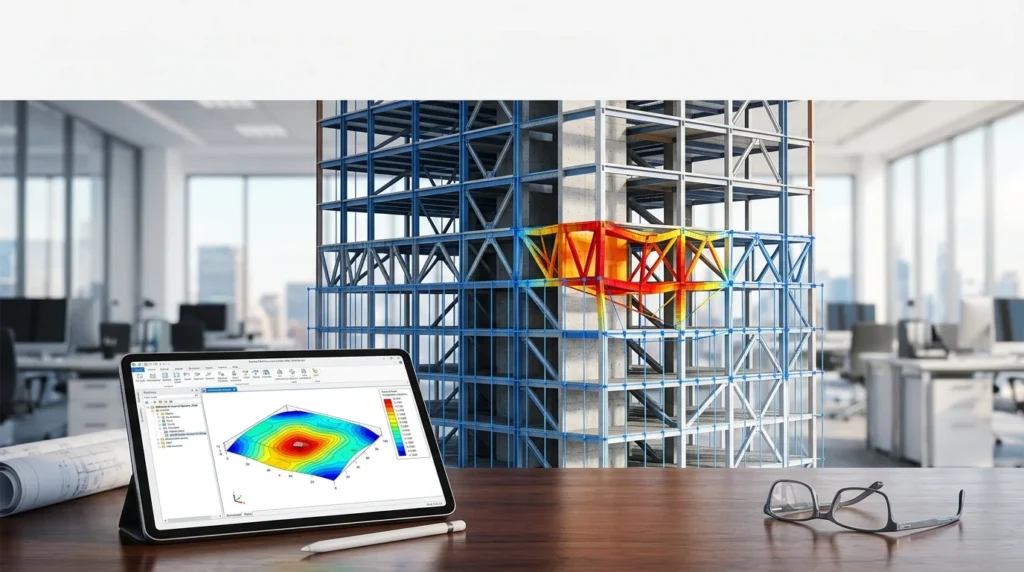

Overview of Bentley RAM Structural System 2026
Table of Contents
RAM Structural System is a purpose-built building design platform developed by Bentley Systems, a global leader in infrastructure engineering software. Unlike general-purpose finite element tools, RAM SS is optimized specifically for commercial, institutional, and industrial building structures, including flat concrete slabs, composite steel-framed floors, shear walls, moment frames, braced frames, and a wide range of foundation systems.
The software is organized around a central database managed through the RAM Manager, from which engineers invoke specialized modules including RAM Modeler, RAM Steel Beam, RAM Steel Column, RAM Concrete, RAM Frame, and RAM Foundation. This modular architecture means every analysis and design task pulls from the same synchronized model, eliminating data re-entry and reducing the risk of manual transfer errors.
The 2026 release introduces fundamental changes to how the software handles multiple live load types and snow load factoring, a shift that directly affects gravity design results for most building models. This article walks through the complete feature set, new capabilities, system requirements, installation process, practical workflows, and alternatives, with the goal of helping both new and experienced structural engineers make the most of RAM Structural System 2026.
Key Features of RAM Structural System 2026
RAM SS 2026 packs a broad feature set into a single integrated environment. The following sections break down the major capabilities by functional area.
Integrated 3D Static and Dynamic Analysis
The software performs full three-dimensional static and dynamic analysis of building frames. It supports moment frames, braced frames, shear walls, and any combination of these systems. Members can be assigned steel, concrete, or user-defined materials within the same model. Automated mesh generation is provided for walls and diaphragms, and the solver accommodates tension-only members, P-Delta effects, foundation springs, rigid and semi-rigid diaphragms, and construction sequence analysis.
Automated Load Generation and Combinations
Load generation is one of RAM SS’s strongest differentiators. Gravity loads are distributed and applied automatically to the structural model in RAM Frame. Live load reduction factors are calculated based on the selected building code, and member self-weights for beams, columns, walls, slabs, and decks are computed without manual input. Wind story forces are generated per IS875, IBC, ASCE 7, UBC, BOCA, SBC, BS 6399, NBC of Canada, AS/NZS 1170.2, China GB 50011, and Eurocode. Seismic story forces follow IS1893, IBC, ASCE 7, UBC, BOCA, SBC, NBC of Canada, AS/NZS 1170.2, China GB 50011, and Eurocode. The program also calculates notional loads and automatically generates steel and concrete design load combinations for the specified code.
Gravity Design: RAM Steel Beam and RAM Steel Column
The RAM Steel Beam module handles gravity design of composite and non-composite beams and girders, as well as Steel Joists, C-Beam, and Westok Cellular beams. It automatically optimizes beam sizes while allowing engineers to check existing conditions. Tributary loads from surface, line, and point load patterns are computed automatically, as are loads on girders from framing beams, live load reduction factors, and effective flange width. Depth restrictions and other special design considerations can be specified.
The RAM Steel Column module designs gravity columns and their baseplates. Axial loads, unbalanced moments, live load reductions, and bracing conditions are calculated automatically. Engineers can either obtain optimum sizes or analyze existing conditions.
Concrete Design and Shear Wall Analysis
The RAM Concrete Design module covers shear walls, gravity and frame columns, and beams. Design loads, including live load reductions and pattern loading, are generated automatically. Effective flange width of T-beams is calculated, and reinforcement is selected automatically. Optimum designs can be obtained, or existing conditions analyzed. A dedicated Shear Wall Force post-processor provides design forces through piers, between wall openings, and between levels.
Drift Control and Optimization
Drift control is a critical concern in tall building design. RAM SS includes a dedicated Drift Control Mode that graphically identifies the members contributing most significantly to lateral drift. Engineers can then resize those members efficiently to bring drift within acceptable limits. This post-processing capability turns a typically iterative and time-consuming task into a guided optimization workflow.
Foundation Design
The RAM Foundation module designs spread footings, continuous footings, and pile caps located beneath both lateral and gravity members. It integrates directly with the building model, so foundation design is informed by the actual load distribution computed by the frame analysis.
Steel Connection Design Integration
RAM Connection for RAM Structural System allows engineers to design and check steel connections using the analysis results from RAM SS. This integration reduces the manual effort of transferring member forces into connection design tools and supports a more streamlined steel design workflow.
What’s New in RAM Structural System 2026 (26.00.00.222)
The 2026 release is not a cosmetic update. It introduces changes that affect design results for most building models, particularly in the areas of snow load handling and live load combinations.
Concurrent Snow and Roof Live Load Consideration
In prior versions, RAM SS would consider snow loads or roof-type live loads, but not both concurrently in a single design run. Starting with version 2026, both load types are always considered and combined according to the relevant building code combinations. For older models converted to the 2026 format, this means additional loads will be included in design if the model contains both roof and snow loads. Engineers should carefully review roof and snow load inputs when migrating existing projects.
Revised Live Load Factoring for Gravity Design
The RAM Steel Beam and RAM Steel Column modules now apply reduced load factors for combinations of live load types based on the relevant building code. For example, when using the AISC 360-22 code, the program uses combinations from ASCE 7-22. These revised combinations apply to strength design, while certain serviceability checks and reports continue to use an unfactored combination that sums all gravity loads. Features affected by this distinction include live load deflection limits, steel joist design, load diagram reports, unfactored reactions output, and steel column load summaries.
Beam Copy Size Command and Design Groups
The RAM Steel Beam module now includes a Copy Size command that allows engineers to copy a beam section size from one beam to another. The target beams are then considered user-assigned. This is particularly useful for maintaining consistent member sizes across design groups and for rapidly propagating a preferred section through a framing plan.
File Compatibility and Conversion Notes
Models from version 2024 and 2025 can be automatically converted to the 2026 format. Once saved in 2026, files cannot be reopened in older versions, but a backup is created during conversion. Older files containing wall section cuts or openings may require staged conversion using version 2024 or assistance from Bentley technical support. RAM Structural System 2026 models imported into RAM Elements or RAM Connection will not yet include snow loads or reactions; an API update is planned for a future release.
System Requirements for RAM Structural System 2026
Bentley publishes both minimum and recommended hardware specifications for RAM SS 2026. Meeting the recommended specifications is strongly advised for production work, especially on large models with many load cases.
Minimum Requirements
-
Operating System: Windows 10 (64-bit) or Windows 11 (64-bit)
-
Processor: Intel or AMD processor, 2.0 GHz or greater
-
Memory: 16 GB RAM
-
Disk Space: 10 GB of free disk space
-
Graphics: DirectX 11 or later with 2 GB dedicated video RAM
Recommended Specifications
-
Operating System: Windows 11 (64-bit)
-
Processor: 2 GHz multi-core processor or faster
-
Memory: 32 GB RAM
-
Graphics: Discrete GPU with DirectX 11 support and higher video memory
-
Display: 4K monitors are supported on recommended configurations
Note that older versions of RAM SS (pre-17.04) had different operating system support matrices. Version 17.04 and higher, including the 2026 release, are supported on Windows 11 and Windows 10 64-bit editions.
Installation Guide for RAM Structural System 2026
Installing RAM SS 2026 is straightforward for users with an active Bentley CONNECT account and a valid license. The following steps outline the standard installation process.
Step 1: Prepare Your System
Bentley generally recommends uninstalling previous versions of RAM Structural System before installing a new version. This avoids conflicts between module registrations and ensures a clean environment. Before uninstalling, back up any custom tables or user-specific configuration files you have added to the program.
Step 2: Access the Installer
The installation file can be obtained in two ways. If the Bentley CONNECTION Client is enabled on your machine, you will be notified automatically when a new version is available and can update through that service. Otherwise, log into Bentley CONNECT Center, open Software Downloads, search for “RAM Structural System,” and select version 26.00.00.222.
Step 3: Run the Installer
Launch the installation executable and follow the on-screen prompts. The installer will detect existing configuration files, such as the RamIS.ini file located in the Bentley Engineering folder, which contains user defaults and install paths. Accept the license agreement, choose your installation directory, and select the modules you require.
Step 4: Activate the License
The first time you open a RAM SS module, it may start in Trial Mode with a limited licensing period. To activate the full license, use the Bentley licensing tools to connect to your organization’s license server or apply a valid license key through CONNECT Center. RAM Structural System licensing is consolidated: a single license covers RAM Modeler, RAM Steel, RAM Concrete, RAM Frame Analysis, RAM Frame Steel Design, and RAM Foundation.
Step 5: Verify the Installation
Open RAM Manager and create a new project database to confirm that the software launches correctly. You can also open one of the included tutorial models to verify that analysis and design modules function as expected.
How to Use RAM Structural System 2026
RAM SS follows a logical sequence of operations that mirrors the actual building design process. The following walkthrough is intended for engineers new to the software and for experienced users who want a structured refresher.
Step 1: Create a New Project
Start RAM Manager and select File > New to create a new project database. Assign a project name and location. The database stores the entire structural model, load data, analysis results, and design output in a single integrated file.
Step 2: Build the Structural Model in RAM Modeler
RAM Modeler is where you define the building geometry. Begin by creating one or more grid systems. Add columns, beams, braces, and walls on or off the grid as needed. Define floor and roof slabs, including openings and edges. Assign material properties to members. The Modeler provides powerful graphical tools for rapid model generation, allowing complex floor systems to be built in a fraction of the time required by manual input methods.
Step 3: Apply Loads
Gravity loads can be applied as surface, line, or point loads. RAM SS automatically calculates tributary loads, member self-weights, and live load reduction factors. Wind and seismic loads can be generated automatically based on the building code selected for the project, or they can be specified as user-defined story or nodal loads. Review the automatically generated load combinations to ensure they align with your design assumptions.
Step 4: Run Gravity Design
Invoke RAM Steel Beam and RAM Steel Column to perform gravity design. The modules will select optimal member sizes based on the applied loads and the selected design code. Use the Beam Copy Size command to propagate preferred sections across design groups. Review the design reports for member sizes, utilization ratios, and any code warnings.
Step 5: Run Lateral Analysis and Design
Open RAM Frame to perform the 3D static and dynamic analysis of the lateral system. Select the appropriate analysis mode (Analysis, Steel, or Drift Control) depending on your current task. In Analysis mode, frames of any material and type can be analyzed. In Steel mode, code checks based on a selected steel design code are performed for lateral steel members and moment frame joints. In Drift Control mode, the software identifies members with the highest drift contribution and allows you to resize them efficiently.
Step 6: Design Concrete Elements
Use RAM Concrete to design shear walls, gravity and frame columns, and beams. Reinforcement is selected automatically based on the computed design forces. Review the reinforcement layouts and adjust as needed for constructability or detailing preferences.
Step 7: Design Foundations
Open RAM Foundation to design spread footings, continuous footings, and pile caps. The module uses reactions from the frame analysis to size foundations. Review bearing pressures, footing dimensions, and reinforcement details.
Step 8: Generate Reports and Documentation
RAM SS generates detailed reports at every stage of analysis and design. Analysis results are reported for the structure as a whole, and member-level reports provide the detail needed for design verification. Many results can be displayed graphically for interactive review. Use the Data Extractor to export tabular results for inclusion in calculation packages.
Best Use Cases for RAM Structural System 2026
RAM SS 2026 is designed for a specific class of structural engineering work. The following use cases represent where the software delivers the greatest value.
Commercial Office Buildings
Office buildings typically combine composite steel-framed floors with moment frames or braced frames for lateral resistance. RAM SS handles this combination natively, automating gravity design, lateral analysis, drift control, and connection design in a single integrated workflow.
Institutional and Healthcare Facilities
Hospitals, schools, and laboratories often have complex floor plans with irregular grids, heavy mechanical loads, and stringent vibration or drift criteria. RAM SS’s automated load generation and drift optimization tools help engineers meet these requirements without excessive manual iteration.
High-Rise Concrete and Steel Buildings
The software’s dynamic analysis capabilities, shear wall design module, and construction sequence analysis make it suitable for high-rise design. The Drift Control Mode is particularly valuable in tall building projects where drift governs member sizing.
Mixed-Material Structures
RAM SS allows steel, concrete, masonry, and user-defined materials to coexist in the same model. This makes it suitable for buildings that combine a concrete core with a steel perimeter frame, or that use masonry infill walls in a concrete frame.
Foundation-Intensive Projects
Projects with complex foundation systems, such as mat foundations, pile caps, and continuous footings, benefit from the integrated RAM Foundation module, which designs foundations directly from the building analysis results.
Advantages and Limitations of RAM Structural System 2026
No software is perfect for every situation. Understanding where RAM SS excels and where it has limitations helps engineers deploy it effectively.
Advantages
-
Building-Specific Focus: RAM SS is purpose-built for buildings, not general civil structures. This focus is reflected in its automated load generation, tributary load calculation, and building code-compliant design checks.
-
Integrated Modules: A single license covers modeling, steel design, concrete design, frame analysis, and foundation design. There is no need to purchase or manage separate modules.
-
Time Savings: Automation of repetitive tasks such as live load reduction, load combination generation, and member sizing significantly reduces design time and human error.
-
Code Coverage: The software supports a wide range of international design codes, including AISC, ACI, ASCE 7, IBC, Eurocode, IS, GB, and others.
-
Drift Optimization: The Drift Control Mode provides a guided workflow for one of the most iterative and time-consuming aspects of lateral system design.
Limitations
-
Building-Only Scope: RAM SS is not suitable for bridges, industrial plants, or other non-building structures. For those, Bentley offers STAAD.Pro or other tools in the Structural WorkSuite.
-
Learning Curve: The module-based workflow and building-code-driven automation require a structured learning period. Engineers familiar with general-purpose FEA tools may need time to adapt to RAM SS’s design-centric approach.
-
Snow Load Migration: The 2026 changes to snow and roof live load handling mean that older models will produce different design results when converted. Engineers must review and, where necessary, adjust load inputs.
-
Interoperability Gaps: RAM SS 2026 models imported into RAM Elements or RAM Connection do not yet include snow loads or reactions. An API update is pending.
Alternatives to RAM Structural System 2026
While RAM SS is a leading choice for building structural design, several alternatives serve overlapping or adjacent workflows. The following comparison highlights where each tool fits.
STAAD.Pro
STAAD.Pro is Bentley’s general-purpose structural analysis and design application. Unlike RAM SS, it is not limited to buildings and can handle bridges, industrial structures, and non-building projects. STAAD.Pro offers advanced concrete design modules and supports a broad range of international codes. For projects that combine buildings with other structure types, STAAD.Pro may be the better single-tool choice.
SAP2000
SAP2000 from Computers and Structures, Inc. is a general-purpose structural analysis program with a sophisticated solver and a versatile user interface. It is widely used for bridges, buildings, and special structures. SAP2000 offers more flexibility in modeling unusual geometries and loading conditions, but it lacks RAM SS’s building-specific automation for tributary loads, live load reduction, and code-based gravity design.
RISA-3D
RISA-3D is a general-purpose structural analysis and design tool from RISA Technologies. It is known for its intuitive interface and rapid modeling capabilities. RISA-3D handles buildings and non-building structures and includes design modules for steel, concrete, and timber. It is often chosen by smaller firms that need a versatile tool without the full complexity of a building-specific platform.
SkyCiv Structural 3D
SkyCiv Structural 3D is a cloud-based structural analysis and design platform. It offers a freemium model with no installation required, making it accessible for engineers who need to run analyses on the go or who prefer a subscription-based pricing model. Its capabilities are generally more limited than desktop-based tools like RAM SS, but it is a viable option for smaller projects and educational use.
Robot Structural Analysis Professional
Autodesk’s Robot Structural Analysis Professional provides BIM-integrated analysis and design tools. It is often used in workflows where Autodesk Revit is the primary modeling environment. Robot supports a wide range of structure types and design codes, but its building-specific automation is less developed than RAM SS’s.
RAM Elements
RAM Elements is another Bentley product that offers general-purpose structural analysis and design in a single affordable application. It is suitable for individual components and smaller structures. RAM SS and RAM Elements share some interoperability, though RAM SS is the more capable building design platform.
Frequently Asked Questions About RAM Structural System 2026
The following questions reflect common search queries from engineers evaluating or using RAM SS 2026.
What is RAM Structural System used for?
RAM Structural System is used for the analysis, design, and documentation of concrete and steel building structures. It automates gravity load generation, lateral analysis, drift control, member design, and foundation design within a single integrated 3D environment.
What is new in RAM Structural System 2026?
Version 2026 introduces concurrent consideration of snow loads and roof live loads, revised live load factoring for gravity design based on AISC 360-22 and ASCE 7-22 combinations, a Beam Copy Size command in RAM Steel Beam, and updated file conversion behavior for models from 2024 and 2025.
What are the system requirements for RAM SS 2026?
Minimum requirements include Windows 10 or 11 (64-bit), a 2.0 GHz processor, 16 GB RAM, 10 GB free disk space, and a DirectX 11 graphics card with 2 GB video RAM. Recommended specifications include Windows 11, a 2 GHz multi-core processor, and 32 GB RAM.
Can I open older RAM SS models in version 2026?
Yes. Models from version 2024 and 2025 can be automatically converted to the 2026 format. Once saved in 2026, they cannot be reopened in older versions. Older files with wall section cuts or openings may require staged conversion. Always review snow and roof live load inputs after conversion.
Does RAM Structural System include foundation design?
Yes. The RAM Foundation module designs spread footings, continuous footings, and pile caps. It uses reactions from the frame analysis to size foundations, ensuring consistency between the superstructure and substructure design.
How does RAM SS handle wind and seismic loads?
Wind and seismic story forces are generated automatically based on the building code selected for the project. Supported codes include ASCE 7, IBC, UBC, BOCA, SBC, IS875, IS1893, BS 6399, NBC of Canada, AS/NZS 1170.2, China GB 50011, and Eurocode.
Is RAM Structural System available as part of a suite?
Yes. RAM SS is included in Bentley’s Structural WorkSuite, which bundles STAAD.Pro, ADINA, RAM Structural System, RAM Concept, RAM Elements, and RAM Connection into a single package starting at $6,097.00 USD. The suite provides a complete structural analysis and design workflow from roof to foundation.
Can RAM SS design steel connections?
RAM Structural System itself focuses on member design. Steel connection design is handled by RAM Connection, which can be invoked after RAM SS and uses the analysis and design results from the member design modules.
Final Thoughts
Bentley RAM Structural System 2026 (version 26.00.00.222) is a mature, building-focused structural engineering platform that earns its place in the workflow of design firms working on commercial, institutional, and high-rise projects. The 2026 release is significant not because it adds flashy features, but because it corrects and refines the underlying load combination logic in a way that makes gravity design more consistent with modern building codes. Engineers who migrate older models to 2026 should plan to review snow and roof live load inputs carefully, but the payoff is a more accurate and code-compliant design process.
For firms already invested in the Bentley structural ecosystem, RAM SS 2026 integrates smoothly with RAM Connection, RAM Elements, and the broader Structural WorkSuite. For engineers evaluating alternatives, the choice between RAM SS and tools like STAAD.Pro, SAP2000, or RISA-3D comes down to project type: RAM SS is the strongest option when the work is predominantly building structures, while general-purpose tools offer more flexibility for mixed portfolios.
The software’s automated load generation, drift optimization, and integrated foundation design remain its core strengths. As building codes evolve and project timelines tighten, tools that reduce manual iteration without sacrificing engineering rigor will continue to define the competitive edge for structural design firms. RAM Structural System 2026 is a clear step in that direction.
Our Paid Service