

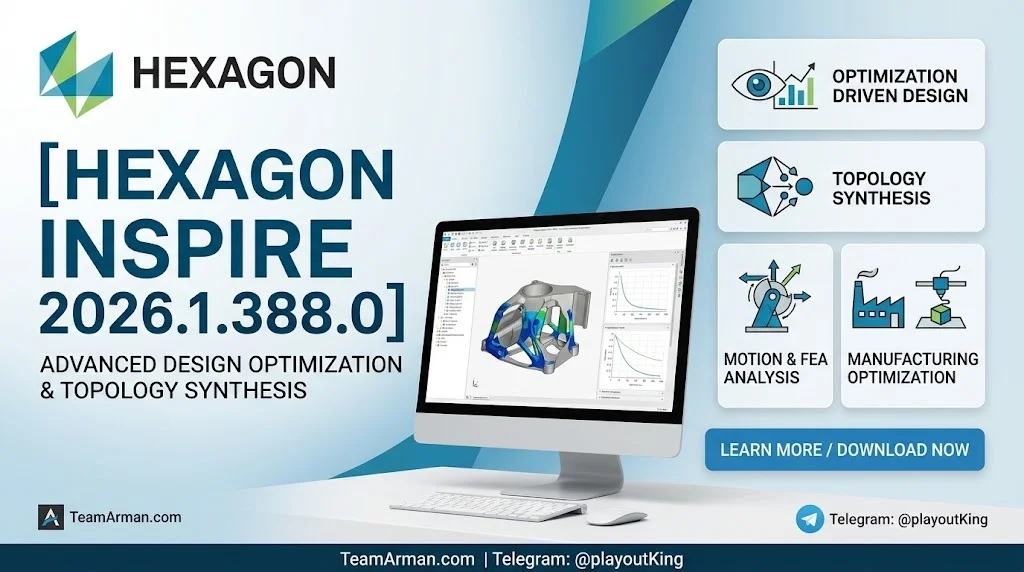
Overview of Hexagon Inspire
Table of Contents
Hexagon Inspire 2026.1.388.0 is a comprehensive inspection software solution developed by Hexagon’s Manufacturing Intelligence division. It is designed for portable probing and 3D scanning applications, providing a unified platform for measurement, alignment, and inspection workflows. The software is tailored for professionals who need to integrate 3D metrology into production processes, including quality control teams, metrology engineers, and manufacturing specialists. Inspire combines probing and scanning data in a single interface, allowing users to work with both discrete point data and scanned cloud data without treating them differently. The 2026.1 release represents a significant update, introducing a redesigned point cloud architecture, initial support for the Leica ATS800 laser tracker, and expanded automation capabilities.
Key Features
Unified Measurement Interface
Inspire provides a single interface for portable arms and laser trackers, supporting both probing and scanning applications. Adaptive measurement modes reduce software interaction, allowing operators to focus on measurement tasks rather than navigating complex menus.
Point Cloud Architecture
The 2026.1 version features a completely redesigned cloud architecture. Cloud Features and separate output clouds have been replaced by a single unified cloud object, simplifying the tree structure and centralizing display settings, filtering controls, and cloud-related properties. Individual scans are now represented as scan passes that store raw instrument data, creating a cleaner separation between source measurements and computed cloud results.
Non-Destructive Editing
Raw, unfiltered scan data is preserved by default. Edits to cloud properties—including voxel filtering, scanline filtering, and data deletion—remain associated with the scan pass, meaning users can reprocess cloud data without losing their deletion work. No other metrology software offers this ability.
ATS800 Integration
Inspire 2026.1 introduces initial support for the Leica ATS800 laser tracker, enabling targetless measurement workflows through integration with the Overview Camera (OVC). Key capabilities include area and line scanning with a unified scan profile, selection of circles and slots as part of a Measure Perimeters action, and automatic instrument discovery on the network.
Automated Inspection Workflows
A new Remeasure Out of Tolerance action guides operators through remeasuring features that failed inspection criteria, clearing and rechecking each one before the process continues. Configurable retry passes support consistent inspection procedures.
CAD Compatibility
Inspire supports import from all major CAD formats, including CATIA, SolidWorks, NX, ProEngineer, Inventor, IGES, STEP, and STL. The 2026.1 release includes updated compatibility with AutoCAD 2026, Revit 2026, SolidWorks 2026, NX 2512, Parasolid 38, and ACIS 2025.
Expanded Python Scripting
The release includes expanded Python scripting capabilities for inspection criteria, including GD&T annotations, duplicate feature creation, and cardinal point construction for automated inspection tasks.
What’s New in the Latest Version
Hexagon Inspire 2026.1.388.0 delivers a major update across cloud processing, hardware integration, and inspection automation. The most significant changes include:
-
Redesigned non-destructive cloud architecture that simplifies workflows and preserves raw scan data
-
Up to 50% faster load and save times with reduced file sizes for point cloud data
-
Initial support for Leica Absolute Tracker ATS800 with targetless scanning capabilities at distances up to 40 meters
-
Migration to .NET 10 for improved memory and runtime performance
-
A unified scanning profile that replaces legacy scan profiles with a single OVC scan profile standardizing all scanning interactions
-
Enhanced perimeter construction tools using CAD edge selection
-
Automatic discovery of ATS800 devices on the network with real-time OVC synchronization
System Requirements
Operating System
-
Windows 11 (64-bit)
-
Red Hat Enterprise Linux 9.4 (64-bit)
-
CIQ Rocky Linux 9.4 (64-bit)
Important: Altair 2026.0 applications no longer support Windows 10, as Microsoft ended support for that operating system on October 14, 2025.
Hardware Requirements
-
Memory: 16 GB of RAM (higher recommended)
-
Storage: 15 GB or more of free hard disk space
-
Graphics: OpenGL 3D graphics accelerator compatible with OpenGL 3.3 or higher
-
Dedicated RAM: 4 GB or higher
-
CPU: AVX2 support required
-
Screen Resolution: 1920×1080 or higher for optimal user experience
GPU Support
-
Windows: Only dedicated AMD, Intel Arc, and NVIDIA GPUs are supported (integrated onboard Intel chipsets are not supported)
-
Inspire Rendering: Requires a dedicated NVIDIA GPU
-
Linux: Only dedicated NVIDIA GPUs are supported
-
Recommended: NVIDIA RTX graphics with at least 16 GB of RAM for optimal performance
Installation Guide
Step 1: Verify System Requirements
Before installation, confirm that your system meets the minimum hardware and software requirements listed above.
Step 2: Download the Installer
Download the latest version of Inspire from the Hexagon website or through the Universal Updater. The installer is approximately 871 MB.
Step 3: Run the Installer
Install Inspire from a user account with administrator privileges. During the installation process, enable the checkbox to Run Inspire after install with the administrator account.
Step 4: License Activation
The software will automatically attempt to activate over the internet in accordance with the Software License Agreement. If activation issues arise, contact Inspire support at [email protected].
Step 5: Connect Instruments
After installation, open Inspire and navigate to the Instrument tab to configure your measurement devices. The software supports automatic discovery of ATS800 devices on the network.
How to Use the Software
Importing CAD and Creating Features
Import a CAD model and create features with one click from the ‘Extract from CAD’ icon. Alternatively, select an alignment and follow the prompts to measure features manually. Once aligned, begin measuring with the ‘Smart Feature’ tool—when you finish measuring the actual feature, the nominal will automatically extract from the CAD.
Measuring Without CAD
Inspire allows measurement without CAD. Use the Smart Feature tool for actual data measurement, or create features from the Features tab and then measure and align. Nominal data can be inputted into the properties or the criteria panel.
Using the Actions Panel for Automation
The Actions panel makes inspection automation straightforward. Messages guide the operator to drive instruments in automatic measurement of predefined points, specific points or features. Auto-proximity triggering of measurements is based on user-defined triggers. Watch windows automatically show guidance messages, set alignment states, and freeze or thaw features for reporting.
Defining Coordinate Systems
Inspire uses the term ‘frame’ to define a coordinate frame or coordinate system. Each frame is a complete 6 DOF position in space. Create as many frames as needed and select any frame in a job file to make it the working frame or the origin of your coordinate system.
Using Watch Windows
Watch windows display live data taken from measurement devices and features. They compare live position updates from an instrument to a surface, another point, the closest point, or other features. To create a watch window, select the Instrument tab and click the watch window icon.
Best Use Cases
Quality Control and Inspection
Inspire is ideal for shop-floor manufacturing and quality teams that need to incorporate 3D metrology into production processes. The software guides operators from scan data acquisition to inspection results, reducing the number of separate workflow steps.
Fixture Setting and Building
The software can be used for fixture setting and building applications, extending its utility beyond inspection tasks.
Large-Scale Metrology
With ATS800 support, Inspire enables high-accuracy measurement of parts and features from distances up to 40 meters, making it suitable for large-scale metrology applications.
Automated Inspection Routines
Create robust inspection templates with predefined measurement settings, alignments, and reporting elements. The Remeasure Out of Tolerance action ensures consistent inspection procedures for repetitive projects.
GD&T Inspection
Address ASME standard GD&T requirements with support for native CAD annotations. A full GD&T inspection can be performed quickly without programming.
Advantages and Limitations
Advantages
-
Unified workflow: Single interface for probing and scanning applications
-
Non-destructive editing: Raw scan data is preserved by default, allowing users to reprocess data without losing work
-
Significant performance gains: Up to 50% faster load and save times for large point cloud files
-
Broad CAD compatibility: Supports all major CAD formats including CATIA, SolidWorks, NX, and ProEngineer
-
Automation capabilities: Python scripting and automated inspection routines reduce manual intervention
-
Easy to learn: Intuitive interface that users can learn in just a few hours
Limitations
-
Heavy resource requirements: The software requires substantial RAM and dedicated GPU resources
-
CAD plugin limitations: The plugin does not work well when embedded into CAD programs, requiring export and import of models
-
Windows 10 no longer supported: Users on older operating systems must upgrade to Windows 11
-
Linux support limited: Only Red Hat Enterprise Linux and Rocky Linux are supported for Linux users
Alternatives to Hexagon Inspire
Marvelous Designer
A 3D clothing design software that specializes in cloth simulation, pattern creation, and editing for mesh and trims. It is widely used in the fashion and apparel industry.
Optitex
A 3D modeling software for accurate patterns for design and sampling. It offers virtual prototyping, visualization and fit, 2D/CAD pattern making, grading, and advanced marker functions.
Valentina
An open-source parametric pattern drafting computer-aided design software tool for the garment industry. Built with the Qt5 library, it is freely available and suitable for small enterprises.
Crea and Polypattern
Both focused on satisfying the demands of creating complex styles in a rapidly changing manufacturing environment like apparel.
Frequently Asked Questions
What is Hexagon Inspire used for?
Hexagon Inspire is inspection software for portable probing and scanning devices. It provides a unified interface for measuring, aligning, and inspecting parts against CAD using supported measuring devices.
Can I inspect without CAD in Inspire?
Yes. Measurement of actual data is simple with the Smart Feature tool, or you can create features from the Features tab and then measure and align. Nominal data can be inputted into the properties or the criteria panel.
How do I measure a single point circle in Inspire?
Create a circle from the Features tab, open its properties, and in the Construction Method drop-down menu, select ‘Single Point.’ Ensure the correct projection plane is selected and measure the hole by nesting the probe.
Can I automate measurement processes in Inspire?
Yes. The Actions panel in Inspire makes inspection automation effortless. Messages guide the operator to drive instruments in automatic measurement of predefined points, specific points or features.
What CAD formats does Inspire support?
Inspire supports import from all major CAD formats, including IGES, STEP, STL, CATIA, SolidWorks, NX, ProEngineer, Inventor, and Parametric CAD.
What are the system requirements for Inspire 2026.1?
The software requires Windows 11 (64-bit) or Red Hat Enterprise Linux 9.4 (64-bit), 16 GB of RAM, 15 GB of free hard disk space, and a dedicated GPU with OpenGL 3.3 or higher support.
How do I save reports in different formats?
Inspire supports PDF, XPS, and Excel as output format types for reports.
What is the Leica ATS800 integration in Inspire 2026.1?
Inspire 2026.1 introduces initial support for the Leica ATS800 laser tracker, enabling targetless measurement workflows through integration with the Overview Camera (OVC). This allows area and line scanning with a unified scan profile and automatic instrument discovery.
Final Thoughts
Hexagon Inspire 2026.1.388.0 represents a substantial evolution in portable metrology software. The redesigned point cloud architecture and non-destructive editing capabilities set it apart from competing solutions, while the ATS800 integration opens new possibilities for large-scale, targetless measurement workflows. The software’s unified interface for probing and scanning, combined with expanded Python scripting and automated inspection routines, makes it a compelling choice for manufacturing and quality teams seeking to streamline their metrology processes.
While the system requirements are demanding—particularly the need for Windows 11 and a dedicated NVIDIA GPU for rendering tasks—the performance gains and workflow improvements justify the investment for professional metrology applications. The broad CAD compatibility ensures seamless integration with existing design workflows, and the software’s intuitive design allows new users to become productive quickly.
For organizations already invested in Hexagon’s metrology ecosystem, Inspire 2026.1 offers a natural upgrade path with meaningful new capabilities. For those evaluating portable metrology solutions, Inspire’s combination of simplicity, power, and traceability makes it a strong contender in the professional metrology software market.
Our Paid Service
“We do not sell or provide any software. We only offer professional support services. If any software on your system is not working properly, or you are facing installation errors, crashes, or any other technical issue — just contact us. We will help you fix the problem quickly and remotely via AnyDesk. No software will be provided from our side — only expert troubleshooting and support.”