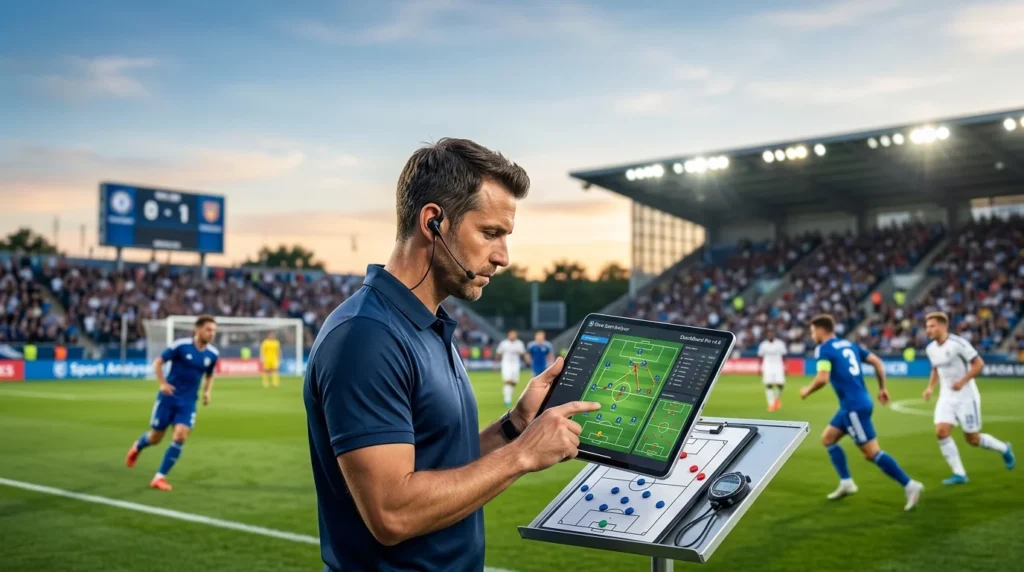

Overview of the Software
Table of Contents
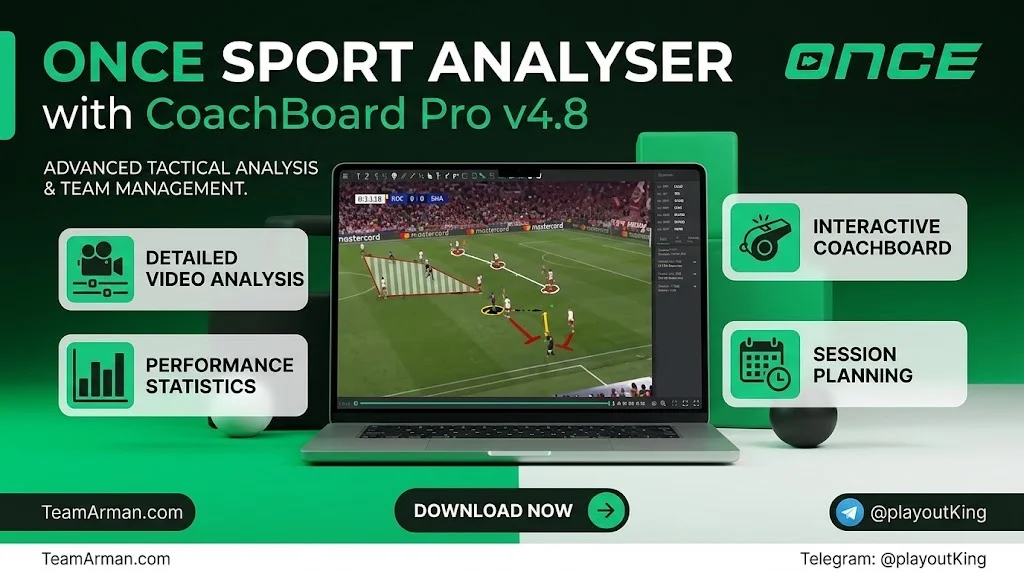
Once Sport Analyser is a powerful, yet easy-to-use video analysis software built for coaches, analysts, and performance staff working across multiple sports. The latest 2026 release pairs Analyser with CoachBoard Pro, bringing smart pattern-making, animated 3D telestration, and tactical board design into a single integrated workflow. Developed by Once Sport, the platform is used by coaches and analysts in over 100 countries, spanning elite clubs, youth academies, and amateur teams.
Unlike cloud-dependent analysis platforms, Once Sport Analyser runs primarily offline. You import video directly from your hard drive, analyse and tag events locally, then export or present your findings without relying on an internet connection. This offline-first approach makes it a practical option for clubs and analysts who need reliable performance in stadium environments, training grounds, or locations with inconsistent connectivity.
CoachBoard Pro is not a separate product. It is the advanced tactical board layer that integrates directly with Once Sport Analyser. With CoachBoard Pro, you can design training sessions, animate drills, build lineups, and create tactical analyses, then export those boards as images, PDFs, or video files. The 2026 edition of CoachBoard Pro adds deeper integration with the Analyser timeline, allowing coaches to transfer real match situations directly into animated tactical views.
Key Features
Once Sport Analyser with CoachBoard Pro combines video analysis, telestration, tactical design, and live workflow tools. The features below cover the core capabilities relevant to coaches and analysts evaluating the software.
Advanced Tagging and Coding
The tagging system supports professional-level event coding with customisable code buttons. You can create unlimited analysis templates for different game scenarios, add action-specific labels, and apply Good/Bad/Favourite filters to sort events quickly. Keyboard shortcuts and a dedicated recording mode let you tag events efficiently during live or post-match review. General labels and player labels can be applied across all actions, while action labels remain specific to individual event types.
3D Animated Telestration
Telestration in Once Sport uses animated 3D graphics rather than flat drawings. You can highlight pressing zones, defensive structures, and player movements with dynamic visual elements that animate alongside the video during playback. The 2026 update introduced an animated Area element that transitions from a static overlay into a fully animated tactical visual, making it easier to explain spatial concepts to players. A new line drawing element lets you place vertical lines relative to the sidelines, useful for offside lines, line of scrimmage indicators, and positional breakdowns.
Automatic Player Tracking
Elite-level automatic tracking uses AI keyframing to follow one or more players with a single click. The software handles the tracking process in the background, and you can combine tracking with one or more telestration elements before exporting or sharing the result. Basic and Pro tiers include limited tracking options such as Spotlight and Players Formation Line, while the Elite tier unlocks the full tracking feature set.
Live Analysis and Streaming
Once Sport Analyser supports real-time match analysis using m3u8 streams, RTSP streams, or a camera connected through a capture card. You can tag actions live, record the entire match automatically, and present key moments to your team during half-time or immediately after the final whistle. Live analysis is available in the Pro and Elite tiers.
CoachBoard Pro Tactical Design
CoachBoard Pro is designed for session planning, drill animation, and lineup building. You can import and arrange equipment, player formations, and illustrations to simulate real match situations. The board supports nine sports, including football, basketball, ice hockey, handball, futsal, American football, field hockey, roller hockey, and rugby. Polyline drawing and a Layers system allow you to create custom movement paths and organise complex telestrations without deleting drawings to access underlying elements.
Field Mapping and Distance Measurement
Field Mapping lets you map the playing surface, then measure distances between players, passing lengths, and space covered directly on the pitch. The 2026 update extended field mapping to ice hockey, supporting both NHL and International rink layouts. Automatic football field detection has also been improved for faster and more accurate mapping, even with difficult camera angles.
What’s New in the Latest 2026 Version
The 2026 release of Once Sport Analyser with CoachBoard Pro brings several updates that strengthen the connection between video analysis and tactical planning.
-
Animated Area Element: The Area telestration tool now animates alongside other elements during playback, bringing tactical zones and structures to life.
-
Automatic Link Analysis Setup: Video link services are now configured automatically in the background. Pasting a video link starts the analysis process without manual installation.
-
Ice Hockey Field Mapping: Full support for ice hockey rink mapping, including NHL and International layouts, expands the software beyond football-centric workflows.
-
CoachBoard Video Integration: When you map a field in drawing mode and open CoachBoard, players are automatically placed in their correct positions on the board. This transfers real match situations into tactical views without manual repositioning.
-
Polyline Drawing and Layers System: CoachBoard Pro adds custom movement paths and a layered telestration system, giving analysts more control over complex tactical illustrations.
-
Sharing and Export Improvements: Analysis can now be shared directly via Email and WhatsApp. Export stability and video processing consistency have also been improved.
System Requirements
Once Sport Analyser is available for Windows, macOS, and Linux. The recommended system specifications for smooth operation are listed below.
| Component | Minimum / Recommended |
|---|---|
| Operating System | Windows 10 or later; macOS Monterey or later |
| Processor | Intel Core i5 or higher |
| RAM | 8 GB or higher |
| Runtime | Visual C++ Basic x64 and x86 (installed with Once) |
| Internet Connection | Required for initial licence activation and trial setup; offline operation supported thereafter |
CoachBoard Pro operates offline once activated. An internet connection is needed only for licence activation and trial setup.
Installation Guide
Installing Once Sport Analyser follows a straightforward process designed to get you analysing video quickly.
-
Download the Installer: Visit the official Once Sport download page and select your operating system (Windows, macOS, or Linux).
-
Run the Installer: Open the downloaded file and follow the on-screen instructions. Visual C++ Basic libraries are installed automatically with the software.
-
Activate Your Licence: Enter your licence key when prompted. An internet connection is required for activation. A free 14-day trial is available if you have not yet subscribed.
-
Import Your First Video: Open the software and import a video file directly from your hard drive. No upload is required, as the software processes video locally.
-
Map the Field: Use the Field Mapping tool to calibrate the playing surface. This enables distance measurement and accurate telestration positioning.
-
Open CoachBoard Pro: Access CoachBoard Pro from within the Analyser interface to begin designing drills, formations, and tactical scenarios.
How to Use the Software
The typical workflow in Once Sport Analyser moves through four stages: import, analyse, draw, and share.
Import Game Footage
Import video files directly from your computer or external drive. The software works offline, so there is no need to upload footage to a cloud service. You can also open videos from a YouTube or web video link if your workflow requires external sources.
Analyse and Tag Events
Use the tagging interface to mark important actions, players, and match events. Create custom code buttons for your team’s specific terminology. Apply filters to sort events by quality or importance. Hotkeys and recording mode speed up the process during live or post-match review.
Draw and Telestrate
Open the drawing mode and apply 3D animated telestration elements. Use the Area tool to highlight zones, the line drawing tool to mark offside or scrimmage lines, and player tracking to follow individual movements. The Layers system in CoachBoard Pro lets you stack and organise multiple drawings without losing underlying elements.
Create Tactical Boards in CoachBoard Pro
Switch to CoachBoard Pro to design training sessions and tactical scenarios. Import player formations, arrange equipment, and animate drills. The 2026 integration automatically places players on the board based on their positions in the video analysis, saving time when translating match footage into training plans.
Export and Share
Export your analysis as video, PDF, or image files. CoachBoard Pro supports full project saves, video exports, and PDF exports. The Basic version limits exports, while Pro and Elite tiers unlock advanced export features. Sharing via Email and WhatsApp is supported directly from the application.
Best Use Cases
Once Sport Analyser with CoachBoard Pro serves a range of coaching and analysis scenarios across different sports and competition levels.
Post-Match Video Review
Analysts can import full match footage, tag key events, and build annotated playlists for team debriefs. The 3D telestration elements help players visualise tactical concepts that are difficult to explain with words alone.
Live In-Game Analysis
Coaches with access to a video feed can tag actions live and present clips to players during half-time. The live analysis feature supports m3u8 and RTSP streams, as well as camera capture cards.
Training Session Design
CoachBoard Pro is purpose-built for planning drills and training sessions. Animated tactical boards allow coaches to demonstrate player movements, pressing triggers, and set-piece routines before taking them onto the pitch.
Opposition Scouting
Scouts and analysts can build opposition profiles by tagging opponent patterns and exporting focused clips. The analysis templates feature supports repeatable coding structures for consistent scouting reports.
Player Development and Feedback
Individual player clips can be compiled for one-to-one feedback sessions. The drawing tools help highlight positioning, decision-making, and technical execution in a visually clear format.
Advantages and Limitations
Advantages
-
Offline Operation: Video analysis and tactical board design work without an internet connection, which is valuable in stadium and training ground environments.
-
Integrated 2-in-1 Workflow: Video analysis and tactical board design are combined in one application, eliminating the need to switch between separate tools.
-
3D Animated Visuals: Telestration uses animated 3D graphics rather than flat drawings, producing presentation-quality visuals for player feedback.
-
Multi-Sport Support: The platform supports nine sports, including football, basketball, ice hockey, handball, futsal, American football, field hockey, roller hockey, and rugby.
-
Accessible Pricing Tiers: Three subscription tiers (Basic, Pro, Elite) and a free CoachBoard Basic tier make the software accessible to amateur and semi-professional clubs.
Limitations
-
Export Restrictions on Basic Tiers: CoachBoard Basic does not support video or PDF exports. Export capabilities are reserved for Pro and Elite tiers.
-
Tracking Limitations on Lower Tiers: Basic and Pro tiers include limited tracking features. Full automatic tracking requires the Elite subscription.
-
Internet Required for Activation: While the software operates offline after setup, licence activation and trial initiation require an internet connection.
-
Learning Curve for Advanced Features: The depth of tagging options, analysis templates, and CoachBoard Pro tools may require time for new users to master.
Alternatives to the Software
Several video analysis platforms compete with Once Sport Analyser in the sports performance market. The comparison below highlights key differences relevant to coaches and analysts evaluating their options.
| Software | Best For | Key Difference |
|---|---|---|
| Hudl Sportscode | Elite clubs with large analysis departments | Market-leading platform with extensive ecosystem and data integration; cloud-dependent for many workflows |
| Nacsport | Analysts who need advanced tagging and LLM-assisted analysis | Strong tagging and clip editing tools; different pricing and platform structure |
| LongoMatch | Beginners and budget-conscious users | Accessible entry point for basic video analysis; less extensive tactical board integration |
| Spiideo | Organisations needing automated camera and cloud workflows | Panoramic camera systems and cloud-based analysis; different hardware requirements |
| Metrica Sports | Data-driven clubs with analytics staff | Focus on data integration and performance metrics; subscription pricing |
Once Sport Analyser distinguishes itself through its offline-first design, integrated tactical board, and 3D animated telestration at a price point that is accessible to amateur and semi-professional clubs.
Frequently Asked Questions
What is Once Sport Analyser with CoachBoard Pro?
Once Sport Analyser is a video analysis software for coaches and analysts. CoachBoard Pro is the advanced tactical board module integrated within the Analyser application. Together they provide video tagging, 3D telestration, automatic tracking, live analysis, and tactical board design in a single offline-capable platform.
Can I use Once Sport Analyser without an internet connection?
Yes. The software imports and processes video locally, and CoachBoard Pro operates offline. An internet connection is required only for initial licence activation and trial setup.
What sports does CoachBoard Pro support?
CoachBoard Pro supports nine sports: football, basketball, ice hockey, handball, futsal, American football, field hockey, roller hockey, and rugby.
What is the difference between CoachBoard Basic and CoachBoard Pro?
CoachBoard Basic is free and includes drill creation, training design, tactical analysis, and drawing animation. CoachBoard Pro adds full project saves, video and PDF exports, and the ability to save animations. Export capabilities are the primary difference between the two versions.
How many projects can I create in CoachBoard Pro?
There are no restrictions on the number of projects you can create. You can build as many tactical boards, drills, and training sessions as needed.
Is there a free trial available?
Yes. Once Sport offers a 14-day free trial of Once Sport Analyser Elite with CoachBoard Pro. No credit card is required to start the trial.
What video formats can I import?
Once Sport Analyser supports direct import of video files from your hard drive, as well as opening videos from YouTube or other web video links. The software also supports m3u8 and RTSP streams for live analysis workflows.
How does the CoachBoard integration work with video analysis?
When you map a field in drawing mode and open CoachBoard, players are automatically placed in their correct positions on the board based on the video analysis. This transfers real match situations into tactical views without manual repositioning.
Final Thoughts
Once Sport Analyser with CoachBoard Pro v4.8 addresses a practical need in sports analysis: a tool that handles video review, tactical planning, and visual communication without requiring a cloud connection or a suite of separate applications. The 2026 update strengthens this proposition by deepening the integration between the video timeline and the tactical board, adding ice hockey support, and improving the automatic mapping algorithms that underpin accurate telestration.
For coaches and analysts working at amateur, semi-professional, or academy levels, the combination of offline operation, 3D animated visuals, and accessible pricing tiers makes Once Sport a credible alternative to more expensive, cloud-dependent platforms. The free CoachBoard Basic tier and the 14-day Elite trial provide a low-risk path to evaluating whether the software fits your analysis workflow. As with any analysis tool, the value comes from how consistently you use it to turn match footage into actionable coaching insights.