
Overview of the Software
Table of Contents
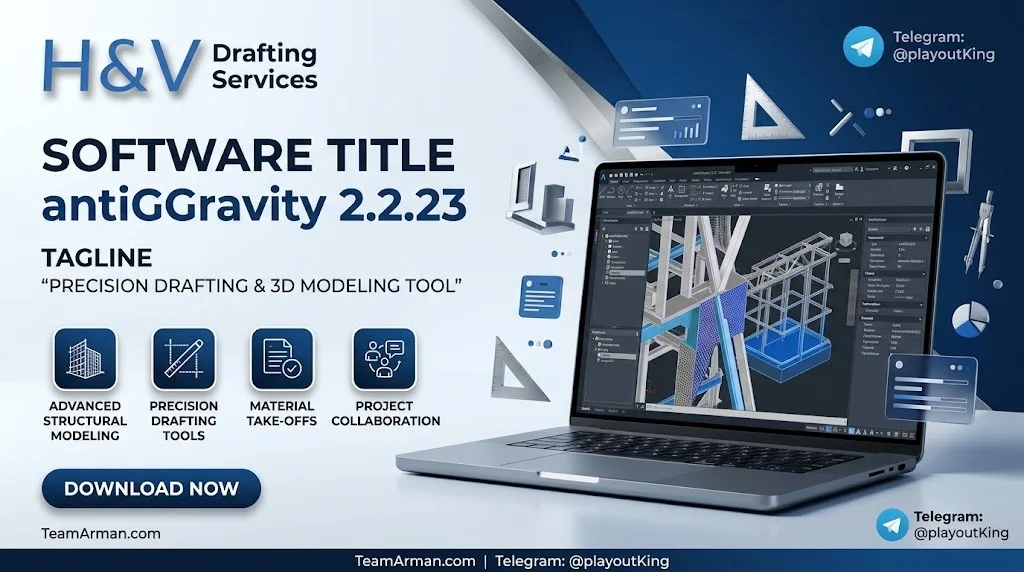
antiGGGravity 2.2.23 is a Revit productivity suite that targets the most time-consuming aspects of structural and documentation workflows. Instead of switching between multiple third-party tools or writing custom Dynamo scripts, users access a unified set of commands directly within Revit’s ribbon panel.
The software is developed by H & V Drafting Services, a company that also produces specialized modules such as antiGGGravity.MEPF for MEP pipe modeling and antiG-QS for quantity surveying. This ecosystem approach means the add-in family covers structural, MEP, and estimation disciplines under a consistent interface.
The primary focus of antiGGGravity 2.2.23 is threefold:
-
Structural rebar automation – parametric reinforcement for foundations, columns, walls, and beams.
-
Structural model generation – one-click roof framing and bracing assemblies.
-
View and sheet management – batch visibility controls and cross-document data transfer.
For BIM professionals working on large-scale structural projects, this tool reduces manual geometry creation and helps maintain consistency across model revisions.
Key Features
Structural Rebar Automation
The rebar automation module generates parametric reinforcement for common structural elements. This includes:
-
Foundations – automatic rebar layouts for isolated and combined footings.
-
Multi-level columns – reinforcement that adapts to changing column dimensions across levels.
-
Multi-level walls – smart stack splicing that maintains continuity across wall segments.
-
Continuous beams – reinforcement that follows beam runs without manual adjustment.
These commands are designed to reduce the manual placement of individual rebar elements, which is a common bottleneck in structural BIM workflows.
Structural Model Generation
antiGGGravity includes one-click generators for structural framing assemblies:
-
Roof Framing – automatic creation of purlins and rafters.
-
Bracing Suites – pre-built X, K, and H-frame bracing configurations.
These generators are useful during early design stages when rapid iteration is required, or during documentation when standard framing patterns need to be applied consistently across a project.
Visibility and Graphics Suite
The visibility tools help users manage complex models without navigating Revit’s native visibility/graphics overrides dialog for every change:
-
Quick VG – batch visibility toggles for categories and worksets.
-
Quick Filter – parameter-based color coding for visual analysis.
-
Instant Category Isolation – isolate categories with a single command.
These features are particularly valuable in coordination meetings and design reviews where fast visual communication is essential.
View and Sheet Management
The add-in includes live transfer of views, sheets, templates, and families between Revit documents in a single operation. This is useful when:
-
Starting a new project from an existing template.
-
Merging documentation standards across multiple models.
-
Reusing sheet setups and view templates without manual recreation.
This command eliminates the need to use Revit’s “Transfer Project Standards” dialog repeatedly for individual elements.
Revit Version Compatibility
antiGGGravity 2.2.23 supports Autodesk Revit 2022, 2023, 2024, 2025, 2026, and 2027. This broad version range allows firms with mixed Revit deployments to standardize on a single productivity tool.
What’s New in the Latest Version
Version 2.2.23 continues the development trajectory of the antiGGGravity suite. Based on the available release information, the update focuses on stability and expanded command coverage rather than a complete interface overhaul.
Key areas of improvement in the 2.2.x release cycle include:
-
Expanded rebar presets – additional parametric configurations for complex column and wall conditions.
-
Bracing suite refinements – improved K-frame and H-frame generation logic.
-
Batch visibility enhancements – faster execution of Quick VG operations in large models.
-
Cross-document transfer reliability – improved handling of view templates and family types.
For users upgrading from earlier 2.x versions, the command structure remains consistent, so existing workflows do not require retraining.
System Requirements
antiGGGravity 2.2.23 runs as an add-in inside Autodesk Revit. The system requirements therefore follow Revit’s own requirements, with the add-in itself adding minimal overhead.
Revit Version
-
Supported: Autodesk Revit 2022, 2023, 2024, 2025, 2026, 2027.
-
Not supported: Revit LT (the add-in requires the full Revit API).
Operating System
-
Windows 10 (64-bit) or Windows 11 (64-bit).
-
Revit does not run natively on macOS or Linux.
Hardware
-
A system capable of running the corresponding Revit version comfortably.
-
For large structural models, 16 GB RAM or higher is recommended.
-
A dedicated GPU is beneficial for Revit’s 3D views and the add-in’s visibility operations.
Additional Requirements
-
.NET Framework version required by the installed Revit version.
-
Administrative privileges for installation (if installing to the Revit add-ins folder).
Installation Guide
Installing antiGGGravity 2.2.23 follows the standard Revit add-in installation process.
Step 1: Obtain the Installer
Download the installer from the official H & V Drafting Services distribution channel or the authorized software portal. Ensure you are downloading the version that corresponds to your Revit release.
Step 2: Close Revit
Close all running instances of Autodesk Revit before starting the installation. The installer needs to write to the Revit add-ins directory.
Step 3: Run the Installer
-
Double-click the installer file.
-
Follow the on-screen prompts.
-
Select the Revit version(s) you want to install the add-in for, if prompted.
-
Complete the installation.
Step 4: Verify the Installation
-
Launch Autodesk Revit.
-
Look for the antiGGGravity tab or ribbon panel in the Revit interface.
-
If the tab does not appear, check that the add-in is listed in Add-Ins → Add-Ins Manager.
Step 5: Activate the License
antiGGGravity is commercial software. After installation, you will need to activate it using the license credentials provided with your purchase. Follow the activation instructions included with your license.
Note: H & V Drafting Services provides official licensing and activation support. Always use legitimate license channels to ensure you receive updates and technical support.
How to Use the Software
antiGGGravity 2.2.23 is organized around ribbon panels that group commands by discipline. The general workflow is:
1. Access the antiGGGravity Ribbon
After installation, the antiGGGravity tab appears in the Revit ribbon. The commands are grouped into panels such as Structural Rebar, Model Generation, Visibility, and View Management.
2. Structural Rebar Workflow
-
Select the Structural Rebar panel.
-
Choose the element type (foundation, column, wall, or beam).
-
Select the target element(s) in the model.
-
Configure the parametric parameters (bar diameter, spacing, cover, etc.).
-
Click Generate to create the reinforcement.
The generated rebar is native Revit rebar, so it can be scheduled, tagged, and modified using standard Revit tools.
3. Model Generation Workflow
-
Open the Model Generation panel.
-
Choose Roof Framing or Bracing Suite.
-
Define the framing or bracing parameters.
-
Select the host geometry (roof plane, bay, etc.).
-
Click Generate to create the assembly.
4. Visibility Workflow
-
Use Quick VG to toggle categories on and off in batch.
-
Use Quick Filter to apply color coding based on parameter values.
-
Use Isolate Category to quickly isolate a single category in the active view.
5. View and Sheet Transfer
-
Open both the source and destination Revit documents.
-
Launch the View & Sheet Transfer command.
-
Select the views, sheets, templates, or families you want to transfer.
-
Confirm the operation.
This workflow is designed to be learned quickly by Revit users, as the commands map to familiar Revit concepts.
Best Use Cases
Structural Engineering Firms
Firms that produce structural drawings and BIM models for concrete and steel buildings can use antiGGGravity to accelerate rebar detailing. The parametric reinforcement commands reduce the time spent on repetitive modeling tasks, allowing engineers to focus on design decisions.
BIM Coordination Teams
The visibility and graphics tools are useful during coordination meetings. Quick VG and Quick Filter allow team members to isolate categories and highlight parameter-based conditions without navigating deep into Revit’s visibility settings.
Drafting and Documentation Teams
The View & Sheet Management commands are valuable when setting up new projects from templates or when standardizing documentation across multiple models. Transferring view templates and sheet setups in a single operation saves administrative time.
MEP Discipline (via antiGGGravity.MEPF)
For MEP workflows, the companion module antiGGGravity.MEPF provides one-click pipe fitting joins, Smart Connect routing, and 30+ MEPF commands. This is a separate product but shares the same ribbon-based interface philosophy.
Quantity Surveying (via antiG-QS)
The antiG-QS module supports quantity take-off for concrete, formwork, reinforcement, steelwork, and timber. This is relevant for quantity surveyors who need to extract quantities from the Revit model without manual re-measurement.
Advantages and Limitations
Advantages
-
Broad Revit version support – works with Revit 2022 through 2027, reducing version-lock friction.
-
Unified interface – rebar, model generation, visibility, and view management in one ribbon.
-
Native Revit output – generated rebar and framing are standard Revit elements, not proprietary proxies.
-
Ecosystem of modules – structural (antiGGGravity), MEP (antiGGGravity.MEPF), and quantity surveying (antiG-QS) modules cover multiple disciplines.
-
Time savings on repetitive tasks – batch visibility and cross-document transfer reduce manual clicks.
Limitations
-
Revit-only – the add-in does not work with AutoCAD, Civil 3D, or other BIM platforms.
-
Windows-only – follows Revit’s platform limitation.
-
Commercial license required – it is not a free or open-source tool.
-
Requires full Revit – not compatible with Revit LT.
-
Learning curve for non-structural users – the rebar and model generation commands assume familiarity with structural BIM concepts.
Alternatives to the Software
When evaluating antiGGGravity, professionals may also consider the following categories of alternatives:
-
Revit native tools – Revit’s built-in rebar and structural framing tools can handle some of the same tasks, but without the batch automation.
-
Dynamo scripts – custom Dynamo graphs can automate rebar and framing, but require development and maintenance effort.
-
Other Revit add-ins for structural automation – several third-party add-ins offer rebar automation and model generation. Many are discipline-specific and may not include visibility or view management.
-
BIM coordination platforms – tools like Navisworks are used for coordination and clash detection, but they do not generate rebar or structural framing.
-
Quantity take-off tools – dedicated QS software can extract quantities from models, but may not include the modeling automation that antiG-QS provides.
The key differentiator for antiGGGravity is the combination of structural automation, visibility tools, and cross-document management in a single add-in with broad Revit version support.
Frequently Asked Questions
What is antiGGGravity 2.2.23?
antiGGGravity 2.2.23 is a Revit add-in by H & V Drafting Services that automates structural rebar, model generation, visibility management, and view/sheet transfer tasks inside Autodesk Revit.
Which Revit versions are supported?
The add-in supports Revit 2022, 2023, 2024, 2025, 2026, and 2027. It is not compatible with Revit LT.
Is antiGGGravity a free tool?
No. antiGGGravity is commercial software. A valid license is required for activation and continued use.
Does it work on macOS or Linux?
No. The add-in runs inside Autodesk Revit, which is a Windows-only application.
Can I use antiGGGravity for MEP work?
The core antiGGGravity add-in focuses on structural tasks. For MEP workflows, H & V Drafting Services offers antiGGGravity.MEPF, a separate module with 30+ MEPF commands for pipe modeling, fitting joins, and routing.
What file formats does it work with?
antiGGGravity operates inside Revit, so it works with native .RVT files. Generated elements are native Revit elements. There is no separate file format for the add-in itself.
How do I get support or updates?
Support and updates are provided through the official H & V Drafting Services channels associated with your license.
Is there a trial version?
Trial availability depends on the vendor’s current licensing policy. Contact H & V Drafting Services or the authorized distribution portal for the latest information.
Final Thoughts
H & V Drafting Services antiGGGravity 2.2.23 is a targeted productivity add-in for Revit users who need to accelerate structural rebar detailing, model generation, and documentation management. Its strength lies in consolidating multiple repetitive tasks into a single ribbon interface while maintaining compatibility across six Revit versions.
For structural engineering and BIM teams that regularly produce reinforced concrete or steel models, the rebar automation and cross-document transfer commands can reduce manual work and improve consistency. The companion modules (antiGGGravity.MEPF and antiG-QS) extend the ecosystem to MEP and quantity surveying disciplines, making the H & V Drafting Services suite a broader productivity platform rather than a single-purpose tool.
If your workflow involves repetitive Revit tasks and you want a native, version-flexible automation layer, antiGGGravity 2.2.23 is worth evaluating. As with any commercial add-in, confirm that the license terms and Revit compatibility align with your firm’s deployment.
Our Paid Service