
Overview of the Software
Table of Contents
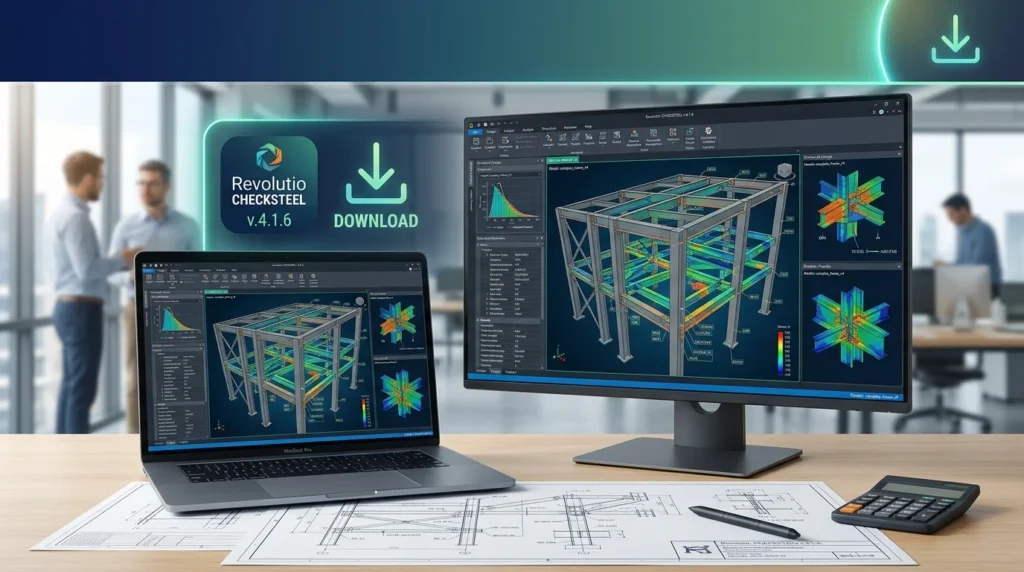
Revolutio CHECKSTEEL v.4.1.6 is a professional-grade structural steel design software engineered for civil engineers, structural designers, and construction professionals. This powerful tool streamlines the complex process of steel structure verification, offering comprehensive analysis and design capabilities that meet international building codes and standards.
The software delivers accurate structural calculations, automated design checks, and detailed reporting functionalities that significantly reduce manual computation time. Whether you’re designing industrial buildings, bridges, or commercial structures, Revolutio CHECKSTEEL provides the precision and reliability required for modern construction projects.
As an advanced structural steel design software, it enables users to perform critical checks including member strength verification, stability analysis, and connection design. The platform’s intuitive interface and powerful calculation engine make it accessible for both experienced engineers and those newer to structural analysis.
Key Features
Comprehensive Structural Analysis
-
Member strength verification for beams, columns, and braces
-
Cross-section classification according to Eurocode and other international standards
-
Stability checks including lateral-torsional buckling analysis
-
Shear and bending moment calculations with automatic load combination
Advanced Design Capabilities
-
Multi-material support for various steel grades and profiles
-
Connection design with detailed joint analysis
-
Fire resistance verification integrated into the design workflow
-
Fatigue analysis for structures subject to cyclic loading
User-Friendly Interface
-
Intuitive dashboard for efficient project navigation
-
3D visualization tools for structural model review
-
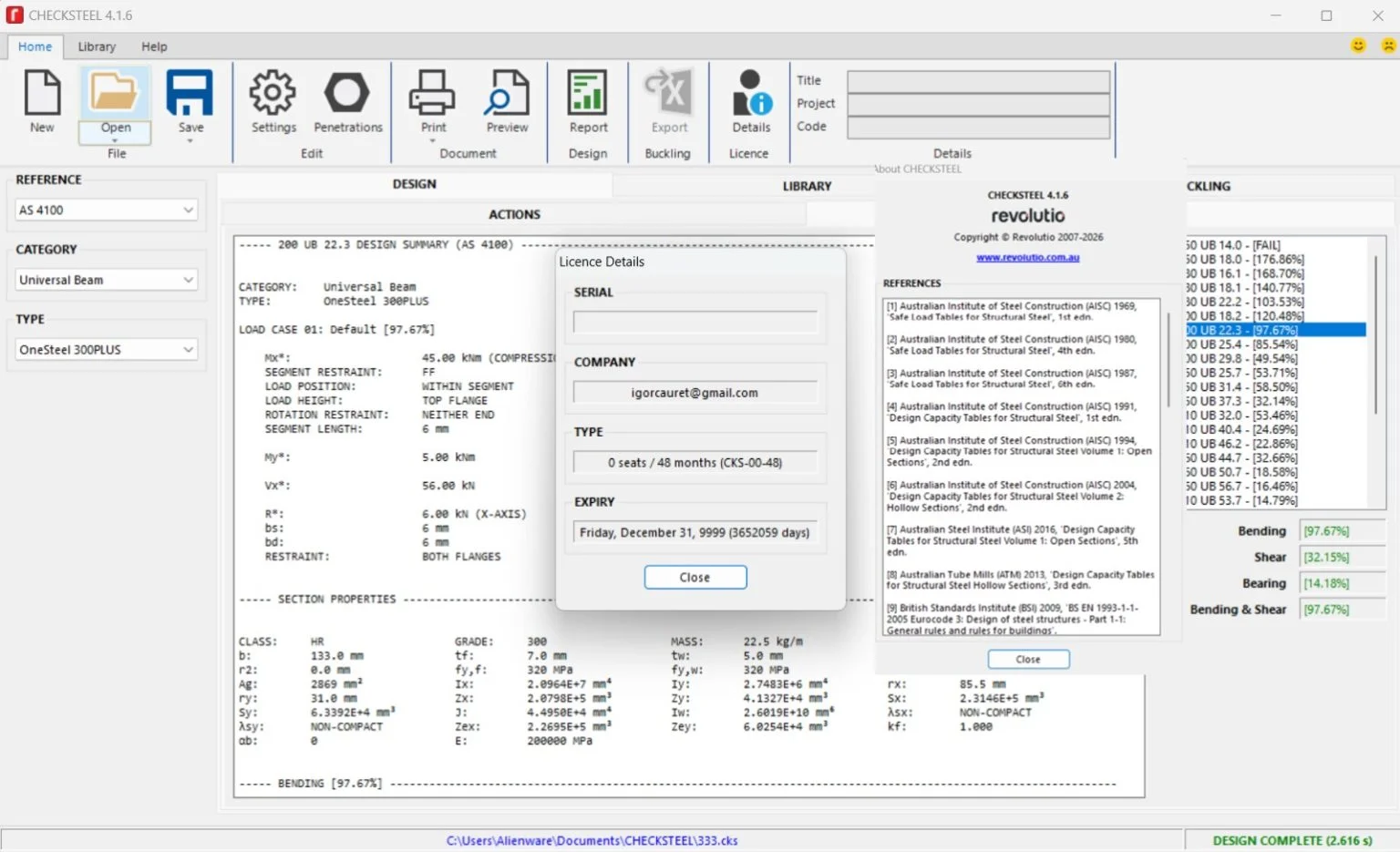
Interactive results display showing critical check positions
-
Customizable report generation with professional formatting
Data Management
-
Import/export capabilities for common CAD and analysis formats
-
Project organization with version control features
-
Template-based design for repetitive structural configurations
-
Real-time calculation updates as parameters change
What’s New in Version 4.1.6
The latest release of Revolutio CHECKSTEEL introduces several significant enhancements:
Enhanced Calculation Engine
-
Improved convergence algorithms for complex structural systems
-
Optimized processing speed for large-scale models
-
Enhanced accuracy in buckling analysis calculations
New Code Compliance Features
-
Updated Eurocode 3 implementation with latest amendments
-
Expanded national annex support for additional countries
-
New regional design standards integrated
User Experience Improvements
-
Refined interface with better workflow organization
-
Expanded tooltip documentation for design parameters
-
Improved error handling with actionable guidance
Performance Upgrades
-
Faster model loading and processing times
-
Enhanced graphics rendering for large structures
-
Optimized memory management for complex analyses
System Requirements
Minimum Requirements
-
Operating System: Windows 10 (64-bit) or newer
-
Processor: Intel Core i5 or AMD equivalent, 2.5 GHz or faster
-
RAM: 8 GB minimum (16 GB recommended)
-
Storage: 5 GB available disk space
-
Graphics: DirectX 11 compatible GPU with 2 GB VRAM
-
Display: 1920 x 1080 resolution recommended
Recommended Configuration
-
Operating System: Windows 11 (64-bit)
-
Processor: Intel Core i7 or AMD Ryzen 7, 3.0 GHz or faster
-
RAM: 16 GB or more
-
Storage: SSD with 10 GB available space
-
Graphics: Dedicated GPU with 4 GB VRAM
-
Display: Dual monitor setup for enhanced productivity
Installation Guide
Pre-Installation Preparation
-
Verify your system meets the minimum requirements
-
Close all running applications
-
Ensure you have administrative privileges on your computer
-
Verify available disk space for installation
-
Have your license key ready for activation
Step-by-Step Installation Process
Step 1: Download the Software Package
-
Visit the official Revolutio website or authorized distributor portal
-
Navigate to the downloads section and select “CHECKSTEEL v.4.1.6”
-
Download the installation package to your local machine
Step 2: Run the Installer
-
Double-click the downloaded setup file
-
Grant administrative permissions when prompted
-
Select your preferred language for the installation process
-
Review and accept the software license agreement
Step 3: Configure Installation Settings
-
Choose the installation directory (default path is recommended)
-
Select additional components to install
-
Configure user preferences for the installation
Step 4: Complete Installation
-
Wait for the installation process to finish
-
Restart your computer if prompted
-
Launch Revolutio CHECKSTEEL from the desktop shortcut or start menu
Post-Installation Setup
-
Activate your software license using the provided license key
-
Configure default project settings and preferences
-
Verify software functionality by loading a sample project
-
Check for available updates to ensure you have the latest patches
How to Use the Software
Getting Started
Project Setup
-
Launch Revolutio CHECKSTEEL and select “New Project”
-
Define project parameters including design standards and materials
-
Input project details such as title, engineer name, and company information
-
Configure analysis settings based on your structural requirements
Model Creation
-
Create structural members using the intuitive modeling tools
-
Define beam, column, and brace properties
-
Specify member connections and boundary conditions
-
Apply material properties to all structural elements
Load Application
-
Input dead loads, live loads, and environmental loads
-
Define load combinations according to design codes
-
Specify support conditions and load patterns
-
Verify load application through visual verification tools
Analysis Process
Running the Analysis
-
Select the “Analysis” option from the main menu
-
Choose appropriate calculation type for your project
-
Initiate the analysis process
-
Monitor progress through the status display
Result Interpretation
-
Review section verification results in tabular format
-
Examine highlighted areas requiring attention
-
Access detailed calculation reports
-
Identify critical design issues and recommendations
Report Generation
Creating Documentation
-
Generate comprehensive design reports
-
Customize report content and format
-
Export reports in PDF or other document formats
-
Include calculations, diagrams, and verification results
Best Use Cases
Industrial Building Design
Revolutio CHECKSTEEL excels in designing steel structures for industrial facilities, warehouses, and manufacturing plants. The software efficiently handles complex grid systems and heavy load conditions typical of industrial applications.
Commercial Construction
For commercial projects including office buildings, shopping centers, and retail spaces, the software provides reliable structural verification ensuring compliance with building codes while optimizing material usage.
Infrastructure Projects
Bridges, towers, and transportation structures benefit from the software’s advanced analysis capabilities. The fatigue analysis and dynamic loading features make it particularly suitable for infrastructure applications.
Refurbishment and Modification
Existing structure assessment and modification projects benefit from the software’s verification capabilities, allowing engineers to evaluate upgrades and changes to established steel frames.
Advantages and Limitations
Key Advantages
| Advantage | Description |
|---|---|
| Code Compliance | Full adherence to Eurocode and other international standards |
| User Efficiency | Significant reduction in manual calculation time |
| Accuracy | High-precision analysis with proven verification methods |
| Documentation | Professional reporting for project submission |
| Cost Efficiency | Optimized design reduces material waste |
Important Limitations
-
Learning Curve: Full proficiency requires investment in training
-
System Demands: Requires adequate hardware configuration
-
Standard Support: May not cover all regional building codes
-
Specialized Focus: Limited to structural steel applications
Alternatives to the Software
Professional Solutions
| Software | Key Features |
|---|---|
| SAP2000 | Comprehensive structural analysis, advanced dynamic capabilities |
| STAAD.Pro | Multi-material support, extensive code compliance |
| Robot Structural Analysis | Integrated building design, BIM compatibility |
| MIDAS Gen | Advanced finite element analysis, high-rise building focus |
| SCIA Engineer | Integrated workflow, construction stage analysis |
Open-Source Options
-
Frame3DD: Free structural analysis software for educational use
-
OpenSees: Advanced finite element framework for research
-
Calculix: Open-source 3D structural analysis
Frequently Asked Questions
Q: What design codes does Revolutio CHECKSTEEL v.4.1.6 support?
The software supports Eurocode 3 (EN 1993-1-1) along with multiple national annexes. Additional regional codes and specific design standards can be integrated through the software’s modular architecture.
Q: Can I import models from other design software?
Yes, Revolutio CHECKSTEEL supports import from common CAD platforms and structural analysis tools. The software includes conversion utilities for standard industry formats, facilitating seamless workflow integration.
Q: Is technical support available for the software?
Revolutio provides comprehensive technical support through email, telephone, and online resources. Registered users have access to documentation, tutorials, and dedicated support channels.
Q: Does the software integrate with building information modeling (BIM) platforms?
Yes, the software provides integration capabilities with major BIM platforms, allowing data exchange between design, analysis, and construction documentation systems.
Q: What is the license model for Revolutio CHECKSTEEL v.4.1.6?
Licensing options include permanent and subscription models. Maintenance packages provide access to updates, technical support, and additional resources.
Final Thoughts
Revolutio CHECKSTEEL v.4.1.6 represents a significant advancement in structural steel design software, offering a powerful solution for engineers seeking precision, efficiency, and code compliance in their projects. The software’s comprehensive feature set, combined with its user-friendly interface, makes it an invaluable tool for modern structural design.
The integration of international design standards and advanced analysis capabilities ensures that engineers can confidently verify steel structures according to the latest requirements. Whether working on industrial facilities, commercial developments, or infrastructure projects, this software delivers the reliability and accuracy needed for successful outcomes.
For practicing engineers and structural designers, investing in Revolutio CHECKSTEEL means gaining access to a professional-grade tool that enhances productivity while maintaining the highest standards of structural verification. The software’s balance of sophisticated analysis and practical usability makes it a worthwhile addition to any structural engineering workflow.
Our Paid Service