

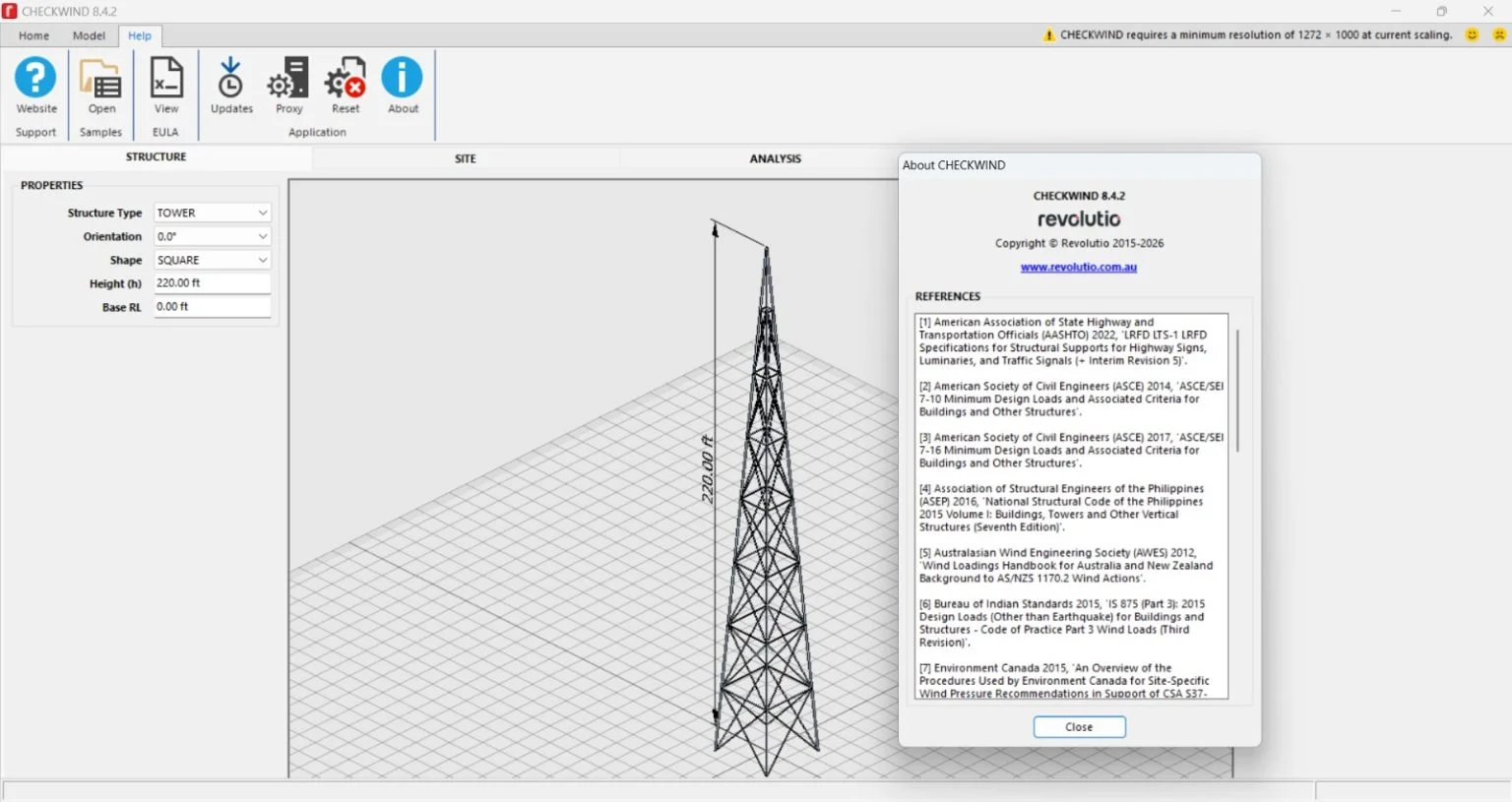
Overview of Revolutio CHECKWIND v.8.4.2
Table of Contents
Revolutio CHECKWIND v.8.4.2 is a state-of-the-art software solution developed for structural engineers, architects, and civil engineering professionals. This powerful tool specializes in site-specific wind analysis and wind load calculations based on the most current international standards, including ASCE 7-16 and NBCC 2015. By integrating advanced computational algorithms with an intuitive interface, Revolutio CHECKWIND v.8.4.2 allows users to generate accurate wind pressure maps and perform comprehensive structural assessments with unprecedented efficiency. This advanced wind analysis software is essential for ensuring the safety and compliance of building projects, from skyscrapers to industrial facilities.
Key Features of Revolutio CHECKWIND v.8.4.2
Advanced Wind Load Calculations
The core of this wind analysis tool lies in its ability to perform complex calculations for main wind force-resisting systems (MWFRS) and components & cladding (C&C). It automates the process, significantly reducing the margin for human error compared to manual methods.
3D Building Modeler
Revolutio CHECKWIND v.8.4.2 features an integrated 3D modeler. You can create a digital twin of your structure, apply the site-specific wind parameters, and visualize pressure distribution directly on the building surfaces. This 3D visualization aids in identifying critical structural zones.
Comprehensive Code Compliance
The software is updated to reflect the latest building codes and standards. This includes:
-
ASCE 7-16
-
NBCC 2015
-
Eurocode 1 (EN 1991-1-4)
It ensures that your structural analysis is not only accurate but also compliant with local regulations, a crucial factor for project approvals.
Automated Report Generation
Generate detailed, professional reports in PDF and DOCX formats with a single click. These reports include all input parameters, calculation steps, and results, making them ideal for submission to building authorities and for project documentation.
Fast Computational Speed
Utilizing a high-performance computing engine, the software completes complex wind engineering tasks in seconds, allowing for rapid iterative design and optimization.
What’s New in Version 8.4.2
The latest iteration of Revolutio CHECKWIND brings several significant enhancements:
-
Enhanced User Interface: The new UI is more intuitive, featuring a streamlined workflow that reduces the learning curve for new users.
-
Updated ASCE 7-16 Integration: The software now includes refined methodologies for calculating wind loads on solar panels and rooftop equipment.
-
Improved 3D Rendering: A new rendering engine provides higher resolution and more realistic visualization of wind pressure maps.
-
Bug Fixes and Performance: Numerous stability fixes and performance optimizations ensure a smoother user experience.
System Requirements
To run Revolutio CHECKWIND v.8.4.2 smoothly, your system must meet the following requirements:
-
Operating System: Windows 10 (64-bit) or Windows 11.
-
Processor: Intel Core i5 or equivalent.
-
RAM: 8 GB minimum, 16 GB recommended.
-
Hard Disk: 500 MB of free space for installation.
-
Graphics: DirectX 11 compatible video card for 3D visualization.
Installation Guide for Revolutio CHECKWIND v.8.4.2
Installing the software is a straightforward process. Please ensure you are logged in as an administrator.
-
Download the Installer: Obtain the Revolutio CHECKWIND v.8.4.2 download file from the official developer’s website or an authorized distribution partner.
-
Run as Administrator: Right-click the downloaded
.exefile and select “Run as administrator”. -
Accept the License Agreement: Read the terms and conditions, then accept them to proceed.
-
Choose Installation Directory: Select the folder where you wish to install the software. The default location is
C:\Program Files\Revolutio\CHECKWIND\. -
Start the Installation: Click “Install” and wait for the process to complete. The installer will copy all necessary files and register the application.
-
Launch the Application: Once complete, click “Finish”. You can now launch Revolutio CHECKWIND from the start menu or desktop shortcut.
How to Use the Software
Mastering Revolutio CHECKWIND is intuitive, thanks to its structured workflow. Here’s a simplified guide on how to perform a standard wind analysis:
-
Define Project: Start by entering the project name and location. The software can link to a global database to automatically set wind parameters based on the geographic location.
-
Design the Building: In the 3D modeler, input the building’s dimensions (width, depth, height) and roof type (flat, gabled, etc.).
-
Select the Building Code: Choose the applicable code standard for your project (e.g., ASCE 7-16).
-
Calculate Wind Loads: Click the “Run Analysis” button. The software will instantly compute and display the wind pressure contours on your 3D model.
-
Review Results: Analyze the pressure maps, check the peak loads on specific structural members, and ensure the design meets safety criteria.
-
Generate Report: Use the reporting tool to export all findings and calculations for peer review or submission.
Best Use Cases
This building analysis software is incredibly versatile and is best utilized in the following scenarios:
-
Skyscraper Design: Accurate wind engineering is crucial for high-rise buildings to ensure stability against lateral forces.
-
Industrial and Warehouse Structures: Large, open structures with unique roof shapes benefit from precise component and cladding load calculations.
-
Retrofit and Renovation: When adding new equipment like solar panels or HVAC units to existing structures, Revolutio CHECKWIND helps assess the impact on wind loads.
-
Structural Peer Review: Consultants can use the software to validate other engineers’ calculations, ensuring an extra layer of safety and trust.
-
Academic Research: University research departments can utilize the tool for studying wind-structure interactions.
Advantages and Limitations
Advantages
-
Accuracy: Minimizes the risk of errors through automation.
-
Speed: Drastically reduces the time spent on manual calculations.
-
Compliance: Ensures projects meet international and national standards.
-
Visualization: 3D models make complex data easily understandable.
-
Professional Output: Streamlines documentation with automated reporting.
Limitations
-
Cost: This is a premium software package and may require a significant investment.
-
Learning Curve: While streamlined, a basic understanding of structural engineering principles is required to correctly interpret results.
-
Platform: It is only available for Windows, which may be a barrier for users on macOS or Linux.
Alternatives to Revolutio CHECKWIND v.8.4.2
While Revolutio CHECKWIND is a leading tool, several alternatives exist for wind analysis.
| Alternative | Key Features | Best For |
|---|---|---|
| MecaWind | User-friendly, quick for ASCE 7-10 and 7-16 calculations | Architects and smaller firms needing fast, simple solutions. |
| RWIND Simulation | CFD-based (Computational Fluid Dynamics) for complex geometries | Advanced users requiring high-fidelity simulation of wind flows. |
| SkyCiv Wind Load | Cloud-based, affordable, and collaborative. | Teams requiring cloud-based collaboration and access. |
| SAP2000 | Comprehensive structural analysis and design. | Larger engineering firms needing an all-in-one design package. |
Frequently Asked Questions
1. What building codes does Revolutio CHECKWIND v.8.4.2 support?
The software is certified to support ASCE 7-16, NBCC 2015, and Eurocode 1 (EN 1991-1-4), making it suitable for international projects.
2. How accurate are the wind load calculations performed by this software?
Revolutio CHECKWIND is highly accurate. It precisely implements the mathematical models of your chosen building code, providing results that are significantly more reliable than manual calculations, drastically reducing the chance of design errors.
3. Is the software available for macOS or Linux?
Currently, Revolutio CHECKWIND is exclusively designed for the Windows operating system (Windows 10 & 11). To run it on other OS, users would need a virtual machine, which is not officially supported.
4. Can I use Revolutio CHECKWIND for evaluating both enclosed and open buildings?
Yes. The software supports a wide range of building types, including enclosed, partially enclosed, and open structures, correctly applying the appropriate internal pressure coefficients.
5. How do I get a license for the software?
Licenses for Revolutio CHECKWIND are available directly from the developer. You can purchase a perpetual license or opt for a flexible annual subscription model that includes updates and technical support.
6. Does the software generate reports for submittal to building officials?
Yes, it provides comprehensive, professional reports in both PDF and DOCX formats. These reports contain all the necessary data to demonstrate compliance with building codes to an AHJ (Authority Having Jurisdiction).
7. Can I import an existing 3D model into Revolutio CHECKWIND?
The latest version offers import support for standard formats, including IFC and DXF, allowing you to work on pre-existing designs without starting from scratch.
Final Thoughts
Revolutio CHECKWIND v.8.4.2 stands out as a premier solution for professionals seeking to enhance the efficiency and accuracy of their wind analysis workflows. Its commitment to code compliance, powerful 3D visualization, and rapid computational engine make it a critical asset for any engineering practice focused on structural safety and reliability. As the demands of modern architecture grow, tools like this are essential for designing the resilient structures of tomorrow.
Our Paid Service
“We do not sell or provide any software. We only offer professional support services. If any software on your system is not working properly, or you are facing installation errors, crashes, or any other technical issue — just contact us. We will help you fix the problem quickly and remotely via AnyDesk. No software will be provided from our side — only expert troubleshooting and support.”