
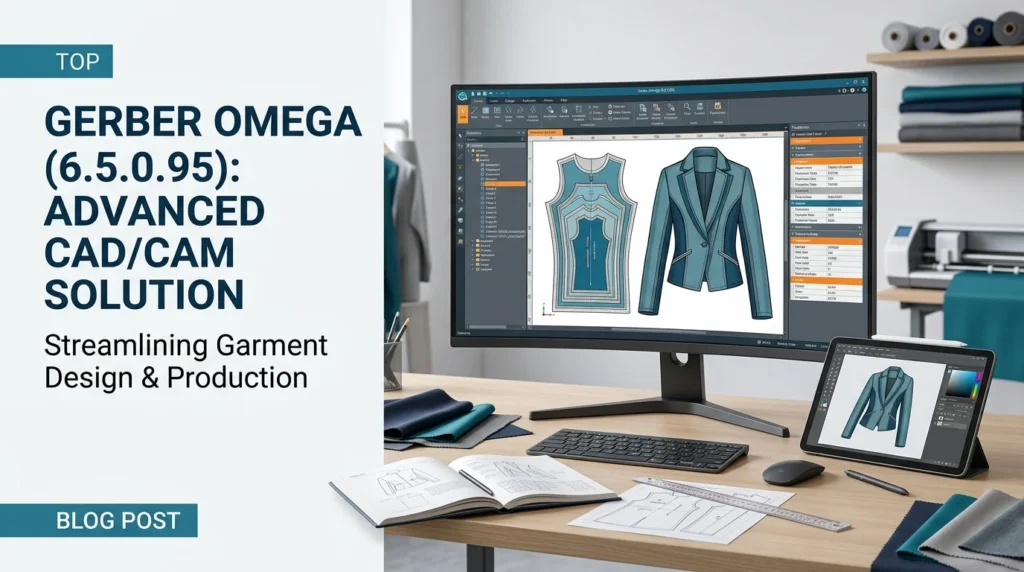


Overview of Gerber Omega 6.5.0.95
Table of Contents
Gerber Omega is a flagship product from Gerber Technology, a globally recognized leader in integrated software and automation solutions for the fashion and industrial markets. The version 6.5.0.95 represents a significant milestone in the software’s evolution, offering a seamless and powerful environment for all stages of the product development process.
This CAD software for apparel combines pattern design, grading, marker making, and 3D visualization into a single, unified workflow. The platform is designed to handle complex designs with ease, providing tools that cater to both the creative and technical demands of modern manufacturing. Whether you are a small boutique or a large-scale production facility, Gerber Omega provides the flexibility and scalability needed to meet diverse production requirements and enhance operational efficiency.
Key Features of Gerber Omega 6.5.0.95
The software’s robust toolset is engineered to optimize every step of the production chain. Here are some of the most notable features that make it an industry-standard solution.
Advanced Pattern Design Tools
The heart of Gerber Omega lies in its sophisticated pattern design capabilities. These tools allow for the creation of accurate and complex patterns, transforming creative visions into precise digital templates. Designers can draft new patterns from scratch or digitize existing paper patterns with high precision, ensuring a seamless transition from traditional methods to a digital workflow.
-
Intuitive Drafting Interface: A user-friendly workspace facilitates the creation of flat patterns, with tools for drawing, editing, and manipulating curves and lines.
-
Parametric Modeling: This feature allows for the creation of smart patterns where changing a key parameter automatically updates related pattern pieces, maintaining design integrity and saving significant time.
-
Seamless Integration: Direct integration with 3D visualization tools enables users to check fit and design on a virtual model, reducing the need for physical samples.
Precision Grading and Sizing
Achieving perfect fit across a range of sizes is critical for the apparel industry. Gerber Omega’s grading software automates this complex and time-consuming process. It ensures that patterns are accurately scaled while preserving design specifications and proportions.
-
Automated Rule Tables: Users can establish grading rules to automatically generate size sets, ensuring consistency across all dimensions.
-
Interactive Grading: For more complex designs, the software provides interactive tools that allow for precise point-by-point adjustments, giving the grader complete control.
-
Multi-Size Comparison: Visualize and compare multiple sizes simultaneously to verify the grading logic and ensure a consistent fit across the entire size run.
Efficient Marker Making
Material cost is one of the largest expenses in garment manufacturing. Gerber Omega’s marker making feature is a powerful optimization tool that plays a vital role in reducing fabric waste and maximizing material usage.
-
Automatic Marker Generation: The software’s intelligent algorithms can automatically calculate the most efficient arrangement of pattern pieces on a lay, minimizing fabric waste.
-
Manual Control: For advanced users, the software offers extensive manual tools to fine-tune marker layouts, allowing for the optimization of complex or unique fabric types.
-
Fabric Utilization Analysis: The software provides detailed reports on fabric consumption, helping businesses accurately calculate material costs and identify areas for improvement in their production workflow.
Integrated 3D Design and Visualization
Gerber Omega goes beyond 2D pattern making with its integrated 3D design capabilities. This feature acts as a powerful visualization tool that bridges the gap between design and production.
-
Virtual Sampling: Create a digital 3D prototype of a garment, allowing for fit and design evaluation before any physical fabric is cut.
-
Real-Time Feedback: See how pattern changes affect the drape and fit of the garment in real-time, accelerating the design and development cycle.
-
Enhanced Communication: The ability to share realistic 3D images and models with clients and production teams improves communication and reduces costly errors.
What’s New in the Latest Version (6.5.0.95)
Gerber Technology continuously enhances its software to meet the evolving needs of the industry. The 6.5.0.95 version of Gerber Omega introduces several key improvements designed to boost performance and user experience.
Performance Enhancements
A primary focus of this release is on speed and efficiency. Major enhancements to the software’s engine result in noticeably faster processing times for demanding tasks. The marker making algorithm, in particular, has been refined to calculate optimal layouts more quickly, accelerating the pre-production workflow without compromising on fabric savings.
Improved 3D Simulation
The 3D design module has received significant updates to provide more realistic and accurate garment simulations. These improvements in the simulation engine allow for a better evaluation of fabric drape, fit, and overall aesthetic. Enhanced lighting and texture rendering in the 3D workspace provide a clearer and more lifelike representation of the final product, facilitating better design decisions earlier in the process.
Updated User Interface and Workflow
User experience is key to productivity. Version 6.5.0.95 includes a streamlined user interface that makes essential tools more accessible. The workflow has been refined to be more intuitive, reducing the learning curve for new users and enabling experienced professionals to work more efficiently with fewer clicks and less navigation.
System Requirements
To ensure optimal performance, your system should meet the following recommended specifications for running Gerber Omega 6.5.0.95. Always check with your official software provider for the most up-to-date and detailed requirements.
-
Operating System: Windows 10 Professional (64-bit) or Windows 11 Professional.
-
Processor: Intel Core i7 or Xeon processor, 3.0 GHz or higher.
-
RAM: 16 GB minimum, 32 GB or more recommended for large projects.
-
Graphics Card: Dedicated graphics card with 4 GB VRAM (e.g., NVIDIA Quadro or GeForce series) supporting OpenGL 4.5.
-
Storage: 20 GB of free SSD storage space for installation and project files.
-
Display: Monitor with 1920 x 1080 resolution or higher.
Installation Guide
A proper installation is crucial for a stable and functional software environment. Below is a general guide for installing Gerber Omega 6.5.0.95.
-
System Preparation: Before you begin, ensure your system meets all the minimum hardware and software requirements. Create a system restore point as a precaution. It is also recommended to close all other applications to prevent any conflicts during installation.
-
Run the Installer: Locate the installation file provided by Gerber Technology (typically on a USB drive or downloaded from their portal). Right-click the setup file and select “Run as administrator” to grant the necessary permissions.
-
Follow On-Screen Prompts: The installation wizard will guide you through the process. You will need to accept the End-User License Agreement (EULA) and specify an installation directory (the default location is usually recommended).
-
Select Components: The installer may present a list of optional modules. Select the components that are included in your license.
-
License Configuration: Upon completion of the file installation, the software will prompt you to configure your license. Follow the provided instructions to activate your license. This may involve connecting to a local license server or entering a digital license file. For assistance with the activation process, refer to the documentation provided by your software vendor.
-
Restart: After the installation and license activation are complete, restart your computer to ensure all changes take effect.
How to Use the Software
Mastering Gerber Omega unlocks a powerful digital workflow for garment development.
Creating a New Design Project
Start by launching the software and selecting the appropriate template for your product type. The template sets the initial parameters, such as measurement units and default fabric settings, for your project.
Building the Pattern
This is where the creative process begins. Using the design tools, you can draft pattern pieces. If you have existing paper patterns, you can digitize them using a digitizer. Add essential details such as seam allowances, notches, and grain lines to ensure the pattern is production-ready.
Grading and Sizing
Once your base pattern is complete, it is time to create the full size range. You can define a grading rule, which tells the software how to scale each point on the pattern for a new size. The software then applies these rules to automatically generate the entire size set, ensuring consistent fit across all sizes.
Creating the Marker
The final step in the digital design phase is marker making. Import all the pattern pieces and quantities for a specific production order. Then, use the optimization tool to automatically generate an efficient layout. Review the marker, make any manual adjustments as needed, and send it to the cutting machine.
Best Use Cases
Gerber Omega 6.5.0.95 is a versatile solution designed for a wide range of users within the apparel and textile industry.
-
Apparel Manufacturing & Mass Production: For large-scale factories, Gerber Omega is essential for high-volume production. It automates and optimizes the entire process, from design to the creation of markers for high-speed cutting equipment, ensuring speed, accuracy, and minimal waste.
-
Fashion & Luxury Design Studios: For designers and high-end fashion brands, the software’s precise pattern making and advanced 3D simulation enable the creation of complex, high-quality garments while significantly reducing the number of physical samples needed.
-
Fast Fashion and Agile Production: In the fast-paced world of fast fashion, where speed to market is critical, the software’s efficiency and automation facilitate rapid product development cycles and quick adjustments to meet changing market demands.
-
Educational Institutions: Many leading fashion and textile design schools use Gerber Omega to teach students the skills required in the modern industry, providing them with hands-on experience with the software they will use in their professional careers.
Advantages and Limitations
Understanding the strengths and potential drawbacks of any software is key to making an informed decision.
Advantages
-
End-to-End Solution: Provides a fully integrated platform covering the entire product development lifecycle, from design to production.
-
Enhanced Efficiency: Automated processes for grading and marker making drastically reduce the time and manual effort required compared to traditional methods.
-
Significant Material Savings: Intelligent marker-making algorithms minimize fabric waste, leading to substantial cost savings.
-
Improved Accuracy: Eliminates errors associated with manual pattern drafting and grading, ensuring consistent quality and fit.
-
Comprehensive Support: Backed by Gerber Technology’s extensive industry expertise, training, and support network.
Limitations
-
Initial Cost: As a premium, industry-leading solution, the software and hardware acquisition cost can be a significant investment, especially for smaller businesses.
-
Training Requirements: The software’s extensive toolset requires dedicated training for users to achieve full proficiency and maximize its potential.
-
Hardware Dependency: Optimal performance demands a high-end workstation with a powerful processor, ample RAM, and a dedicated graphics card.
Alternatives to Gerber Omega
While Gerber Omega is a leading solution for professional CAD/CAM, several alternatives exist for different business needs and budgets.
-
Optitex: A strong competitor offering a similar range of features for 2D pattern making and 3D design. It is known for its user-friendly 3D simulation capabilities.
-
Lectra Modaris: Another high-end solution widely used in the industry, known for its powerful grading and fit simulation tools.
-
Clo 3D & Marvelous Designer: These are highly popular 3D design tools, particularly favored for their realistic simulation and intuitive interfaces, making them ideal for design visualization but less focused on production-ready marker making and cutting.
-
Tukatech: Offers a suite of software solutions for apparel manufacturing, including TUKAcad, which is a more cost-effective option for pattern making and grading.
Frequently Asked Questions
Is Gerber Omega 6.5.0.95 suitable for both small businesses and large enterprises?
Yes, the software’s modular architecture makes it scalable. It can be configured to meet the needs of a small design studio as well as a large, multi-national manufacturing operation. The investment is typically more accessible for larger enterprises due to the significant ROI, but smaller businesses can also benefit from its efficiency and waste-reduction capabilities.
What are the primary benefits of the integrated 3D design feature?
The integrated 3D design module allows you to visualize the final garment on a virtual model. This leads to a significant reduction in physical sample making, allowing for faster design iterations and fit checks. It also greatly improves communication between designers, pattern makers, and clients, leading to fewer errors and a more efficient approval process.
How does Gerber Omega help in reducing fabric waste?
The advanced marker making module uses sophisticated algorithms to create highly efficient fabric layouts. By automatically calculating the best way to arrange pattern pieces, it minimizes the amount of unused fabric left over at the end of a lay, leading to substantial material cost savings.
What technical support options are available for Gerber Omega users?
Gerber Technology offers comprehensive support, including online resources, training courses, and direct technical support from their team of experts. Support options may vary by region and subscription plan, so it’s best to check with your local provider for specific details.
Can I import files from other CAD software into Gerber Omega?
Yes, Gerber Omega supports various industry-standard file formats such as DXF, ASTM, and AAMA, facilitating data exchange with other systems. This interoperability is key to ensuring smooth collaboration within a supply chain that may use different software solutions.
Final Thoughts
Gerber Omega 6.5.0.95 represents a pinnacle of software engineering for the apparel industry. It is more than just a design tool; it is a comprehensive manufacturing solution that integrates pattern design, grading, and marker making to create a seamless and highly efficient production workflow.
The combination of advanced automation, powerful 3D visualization, and a scalable architecture makes it an invaluable asset for any business aiming to improve productivity, reduce costs, and accelerate time-to-market. While the initial investment and learning curve are significant, the long-term benefits in operational efficiency and material savings offer a clear and compelling return on investment. By leveraging the power of Gerber Omega, fashion brands and manufacturers can ensure they remain at the forefront of a competitive and ever-evolving global market.
Our Paid Service


