

Overview of the Software
Table of Contents
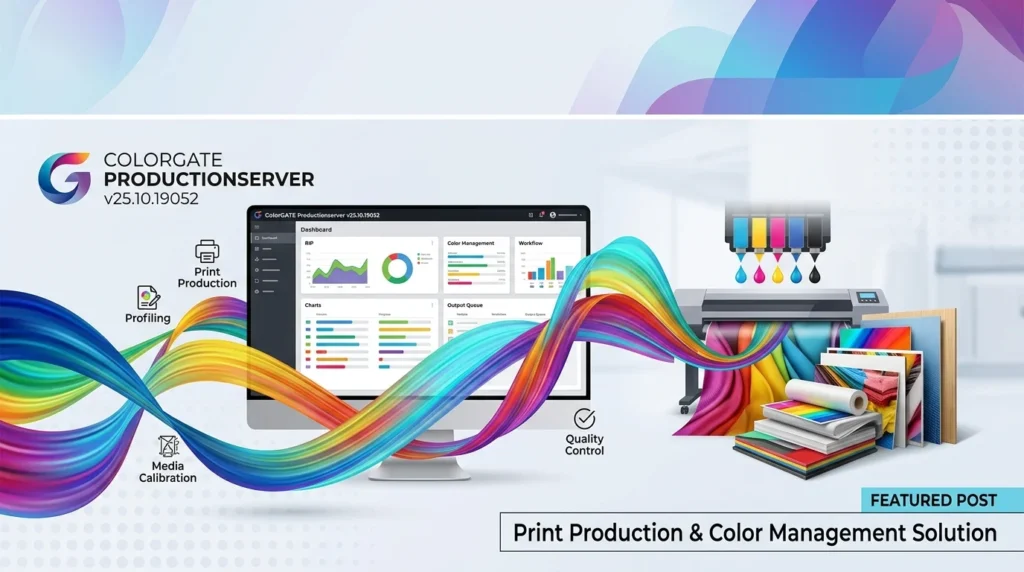
ColorGATE Productionserver is a high-end RIP software (Raster Image Processor) designed to streamline and enhance the workflow of print service providers and production houses. Developed by the German company ColorGATE, it goes beyond simple file processing to provide a comprehensive ecosystem for color-accurate output. The v25.10.19052 version represents a significant iteration, packed with enhancements to ensure optimal color management and production speed for a variety of printing devices, including large-format printers and digital presses. It is renowned for its ability to handle complex files and deliver consistent, predictable color across different substrates and printing technologies.
Key Features of ColorGATE Productionserver v25.10.19052
ColorGATE Productionserver is packed with features designed to give users control over every aspect of the printing process. Here are some of its core capabilities:
-
Advanced Color Management: At its heart, the software is a color management system. It uses advanced ICC profiling, device linking, and a sophisticated color engine to ensure accurate reproduction from screen to print. It supports the creation and integration of custom ICC profiles for specific printer, ink, and media combinations.
-
Powerful RIP Engine: The Raster Image Processor is built for speed and accuracy. It converts vector and raster data into printable raster formats, optimizing file processing for large and complex jobs without compromising quality.
-
Automated Workflow Tools: The software features a comprehensive set of automation tools. Users can set up hotfolders, use the production pipeline for automated file processing, and define rules for spot color handling, media selection, and output, significantly reducing manual intervention.
-
File Format Compatibility: It offers broad support for industry-standard file formats, including PDF/X, TIFF, JPG, EPS, AI, and PS. It also has excellent support for native file formats from Adobe applications.
-
Spot Color Handling: The Spot Color Editor is a standout feature, allowing for the accurate reproduction of brand colors. It offers a library of colors from major brands and allows for custom mixing and replacement.
-
Soft Proofing: The built-in soft-proofing capability allows users to preview color-accurate proofs on calibrated monitors, reducing the need for physical proofs and saving time and materials.
What’s New in ColorGATE Productionserver v25.10.19052
The v25.10.19052 update focuses on refining the user experience, boosting performance, and enhancing color predictability. Key improvements include:
-
Enhanced Color Engine for Improved Gamut Mapping: This version features a refined color engine that provides more intelligent gamut mapping, resulting in more vibrant and accurate colors, especially with challenging substrates.
-
Optimized PDF Workflow: The PDF processing engine has been updated to handle the latest PDF/X standards more robustly, ensuring better preflight capabilities and more reliable output from modern design files.
-
User Interface & Usability Improvements: The user interface has been slightly refined with a focus on workflow clarity. Tooltips and guidance have been enhanced to help newer users navigate the advanced features of the software more effectively.
-
Performance Boosts: Under-the-hood optimizations have been made to the core RIP engine. This translates to faster processing times for large raster files and more efficient management of complex jobs with multiple layers and spot colors.
-
Extended Ink Configuration: New options for configuring advanced ink sets, including white and varnish, have been added to support a wider range of specialty printing applications.
System Requirements
To run ColorGATE Productionserver v25.10.19052 smoothly, your system should meet the following minimum requirements.
Operating System
-
Windows: Microsoft Windows 10 Pro or Enterprise (64-bit), Windows 11 Pro or Enterprise (64-bit), Windows Server 2019 or 2022.
-
macOS: macOS Monterey, Ventura, or Sonoma (Intel and Apple Silicon).
Hardware Requirements
-
Processor: Intel Core i7 or AMD Ryzen 7 (or higher) with at least 4 cores.
-
RAM: 16 GB minimum, 32 GB or more is recommended for large file processing.
-
Hard Drive: 50 GB of free disk space for the software and cache files. An SSD drive is highly recommended for improved performance.
-
Network: 1 Gbps Ethernet network adapter.
-
Graphics Card: A graphics card with OpenGL 3.3 support or higher for soft proofing.
Additional Requirements
-
Display: Monitor with a resolution of 1920×1080 or higher.
-
Internet Connection: Required for software activation, updates, and product support.
Installation Guide: How to Install ColorGATE Productionserver
Installing the software is a straightforward process. Follow these steps for a successful setup:
-
System Check and Preparation: Before beginning, ensure your system meets the minimum requirements. It is also best practice to close all other running applications, including antivirus software, to prevent installation issues.
-
License Key: Have your valid ColorGATE Productionserver license information and activation code ready. The software requires a valid license for installation and operation.
-
Run the Installer: Download the installation package for v25.10.19052 from the official ColorGATE portal. Right-click the
.exe(Windows) or.dmg(macOS) file and select “Run as administrator.” -
Follow the Setup Wizard: The installation wizard will guide you through the process.
-
Accept the License Agreement: Read and accept the End-User License Agreement (EULA) to proceed.
-
Choose Installation Directory: Select the destination folder for the software. The default path is typically recommended.
-
Select Components: You may be prompted to choose which components to install (e.g., core RIP, Print & Layout tool). Select the ones you need.
-
Configure Network & Printer Ports: The installer will guide you through setting up network communication and assigning printer ports for your devices.
-
Complete Installation: Click “Install” and wait for the process to finish. Upon completion, you will be prompted to restart your system.
How to Use ColorGATE Productionserver Effectively
Once installed, you can begin using the software to manage your print jobs. Here is a basic workflow outline:
-
Calibrate and Profile Your System: The first step is to calibrate your monitor and your printer. Use a spectrophotometer and the software’s built-in calibration tools to create ICC profiles for your specific media, printer, and ink setup.
-
Set Up Your Job: Open the “Print & Layout” tool. Add your print-ready files (e.g., PDF, TIFF). The software will process them through the RIP engine.
-
Configure the Queue: Assign the file to a specific output queue. Here you can define media type, print quality, and the desired output device.
-
Apply Color Management: Ensure the correct ICC profile is assigned to the job. The software’s color management system will then convert the colors from your source file (e.g., sRGB, AdobeRGB) to the device’s color space.
-
Layout and Tiling: Use the layout tools to place your designs on the sheet. For large designs, use the tiling feature to print them across multiple panels.
-
Pre-Flight and Soft Proof: Run a pre-flight check to detect any potential issues with the file. Use the soft-proofing feature to see how the final print will look on your calibrated monitor.
-
Print: Send the job to the printer.
Best Use Cases for ColorGATE Productionserver
The software is ideal for a variety of professional printing environments:
-
Large Format Printing: Producing high-quality banners, posters, and signage with consistent and vivid colors.
-
Packaging Design: Creating accurate proofs for packaging prototypes, ensuring brand colors are correctly reproduced.
-
Fine Art Reproduction: Printing high-end fine art prints on a variety of media like canvas, watercolor paper, and photo paper, where color accuracy is paramount.
-
Point-of-Sale (POS) Displays: Managing high-volume production of display materials with efficient, automated workflows.
-
Textile Printing: A reliable solution for print service providers in the textile industry, managing color consistency across different fabrics and dyes.
Advantages and Limitations
Advantages
-
Exceptional Color Accuracy: Provides industry-leading color management, making it a top choice for color-critical applications.
-
Advanced Automation: The workflow automation tools save significant time in high-volume production environments.
-
Robust File Handling: Capable of processing complex and large files without crashing or errors.
-
High Stability: Known for its reliability and stability in demanding production settings.
-
Comprehensive Customization: Offers deep customization for output profiles, inks, and media.
Limitations
-
Steep Learning Curve: The sheer depth of features requires professional training or significant experience to master.
-
Cost: It is a premium solution, making it a significant investment for small businesses.
-
Resource Intensive: To run smoothly, it demands a powerful PC or Mac with substantial RAM and a fast processor.
Alternatives to ColorGATE Productionserver
Depending on your budget, workflow, and technical needs, you might consider these alternatives:
| Software | Key Focus | Best For |
|---|---|---|
| ONYX Thrive | User-friendliness and advanced features | Sign shops and large-format providers |
| Caldera | High-performance RIP for Mac and Linux | High-production environments and textile printing |
| SAi FlexiPRINT | Integrated design and RIP software | Sign and graphics professionals who need design tools |
| EFI Fiery | Fast RIP for digital presses | High-speed digital production in commercial print |
| Harlequin RIP | Raw RIP performance and speed | OEMs and high-volume processing |
Frequently Asked Questions
1. What is ColorGATE Productionserver used for?
ColorGATE Productionserver is a professional RIP software and color management system. It is used by print service providers to convert design files into print-ready data, manage color profiles, and control print production workflows to achieve high-quality, consistent output.
2. Is ColorGATE Productionserver v25.10.19052 available for Mac?
Yes, the software is fully compatible with macOS Monterey, Ventura, and Sonoma on both Intel and Apple Silicon processors. It is cross-platform, ensuring a consistent experience across different operating systems.
3. What are the system requirements for ColorGATE Productionserver?
The key requirements include a 64-bit version of Windows 10/11 or macOS Monterey+, an Intel Core i7 or AMD Ryzen 7 processor (or better), at least 16 GB of RAM, and an SSD for storage. A dedicated graphics card with OpenGL 3.3 support is also recommended for advanced features like soft proofing.
4. What are the key differences between v25.10.19052 and older versions?
The v25.10.19052 update focuses on refining the color engine for improved gamut mapping, optimizing the PDF workflow, and providing performance boosts for faster processing of complex files. It also includes minor user interface enhancements and support for new ink configurations.
5. How can I get a valid license for ColorGATE Productionserver?
You can purchase a license directly from ColorGATE or through their global network of authorized resellers. The software is sold as a perpetual license with maintenance options or as a subscription model.
6. Can ColorGATE Productionserver help with color management for different substrates?
Absolutely. It is a core strength of the software. You can create and manage custom ICC profiles for any printer, ink, and media combination (substrates). This allows you to maintain consistent color output even when switching between materials like vinyl, canvas, paper, or textiles.
7. Is ColorGATE Productionserver a good choice for a beginner?
While it is a powerful tool, its advanced features come with a steep learning curve. Beginners are recommended to start with the comprehensive manuals and tutorials provided by ColorGATE, or consider formal training to fully leverage its capabilities.
Final Thoughts
ColorGATE Productionserver v25.10.19052 is a top-tier print production and color management system that sets a high standard for quality and reliability. Its unmatched color accuracy, robust automation, and broad file support make it a powerful asset for any professional print environment.
While the initial investment and learning curve are significant, the return in terms of workflow efficiency and color consistency is substantial. For professionals who demand the best color from their prints, it remains a leading solution in the industry. By understanding its features, requirements, and potential limitations, you can make an informed decision about whether it is the right tool to elevate your digital printing projects.
Our Paid Service